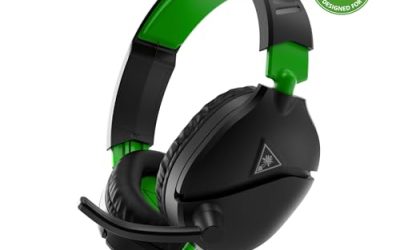
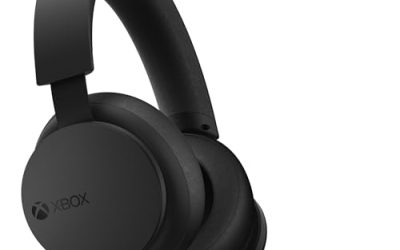
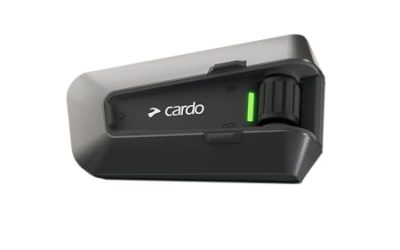
The best Bluetooth headset for a PC is one that supports Bluetooth 5.x with the SBC and AAC or LC3 codecs, has a boom or beamforming microphone, and pairs with a USB dongle so latency stays low during games. For voice calls, choose a model with a dedicated mic; for gaming, prefer a 2.4 GHz dongle with Bluetooth as a secondary mode. Typical prices run $50-$300.
As an Amazon Associate we earn from qualifying purchases at no extra cost to you.


Top 3 picks at a glance
Quick comparison of Bluetooth headset types
| Pick | Best for | Key specs | Typical price |
|---|---|---|---|
| Dual-mode gaming headset (2.4 GHz plus Bluetooth) | Best overall for PC | Low-latency dongle, Bluetooth 5.x, boom mic, 20-40 h battery | $100-$250 |
| Office/call headset with boom mic | Best for calls | Noise-cancelling mic, multipoint, 30+ h talk time | $80-$250 |
| Over-ear ANC headphones | Best for music and travel | Active noise cancelling, 30-60 h battery, built-in mic | $150-$400 |
| Budget Bluetooth headset | Best budget | Bluetooth 5.x, 20-40 h battery, basic mic | $30-$80 |
| True wireless earbuds | Best portable | 5-8 h per charge, case charging | $50-$250 |
Best overall: dual-mode gaming headset
The key trade-off of Bluetooth is latency. Standard Bluetooth audio commonly adds roughly 100-250 ms of delay, depending on codec and device, which is noticeable in games and video. A headset that ships with a 2.4 GHz USB dongle typically cuts that to tens of milliseconds, and keeps Bluetooth for phone use. That makes dual-mode the safest all-round choice.
Best for calls: boom-mic office headset
Voice quality in calls depends on microphone design, not on the Bluetooth version. Look for a boom mic with noise suppression and multipoint pairing, which lets you connect to a PC and a phone at once. The trade-off is less stylish design and weaker music tuning.
Best for music: over-ear ANC headphones
ANC headphones use codecs such as AAC, aptX, or LDAC (check the spec sheet) and deliver the best sound. Their built-in microphones work for casual calls but pick up more room noise than a boom mic.
Best budget: basic Bluetooth headset
Models under $80 usually offer good battery life but weaker microphones and no low-latency mode. They suit streaming video and casual use rather than competitive play.
Best portable: true wireless earbuds
Earbuds are convenient but battery life per charge is short, and PC Bluetooth stacks often switch them into low-quality hands-free mode when the microphone activates.
Why Bluetooth mic quality drops on PC
When a headset uses its microphone over Bluetooth, many PCs switch from the high-quality A2DP profile to the Hands-Free Profile (HFP). HFP is narrowband: the common wideband speech variant samples at 16 kHz, while music uses 44.1 or 48 kHz, so audio suddenly sounds muffled. A USB dongle or a separate USB or analog microphone avoids this switch.
Worked example: battery and latency
A headset with a 600 mAh battery drawing around 30 mA in Bluetooth playback runs about 600 / 30 = 20 hours. With ANC adding around 10 mA, drain becomes 40 mA and runtime falls to about 15 hours. Those are illustrative figures; check the manufacturer’s rating. For latency, a 200 ms delay means a gunshot sound arrives about one fifth of a second late, roughly 12 frames at 60 fps, which is why dongle modes matter for gaming.
Step-by-step: pair a Bluetooth headset with a PC
- Confirm your PC has Bluetooth 5.0 or newer, or plug in a Bluetooth 5.x USB adapter.
- Put the headset into pairing mode, usually by holding the power button until the light flashes.
- Open Windows Settings, then Bluetooth and devices, then Add device, and select the headset.
- In Sound settings, set the headset as both output and input only when you need the mic; otherwise keep the PC microphone as input to preserve stereo quality.
- Update the headset firmware through the manufacturer’s app if offered.
Decision matrix
| Your situation | Choose | Reason |
|---|---|---|
| Competitive gaming | Dual-mode with 2.4 GHz dongle | Lower latency |
| Daily video calls | Boom-mic office headset | Better voice pickup |
| Music and travel | ANC headphones | Noise cancelling and codecs |
| Tight budget | Basic Bluetooth headset | Low cost |
| Switching between PC and phone | Multipoint model | Two connections at once |
Frequently Asked Questions
Is Bluetooth good enough for PC gaming?
For casual games and single-player titles, yes. For fast shooters, the added delay can be distracting, so choose a headset with a 2.4 GHz dongle or a wired connection.
Why does my Bluetooth headset sound bad when I use the mic?
Windows often switches to the Hands-Free Profile, which lowers audio quality. Use a USB dongle, a separate microphone, or disable the hands-free service for your device in settings.
Which Bluetooth version do I need?
Bluetooth 5.0 or newer is recommended for stability and range. Bluetooth 5.2 or later adds LE Audio support with the LC3 codec on compatible devices.
Can I connect a Bluetooth headset to a desktop without built-in Bluetooth?
Yes. Plug in a Bluetooth 5.x USB adapter, or use a motherboard with Wi-Fi and Bluetooth built in. Place the adapter on a front port or extension cable for a better signal.
How long do Bluetooth headsets last on a charge?
Over-ear models commonly last 20-60 hours, while earbuds last 5-8 hours per charge. Active noise cancelling and RGB lighting reduce runtime.
Related guides
More from Amazon
Programs that pair well with the guide above. Offers and eligibility are set by Amazon and may change.
A free business account with business pricing and bulk-buying tools for work, shop or home office.
Create a business accountFree shipping on eligible items, Prime Video and more. Eligible new members can start with a free trial.
Start a Prime free trialAudiobooks and podcasts to listen to on the go. Eligible new members can start with a free trial.
Try Audible freeAd-free music streaming. Eligible new subscribers can start with a free trial.
Try Music Unlimited freeAs an Amazon Associate we earn from qualifying purchases.