The best touch screen ink laptop for most people in 2026 is a 14-inch 2-in-1 with a 16:10 OLED or high-quality IPS panel, a pen that is included or clearly supported, and a battery of at least 65 Wh. Convertibles such as the Samsung Galaxy Book5 Pro 360, HP OmniBook Ultra Flip 14 and Lenovo Yoga 9i 2-in-1 fit that description. If you want a tablet-first design, the Microsoft Surface Pro (11th Edition) is the cleaner choice. The deciding factor is the pen standard, not the processor.
“Ink” here means pen input, such as Windows Ink, handwriting recognition, sketching and PDF markup. Pen support depends on the screen digitizer and the pen protocol, so a laptop that merely has a touch screen may not work with a pen at all. Specs and bundled accessories vary by region and configuration, so confirm them on the manufacturer’s spec sheet before buying.
As an Amazon Associate we earn from qualifying purchases at no extra cost to you.

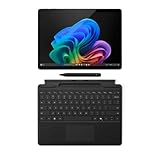


Top 3 picks at a glance
Quick comparison of the picks
| Pick | Best for | Key specs (typical configurations) | Price range |
|---|---|---|---|
| Samsung Galaxy Book5 Pro 360 | Best overall for note-taking and sketching | 16-inch class and 14-inch class options, AMOLED touch panel, S Pen supported, Intel Core Ultra processor | Premium |
| Microsoft Surface Pro (11th Edition) | Best tablet-style Windows ink device | 13-inch 3:2 touch display, Snapdragon X-series processor, Surface Slim Pen support, keyboard and pen sold separately | Premium (more once accessories are added) |
| HP OmniBook Ultra Flip 14 | Best polished all-round convertible | 14-inch 2.8K-class OLED touch, 360-degree hinge, active pen support, Intel Core Ultra | Premium |
| Lenovo Yoga 9i 2-in-1 (Aura Edition) | Best for media plus ink, with good speakers | 14-inch OLED touch, 360-degree hinge, Lenovo Digital Pen support, Intel Core Ultra | Premium |
| Lenovo ThinkPad X1 2-in-1 (Gen 9) | Best for business and travel | 14-inch 16:10 touch, garaged pen, ThinkPad keyboard, security options | Premium |
| ASUS ROG Flow Z13 (2025) | Best if you also want serious gaming | 13.4-inch 16:10 touch tablet, up to 180 Hz refresh, stylus support, AMD Ryzen AI Max-class chip | Premium |
| Lenovo Yoga 7i 2-in-1 / HP Envy x360 14 class | Best budget-to-mid-range ink laptop | 14-inch touch IPS or OLED, 360-degree hinge, pen support (check if the pen is included), 16 GB RAM | Budget to mid-range |
Best overall: Samsung Galaxy Book5 Pro 360
Samsung is the one major laptop maker that ships a true pen in the box. The S Pen supplied with the Book5 Pro 360 uses Samsung’s own digitizer, which avoids the “pen sold separately” problem. The AMOLED panel gives deep blacks for sketching and reading, and Samsung’s note apps are well suited to handwriting.
Trade-off: the S Pen does not use the same protocol as Microsoft’s pens, so you cannot swap in third-party Windows pens. Glossy AMOLED screens also reflect more light than matte IPS panels.
Best tablet-style: Microsoft Surface Pro (11th Edition)
The Surface Pro is the reference design for Windows Ink. Its 3:2 screen is close to a sheet of paper, and the Slim Pen has a magnetic charging spot under the keyboard flap. Windows handles pen input and palm rejection very well on it.
Trade-off: the keyboard cover and pen are separate purchases, and the kickstand needs desk space, so it is awkward on a lap. The Snapdragon processor also means you should check that your key apps run natively on Arm.
Best polished convertible: HP OmniBook Ultra Flip 14
This is HP’s flagship 14-inch flip, the successor to the Spectre x360 line. It combines an OLED touch panel, a sturdy 360-degree hinge and good build quality. It suits students and professionals who switch between typing, tent mode and tablet mode.
Trade-off: a 14-inch convertible is heavy as a pure tablet, so long handwriting sessions are more comfortable flat on a desk. Confirm whether your configuration bundles the pen.
Best for media and ink: Lenovo Yoga 9i 2-in-1 (Aura Edition)
Lenovo’s Yoga 9i pairs an OLED panel with strong speakers, which suits people who draw in the evening and watch video afterward. The Yoga line is usually reliable for hinge feel and keyboard comfort.
Trade-off: the price sits in the premium tier, and fast-refresh options are limited compared with gaming-oriented tablets.
Best for business: Lenovo ThinkPad X1 2-in-1 (Gen 9)
The X1 2-in-1 keeps the ThinkPad keyboard and a pen that docks inside the chassis, so it is rarely lost. It also offers business-class security features and a 16:10 panel suited to documents and markup.
Trade-off: it costs more than similar-spec consumer convertibles, and its panel is less dramatic than OLED options for creative work.
Best for gaming plus ink: ASUS ROG Flow Z13 (2025)
The Flow Z13 is a detachable tablet with a high-refresh touch display and a powerful integrated GPU. It is the only pick here designed with gaming in mind, and it handles sketching well for a gaming device.
Trade-off: it is more expensive than most ink laptops, fan noise appears under load, and the pen is an accessory you should confirm separately. Integrated graphics can handle many games at 1080p, but results vary with game, settings, power mode and patch.
Best budget: mid-range 14-inch 2-in-1s
Models such as the Lenovo Yoga 7i 2-in-1 and HP Envy x360 14 are the practical choice if you want a pen without paying flagship prices. Look for 16 GB of RAM, a 256 GB or larger SSD, and a screen of at least 300 nits. Budget models often use IPS rather than OLED, which is fine for notes and annotations.
Trade-off: brightness, color accuracy and hinge quality are usually weaker. Some bundle the pen and others do not, so check the box contents.
How to choose: pen protocol first
Most pen problems come from a mismatch between pen and screen. These are the main standards:
- Microsoft Pen Protocol (MPP): used by Surface devices and many HP, Lenovo and Dell models. Pens such as the Surface Slim Pen are widely compatible.
- Universal Stylus Initiative (USI): common on Chromebooks and some Windows laptops. The pen must be USI 2.0 compatible with the screen.
- Wacom AES: found on some HP, Dell and ASUS models. It generally needs a pen made for AES.
- Samsung S Pen (EMR-style digitizer): needs no battery, but works only on Samsung devices that support it.
Also check pressure levels (4,096 is a common baseline and 8,192 is available on some premium pens), tilt support, whether the pen charges or uses a battery, and whether the laptop has a place to store it.
Worked example: screen drawing area
Diagonal size is misleading because aspect ratio changes the usable canvas. Using the standard geometry for each ratio:
| Screen | Width x height (inches) | Area (sq in) |
|---|---|---|
| 13-inch 3:2 | 10.8 x 7.2 | 78.0 |
| 14-inch 16:9 | 12.2 x 6.9 | 83.8 |
| 14-inch 16:10 | 11.9 x 7.4 | 88.1 |
The 14-inch 16:10 panel offers about 13% more area than a 13-inch 3:2 tablet (88.1 divided by 78.0). Yet the 3:2 screen is only about 0.2 inch shorter in height, which matters in portrait-orientation note-taking. Choose 3:2 for page-like work and 16:10 for a general-purpose convertible.
Worked example: battery runtime for inking
Runtime is roughly battery capacity in watt-hours divided by average power draw in watts. A 70 Wh battery with a 12 W average draw (OLED at moderate brightness, note-taking, light browsing) lasts about 5.8 hours. At a 25 W average draw (bright screen, video calls, sketching in a heavy app), it lasts about 2.8 hours. A 50 Wh battery at 12 W gives about 4.2 hours. Manufacturer battery claims usually assume light loads, so use these calculations for planning a school or work day.
Decision matrix: match your situation to a pick
| Your situation | Best choice | Reason |
|---|---|---|
| Want a pen in the box | Samsung Galaxy Book5 Pro 360 | S Pen is bundled, so no separate purchase |
| Handwriting on a page-like screen | Surface Pro (11th Edition) | 3:2 ratio and tight Windows Ink integration |
| Laptop-first, tent and tablet modes | HP OmniBook Ultra Flip 14 or Lenovo Yoga 9i | Sturdy 360-degree hinge, 16:10 OLED |
| Corporate use, pen should not get lost | ThinkPad X1 2-in-1 | Garaged pen and business features |
| Also play games | ASUS ROG Flow Z13 | Faster GPU and a high-refresh touch display |
| Tight budget | Mid-range 14-inch 2-in-1 | Pen support without flagship pricing |
| Outdoor or bright rooms | Matte or anti-glare IPS panel | Less reflection than glossy OLED |
Other specs that matter for ink
- Screen finish: glossy panels look better but reflect light, and matte finishes feel more paper-like under the pen.
- Brightness: aim for 400 nits or more if you work near windows.
- Weight: for tablet use, lighter is better, and a 14-inch convertible is usually heavier than a detachable.
- RAM and storage: 16 GB of RAM and 512 GB of storage are a comfortable baseline for creative apps and large files.
- Software: check that your note or drawing app supports your pen. Some apps work best with one ecosystem.
Frequently Asked Questions
Does every touch screen laptop work with a pen?
No. Many touch screen laptops only recognize finger input. A pen needs an active digitizer that matches the pen’s protocol, so check the manufacturer’s spec sheet for pen support before buying.
Is the pen included with these laptops?
It depends on the model and region. Samsung’s Galaxy Book 360 models typically include the S Pen, while Surface pens are sold separately. Many HP and Lenovo models include a pen in some configurations but not others, so confirm the box contents.
Can I use any stylus on a Windows laptop?
Not reliably. Pens must use the same standard as the screen, such as MPP, USI or Wacom AES. A pen made for a different protocol may draw but lack pressure sensitivity or may not work at all.
Is a 2-in-1 laptop or a tablet like the Surface Pro better for ink?
A tablet-style device is better for handwriting and holding in one hand, while a convertible is better if you type more than you write. A detachable adds a kickstand and keyboard cover that take up more desk space than a convertible’s integrated hinge.
Is OLED a good choice for drawing and notes?
Yes, for color and contrast. OLED panels offer strong blacks and wide color gamuts, which suit sketching and media. The trade-offs are glossy glare and, on some models, a lower-brightness sustained output in bright rooms.
Can a pen laptop also handle gaming?
Some can, within limits. Models with integrated graphics, such as the ROG Flow Z13, can run many games at 1080p with adjusted settings. Typical results vary widely with the game, resolution, power mode and patch, so check published reviews for your titles.
Related guides
More from Amazon
Programs that pair well with the guide above. Offers and eligibility are set by Amazon and may change.
A free business account with business pricing and bulk-buying tools for work, shop or home office.
Create a business accountFree shipping on eligible items, Prime Video and more. Eligible new members can start with a free trial.
Start a Prime free trialAudiobooks and podcasts to listen to on the go. Eligible new members can start with a free trial.
Try Audible freeAd-free music streaming. Eligible new subscribers can start with a free trial.
Try Music Unlimited freeAs an Amazon Associate we earn from qualifying purchases.


