The best SSD for most gaming PCs in 2026 is a 2 TB PCIe 4.0 NVMe drive with a DRAM cache, such as the WD_BLACK SN850X or Samsung 990 Pro. Games load nearly as fast from these as from far pricier PCIe 5.0 drives. Pick a Gen5 model like the Samsung 9100 Pro only if you also move huge files for work, and pick a DRAM-less Gen4 drive if you want the most capacity for the money.
As an Amazon Associate we earn from qualifying purchases at no extra cost to you.



Our Top Picks



Top 3 picks at a glance
Quick comparison of the best current SSDs
Speeds below are the “up to” sequential figures from each manufacturer’s spec sheet. They vary by capacity, and real-world results depend on the platform. Price tiers are general market positions, not quotes.
| Pick | Best for | Interface / key specs | Price tier |
|---|---|---|---|
| WD_BLACK SN850X | Best overall for gaming | PCIe 4.0 x4, up to about 7,300 MB/s read, 1–4 TB, heatsink version available | Mid-range to premium |
| Samsung 990 Pro | Best all-round Gen4 with a strong track record | PCIe 4.0 x4, up to about 7,450 MB/s read, DRAM cache, 1–4 TB | Premium |
| Samsung 9100 Pro | Best PCIe 5.0 drive | PCIe 5.0 x4, up to about 14,700 MB/s read, needs good cooling | Premium to high-end |
| WD_BLACK SN7100 | Best value Gen4 for capacity | PCIe 4.0 x4, DRAM-less, up to about 7,000 MB/s read class | Mid-range |
| Lexar NM790 | Best budget-friendly 2 TB and 4 TB | PCIe 4.0 x4, DRAM-less with host memory buffer, up to about 7,400 MB/s read | Budget to mid-range |
| Samsung 990 Evo Plus | Best for laptops and light builds | PCIe 4.0 x4 / 5.0 x2 capable, up to about 7,150 MB/s read | Budget to mid-range |
| Samsung 870 Evo | Best SATA drive for old PCs | SATA III, up to about 560 MB/s read, 2.5-inch | Budget to mid-range |
Best overall: WD_BLACK SN850X
The SN850X is a PCIe 4.0 drive that has stayed a default recommendation because it is fast, has a DRAM cache, and is easy to find in 1, 2 and 4 TB sizes. WD also sells a version with a built-in heatsink that suits a PlayStation 5, which asks for a cooled M.2 drive. It is a good fit for anyone building or upgrading a gaming PC who wants one drive for the OS and the game library.
Main trade-off: it costs more than DRAM-less Gen4 drives that feel the same in games. You are paying for sustained write behavior and consistency, not faster level loads.
Best Gen4 alternative: Samsung 990 Pro
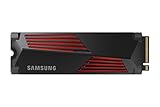
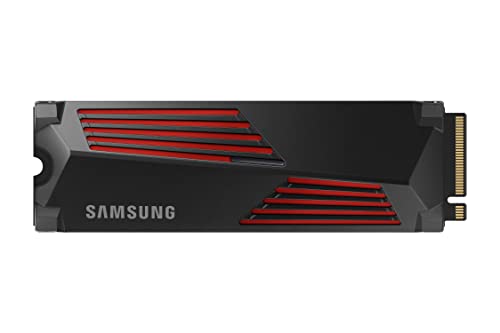
The 990 Pro has a DRAM cache and strong sustained performance. Samsung also offers a heatsink edition. It suits people who want a drive for mixed work, such as game installs, video scratch space and game-mod libraries.
Main trade-off: it usually sits at the premium end of Gen4 pricing, and the SN850X is close enough in games that the choice often comes down to whichever is cheaper that week.
Best PCIe 5.0 SSD: Samsung 9100 Pro
The 9100 Pro is a PCIe 5.0 x4 drive with a rated sequential read of up to roughly 14,700 MB/s, about double a Gen4 drive. It makes sense on a new Gen5-capable board for large video, 3D and dataset work, where moving hundreds of gigabytes is part of the day.
Main trade-off: Gen5 drives run hot and need a proper heatsink or motherboard cooler. Games show only small load-time gains over Gen4 because CPU, decompression and shader work become the bottleneck before drive speed does.
Best value Gen4: WD_BLACK SN7100 and Lexar NM790
Both are DRAM-less PCIe 4.0 drives that use host memory buffer to keep random performance respectable. In everyday gaming they are hard to tell apart from DRAM drives, and they let you buy 2 TB or 4 TB for the money a high-end 1 TB drive would cost. The SN7100 is the better pick if you want a big-brand warranty. The NM790 is the better pick if you want a big drive at the lowest price.
Main trade-off: heavy sustained writes, such as copying a very large folder when the drive is nearly full, can fall to much lower speeds than DRAM drives once the fast cache is used up.
Best for laptops and light builds: Samsung 990 Evo Plus
This is an efficient Gen4-class drive with strong everyday speeds and moderate heat, which helps in thin laptops and small cases. It is a sensible default for a prebuilt upgrade when you want a clear step up from an old drive without spending flagship money.
Main trade-off: it is not designed for the heaviest sustained writing, and for the same capacity you may find faster options in the premium tier.
Best SATA SSD: Samsung 870 Evo
If your PC has no free M.2 slot or an older motherboard, a 2.5-inch SATA drive is still a major upgrade over a hard drive. The 870 Evo is rated at about 560 MB/s read, which is the ceiling of the SATA III interface. It is also a good fit for a secondary game drive in a desktop with spare drive bays.
Main trade-off: it is several times slower than NVMe in file copies. It is not suited to a PS5 or to modern handheld slots.
How to choose: decision matrix
| Your situation | Choose | Why |
|---|---|---|
| New gaming PC, one main drive | 2 TB Gen4 with DRAM (SN850X, 990 Pro) | Fast, consistent, enough room for a typical library |
| Big library, tight budget | 2–4 TB DRAM-less Gen4 (SN7100, NM790) | Capacity matters more than peak write speed |
| Video editing or large file transfers | Gen5 (9100 Pro) with heatsink | Sustained transfer speed saves real time |
| PlayStation 5 expansion | Gen4 heatsink model, 1–2 TB | Sony requires PCIe 4.0 and a read speed of at least 5,500 MB/s, with cooling |
| Older PC with no M.2 slot | SATA SSD (870 Evo) | Fits standard drive bays and cabling |
| Handheld PC or compact laptop | Match the form factor first (2230 or 2280) | A drive that does not fit is useless, whatever its speed |
Worked example: how much capacity you actually need
Modern AAA games commonly occupy roughly 80–150 GB each, though this varies by title and patch. Suppose you keep six large games installed, averaging 110 GB, plus two smaller ones at 30 GB each, and your OS, drivers and apps take about 150 GB.
- Large games: 6 × 110 GB = 660 GB
- Smaller games: 2 × 30 GB = 60 GB
- OS and apps: 150 GB
- Subtotal: 870 GB
- Free space reserve (about 20% of the drive, so writes stay fast): 870 GB ÷ 0.8 ≈ 1,090 GB
A 1 TB drive (about 930 GB usable in Windows) would already be too small, so a 2 TB drive is the practical choice. This is why 2 TB is the sweet spot in 2026, and why a cheaper DRAM-less 2 TB drive can beat a premium 1 TB drive for gamers.
Worked example: why sustained speed matters
Peak speeds on the box are for short bursts. Say you copy a 300 GB game library to a new drive. If the drive holds 6,000 MB/s the whole time, it takes 300,000 MB ÷ 6,000 MB/s = 50 seconds. If the fast cache fills and the drive drops to 1,500 MB/s, the same job takes 300,000 ÷ 1,500 = 200 seconds. The figures are illustrative, but they show that drops after the cache fills affect large transfers while having almost no effect on loading a single game.
PCIe 4.0 x4 has a theoretical ceiling of about 7.9 GB/s and PCIe 5.0 x4 about 15.8 GB/s, so Gen4 drives are already close to their interface limit.
Compatibility checks before buying
- Slot type: confirm your board has an M.2 slot with NVMe (PCIe) support, not SATA-only. Check the manual for which slots run at Gen4 or Gen5 speed.
- Length: most desktop drives are 2280 (22 mm × 80 mm). Handhelds and some small laptops use 2230.
- Heatsink clearance: if you buy a drive with a heatsink, check that it fits under the board’s own cooler or a GPU backplate. In a PS5 the total height is limited.
- Lane sharing: some motherboards disable SATA ports when certain M.2 slots are used. The manual lists this.
- Warranty and endurance: compare the terabytes-written rating and warranty length on the spec sheet. Gamers rarely get near the limits, but creators might.
Frequently Asked Questions
Is a PCIe 5.0 SSD worth it for gaming?
For most players, no. Games show small load-time gains over a good Gen4 drive, and Gen5 models need better cooling and cost more per terabyte. It is worth considering if you also edit video or move very large files regularly.
Is a DRAM-less SSD bad for gaming?
No. Modern DRAM-less NVMe drives that use host memory buffer perform well in games and daily use. The weakness appears in long, heavy writes and when the drive is almost full, so keep about 20% free.
How much SSD storage do I need in 2026?
For a gaming PC, 2 TB is the practical starting point, since many big games take 80–150 GB each. Choose 1 TB only if you play a few titles at a time, and 4 TB if you keep a large library installed or record video.
Do I need a heatsink on my NVMe SSD?
Usually yes for Gen5 and for PS5 use, and it is a good idea for hot Gen4 drives in tightly packed cases. Many motherboards include M.2 heatsinks that are enough for Gen4. A heatsink prevents thermal throttling, which lowers speeds during long transfers.
Can I use a SATA SSD instead of NVMe?
Yes, and it still makes sense for older systems or as extra game storage. Games will load slower than from NVMe in some titles, and large copies will be much slower because SATA tops out around 560 MB/s. It will not work for a PS5 expansion slot.
Which SSD brand is most reliable?
Samsung, WD_BLACK and Kingston are widely chosen and offer warranties that are typically three to five years, depending on the model. Check the warranty and endurance ratings on the manufacturer’s spec sheet rather than relying on brand reputation alone. Back up important data regardless of which drive you buy.
Related guides
More from Amazon
Programs that pair well with the guide above. Offers and eligibility are set by Amazon and may change.
A free business account with business pricing and bulk-buying tools for work, shop or home office.
Create a business accountFree shipping on eligible items, Prime Video and more. Eligible new members can start with a free trial.
Start a Prime free trialAudiobooks and podcasts to listen to on the go. Eligible new members can start with a free trial.
Try Audible freeAd-free music streaming. Eligible new subscribers can start with a free trial.
Try Music Unlimited freeAs an Amazon Associate we earn from qualifying purchases.


