
As an Amazon Associate we earn from qualifying purchases at no extra cost to you. Product prices and availability are accurate as of the date shown and are subject to change.
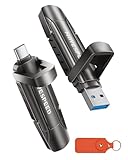


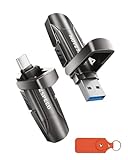
Top 3 picks at a glance
The Short Answer
Most modern AAA games take up 50 to 150 gigabytes each, and the biggest titles released in 2026 frequently land between 100 and 160 GB. Call of Duty–style shooters, open-world epics, and sports franchises with annual updates are the heaviest, while indie games, retro collections, and older titles often sit between 2 and 30 GB. That means a 2TB portable SSD holds roughly 15 to 25 modern AAA games before you need to manage your library, while a 4TB drive comfortably stores 35 to 60. The exact number depends on the platform too: PC versions tend to run larger than console versions because of higher-resolution texture packs, and Xbox Series X/S games can only be *stored* on external drives, not played directly from them unless the game is an older generation title.
For sizing your purchase, a simple rule works: budget 100 GB per big game, 15 GB for a mid-size title, and 5 GB for indies. Then multiply by your realistic library size, not your dream library.
Standard Sizes
Portable SSDs are small enough that storage capacity barely changes their physical footprint. Here are the real-world dimensions of the example products and typical competitors in this category:
| Product | Capacity | Length | Width | Thickness | Weight |
|---|---|---|---|---|---|
| MOVE SPEED 2TB Dual-Port SSD | 2TB | 3.1 in (8.0 cm) | 0.9 in (2.3 cm) | 0.45 in (1.1 cm) | ~1.1 oz (31 g) |
| Lexar Professional Go Portable SSD | 2TB | 2.1 in (5.3 cm) | 1.3 in (3.2 cm) | 0.4 in (1.0 cm) | ~0.7 oz (20 g) |
| WD_BLACK P10 Game Drive (HDD) | 4TB | 4.6 in (11.8 cm) | 3.4 in (8.6 cm) | 0.8 in (2.1 cm) | ~8.4 oz (238 g) |
| MOVE SPEED 4TB Dual-Port SSD | 4TB | 3.1 in (8.0 cm) | 0.9 in (2.3 cm) | 0.45 in (1.1 cm) | ~1.2 oz (34 g) |
The pattern worth noticing: a flash-based SSD the size of a thumb drive holds the same 2TB that once required a pocketable-but-bulkier spinning hard drive like the P10. Thumb-style SSDs like the MOVE SPEED units draw all their power from the USB port, so they need no external power supply — typically under 2.5 watts during transfers. The P10-class drives also run on bus power, around 2 to 4.5 watts, since they are 5400 RPM mechanical units rather than SSDs.
Price-wise, expect to pay roughly $0.11 to $0.17 per gigabyte for quality flash storage. The example products break down as the 2TB MOVE SPEED at $249.99, the 2TB Lexar Go at $339.92, the 4TB WD_BLACK P10 HDD at $229.99, and the 4TB MOVE SPEED SSD at $539.99. Note the HDD’s lower cost per terabyte versus its slower speeds and larger size — that trade-off is the core purchasing decision.
How to Measure Your Space
Whether you’re deciding how many games fit on a drive or where the drive itself will live, work through these steps:
- List your current library sizes. On Windows, sort your game folders by size; on console, check Manage Storage. Write down the actual GB per title rather than guessing.
- Total it up and add 20%. Updates, DLC, and shader caches routinely grow a 90 GB install to 120 GB. Padding prevents immediate regret.
- Convert to a drive size. If your library is 1.6 TB today, a 2TB drive fills quickly; 4TB gives you years of headroom.
- Measure the physical slot. For desk drawers, console shelves, or a laptop sleeve, use a tape measure and note depth, width, and clearance. Allow at least half an inch of extra room for cable bend radius if the drive sits at the end of a short cable.
- Check your ports. Confirm whether you need USB-A, USB-C, or both. Dual-port drives eliminate adapter clutter when moving between a PC and a phone or tablet.
- Verify filesystem compatibility. exFAT works across Windows, macOS, and modern consoles; NTFS works only on Windows.
By Room or Use Case
Living Room Console Setup
For a PlayStation 5, store PS5 games on external drives for backup only — PS5 titles must run from internal storage, and moving a 100 GB game back and forth takes 10–20 minutes at USB 3.2 speeds. PS4-era games run directly from external drives. On Xbox Series X/S, the same storage-on-external rule applies, which is why the 4TB WD_BLACK P10 remains popular at $229.99: it holds roughly 40 to 60 last-generation games and clears internal drive space for the ones that need it.
PC Desk Gaming
This is where a fast portable SSD earns its price. Steam lets you install entire libraries to a portable drive, and a 1,000 MB/s drive like the MOVE SPEED 2TB delivers load times close to internal SATA SSDs. A 2TB drive at $249.99 fits about 18 to 22 AAA games; doubling to the 4TB version at $539.99 suits collectors who rotate through large catalogs.
Travel and Handheld Gaming
Steam Deck, ROG Ally, and laptop users should prioritize size and weight. A thumb-style SSD weighing around an ounce slips into a case pocket, and IP65-rated rugged models like the Lexar Go add dust and water resistance for bags that see airports. At 2TB you can carry roughly 25 to 40 titles across a mix of AAA and indie games.
Content Creators and Shared Households
If the same drive serves game libraries and 4K video capture (ProRes recording to external storage is now supported on recent iPhones), plan capacity generously. An hour of 4K 60fps ProRes can consume 40–60 GB on its own — more than many games. In a multi-person household, a single 4TB drive labeled by user, partitioned if needed, prevents the classic “who deleted my save” dispute.
Common Sizing Mistakes
- Counting games, not gigabytes. Twenty games could mean 300 GB or 2,500 GB. Always work from your installed totals.
- Ignoring formatted capacity. A “2TB” drive formats to roughly 1.86 TB usable. Filesystem overhead and hidden partitions eat a few percent.
- Buying HDD for speed-critical play. A mechanical P10 is fine for Xbox storage and last-gen play, but loading modern PC games from it can add 30–60 seconds per boot compared to a 1,000 MB/s SSD.
- Forgetting updates. Season passes and patches routinely add 20–40 GB over a game’s life. Leave 15–20% free space.
- Assuming one drive fits every device. Dual-port (USB-A/USB-C) designs avoid the adapter problem; single-connector drives don’t.
- Underestimating physical fit. Even an ounce-sized drive can block adjacent USB ports on a crowded laptop; check width and whether a short extension cable is needed.
FAQ
How many AAA games fit on a 2TB portable SSD?
Plan for 15 to 25 AAA titles averaging 80–120 GB each after formatting overhead. Mix in indies and older games and you can realistically carry 40 to 60 total titles on 2TB.
Is a portable SSD fast enough to run games, or only store them?
A USB 3.2 Gen 2 SSD rated around 1,000 MB/s is fast enough to run PC games, PS4/Xbox One titles, and Steam Deck libraries directly. Current-generation PS5 and Xbox Series X games can be stored externally but must be moved to internal storage to play.
Should I buy one 4TB drive or two 2TB drives?
One 4TB drive (around $539.99 for the SSD example) costs less than two 2TB units, saves a port, and simplifies backups. Two 2TB drives offer redundancy and let you separate consoles from PC. Choose the 4TB single drive for most buyers.
How much free space should I leave on the drive?
Keep 10 to 20% free. SSDs slow down and wear faster when nearly full, and game patches often need temporary space equal to a significant fraction of the install size during updates.
