The best padded laptop backpack is one with a suspended, foam-lined sleeve that sits at least 20 mm above the floor of the bag, sized about 10-15 mm larger than your laptop in every direction. For most people that means a 20-30 litre commuter pack such as the Thule Subterra 2, and for 17-inch gaming laptops a purpose-built pack such as the Razer Rogue 17.3 V3. Padding thickness matters less than where the padding sits and how snugly the laptop fits inside it.
As an Amazon Associate we earn from qualifying purchases at no extra cost to you.


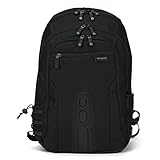
Our Top Picks
Top 3 picks at a glance
Quick comparison of the best padded laptop backpack types
| Pick | Best for | Key specs (typical) | Price range |
|---|---|---|---|
| Thule Subterra 2 (21L / 27L) | Best overall, daily commute | Padded laptop sleeve plus separate tablet sleeve, weather-resistant fabric; check the maker’s sleeve size for your model | Mid-range to premium |
| Razer Rogue 17.3 V3 | Best for 17-inch gaming laptops | Fits up to 17.3-inch laptops per the manufacturer; rigid structure, room for a power brick | Mid-range to premium |
| Peak Design Everyday Backpack V2 (20L / 30L) | Best for camera and laptop carry | Dedicated laptop sleeve, flexible dividers; confirm the sleeve limit of the size you choose | Premium |
| Budget 25-30L padded daypack class | Best budget, students | 15.6-inch sleeve, 8-10 mm foam, basic zips, water-resistant fabric | Budget |
| 30-40L travel pack class with clamshell opening | Best for flights and trips | Padded 15-16-inch compartment, carry-on friendly, 1.3-1.8 kg empty | Mid-range |
Best overall: Thule Subterra 2 (21L or 27L)
The Thule Subterra 2 suits people who carry a 14- to 16-inch laptop daily and want the padding to do its job without looking like gear. Its laptop compartment is separate from the main space, which keeps a charger, a jacket or a lunch box from pressing against the lid. Check the stated sleeve dimensions on Thule’s spec sheet against your laptop before choosing between the 21L and 27L sizes.
Trade-off: it costs more than generic daypacks, and the smaller version will not take a 16-inch gaming laptop with a large power brick.
Best for 17-inch gaming laptops: Razer Rogue 17.3 V3
A 17-inch gaming laptop is wider and heavier than most standard sleeves expect, and the brick alone can weigh as much as an ultrabook. The Razer Rogue 17.3 V3 is built for this load, with a structured shape and a compartment sized for 17.3-inch machines according to Razer’s listing. If you own a 16-inch chassis, a pack rated for 17 inches also gives you room for the charger and a mouse.
Trade-off: it is bulky and gaming-styled, and it is more pack than you need for a thin 14-inch laptop.
Best for laptop plus camera or work gear: Peak Design Everyday Backpack V2
This pack suits creators who need adjustable dividers and fast side access. Padding is part of the design, but the sleeve limits differ between the 20L and 30L versions, so confirm which one fits your laptop’s width and depth in the manufacturer’s specs.
Trade-off: a premium price, and the structured build makes it heavier than a simple daypack.
Best budget: a 25-30L padded daypack with a 15.6-inch sleeve
If you are on a tight budget, look for a spec class rather than a brand: a sleeve rated for 15.6 inches, 8-10 mm foam on the back and bottom, double-stitched shoulder straps and a water-resistant outer fabric. These packs protect against everyday knocks and rubbing, but not against repeated drops.
Trade-off: the foam compresses faster, zips are less durable, and the sleeve is often attached directly to the bottom panel, so the laptop takes the full force of a hard set-down.
Best for travel: 30-40L clamshell pack with a padded laptop bay
Travel packs open flat like a suitcase and usually put the laptop in a dedicated rear compartment with a quick-access panel. Pick one that still meets your airline’s personal-item or cabin-bag limit once it is full, since many 40L packs do not.
Trade-off: they are heavy when empty (often 1.3-1.8 kg), which eats into your carrying budget.
How to choose: the numbers that matter
1. Fit: add clearance to your laptop’s dimensions
A sleeve that is too large lets the laptop slide, and one that is too tight stresses the hinges. Aim for 10-15 mm of spare space in width and depth, and 5-10 mm in thickness.
Worked example: a typical 16-inch gaming laptop measures about 355 x 265 x 25 mm (varies by model; check your spec sheet). Add 15 mm to each dimension and you want a sleeve of roughly 370 x 280 x 35 mm. Many “15.6-inch” sleeves are around 380 x 270 mm, so they fit width-wise but can be tight on thickness. A 17.3-inch laptop at about 400 x 290 mm needs a sleeve rated for 17 inches, not a stretched 15.6-inch one.
2. Bottom clearance beats foam thickness
When a bag is dropped or dumped on the floor, the laptop’s bottom edge takes the hit. A suspended sleeve that ends 20-30 mm above the base lets the bag’s own bottom absorb the impact before it reaches the laptop.
Worked example: a 2.4 kg laptop falling 0.5 m (a bag dropped from a desk to the floor) carries about 2.4 x 9.81 x 0.5 = 11.8 joules of energy. A sleeve fixed straight to the base passes most of that through a thin layer of foam. Raising the sleeve 25 mm creates a crush zone where fabric, air and the base panel take some of the energy first. This is a simple physics illustration, not a certified drop rating, but it shows why bottom clearance matters more than a few extra millimetres of foam.
3. Calculate your total carry weight
Ergonomic guidance often suggests keeping a pack under roughly 10-15% of body weight. Gaming laptops make this tight, because the charger can be heavy.
| Item | Typical weight |
|---|---|
| 16-inch gaming laptop | 2.3-2.8 kg |
| Power brick and cables (230-300 W) | 0.7-1.1 kg |
| Mouse, headset, small items | 0.4-0.6 kg |
| Water bottle | 0.5 kg |
| Empty backpack | 0.9-1.5 kg |
| Total | about 4.8-6.5 kg |
For a 70 kg person, 10-15% is 7-10.5 kg, so this setup fits comfortably. For a 50 kg person the limit is 5-7.5 kg, and a heavy pack can push past it. In that case, choose a lighter pack and a slimmer charger rather than a bigger bag.
4. Straps and back panel
For loads over about 5 kg, look for a padded back panel with airflow channels, shoulder straps at least 60-70 mm wide, a sternum strap, and ideally a hip belt. These spread load across your torso instead of your shoulders.
5. Weather protection
“Water-resistant” fabric handles light rain, but zips and seams are usually the weak points. If you commute in wet weather, look for a roll-top, a storm flap, or a rain cover. Do not rely on foam padding to protect against moisture, since it can hold water against the laptop’s base.
Decision matrix: match your situation to a pack
| Your situation | Choose | Why |
|---|---|---|
| 14-inch laptop, daily commute | 20-22L pack with suspended sleeve | Light, slim, enough bottom clearance |
| 16-inch gaming laptop, 280 W brick | 25-30L structured pack with 16-17-inch sleeve | Fits charger, spreads 5-6 kg load |
| 17-inch laptop | Pack rated specifically for 17.3 inches | Standard sleeves are too short and too tight |
| Student on a tight budget | 25-30L budget padded daypack | Adequate protection for light daily use |
| Frequent flights | 30-40L clamshell travel pack | Easy security access, extra space |
| Laptop plus camera or tablet | Modular pack with dividers | Keeps hard gear from touching the laptop |
Common mistakes to avoid
- Buying by “up to 17 inches” alone. This refers to the screen diagonal, not the real footprint. Gaming laptops often have deep bezels and rear vents, so measure the actual chassis.
- Forgetting the charger. If the brick sits in the same compartment, it presses against the laptop’s lid. Use a separate pocket.
- Overfilling the main compartment. A tightly packed bag pushes items against the laptop’s sleeve and defeats the padding.
- Assuming thicker foam is always better. Dense, well-shaped foam with a raised sleeve protects better than thick, soft foam on a flat base.
Frequently Asked Questions
How much padding should a laptop backpack have?
For daily commuting, 10-15 mm of dense foam around the sleeve is generally enough, provided the sleeve is raised from the bottom. For frequent travel or rough handling, look for padded walls on all sides plus 20-30 mm of bottom clearance. Where the padding sits matters more than total thickness.
Will a 15.6-inch backpack fit a 16-inch laptop?
Not always. A 16-inch gaming laptop can be 355-370 mm wide, while some 15.6-inch sleeves are only about 380 mm wide inside and offer little thickness clearance. Compare your laptop’s width, depth and thickness from its spec sheet with the sleeve dimensions listed by the bag’s manufacturer.
Is a suspended laptop sleeve worth it?
Yes, especially for heavy gaming laptops. A suspended sleeve ends above the base of the bag, so the base panel absorbs impact when you put the pack down. A sleeve fixed to the base lets the laptop take that force directly.
Can I fit a gaming laptop and its charger in a normal backpack?
Often yes, if the pack is 25-30 litres and the sleeve is sized correctly. The main issue is bulk: a 230-300 W power brick can weigh 0.7-1.1 kg and needs its own pocket so it does not press against the laptop. Compact GaN chargers can reduce this, but only if your laptop supports them.
Are padded backpacks safe for airline travel?
They are safe for carrying a laptop in the cabin, but never check one in the hold. Padding is not designed to withstand baggage handling, and lithium batteries should stay in the cabin per airline rules. Check your airline’s size limits against the pack’s filled dimensions.
How often should I replace a padded laptop backpack?
Replace it when the foam has flattened, the shoulder straps have lost shape, or zips and stitching are failing. For daily use that is typically every 3-5 years for budget packs, and longer for well-built premium ones. If the sleeve no longer holds the laptop firmly, protection has declined even if the outside looks fine.
Related guides
More from Amazon
Programs that pair well with the guide above. Offers and eligibility are set by Amazon and may change.
A free business account with business pricing and bulk-buying tools for work, shop or home office.
Create a business accountFree shipping on eligible items, Prime Video and more. Eligible new members can start with a free trial.
Start a Prime free trialAudiobooks and podcasts to listen to on the go. Eligible new members can start with a free trial.
Try Audible freeAd-free music streaming. Eligible new subscribers can start with a free trial.
Try Music Unlimited freeAs an Amazon Associate we earn from qualifying purchases.


