The best gaming desk for most people is a dual-motor, sit-stand desk with a 55 to 63 inch top, at least 27 inches of depth and a load rating well above your gear’s weight. If you’d rather not pay for motors, a rigid steel-frame fixed desk of the same size does the job. Pick the desk by your monitor width, viewing distance and total gear weight, not by LED strips or “gamer” styling.
As an Amazon Associate we earn from qualifying purchases at no extra cost to you.


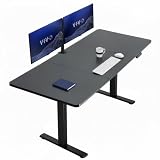
Top 3 picks at a glance
Quick comparison of the best gaming desk picks
| Pick | Best for | Key specs (class) | Price range |
|---|---|---|---|
| Flexispot E7 Pro (sit-stand) | Best overall | Dual-motor frame, wide height range, memory presets, 55-inch to 70-inch tops | Mid-range to upper mid-range |
| Secretlab Magnus Pro | Best premium, clean setups | Steel-reinforced top, built-in cable management, magnetic accessories, electric height adjustment | Premium |
| Uplift V2 | Best for heavy multi-monitor rigs | Customizable top size and material, high-capacity frame, strong stability at standing height | Upper mid-range to premium |
| Arozzi Arena series | Best for big peripherals and sim gear | Deep top, full-surface mouse-pad cover, fixed or adjustable frame depending on model | Mid-range |
| Fixed steel-frame 55-inch desk (spec class) | Best budget | Four-leg steel frame, 24 to 29 inch depth, 30 inch fixed height, cable grommet | Budget |
| 40 to 47 inch sit-stand desk (spec class) | Best compact | Single or dual motor, 24 inch depth, suits one 24 to 27 inch monitor | Budget to mid-range |
Specs change between versions and top sizes. Confirm load rating, height range and dimensions on the manufacturer’s current spec sheet before ordering.
Best overall: Flexispot E7 Pro
This is the pick for most players because a dual-motor frame lifts a typical rig smoothly. It also offers memory presets and a choice of widths. It suits one or two 27-inch monitors, a mid-tower PC on the desk or under it, and someone who wants to stand for part of a session. The trade-off is wobble. Every sit-stand desk shakes a little at full height, and a monitor arm clamped to the rear edge amplifies it. Keep the top lower than maximum if you type hard or use a heavy mouse on a bare desk.
Best premium: Secretlab Magnus Pro
The Magnus Pro line is built around a metal-reinforced top, a cable tray and magnetic accessory mounts. It suits people who want a tidy setup without building their own cable system. The trade-off is cost and the fixed accessory ecosystem. You pay for integration, and a plain sit-stand desk plus a few clip-on trays can reach similar function for less.
Best for heavy multi-monitor setups: Uplift V2
Uplift’s V2 is well known for configurability: you choose the top size, material and frame options. Its main strength is stability and capacity when you add monitor arms, a large PC and audio gear. The trade-off is that the options add up, and a fully specced build lands near premium pricing. It also ships as a self-assembly kit, so allow an hour or two.
Best for large peripherals and sim gear: Arozzi Arena series
Arozzi’s Arena desks are built around the idea that a gaming desk needs room for a keyboard, a big mouse sweep and sometimes a controller or flight stick. The surface is deep and often covered by a full-desk mouse mat, so you rarely need a separate pad. They suit players using low-DPI aim with wide arm swings. The trade-off is that adjustability depends on the model, so check that you are buying an electric version if you want sit-stand.
Best budget: a fixed steel-frame 55-inch desk
A rigid four-leg desk with a steel frame is the best value in gaming furniture. There are no motors to fail, it does not wobble, and it holds a lot of weight. Look for a top at least 0.7 inch thick, adjustable levelling feet and a cable grommet. The trade-off is the fixed height, usually 29 to 30 inches, which fits people roughly 5’6″ to 6’2″ without a chair or footrest compromise.
Best compact: a 40 to 47 inch sit-stand desk
For a bedroom or dorm, a small sit-stand desk gives you ergonomic flexibility in about 4 square feet of floor space. It works with one 24 to 27 inch monitor, a laptop or a small-form-factor PC. The trade-off is width: ultrawides and speakers do not fit, and a 40 inch top leaves little mouse room beside a full-size keyboard.
How to choose: a worked sizing calculation
1. Width: add up everything on the desk
Take the widest monitor setup, then add speakers and breathing room. A 16:9 27-inch monitor is about 24 inches wide. A 34-inch ultrawide is about 32 inches wide, and a 49-inch super ultrawide is about 47 inches wide.
- Example: a 34-inch ultrawide (32 in) + two 6-inch speakers (12 in) + 8 inches of side clearance = 52 inches. A 55-inch desk works; a 47-inch desk does not.
- Example: two 27-inch monitors side by side (about 48 in with bezels) + 12 in of speakers + 6 in spacing = 66 inches. You need a 63 to 71 inch desk.
2. Depth: keep the screen at a comfortable distance
A common ergonomic guideline puts a monitor about an arm’s length from your eyes, around 20 to 30 inches. The desk also has to hold the monitor stand, the keyboard and a hand rest.
- Typical stack: keyboard (6 in) + palm gap (3 in) + monitor stand foot (8 in) + clearance behind the monitor (3 in) = 20 inches minimum.
- For a 27-inch 1440p monitor, aim for 27 to 30 inches of depth. For a 32-inch or larger monitor, aim for 30 inches or more, or use a monitor arm to reclaim the stand’s footprint.
3. Load: add up the weight, then leave a margin
Sit-stand frames are rated by the manufacturer, often in the range of roughly 220 to 355 pounds depending on the model. Add up your actual gear.
| Item | Typical weight (lb) |
|---|---|
| 27-inch monitor with stand | 10 to 14 |
| Second monitor | 10 to 14 |
| Monitor arms (each) | 5 to 8 |
| Mid-tower gaming PC on the desk | 20 to 35 |
| Speakers or soundbar | 5 to 20 |
| Keyboard, mouse, headset stand, lamp | 5 to 10 |
| Desktop tabletop itself (counts toward rating on some models) | Check the spec sheet |
Worked example: two monitors (24 lb) + two arms (12 lb) + PC (30 lb) + speakers (12 lb) + small items (8 lb) = 86 pounds. A 220 lb rating leaves a large margin, so stability, not capacity, is the real constraint. Add a heavy PC and a sim wheel mount, and the load climbs quickly. Keep the total below about two-thirds of the rating.
4. Height: match the desk to your elbows
Ergonomic guidance generally says your forearms should be roughly level with the desk when your shoulders are relaxed. These are typical seated desk heights, and they vary with chair and posture.
| User height | Typical seated desk height | Fixed 30 in desk works? |
|---|---|---|
| 5’0″ to 5’3″ | 25 to 27 in | Only with a footrest |
| 5’4″ to 5’8″ | 27 to 29 in | Usually, with a height-adjustable chair |
| 5’9″ to 6’1″ | 28 to 30 in | Yes |
| 6’2″ and taller | 29 to 31 in | Borderline; adjustable is better |
Decision matrix: match your situation to a desk
| Your situation | Choose | Why |
|---|---|---|
| One 24 to 27 inch monitor, small room | 40 to 47 inch sit-stand or fixed compact desk | Saves floor space and covers the minimum depth |
| 34-inch ultrawide plus speakers | 55 to 63 inch, 27 to 30 inch deep | Fits the 52 inch width calculation |
| Dual monitors with arms | 63 to 71 inch dual-motor or heavy fixed desk | Needs width and a stable frame for arm leverage |
| Sim racing or flight stick | Deep Arena-style desk or a separate cockpit | Mounting hardware needs rigidity and space |
| Back pain or long sessions | Sit-stand with memory presets | Changing posture is easier when it takes one button |
| Tight budget | Fixed steel-frame 55 inch desk | Best stability per unit of spend |
Features that matter, and ones that don’t
- Frame type: dual-motor beats single-motor for stability and lift capacity. Check the manufacturer’s stated minimum and maximum height.
- Top material: solid wood or thick engineered wood feels sturdier than thin laminate. Carbon fiber texture is cosmetic.
- Cable management: a rear tray or channel matters more than built-in lights. A tower, monitors and a power strip generate a lot of cables, and sit-stand desks need slack.
- Cup holders, headset hooks: useful, but clip-on versions give the same function on any desk.
- RGB: purely cosmetic. If you want it, confirm how it is powered before buying.
Frequently Asked Questions
What size gaming desk do I need for two monitors?
For two 27-inch monitors, plan on 63 to 71 inches of width and 27 to 30 inches of depth. That covers about 48 inches of monitors, speakers and spacing. A 55-inch desk will feel cramped unless you use monitor arms to move the screens off the desk surface.
Is a standing desk worth it for gaming?
It is worth it if you game or work for long stretches. Changing position reduces stiffness, and the desk also works as a normal office desk. It is not essential for casual play, and a fixed desk costs less and wobbles less.
Are L-shaped desks good for gaming?
They can be, especially if you want a keyboard zone plus a separate area for a console or streaming gear. They need a lot of floor space. Check which side the return is on so your monitor sits at the right viewing distance.
How deep should a gaming desk be?
Aim for at least 24 inches for a single 24-inch monitor, and 27 to 30 inches for 27-inch or larger screens. Extra depth moves the monitor farther from your eyes and gives you wrist-rest space. A monitor arm can reduce the depth you need.
Should I put my PC on the desk or under it?
Under the desk saves space but can trap heat and collect dust, especially on carpet. On the desk, the tower’s weight counts toward your load rating, and it can add vibration. A floor stand or a shelf with a few inches of clearance is a good compromise.
Do I need a desk made for gamers, or will an office desk do?
An office desk works if it has the right width, depth and weight rating. Gaming-branded desks mostly add cable routing, larger tops and styling. Judge any desk by the same numbers: dimensions, load, stability and height range.
Related guides
More from Amazon
Programs that pair well with the guide above. Offers and eligibility are set by Amazon and may change.
A free business account with business pricing and bulk-buying tools for work, shop or home office.
Create a business accountFree shipping on eligible items, Prime Video and more. Eligible new members can start with a free trial.
Start a Prime free trialAudiobooks and podcasts to listen to on the go. Eligible new members can start with a free trial.
Try Audible freeAd-free music streaming. Eligible new subscribers can start with a free trial.
Try Music Unlimited freeAs an Amazon Associate we earn from qualifying purchases.


