For most audiophiles the best external sound card is a dedicated USB DAC/headphone amp, not a gaming-branded surround box. The FiiO K11 R2R and Topping DX3 Pro+ cover most desks, the RME ADI-2 DAC FS is the premium reference, and the Creative Sound Blaster X5 or G6 make sense only if you also need a built-in microphone input and game-oriented features. The right choice depends on your headphone’s impedance and sensitivity, so work that out first (the worked example is below).
As an Amazon Associate we earn from qualifying purchases at no extra cost to you.

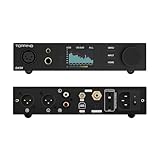


Our Top Picks
Top 3 picks at a glance
Quick comparison of the picks
| Pick | Best for | Key specs (per manufacturer) | Price range |
|---|---|---|---|
| Topping DX3 Pro+ | Best overall value | USB, optical and coaxial inputs, Bluetooth, 4.4 mm balanced and 6.35 mm outputs, RCA line out | Mid-range |
| FiiO K11 R2R | Best for an R2R-style sound on a budget | R2R ladder DAC, 4.4 mm balanced and 6.35 mm outputs, USB-C, compact desktop body | Budget to mid-range |
| RME ADI-2 DAC FS | Best premium / reference | Up to 768 kHz PCM and DSD support, parametric EQ, multiple headphone outputs, remote control | Premium |
| Schiit Modi+ with Magni | Best modular stack | Separate DAC and amplifier, USB DAC input, RCA analog link, amplifier suited to easy-to-moderate loads | Budget |
| iFi ZEN DAC V2 | Best small-desk, USB-powered unit | USB-powered, 4.4 mm balanced and 6.35 mm outputs, analog tone and power-match switches | Budget to mid-range |
| Creative Sound Blaster X5 | Best hybrid for gaming plus music | High-resolution USB DAC, mic input, optical connectivity, headphone amp with gain control, Bluetooth | Mid-range |
| Creative Sound Blaster G6 | Best budget gaming-friendly DAC | 32-bit/384 kHz, optical in/out, mic input, game-oriented DSP, console and PC use | Budget |
Feature lists change between hardware revisions, so check the current manufacturer spec sheet for the exact outputs before you buy.
Best overall: Topping DX3 Pro+
This is the unit to pick if you want one box that does everything a desktop listener needs: USB for the PC, optical or coaxial for a console or TV, Bluetooth for a phone, and both single-ended and balanced headphone outputs. It also has line outputs, so it can feed powered speakers later. It suits owners of dynamic headphones in the 32–300 ohm range. The trade-off is that it has no microphone input and no game-style DSP, so you need a separate mic interface or a headset-style USB mic for chat.
Best for an R2R-style sound: FiiO K11 R2R
The K11 R2R uses a resistor-ladder DAC, which some listeners prefer for a slightly more analog presentation. It is a compact desktop unit with a balanced 4.4 mm output. It suits someone upgrading from motherboard audio who wants balanced connectivity without a large budget. The trade-off is that it is not the most powerful amp here, so very demanding planar or high-impedance headphones may call for a stronger amplifier.
Best premium: RME ADI-2 DAC FS
This is the reference choice for people who care about measured performance and flexibility. The built-in parametric EQ lets you correct a headphone’s frequency response without software on the PC, and its multiple outputs handle both sensitive IEMs and full-size headphones. It suits critical listeners who keep headphones for years. The trade-offs are a premium price and a menu-driven interface that takes some learning.
Best modular stack: Schiit Modi+ with Magni
Buying a DAC and an amplifier separately lets you upgrade each part later. Schiit’s pairing is a long-standing budget stack that suits efficient, easy-to-drive headphones. It also fits people who want a simple analog-style signal path. The trade-off is two boxes, two power supplies and more cables, plus limited headroom for hard-to-drive headphones.
Best small-desk option: iFi ZEN DAC V2
The ZEN DAC V2 is small and USB-powered, with a balanced 4.4 mm output and a 6.35 mm output. Its analog options (bass boost, power-match mode) help with different headphones, though purists may leave them off. It suits compact desks and laptop-based setups. The trade-off is that bus power limits maximum output compared with mains-powered units, so it is best with headphones of moderate demand.
Best hybrid for gaming plus music: Creative Sound Blaster X5
If you game on the same machine you listen on, the X5 is the audiophile-leaning Sound Blaster. It has a high-resolution DAC, a headphone amp with gain control, and a mic input, so one device handles voice chat and music. The trade-off is that its feature set is built around gaming; a pure music listener pays for DSP they may never use.
Best budget gaming-friendly DAC: Creative Sound Blaster G6
The G6 is a small USB box that works on PC and consoles, with optical in/out and a mic input. It is a meaningful step up from onboard audio for moderate-impedance headphones. The trade-off is limited power for demanding headphones and no balanced output, so treat it as an entry-level upgrade, not an end-game DAC.
How to choose: match the amp to your headphones
Audiophile DACs differ less in sound than most marketing suggests. The bigger difference is whether the amplifier can drive your headphones cleanly. Use sensitivity (dB/mW) and impedance (ohms) from the headphone’s spec sheet.
Worked power calculation
Assume you want a comfortable listening level of about 100 dB SPL average and 15 dB of headroom for peaks, so the peak target is 115 dB.
- Step 1: Peak target minus sensitivity gives the dB above 1 mW. Power needed = 1 mW × 10^(dB/10).
- Step 2: Voltage needed = √(power × impedance).
| Headphone example (spec class) | Sensitivity | Impedance | Power for 115 dB peaks | Voltage (RMS) |
|---|---|---|---|---|
| Efficient closed-back | 100 dB/mW | 32 ohm | about 32 mW | about 1.0 V |
| Open-back dynamic | 98 dB/mW | 250 ohm | about 50 mW | about 3.5 V |
| High-impedance reference | 96 dB/mW | 600 ohm | about 79 mW | about 6.9 V |
What this tells you: a 32 ohm headphone needs only a little voltage, so nearly any unit here will work. A 250 ohm headphone needs about 3.5 V, which is a task for a desktop amp with real voltage swing, not a USB-powered dongle. At 600 ohm, check the amplifier’s maximum output voltage in the manufacturer’s spec sheet before buying. Balanced outputs often deliver more voltage than the single-ended jack, which is why a 4.4 mm connection is useful here.
Output impedance matters for IEMs
A common rule is that the amp’s output impedance should be no more than one-eighth of the headphone’s impedance. For a 16 ohm IEM, that means 2 ohms or lower. Many sensitive IEMs sound better at well under 1 ohm, because high output impedance can change the frequency response and add audible noise. If you use IEMs, check the output impedance spec; if you use 300 ohm headphones, it matters far less.
Don’t overpay for signal-to-noise numbers
Modern DACs often claim a dynamic range of 120 dB or more. For comparison, 16-bit audio has a theoretical range of about 96 dB, and real music rarely uses all of it. Differences above roughly 110 dB are unlikely to be audible with typical headphones. Spend on power, outputs, and build before chasing a bigger spec.
Decision matrix: which unit fits your situation
| Your situation | Recommended choice | Why |
|---|---|---|
| Sensitive IEMs, laptop on the go | iFi ZEN DAC V2 or a low-output-impedance dongle class | USB power, low noise floor, small size |
| Open-back dynamics around 250 ohm | Topping DX3 Pro+ or RME ADI-2 DAC FS | Voltage headroom of 3.5 V or more |
| Gaming with voice chat plus music | Creative Sound Blaster X5 or G6 | Built-in mic input; one device on the desk |
| Powered speakers plus headphones | Topping DX3 Pro+ or RME ADI-2 DAC FS | Line outputs and headphone amp in one unit |
| Tight budget, easy-to-drive headphones | Schiit Modi+ with Magni or Sound Blaster G6 | Low cost, adequate power |
| Want to correct headphone tonality | RME ADI-2 DAC FS | Built-in parametric EQ |
Setup tips that matter more than the DAC
- Use the manufacturer’s USB driver where one exists. Many units use USB Audio Class 2.0, which needs a driver on Windows to reach high sample rates; macOS handles it natively.
- Set Windows to exclusive or bit-perfect mode only if needed. For music players, WASAPI exclusive output can bypass the Windows mixer. For games, leave shared mode on so system sounds still work.
- Turn off enhancements. In Windows sound settings, disable “audio enhancements” so the DAC receives an unaltered signal.
- Use a rear USB port. Plug directly into the motherboard’s rear I/O, not a front-panel header or an unpowered hub, to reduce noise.
- Match levels carefully. Use the unit’s low gain first and raise it only if the volume knob sits near its limit.
Frequently Asked Questions
Is an external sound card better than a motherboard’s onboard audio?
Often yes for headphones, mainly because of amplifier power, lower output impedance and isolation from the PC’s electrical noise. Premium motherboards can sound very good with easy-to-drive headphones, though. The upgrade is most noticeable with high-impedance headphones or sensitive IEMs.
What is the difference between an external sound card and a DAC?
A DAC converts digital audio to an analog signal, and many desktop DACs also include a headphone amplifier. A gaming-style external sound card usually adds a microphone input, surround processing and software controls. For pure music listening, a DAC/amp is usually the better fit.
Do I need a balanced 4.4 mm output?
Not strictly. Balanced outputs can deliver more voltage and better channel separation, which helps demanding headphones, but a good single-ended output is enough for many headphones. It is mostly worth having if you own, or plan to buy, a balanced-cabled headphone.
Can I use an audiophile DAC for gaming and voice chat?
Yes for listening, but most dedicated DACs have no microphone input. You will need a separate USB microphone or audio interface, or you can choose a hybrid such as the Sound Blaster X5, which includes a mic input.
Will a more expensive DAC make my headphones sound better?
Only up to a point. A competent DAC with enough power for your headphones gets you most of the benefit. Beyond that, differences are small, so extra money is better spent on the headphones themselves, a balanced cable if needed, or room and speaker setup.
Related guides
More from Amazon
Programs that pair well with the guide above. Offers and eligibility are set by Amazon and may change.
A free business account with business pricing and bulk-buying tools for work, shop or home office.
Create a business accountFree shipping on eligible items, Prime Video and more. Eligible new members can start with a free trial.
Start a Prime free trialAudiobooks and podcasts to listen to on the go. Eligible new members can start with a free trial.
Try Audible freeAd-free music streaming. Eligible new subscribers can start with a free trial.
Try Music Unlimited freeAs an Amazon Associate we earn from qualifying purchases.


