For most homes, the best Nest thermostat to buy is the Google Nest Learning Thermostat (4th gen), paired with one or more Nest Temperature Sensors if the house has hot or cold rooms. If you want the core features at a lower price and your home has a simple single-zone system, the standard Google Nest Thermostat is the sensible budget choice. Before buying either one, check your wiring and voltage, because that decides compatibility more than any feature does.
As an Amazon Associate we earn from qualifying purchases at no extra cost to you.


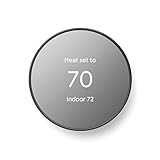
Our Top Picks
Top 3 picks at a glance
Quick comparison of the Nest picks
| Pick | Best for | Key specs | Price class |
|---|---|---|---|
| Google Nest Learning Thermostat (4th gen) | Best overall, larger homes, anyone who wants automation | Learns schedule, large display, works with up to 6 Nest Temperature Sensors, 24V systems | Premium |
| Google Nest Thermostat (standard) | Best budget, apartments, single-zone systems | Auto-Schedule, touch-sensitive edge control, Nest Temperature Sensor support, 24V systems | Budget to mid-range |
| Learning Thermostat + Nest Temperature Sensors | Best for uneven rooms, home offices, gaming rooms | Sensor selects which room drives the heating or cooling; battery powered, wireless | Premium plus add-ons |
| Region-specific Nest models (UK/EU) | Boilers and hydronic heating outside North America | Often uses a separate Heat Link; wiring differs from US models | Mid-range to premium |
Model availability and features differ by country, so confirm the exact variant on Google’s compatibility checker for your region before ordering.
Best overall: Google Nest Learning Thermostat (4th gen)
The 4th-gen Learning Thermostat is the one to buy if you want a thermostat that mostly manages itself. It builds a schedule from your adjustments, uses presence detection to switch to an Eco temperature when the house is empty, and supports multiple remote sensors. Its larger display is easier to read from across a room than older Nest screens.
Who it suits: multi-room homes, households with irregular schedules, and anyone already using Google Home.
Main trade-off: it costs noticeably more than the standard Nest Thermostat, and the extra money mostly buys better automation and sensor support, not a different level of comfort. If you already keep a fixed schedule, you may never use the learning features.
Best budget: Google Nest Thermostat
The standard Nest Thermostat covers the features that save energy for most people: remote control from the phone, Auto-Schedule, Eco temperatures and energy history. It has a simpler design than the Learning model, with a touch-sensitive edge for adjustments.
Who it suits: renters, small homes, and single-zone setups where one thermostat location represents the whole house.
Main trade-off: a less capable display and less sophisticated automation. It is also a 24V thermostat, so it will not work with baseboard heaters or other line-voltage systems.
Best for hot and cold rooms: Learning Thermostat plus Nest Temperature Sensors
A thermostat measures only the temperature at its own wall location. A hallway thermostat can read 21 °C while a south-facing office sits at 26 °C. Nest Temperature Sensors let you choose which room counts at different times, for example the bedroom overnight and the office during the day.
This matters for PC enthusiasts. A gaming PC drawing 500 W under load turns almost all of that into heat: 500 W × 3.412 = about 1,706 BTU/h, roughly the output of a small space heater on its low setting. In a closed room that heat accumulates over a long session, and a hallway thermostat will not notice. A sensor in the gaming room fixes the reading, though the HVAC system still has to be able to deliver air to that room.
Main trade-off: sensors do not create airflow. If the room has weak ducts, a sensor can make the system run longer without cooling that room properly.
Check your wiring first: a decision matrix
Most failed Nest purchases come from voltage or wiring mismatches. Open the cover of your existing thermostat (turn the power off at the breaker first) and look at the labelled terminals.
| What you find | Likely situation | What to do |
|---|---|---|
| R, W, Y, G and C wires | Standard 24V heat/cool system with common wire | Any Nest thermostat works; choose by features |
| R, W, Y, G, no C | 24V system without a common wire | Often works through power sharing, but some systems need the included power connector or a C-wire adapter |
| R and W only | Heat-only 24V system, or a boiler | Usually compatible; use the compatibility checker to confirm |
| Y2, W2, or an O/B terminal | Two-stage system or heat pump | Supported, but verify the exact terminals on the checker before buying |
| Two or four thick wires (120V or 240V) | Line-voltage baseboard or electric heaters | Do not install a Nest; look for a line-voltage thermostat |
| No wires at all (portable AC or space heater) | Not a wired HVAC system | A Nest thermostat is not the right product |
Take a photo of the wiring before disconnecting anything. Nest’s own setup guidance and compatibility checker work from the labelled terminals, and the photo makes the check quick.
Worked example: does a Nest pay for itself?
Google has cited independent studies, completed in 2015 on earlier Nest models, that found average savings of about 10 to 12 percent on heating and about 15 percent on cooling. Real savings vary with climate, insulation and how disciplined you already were with the old thermostat. A conservative way to estimate payback is:
- Payback in years = thermostat cost ÷ (annual heating and cooling spend × savings percentage).
- If the thermostat costs the equivalent of 10 percent of your yearly heating and cooling bill and you save 8 percent a year, payback is 10 ÷ 8 = 1.25 years.
- If you already used a programmable thermostat well and realistically save only 3 percent, payback becomes 10 ÷ 3 = about 3.3 years.
- If you add sensors and the sensors cost another 5 percent of your annual bill, the 8 percent case moves to 15 ÷ 8 = about 1.9 years.
The conclusion is practical: the cheaper standard Nest pays back faster for small homes, while the Learning model plus sensors makes sense when comfort in specific rooms is the goal, not only the bill.
How to choose
- Home size and zones: one floor or a small apartment usually means the standard Nest. Two or more floors, or a house with an office that runs hot, points to the Learning model and sensors.
- Schedule: a fixed work schedule benefits less from learning. Shift work or irregular hours benefit more from presence detection.
- Smart-home ecosystem: Nest works best in the Google Home app and with Google Assistant. If your household is Alexa- or HomeKit-first, check the current integration support for the specific model, since it varies by model and region.
- Heat pump or two-stage systems: confirm the terminal list on Google’s checker, because incorrect setup can cause auxiliary heat to run more than necessary.
- Utility rebates: some utilities have offered rebates or demand-response programs for Nest thermostats. Check your provider before buying, as availability changes.
Settings worth changing after install
- Eco temperatures: set heating around 16 to 18 °C (61 to 64 °F) for away mode and cooling around 27 to 28 °C (81 to 82 °F). Each degree of setback saves energy, and the system recovers comfortably if you are away for hours.
- Sensor schedule: assign the bedroom sensor overnight and the main living or office sensor during the day, so the system follows where you actually are.
- Heat pump auxiliary lockout: if you have a heat pump, set the auxiliary heat threshold to avoid running expensive backup heat when the compressor alone can handle the load.
- Home/Away Assist: keep it enabled, but check that your phone’s location permission is on for each household member, or the thermostat may think the house is empty.
Frequently Asked Questions
Which Nest thermostat is best for most people?
The Google Nest Learning Thermostat (4th gen) is the best fit for most homes that want automation and multi-room control. If you have a single-zone system and a modest budget, the standard Google Nest Thermostat gives you most of the energy-saving features for less.
Do I need a C-wire for a Nest thermostat?
Many Nest thermostats work without a C-wire because they can draw power from the heating or cooling wires, but this is not guaranteed on every system. If the thermostat shows low-battery warnings or the system short-cycles, add a C-wire or use the power connector Google supplies with some models.
Will a Nest thermostat work with baseboard heaters?
No. Nest thermostats are designed for low-voltage systems, typically 24V. Baseboard heaters and other 120V or 240V line-voltage systems need a thermostat made for line voltage, and connecting a Nest to them can damage the unit or create a safety hazard.
Are Nest Temperature Sensors worth buying?
They are worth it if one room is consistently too hot or too cold compared with the thermostat location, such as a home office, a gaming room or an upstairs bedroom. They are less useful in small homes where a single reading represents the whole space. Remember that they only change what the thermostat measures, not how air is delivered.
Can I install a Nest thermostat myself?
Many people do, since the process mainly involves turning off power, labelling wires, mounting the base and following the on-screen setup. Hire an HVAC technician if you find unfamiliar wires, line voltage, a multi-stage heat pump or an unclear terminal layout.
Does a Nest thermostat really save money?
Google cites independent studies showing average savings of about 10 to 12 percent on heating and 15 percent on cooling, though those studies are older and individual results vary. Savings are largest when you previously left the thermostat at a constant temperature, and smaller if you already managed it carefully.
Related guides
More from Amazon
Programs that pair well with the guide above. Offers and eligibility are set by Amazon and may change.
A free business account with business pricing and bulk-buying tools for work, shop or home office.
Create a business accountFree shipping on eligible items, Prime Video and more. Eligible new members can start with a free trial.
Start a Prime free trialAudiobooks and podcasts to listen to on the go. Eligible new members can start with a free trial.
Try Audible freeAd-free music streaming. Eligible new subscribers can start with a free trial.
Try Music Unlimited freeAs an Amazon Associate we earn from qualifying purchases.