For most households, the best touch screen laptop is a 14-inch 2-in-1 with a 16:10 display, 16 GB of RAM and a battery of at least 60 Wh. Models like the HP Envy x360 14 and Lenovo Yoga 7i 2-in-1 fit that spec. Choose a Microsoft Surface Laptop if you want a slim, non-folding design, and a Chromebook Plus 2-in-1 if the laptop is mainly for kids, browsing and streaming.
A home touch laptop gets used differently from an office one. It moves between the couch, kitchen table and a kid’s backpack, and it often has several users. That changes the priorities: hinge strength, brightness, battery behavior and storage matter more than a peak benchmark score.
As an Amazon Associate we earn from qualifying purchases at no extra cost to you.
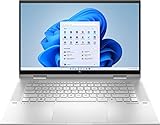


Our Top Picks
Top 3 picks at a glance
Quick comparison of the picks
| Pick | Best for | Key specs (per manufacturer spec sheets; configurations vary) | Price range |
|---|---|---|---|
| HP Envy x360 14 | Best overall family laptop | 14-inch 16:10 touch 2-in-1, 360-degree hinge, Intel Core Ultra, OLED option, pen support | Mid-range to upper mid-range |
| Lenovo Yoga 7i 2-in-1 (14-inch) | Couch use and tablet mode | 14-inch touch, 360-degree hinge, Intel Core Ultra, 16 GB RAM configs, OLED options | Mid-range |
| Microsoft Surface Laptop (7th edition) | Slim, premium, no-fuss daily use | 13.8-inch or 15-inch 3:2 PixelSense touch display at 120 Hz, Snapdragon X series, Windows on Arm | Upper mid-range to premium |
| ASUS Zenbook Duo | Multitasking, study and creative work | Two 14-inch OLED touchscreens, Intel Core Ultra, detachable Bluetooth keyboard | Premium |
| ASUS ROG Flow Z13 | Gaming plus touch in one device | 13.4-inch detachable tablet, 16:10 high-refresh touch display, AMD Ryzen AI Max series with integrated graphics | Premium |
| Chromebook Plus 2-in-1 (spec class) | Kids, homework, streaming | 14-inch touch, 8 GB RAM minimum for the Plus tier, 128 GB storage, ChromeOS | Budget to lower mid-range |
Best overall: HP Envy x360 14
This is the safest choice for a shared household. The 360-degree hinge supports laptop, tent and tablet modes, and the 14-inch 16:10 screen is roomy without being heavy. It suits families who want one machine for homework, streaming, light photo editing and video calls. The main trade-off is that integrated graphics limit it to light gaming, so look elsewhere if you want modern 3D titles at high settings.
Best for the couch: Lenovo Yoga 7i 2-in-1
The Yoga 7i is a similar idea with a stronger focus on comfort. Tent mode works well for watching video on a coffee table, and the touch panel handles tapping and swiping smoothly. The trade-off is weight in tablet mode. A 14-inch 2-in-1 is heavier than a true tablet, so reading in bed for an hour gets tiring.
Best premium non-convertible: Microsoft Surface Laptop
The Surface Laptop 7th edition keeps a conventional clamshell and uses a 3:2 touch screen, which gives extra vertical space for documents and web pages. It runs on Snapdragon X processors, so battery life is a strength. The trade-off is Windows on Arm: most mainstream apps run well, but some older games, anti-cheat systems and niche drivers do not. Check the software your household depends on before buying.
Best for studying and multitasking: ASUS Zenbook Duo
With two 14-inch OLED touchscreens, the Duo lets you keep notes or a video call on one panel and the main task on the other. It suits students and home-office workers who currently juggle a second monitor. The trade-offs are cost, weight and battery draw from driving two OLED panels.
Best for gaming households: ASUS ROG Flow Z13
The Flow Z13 is a detachable tablet with a gaming-class processor and a fast touch display. Per ASUS’s spec sheet, its Ryzen AI Max chips use integrated graphics that can reach well above typical thin-and-light laptops. Many esports and mid-demand titles are playable at 1080p, with frame rates that vary with settings, resolution and patch. The trade-offs are price, fan noise under load and a kickstand design that suits a desk better than a lap.
Best budget and kid-friendly: Chromebook Plus 2-in-1
For children, a Chromebook Plus 2-in-1 avoids most of the problems of a Windows machine. It has simple parental controls through Google Family Link, quick updates and fast wake from sleep. Look for 8 GB of RAM, 128 GB of storage and an IPS panel with at least 300 nits of brightness. The trade-off is that you cannot run full desktop Windows software or most PC games, though cloud gaming services work.
How to choose: decision criteria with numbers
Battery runtime: a worked calculation
Estimate runtime by dividing battery capacity in watt-hours by average system draw in watts. Manufacturers’ quoted hours come from light test loads, so use your own habits. The table assumes a 70 Wh battery, and real results run lower because the battery is never fully usable and brightness changes the draw.
| Home activity | Typical average draw | Runtime on a 70 Wh battery |
|---|---|---|
| Reading, notes, tablet mode | 6 W | about 11.7 hours |
| Web browsing and video streaming | 10 W | about 7 hours |
| Video calls plus several tabs | 15 W | about 4.7 hours |
| Gaming on integrated graphics | 30 W | about 2.3 hours |
The same arithmetic shows why a 50 Wh model at 10 W lasts only 5 hours, which is about two hours short of the 70 Wh machine. Aim for 60 Wh or more if the laptop roams around the house unplugged.
Match your situation to a choice
| Your situation | Choose | Why |
|---|---|---|
| Shared by parents and teens, mixed tasks | 14-inch Windows 2-in-1, 16 GB RAM, 512 GB SSD | Handles several user accounts and tabs without slowing |
| Mainly kids’ homework and video | Chromebook Plus 2-in-1, 8 GB RAM | Simple controls, low maintenance, tolerant of knocks |
| Mostly on the couch with a stylus | 2-in-1 with active pen support and a 360-degree hinge | Tablet and tent modes make drawing and reading comfortable |
| Runs older Windows software or PC games | Intel or AMD x86 model, not Windows on Arm | Avoids compatibility problems |
| Wants long battery life above all | Snapdragon X model or 70 Wh+ x86 model | Lower idle and streaming draw |
| Also wants to game seriously | Gaming-class 2-in-1 or a dedicated gaming laptop plus a separate tablet | Cooling and graphics power matter more than touch |
Display specs that matter for touch
- Brightness: 300 nits is the minimum for a lit room. Glossy touch panels reflect windows, so 400 nits or more helps near sunlight.
- Aspect ratio: 16:10 or 3:2 gives more vertical space than 16:9 for scrolling and tablet-style reading.
- OLED vs IPS: OLED has better contrast for streaming but draws more power on bright, white-background pages and can show retention over years. Mid-range IPS panels are easier on battery.
- Pen support: check whether the pen is included. Many 2-in-1s support active pens but sell them separately.
- Refresh rate: 120 Hz makes scrolling and inking feel smoother, though it costs some battery. Variable refresh helps offset that.
Memory and storage for several users
Windows 11 with several profiles, browser tabs and a video call can use 8 GB of RAM quickly. Choose 16 GB for any Windows model that will last four or five years. For storage, 512 GB is a practical minimum if family photos, downloaded shows and a couple of games share the drive. Chromebooks rely more on cloud storage, so 128 GB is adequate.
Durability checks for a busy house
- Spill-resistant keyboards help, but do not make a laptop waterproof.
- Choose a hinge that holds its position in tent mode without drooping.
- A metal or reinforced chassis resists flex when the laptop is carried in a bag.
- Check that the manufacturer sells replacement batteries and offers an accidental-damage plan if kids will use it.
Frequently Asked Questions
Are touch screen laptops worth it for home use?
Yes, if you will use tablet or tent mode, take handwritten notes, or share the laptop with children. If you only type and browse at a desk, you may rarely touch the screen, and a non-touch model gives better battery life for the same money.
Does a touch screen drain the battery faster?
The touch digitizer itself adds only a small draw, but glossy, bright and high-refresh panels use more power. OLED and 120 Hz displays reduce runtime noticeably, so compare the battery capacity in Wh rather than just the advertised hours.
Do MacBooks have touch screens?
No. Apple’s MacBook lineup does not include touch screens as of 2026. If you want touch in the Apple ecosystem, an iPad is the alternative, and for a laptop with touch you need Windows or ChromeOS.
Is a 2-in-1 better than a regular touch laptop?
A 2-in-1 is better for reading, drawing and couch use because the hinge folds flat. A standard touch laptop, like the Surface Laptop, is usually lighter at the keyboard and cheaper to build well, but cannot be used as a tablet.
Can a touch screen laptop run games?
Many can run light and older games on integrated graphics. For demanding titles you need a dedicated GPU or a gaming-class chip such as the one in the ROG Flow Z13, and frame rates will vary with settings, resolution and patch. Windows on Arm models are the weakest choice for games.
How do I protect a touch screen from scratches and fingerprints?
Use a microfiber cloth with a small amount of screen-safe cleaner, and avoid spraying liquid directly on the panel. A matte or paper-like screen protector reduces glare and fingerprints, but may slightly soften sharpness and make touch feel less smooth.
Related guides
More from Amazon
Programs that pair well with the guide above. Offers and eligibility are set by Amazon and may change.
A free business account with business pricing and bulk-buying tools for work, shop or home office.
Create a business accountFree shipping on eligible items, Prime Video and more. Eligible new members can start with a free trial.
Start a Prime free trialAudiobooks and podcasts to listen to on the go. Eligible new members can start with a free trial.
Try Audible freeAd-free music streaming. Eligible new subscribers can start with a free trial.
Try Music Unlimited freeAs an Amazon Associate we earn from qualifying purchases.


