The best student laptop in Australia for most people is a 13-14 inch ultraportable with 16GB of RAM, 512GB of storage and a battery that lasts a full day of lectures. The Apple MacBook Air 13-inch is the strongest all-rounder, and the Lenovo IdeaPad Slim 3 is the sensible budget choice. Your course software decides whether Windows, macOS or a gaming-class machine is the right call, so check that before you compare prices.
As an Amazon Associate we earn from qualifying purchases at no extra cost to you.

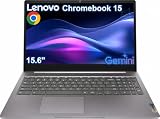


Top 3 picks at a glance
Quick comparison of the best student laptops
| Pick | Best for | Key specs | Typical price range (AUD) |
|---|---|---|---|
| Apple MacBook Air 13-inch (M4) | Best overall | 16GB base RAM, 256GB+ SSD, about 1.2 kg, fanless | A$1,500-A$2,200 |
| Lenovo IdeaPad Slim 3 (15-inch) | Best budget | Ryzen 5 / Core i5 class, 16GB, 512GB, about 1.6 kg | A$700-A$1,100 |
| ASUS Zenbook 14 OLED | Best Windows ultraportable | 14-inch OLED, 16GB+, 512GB-1TB, about 1.2-1.4 kg | A$1,400-A$2,000 |
| Lenovo ThinkPad E14 | Best for durability and engineering | 14-inch, Intel or AMD, 16GB+, full-size keyboard, about 1.4 kg | A$1,000-A$1,700 |
| Lenovo Yoga 7i 2-in-1 / HP Envy x360 class | Best for handwritten notes | Touchscreen, pen support, 16GB, 512GB, 360° hinge | A$1,100-A$1,800 |
| Lenovo LOQ 15 / Acer Nitro V 15 class | Best for gaming and 3D work | RTX 5050-5060 class GPU, 16GB, 512GB-1TB, about 2.3 kg | A$1,400-A$2,300 |
Prices move with sales and configuration. The big windows are the start-of-semester period in February-March, end-of-financial-year sales in June-July and Black Friday. Apple, Microsoft, Lenovo, HP and Dell also run education pricing for enrolled students, which is often worth checking before paying full price.
Best overall: Apple MacBook Air 13-inch (M4)
The MacBook Air suits students who want one machine that lasts the whole degree. Per Apple’s spec sheet, the M4 model starts with 16GB of unified memory, runs without a fan and is rated for up to 18 hours of video playback. Real-world use is lower, but all-day lectures are realistic. It also tends to keep its resale value better than most Windows laptops.
Trade-off: the base 256GB of storage fills quickly, and macOS cannot run some Windows-only course software natively (see the matrix below). It also costs far more than the budget Windows options.
Best budget: Lenovo IdeaPad Slim 3
For A$700-A$1,100, an IdeaPad Slim 3 with a Ryzen 5 or Core i5 class chip, 16GB of RAM and a 512GB SSD handles essays, spreadsheets, video calls and light coding. Choose the 16GB version. Many cheaper variants ship with 8GB, which struggles with a few browser tabs plus Teams and Office.
Trade-off: the screen is usually a basic panel with modest brightness, and the plastic build and battery are the compromises. Treat it as a two-to-three-year machine.
Best Windows ultraportable: ASUS Zenbook 14 OLED
The Zenbook 14 OLED is for students who want a light Windows laptop with a premium screen and good battery life without paying MacBook prices. It runs about 1.2-1.4 kg, depending on the configuration. The OLED panel is a real upgrade for long reading sessions and media courses.
Trade-off: OLED can draw more power on bright, white-heavy documents, so battery life is shorter than the headline figure when you are mostly in Word and PDFs.
Best for durability and engineering: Lenovo ThinkPad E14
The ThinkPad E14 has a better keyboard than most laptops in its price range and a sturdier chassis. It offers a good port selection and an Intel or AMD x86 processor, which matters for engineering software that has no Arm version. It is a good fit for long typing sessions and rough backpack treatment.
Trade-off: it looks plain, and integrated graphics will not suit heavy CAD assemblies or rendering. Engineering students on heavy 3D work should look at the gaming-class option instead.
Best for handwritten notes: a 2-in-1 with pen support
Medicine, nursing, law and maths students who annotate lecture slides often get more from a 2-in-1 such as the Lenovo Yoga 7i 2-in-1 or HP Envy x360 than from a clamshell. Confirm that the pen is included or sold separately, as this varies by model and configuration.
Trade-off: 2-in-1s are heavier and thicker than ultrabooks, and a tablet with a keyboard may suit pure note-taking better. Check the hinge feel in person if you can.
Best for gaming and 3D work: RTX 50-series gaming laptop
If your course involves rendering, game development, video editing or heavy simulation, or you simply want to game between classes, a laptop in the Lenovo LOQ 15 or Acer Nitro V 15 class with an RTX 5050-5060 class GPU is the practical route. Both lines are widely sold in Australia. Expect roughly 60-120 fps in popular esports and mid-weight games at 1080p, varying with settings, CPU and patch.
Trade-off: these laptops weigh around 2.3 kg plus a bulky charger, and battery life under load is often 2-4 hours. If you commute daily, that weight adds up.
Which laptop for which course: decision matrix
| Your situation | Choose | Why |
|---|---|---|
| Arts, business, education, law, health sciences | MacBook Air or IdeaPad Slim 3 / Zenbook 14 | Browser, Office and PDF workloads run fine on any modern ultraportable |
| Engineering, architecture (SolidWorks, Revit, AutoCAD) | ThinkPad E14 for light work; gaming-class for heavy 3D | Much of this software is Windows-only and wants a dedicated GPU for large models |
| IT, software development, data science | MacBook Air or any 16GB Windows laptop | Both handle coding well; 16GB matters for containers and virtual machines |
| Design, photography, music production | MacBook Air (upgrade to 512GB or more) | Efficient chips and strong colour displays suit creative apps |
| Accounting and finance | Windows laptop with a full-size keyboard | Some Excel add-ins and macro workflows are best on Windows |
| Game development, 3D, video editing | RTX 5050-5060 class laptop | GPU acceleration speeds up rendering and exports |
| Tight budget, mostly essays and online study | Budget Windows laptop with 16GB | Spend the savings on a backup drive and a mouse |
Before buying, check your faculty’s recommended specs and any exam software requirements. Some proctoring and lockdown tools do not support Chromebooks or Windows on Arm laptops, so a Chromebook or Arm Windows machine is a risk unless your university confirms support.
How to choose: the numbers that matter
Battery runtime: a worked example
Runtime in hours is battery capacity (Wh) divided by average power draw (W). A typical lecture day of Word, a browser, Teams and a PDF reader draws roughly 6-15 W, depending on brightness and the chip. Battery health also drops over time, so plan for about 80% of rated capacity by year two.
| Battery | At 6 W (light use) | At 10 W (typical) | At 15 W (heavy multitasking) |
|---|---|---|---|
| 50 Wh | 8.3 h | 5.0 h | 3.3 h |
| 60 Wh | 10.0 h | 6.0 h | 4.0 h |
| 75 Wh | 12.5 h | 7.5 h | 5.0 h |
If you are on campus for 6 hours at 10 W, you need 60 Wh. Divide by 0.8 for an aged battery and you need about 75 Wh to last the day in year two without hunting for a power point. A 50 Wh laptop that manages a day today may not manage one in 24 months.
RAM and storage
- RAM: 16GB is the target. 8GB works for light use but leaves no headroom for multitasking or future software updates.
- Storage: 512GB is comfortable. 256GB is workable only if you rely on cloud storage and an external drive.
- Screen: aim for 1920×1200 or higher at 300 nits or more. Dim 250-nit panels are hard to read near windows.
- Weight: under 1.5 kg is easy to carry daily. Above 2 kg you will notice it over a full day of classes.
Cost per year
A A$1,400 laptop that lasts a four-year degree costs A$350 a year. A A$800 laptop that needs replacing after two years costs A$400 a year and leaves you with a weaker machine for final-year projects. If your budget stretches, spending more on RAM, storage and battery often saves money overall.
Australian buying notes
- Under the Australian Consumer Law, you have consumer guarantees beyond the manufacturer’s warranty, covering a laptop that fails within a reasonable time.
- Consider accidental damage cover if you carry the laptop daily, but compare its cost against the laptop’s value first.
- Check whether your university has a hardware discount partner or loan scheme before buying.
Frequently Asked Questions
How much should a student spend on a laptop in Australia?
Most students are well served by spending A$900-A$1,600. Below A$700 you usually compromise on RAM, screen or build quality. Above A$2,000 is only justified for GPU-heavy courses or if you want a premium laptop to last beyond graduation.
Is a MacBook or a Windows laptop better for uni?
A MacBook Air suits most courses and offers excellent battery life and resale value. Windows is the safer choice if your degree relies on Windows-only software such as many engineering and architecture programs. Check your faculty’s software list before deciding.
Is 8GB of RAM enough for a student laptop?
8GB handles basic browsing and documents, but it leaves little room for multitasking with video calls, many browser tabs and Office at once. 16GB is the safer target for a four-year degree, since RAM is usually soldered and cannot be upgraded later.
Can I use a Chromebook for university?
You can for web-based study and writing, but some universities require Windows or macOS software, lockdown browsers or specific exam tools that Chromebooks may not support. Confirm with your university before buying one.
When is the best time to buy a student laptop in Australia?
Start-of-semester promotions in February-March, end-of-financial-year sales in June-July and Black Friday are the usual windows for discounts. Education pricing from manufacturers can apply year-round. Buy when you need it rather than waiting too long, since you want the machine ready before orientation week.
Do I need a gaming laptop for engineering or design?
Not always. Light CAD work and 2D design run well on a ThinkPad E14 or MacBook Air class machine. Large 3D assemblies, rendering and simulation benefit from a dedicated GPU, so check the software vendor’s recommended specs for your units.
Related guides
More from Amazon
Programs that pair well with the guide above. Offers and eligibility are set by Amazon and may change.
A free business account with business pricing and bulk-buying tools for work, shop or home office.
Create a business accountFree shipping on eligible items, Prime Video and more. Eligible new members can start with a free trial.
Start a Prime free trialAudiobooks and podcasts to listen to on the go. Eligible new members can start with a free trial.
Try Audible freeAd-free music streaming. Eligible new subscribers can start with a free trial.
Try Music Unlimited freeAs an Amazon Associate we earn from qualifying purchases.


