The best student laptop in Canada for most people is a 13- or 14-inch machine with 16 GB of RAM, a 512 GB SSD, a 16:10 screen and a battery that lasts a full class day. The MacBook Air is the strongest all-rounder, and the Lenovo IdeaPad Slim 5 is the best Windows value. Chromebook Plus models suit tight budgets, and engineering or game-design students should step up to a laptop with a dedicated GPU.
As an Amazon Associate we earn from qualifying purchases at no extra cost to you.

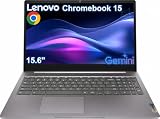


Top 3 picks at a glance
Quick comparison of the best student laptops in Canada
Prices are general Canadian-dollar market ranges before tax. They shift with back-to-school sales (typically July to September), student discounts and configuration. Specs are typical for each line, so confirm the exact configuration before buying.
| Pick | Best for | Key specs (typical) | Price range (CAD) |
|---|---|---|---|
| Apple MacBook Air 13-inch (M-series) | Best overall; arts, business, science | 16 GB unified memory, 256-512 GB SSD, fanless, 16:10 Liquid Retina display | Usually $1,300-$1,900 |
| Lenovo IdeaPad Slim 5 (14/16-inch) | Best Windows value | Ryzen or Core Ultra class CPU, 16 GB RAM, 512 GB SSD, 1920×1200 display | Usually $800-$1,200 |
| Acer Chromebook Plus 514 class | Best budget; web-based coursework | ChromeOS, 8 GB RAM, 128-256 GB storage, 14-inch 1080p | Usually $450-$800 |
| ASUS Zenbook 14 OLED | Best premium Windows ultraportable | OLED 14-inch, 16-32 GB RAM, 512 GB-1 TB SSD, around 1.2-1.4 kg | Usually $1,300-$1,900 |
| Lenovo LOQ / ASUS TUF class gaming laptop | Engineering, CAD, game design, gaming | RTX 50-series laptop GPU (6-8 GB VRAM), 16 GB RAM, 512 GB-1 TB SSD, 2-2.4 kg | Usually $1,200-$1,900 |
Best overall: Apple MacBook Air 13-inch
The MacBook Air suits students who want one laptop for four years with minimal fuss. Per Apple’s spec sheet, it is fanless and silent in lecture halls, and its battery is rated for a full day of light use. It also holds resale value better than most Windows laptops. Apple’s Canadian Education Store usually offers a student price and, during back-to-school promotions, bundled extras.
Trade-off: Base storage is small, and upgrading to 512 GB is expensive. Some engineering programs rely on Windows-only software (certain CAD, circuit or lab packages), so check your program’s software list first.
Best Windows value: Lenovo IdeaPad Slim 5
The IdeaPad Slim 5 line typically pairs 16 GB of RAM, a 512 GB SSD and a 16:10 1920×1200 display at a price well below premium ultrabooks. It runs full Windows, so it handles Excel macros, SPSS, MATLAB and lockdown exam browsers without workarounds. The 14-inch is easier to carry, and the 16-inch is better if you work with spreadsheets all day.
Trade-off: Build and display brightness are a step below premium models. Look for around 300 nits or more, because dim panels are hard to read in bright campus atriums.
Best budget: Chromebook Plus class
Chromebook Plus machines such as the Acer Chromebook Plus 514 are for students whose work lives in a browser: Google Docs, Microsoft 365 web apps, learning portals and video calls. Google’s Chromebook Plus program requires a minimum of 8 GB RAM, 128 GB storage and a 1080p display, which avoids the sluggish low-end models of past years.
Trade-off: No native Windows or macOS software. Before buying, confirm that your school’s exam proctoring software supports ChromeOS, because policies differ by institution and even by course.
Best premium Windows ultraportable: ASUS Zenbook 14 OLED
The Zenbook 14 OLED has a sharp, colour-rich display that helps for long reading sessions and for photo, video and design coursework. It is light enough to carry all day, and 16 GB or more of RAM is common in current configurations. It suits students who want something nicer than a mid-range laptop without moving to a Mac.
Trade-off: OLED panels can draw more power on bright white documents, so battery life is usually a little worse than the same chip with an LCD. Dark mode in your note-taking apps helps.
Best for engineering and game design: a dedicated-GPU laptop
Lenovo’s LOQ line and ASUS’s TUF Gaming line are the common value options. For engineering, architecture, 3D modelling or game development, look for an RTX 50-series laptop GPU, 16 GB of RAM (32 GB for heavy simulation), and a 1 TB SSD if you can afford it. These laptops also double as gaming machines. Frame rates vary widely with the specific GPU, power limit, settings and resolution, so check published reviews of the exact model.
Trade-off: Weight of roughly 2-2.4 kg plus a large charger, and short unplugged battery life under load. Plan to sit near an outlet.
How to choose: the numbers that matter
Battery runtime: a worked example
Estimated runtime = battery capacity (Wh) / average power draw (W). A typical student session of browsing, documents, video lectures and a video call averages about 7-10 W on an efficient laptop. A gaming laptop doing the same work averages closer to 12-18 W, and under CAD or gaming load it draws 60-100 W.
- A 54 Wh ultraportable at 8 W: 54 / 8 = about 6.75 hours.
- A 70 Wh ultraportable at 8 W: 70 / 8 = about 8.75 hours, enough for a 9-to-5 day if you add one lunchtime top-up.
- A 90 Wh gaming laptop at 15 W (light use): 6 hours. At 70 W (CAD or gaming): about 1.3 hours.
Treat manufacturer battery claims as best-case figures. Real-world runtime is often 20-40% lower once screen brightness goes above 50% and you run video calls. If your timetable has six hours of lectures between outlets, buy for at least 8 hours of rated runtime or a battery of 65-70 Wh or more.
Cost per year of ownership
A $600 laptop replaced after 3 years costs $200 a year. A $1,300 laptop that lasts 5 years costs $260 a year, but it is less likely to feel slow in year four and usually keeps more resale value. For a 4-year degree, spend enough that the machine finishes your program, which usually means 16 GB of RAM and 512 GB of storage as a minimum.
Decision matrix: match your program to a laptop
| Your situation | Minimum spec | Best fit |
|---|---|---|
| Arts, humanities, social science | 8-16 GB RAM, 256 GB, 8+ h battery | Chromebook Plus or MacBook Air |
| Business, commerce, accounting | 16 GB RAM, 512 GB, full Windows or macOS Excel | IdeaPad Slim 5 or MacBook Air |
| Computer science, data science | 16 GB RAM (32 GB for ML work), 512 GB-1 TB | MacBook Air or IdeaPad Slim 5 (16 GB or more) |
| Engineering, architecture, CAD | RTX-class GPU, 16-32 GB RAM, 1 TB, Windows | Gaming-class laptop (LOQ / TUF class) |
| Film, photo, design | Colour-accurate display, 16 GB+, 1 TB | Zenbook 14 OLED or MacBook Air |
| Nursing, health sciences (proctored exams) | Windows or macOS, webcam, 8+ h battery | IdeaPad Slim 5 or MacBook Air |
| Under $600 total | 8 GB RAM, 128 GB, 1080p screen | Chromebook Plus class |
Canada-specific checks before you buy
- Keyboard layout: Canadian retailers sell both US-English and Canadian bilingual (CSA) layouts. If you type in French or need accented characters often, confirm the layout. The CSA layout has a split left Shift key that takes some getting used to.
- Program requirements: Many Canadian colleges and universities publish a minimum laptop spec per faculty. Check it before back-to-school sales, and email the program if the page is vague.
- Prices before tax: GST, HST and PST add roughly 5-15% depending on the province, so a $1,200 laptop can cost over $1,350 at the till in HST provinces.
- Warranty: Check that the unit is sold with a Canadian warranty and that repair depots exist locally. Grey-market imports can complicate claims.
- Student pricing: Apple, Lenovo, Microsoft and others run education stores that need a school email or student verification. Compare them against retail sale prices, because sales sometimes win.
Specs worth paying for, and specs to skip
- RAM: 16 GB is the sweet spot. 8 GB is acceptable only on ChromeOS.
- Storage: 512 GB gives room for software and course files. Cloud storage covers the rest.
- Display: 16:10 at 1920×1200 or better, around 300 nits, and a matte or low-glare finish if you study in bright spaces.
- Weight: Under 1.5 kg if you carry it daily. Skip 4K panels on small laptops, since they cost battery life for little visible gain.
- Wi-Fi: Wi-Fi 6 or newer helps in crowded residences and lecture halls.
- Skip: Touchscreens and 2-in-1 hinges unless you take handwritten notes, plus NPU or “AI PC” marketing, which matters little for coursework today.
Frequently Asked Questions
How much should a Canadian student spend on a laptop?
Most students are well served by $800-$1,300 CAD before tax. That buys 16 GB of RAM, a 512 GB SSD and a good display. Budget options start around $450-$600 for a Chromebook Plus. Engineering and design programs often need $1,200-$1,900 for a dedicated GPU.
Is a MacBook or a Windows laptop better for university?
A MacBook Air suits most programs and offers long battery life and strong resale value. Windows is the safer choice if your program requires Windows-only software such as certain CAD, engineering or finance tools. Check your faculty’s software list before deciding.
Can a Chromebook replace a regular laptop for school?
Yes, if your coursework is web-based and your school allows ChromeOS for exams. It will not run desktop programs like full Adobe apps, MATLAB desktop or most engineering software. A Chromebook is a poor choice if any required course uses Windows-only tools.
When is the best time to buy a student laptop in Canada?
Back-to-school promotions usually run from July through September, and Black Friday in November brings further discounts. Education-store offers often start in summer. Buy by early August if you can, since popular configurations can sell out before term starts.
How much RAM and storage does a student laptop need?
16 GB of RAM and 512 GB of storage are the practical targets for a four-year degree. 8 GB works only on ChromeOS or for very light use. Programming, data science and design students should consider 32 GB of RAM and 1 TB of storage.
Do I need a gaming laptop for engineering or computer science?
Not usually. Computer science works well on a laptop without a dedicated GPU, and many engineering programs only need one for CAD, simulation or rendering. Check the faculty’s recommended specs, because buying a gaming-class laptop you don’t need adds weight and cost and cuts battery life.
Related guides
More from Amazon
Programs that pair well with the guide above. Offers and eligibility are set by Amazon and may change.
A free business account with business pricing and bulk-buying tools for work, shop or home office.
Create a business accountFree shipping on eligible items, Prime Video and more. Eligible new members can start with a free trial.
Start a Prime free trialAudiobooks and podcasts to listen to on the go. Eligible new members can start with a free trial.
Try Audible freeAd-free music streaming. Eligible new subscribers can start with a free trial.
Try Music Unlimited freeAs an Amazon Associate we earn from qualifying purchases.


