The best crypto hard drive depends on the job. For storage-based farming or archival data, buy a high-capacity CMR 3.5-inch drive such as the Seagate Exos X24 or WD Red Pro. For a blockchain node, buy an NVMe or SATA SSD such as the Samsung 990 Pro or 870 EVO, because nodes need random-read speed more than capacity. For wallet backups, an encrypted drive such as the Kingston IronKey Vault Privacy 80 is the safer choice. This guide assumes “crypto hard drives” means storage for running nodes, Chia-style farming and securing backups. It is not financial advice, and storage-based farming rarely pays off at today’s electricity prices.
As an Amazon Associate we earn from qualifying purchases at no extra cost to you.



Our Top Picks
Top 3 picks at a glance
Quick comparison of the best crypto drives
| Pick | Best for | Key specs | Typical price range |
|---|---|---|---|
| Seagate Exos X24 (up to 24TB) | Farming and bulk archives | 3.5″ HDD, 7200 RPM, SATA/SAS, CMR, 5-year warranty | $280–$450 |
| WD Red Pro (up to 24TB) | Quiet multi-drive NAS or farm | 3.5″ HDD, 7200 RPM, CMR, 550 TB/yr workload rating, 5-year warranty | $300–$500 |
| Toshiba N300 (up to 22TB) | Lowest cost per TB with a warranty | 3.5″ HDD, 7200 RPM, CMR, NAS-rated | $250–$450 |
| Samsung 990 Pro (2TB / 4TB) | Ethereum and other execution-heavy nodes | PCIe 4.0 NVMe, 1,200 TBW at 2TB (per spec sheet) | $130–$350 |
| WD Red SN700 (2TB / 4TB) | 24/7 nodes and plotting temp space | PCIe 3.0 NVMe, NAS-class endurance (about 2,500 TBW at 2TB per spec sheet) | $150–$400 |
| Samsung 870 EVO (1TB / 2TB) | Bitcoin full node | 2.5″ SATA SSD, 600 TBW at 1TB (per spec sheet) | $80–$200 |
| Kingston IronKey Vault Privacy 80 ES | Encrypted wallet and key backups | Hardware-encrypted external SSD, XTS-AES 256-bit, PIN-based | $150–$600 by capacity |
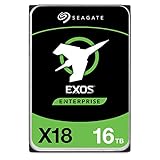
Best overall for farming and bulk storage: Seagate Exos X24
Enterprise drives like the Exos line are built for 24/7 operation. That suits farming, where plots sit on disk and are read only on short challenges. You get the highest capacity per bay, and per Seagate’s spec sheet a five-year warranty and a roughly 2.5 million hour MTBF rating. The trade-off is noise and heat. These are loud 7200 RPM drives, so they belong in a basement rack or a case with proper airflow, not under a desk. Check the interface (SATA or SAS) before buying, because SAS needs an HBA.
Best for a quiet NAS or home farm: WD Red Pro
The WD Red Pro is a CMR NAS drive tuned for multi-bay enclosures, with vibration tolerance and a 550 TB/year workload rating per WD’s spec sheet. It suits people running a node and a plot archive in one home NAS. It usually costs a little more per TB than bulk enterprise models, and it is still audible. A Seagate IronWolf Pro is the closest alternative and is worth buying whichever is cheaper per TB that week.
Best budget capacity: Toshiba N300
The N300 is a NAS-rated CMR drive that often undercuts the big two per terabyte. For farming or cold archives, where throughput barely matters, cost per TB is the main metric. The trade-off is less consistent availability across capacities and a slightly less polished software ecosystem. Avoid SMR drives for anything that gets written continuously, such as node databases. Shucked external drives and refurbished enterprise units are cheaper still, but warranty terms are weaker, and for farming, a failed drive means replotting.
Best for Ethereum and execution-heavy nodes: Samsung 990 Pro
An Ethereum execution client does constant random reads and writes to its state database, which hard drives handle badly. Most client documentation recommends at least a 2TB NVMe SSD. Plan for a 1.1–1.5 TB database plus consensus-client data, and buy 4TB if you want headroom, since the database grows. The 990 Pro is fast and widely available. A DRAM-less QLC drive is the wrong choice here because sustained sync writes can drop it to near-HDD speeds. Archive nodes run to several terabytes or well past 10TB depending on the client, so check your client’s current requirements first.
Best for 24/7 endurance and plotting: WD Red SN700
If you want an SSD built around continuous workloads, the SN700 offers higher rated endurance than consumer drives of the same size. That matters for plotting, which writes heavily. It is PCIe 3.0, so sequential speeds trail the 990 Pro, but node workloads rarely hit those limits. The trade-off is a higher price per GB than mainstream consumer NVMe.
Best for a Bitcoin full node: Samsung 870 EVO
A Bitcoin full node needs well over 600 GB for the chain, more with txindex=1, so a 1TB SSD is the practical minimum and 2TB gives years of room. A SATA SSD is plenty: the bottleneck during initial sync is random reads and CPU signature verification, not interface bandwidth. A Raspberry Pi or mini-PC node works well with an SSD like this. The trade-off is that 1TB leaves limited headroom, so go 2TB if you want to leave it running for years.
Best for encrypted wallet backups: Kingston IronKey Vault Privacy 80 ES
A drive with onboard hardware encryption and a PIN protects an encrypted wallet file or key backup if it is lost or stolen. Keep two copies in separate locations. Do not store a plaintext seed phrase on any drive. Treat a hard drive as an extra layer and keep your primary recovery method offline on paper or metal. The trade-off is cost per GB, which is poor, but you only need a small capacity.
Worked calculations: capacity, power and SSD wear
1. How many plots fit on a drive
A standard k32 Chia plot is about 101.4 GiB. A “20TB” drive holds 20×1012 bytes, which is roughly 18,626 GiB. That gives 18,626 ÷ 101.4 ≈ 183 plots. A “24TB” drive is about 22,352 GiB, or 220 plots. To hold about 1,830 plots (roughly 181 TiB), you need 10 drives of 20TB or 9 of 24TB. Plots using compression hold more per drive, but they put more load on the CPU or GPU that checks proofs.
2. Yearly power cost
A 3.5-inch drive averages roughly 5–8 W in 24/7 use, depending on model and activity. Assume 6 W:
- 10 drives × 6 W = 60 W, or 60 × 8,760 h ≈ 526 kWh per year
- At $0.15/kWh, that is about $79 per year
- Switching to 9 larger drives saves about 6 W, roughly $8 per year, and also frees a bay
Add the host machine. A low-power mini-PC at 15–25 W adds $20–$33 per year at the same rate.
3. SSD endurance when plotting
Original (uncompressed) plotting writes on the order of 1.5–1.8 TB of temporary data per plot, and writing 1.8 TB per plot is a conservative planning figure. A 2TB 990 Pro rated at 1,200 TBW would last about 1,200 ÷ 1.8 ≈ 660 plots. A 2TB SN700 rated at about 2,500 TBW would last about 1,390 plots. Warranty terms also depend on years, so check each one. For a one-off plotting job, a consumer NVMe is fine. For continuous plotting, an endurance-rated SSD pays for itself.
Decision matrix: match your situation to a drive
| Your situation | Choose | Minimum capacity | Why |
|---|---|---|---|
| Bitcoin full node on a mini-PC or Pi | SATA SSD (870 EVO class) | 1TB (2TB preferred) | Random reads dominate sync |
| Ethereum full node | NVMe with DRAM (990 Pro or SN700) | 2TB (4TB for headroom) | State database needs high IOPS |
| Chia or similar farm | CMR HDDs (Exos, Red Pro, N300) | 16–24TB per drive | Cost per TB and 24/7 rating |
| Fast plotting or heavy sync workloads | High-endurance NVMe (SN700) | 2TB | Heavy write volume |
| Wallet file or key backups | Hardware-encrypted SSD or USB (IronKey class) | 64–500GB | PIN protection and tamper resistance |
| Archive node | Enterprise NVMe | Check client docs | Sustained write and database size |
Settings that make these drives work better
- Bitcoin Core
dbcache: setdbcache=4000to8000(MiB) during initial sync if you have the RAM, then drop it afterward. A bigger cache means fewer disk writes, which speeds sync and reduces wear. - Pruning:
prune=550is the minimum and keeps only recent blocks, so a 500GB drive can run a node, but you cannot serve old blocks to peers. - Linux mount options: use
noatimeon node and plot drives to avoid pointless metadata writes. - Filesystem: use ext4 or XFS for large HDD farms. Avoid exFAT for long-running data because it lacks journaling.
- Cooling: keep HDDs under about 45 °C. Many manufacturers rate operation to 60 °C, but lower temperatures extend life.
- Monitoring: run SMART checks (
smartctl) weekly and watch reallocated and pending sectors.
How to choose: the short checklist
- Workload first: random I/O (nodes) means SSD, while sequential bulk storage (farms, archives) means HDD.
- Confirm CMR, not SMR, on any HDD that will be written heavily.
- Look at warranty length and workload rating, not only the sticker price.
- Calculate cost per usable TB after formatting and any redundancy.
- Back up wallet data separately, and never keep the only copy on the node’s own drive.
Frequently Asked Questions
Can I run a Bitcoin node on a hard drive?
Yes, but initial sync will be much slower than on an SSD, often taking days instead of hours. Once synced, a CMR HDD can keep up with new blocks. An SSD is still recommended for a smoother experience, especially on low-power hardware.
Is an HDD or SSD better for crypto?
It depends on the workload. Nodes that read and write a state database, such as Ethereum, need SSDs. Storage-based farming and archives work best on high-capacity HDDs because cost per TB matters more than speed.
Is Chia farming still worth it in 2026?
For most people it is not a reliable profit source, because returns depend on network size, coin price and your power cost. Treat it as a hobby. Use the power and plot calculations above to check your own numbers before buying drives.
Is a hard drive a safe place to store crypto?
Not by itself. A drive can fail, be lost or be stolen. Use a hardware wallet for the keys, keep recovery phrases offline, and use an encrypted drive only for extra backups of wallet files, never as the only copy.
How much storage do I need for a crypto node?
A Bitcoin node needs 1–2TB, and an Ethereum full node needs 2–4TB of NVMe. Archive nodes need much more, and requirements grow over time. Always check your client’s current documentation before buying.
Do I need a NAS-rated drive for a node?
A NAS-rated drive is useful if the drive runs 24/7 in a multi-bay enclosure, since it is built for continuous use and vibration. For a single-drive node
Related guides
More from Amazon
Programs that pair well with the guide above. Offers and eligibility are set by Amazon and may change.
A free business account with business pricing and bulk-buying tools for work, shop or home office.
Create a business accountFree shipping on eligible items, Prime Video and more. Eligible new members can start with a free trial.
Start a Prime free trialAudiobooks and podcasts to listen to on the go. Eligible new members can start with a free trial.
Try Audible freeAd-free music streaming. Eligible new subscribers can start with a free trial.
Try Music Unlimited freeAs an Amazon Associate we earn from qualifying purchases.


