The best cheapest PC case is usually a $40–$65 mid-tower or micro-ATX model with a mesh or vented front, at least 340mm of GPU clearance, and two or more fans in the box. Cases under about $40 tend to save money by dropping fans, dust filters or GPU room, and you often pay that money back in extra fans. Below are budget picks by spec class and real model, plus the checks that stop a cheap case from costing more than a slightly pricier one.
As an Amazon Associate we earn from qualifying purchases at no extra cost to you.
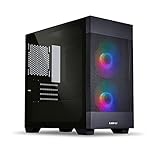
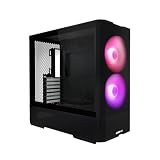

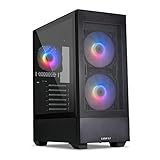
Top 3 picks at a glance
Quick comparison of the cheapest PC cases worth buying
Prices are general market ranges and move with sales and region. Specs are as listed by each manufacturer, and fan counts can differ between revisions, so confirm the exact SKU before buying.
| Pick | Best for | Key specs | Typical price |
|---|---|---|---|
| Deepcool CC560 (ATX mid-tower) | Cheapest full-size ATX build with fans included | ATX/mATX/ITX, mesh-style front, multiple pre-installed 120mm fans on current versions, roughly 370mm GPU room per the spec sheet | $45–$65 |
| Cooler Master MasterBox Q300L V2 (mATX) | Small desks and simple builds | mATX/ITX, perforated top and front, magnetic filters, around 360mm GPU room | $45–$65 |
| Montech Air 100 series (mATX) | Compact mesh-front airflow on a tight budget | mATX/ITX, mesh front, tempered-glass side on most versions, fans included | $45–$65 |
| Corsair 3000D Airflow (ATX) | Builders who want a known brand and easy cable room | ATX, mesh front, three 120mm fans included, around 360mm GPU room | $65–$90 |
| Montech Air 903 Max (ATX) | Best fan count per dollar slightly above rock bottom | ATX, mesh front, several ARGB fans included, long GPU clearance | $60–$85 |
| Generic sub-$40 mid-tower (spec class) | Absolute lowest price, with compromises | Often one rear fan, solid or half-solid front, 300–330mm GPU room | $30–$40 |
Best overall cheap case: Deepcool CC560
The CC560 is the easiest recommendation if you need a full ATX case and don’t want to buy fans separately. Per the manufacturer’s spec sheet it supports ATX boards, tall air coolers and long graphics cards, and current versions ship with several 120mm fans. It suits a typical build such as a mid-range GPU, a six- to eight-core CPU and a 650W–750W power supply.
Trade-off: The stock fans are basic. They are fine for 150–250W of total heat but louder than premium fans at full speed. Cable-management room behind the tray is adequate, not generous.
Best cheap compact case: Cooler Master MasterBox Q300L V2
If you are building around a micro-ATX board, this class of case costs little and takes up little desk space. The Q300L V2 uses a vented top and front with magnetic dust filters, which is rare at this price. Compact cases like this are well suited to a modest CPU and a single-fan or dual-fan graphics card.
Trade-off: You usually get only one pre-installed rear fan, so budget about $10–$15 for two intake fans. Long, thick GPUs and tall coolers will also be tight, so measure first.
Best cheap mesh-front mATX: Montech Air 100 series
Montech’s Air 100 line targets buyers who want a mesh front and a glass panel for around the price of a plain box. It works well for 1080p and 1440p gaming builds where the GPU draws 150–250W. Check the listing for the exact fan count, because variants differ.
Trade-off: Micro-ATX only limits you to fewer expansion slots and a smaller motherboard choice. You should also check the CPU cooler height limit if you plan to use a large dual-tower air cooler.
Best step-up value: Corsair 3000D Airflow and Montech Air 903 Max
Once you can spend $65–$90, you get cases that behave less like a compromise. The Corsair 3000D Airflow has a mesh front, three included 120mm fans and straightforward ATX support. The Montech Air 903 Max gives you more fans and a roomier layout for a similar or slightly lower price, depending on sales. If you are still choosing between several $60–$90 models, our airflow-focused case roundups cover those in more depth.
Trade-off: Both cost $20–$30 more than the cheapest ATX options. If your parts are low-wattage, that extra money is better spent on the GPU or SSD.
The cheapest cases to avoid or approach carefully
Skip any case that combines a solid front panel with a single fan, especially if you plan to run a GPU above about 180W. Also be wary of listings with no stated GPU clearance, no PSU length limit, or “front USB 3.0” that connects through an old header your board may lack. Very thin steel can flex and rattle, which becomes noticeable when fans spin up.
How to choose: the numbers that matter
1. Check GPU length against real clearance
Take the card’s length from its spec page, then add 10–15mm of clearance for power cables and bending room. A 305mm card needs about 320mm of space. If you plan to mount a front fan, subtract its thickness only when the stated clearance is measured with the fan installed. A case listing “up to 370mm without front fan, 340mm with” means the second figure is what you can use with a stock front fan.
2. Do the true cost of a cheap case, fans included
This is the calculation that decides most cheap-case purchases. Decent 120mm fans cost roughly $4–$8 each.
- Case A: $42, one rear fan. To reach three fans (two front intake plus one rear exhaust), add two fans at about $6 each, for $54 total.
- Case B: $55, three or four fans included. Total is $55 and the fans are already matched.
The “cheaper” case ends up within $1 of the better-equipped one, and with extra fans you also have to mount them and route the cables. Buy the case with fans already included unless the price gap is more than the cost of the missing fans.
3. Match airflow to your heat output
A rough rule: a mid-range gaming build such as a 65–120W CPU and a 150–250W GPU produces about 250–350W of heat under load. A typical budget 120mm fan moves about 40–60 CFM, but a restrictive front panel can reduce real airflow by a third or more. As an illustration, three 50 CFM fans total 150 CFM on paper, which becomes roughly 100 CFM in a mesh case. One fan in a solid-front case may deliver 30 CFM or less, which is why these builds run hot even with the same parts. These figures are illustrative; real results depend on fan model, filters and layout.
4. Match the case to your situation
| Your situation | Choose | Why |
|---|---|---|
| GPU under 180W, small desk | mATX case, $45–$65 | Smaller footprint, enough airflow for light heat loads |
| GPU 200–300W, 3+ fans needed | ATX mesh-front with 3+ fans included, $55–$90 | Airflow headroom and long-card clearance |
| Tall air cooler (160mm+) | ATX mid-tower with 165mm+ cooler limit | Many budget mATX cases cap at 150–160mm |
| Quiet PC priority | Spend $70–$90, not under $40 | Larger mesh area allows slower fans |
| Lowest possible price, low-power parts | Sub-$40 class, add one intake fan | Fine for an iGPU or 75W GPU build |
5. Confirm the small items that cost money later
- Front I/O: Confirm a USB 3.0 header connector. If your board has a USB-C header and you want it, check that the case supports it.
- PSU length: Most budget cases take PSUs up to about 160–180mm, which suits a standard 650W–750W unit. Long modular units may not fit.
- Dust filters: A removable front and PSU filter saves cleaning time.
- Drive bays: Many modern cheap cases offer only one or two 3.5-inch bays. That is fine for M.2 NVMe-based builds but limiting for hard-drive collectors.
- Side panel: Tempered glass looks better but adds weight and needs careful handling. A vented steel panel often cools better.
Frequently Asked Questions
What is the cheapest PC case that’s still worth buying?
For most gaming builds, the $45–$65 range is the floor worth considering. Cases at this price often have a mesh or perforated front, a dust filter and enough GPU clearance. Below $40, you usually trade away airflow and fans, so only pick those for low-power builds.
Do cheap PC cases cause overheating?
Not by themselves, but a solid front panel and a single fan can raise temperatures noticeably on a 200W+ GPU. A mesh-front case with two intake fans and one exhaust fan is much safer. If you must use a restrictive case, run a more efficient GPU and set a sensible fan curve.
Is a micro-ATX case okay for a gaming PC?
Yes, as long as the GPU, cooler and PSU fit. Micro-ATX boards offer the same CPU and RAM support as ATX in most cases, with fewer PCIe slots. Check the case’s maximum GPU length and CPU cooler height before buying.
Should I buy extra fans for a cheap case?
Often yes, if the case includes only one. Adding two intake fans costs roughly $10–$15 and is usually the best cooling upgrade per dollar. If a slightly pricier case already includes three or four fans, it may be the cheaper path overall.
Are glass side panels worth it on a budget case?
Only if you care about appearance. Glass adds a small price premium and doesn’t improve cooling, and a vented steel side panel can actually help airflow. Choose glass for looks and mesh or steel for the lowest temperatures per dollar.
Will my graphics card fit in a cheap case?
Compare the card’s length from its spec page with the case’s stated GPU clearance, then add 10–15mm of margin. Most 2-fan cards under 300mm fit comfortably in typical budget ATX cases. Large three-fan cards of 320mm or more need a case rated for 350mm or longer.
Related guides
More from Amazon
Programs that pair well with the guide above. Offers and eligibility are set by Amazon and may change.
A free business account with business pricing and bulk-buying tools for work, shop or home office.
Create a business accountFree shipping on eligible items, Prime Video and more. Eligible new members can start with a free trial.
Start a Prime free trialAudiobooks and podcasts to listen to on the go. Eligible new members can start with a free trial.
Try Audible freeAd-free music streaming. Eligible new subscribers can start with a free trial.
Try Music Unlimited freeAs an Amazon Associate we earn from qualifying purchases.


