The best webcam for live streaming in Australia for most people is the Elgato Facecam MK.2, a 1080p60 USB camera with uncompressed output that avoids the compression artefacts of cheaper models. If you want 4K framing and auto-tracking, the Insta360 Link 2 or Obsbot Tiny 2 are better. If you just need a reliable budget camera, the Logitech Brio 100 or C920s will do the job. This guide assumes you mean webcams for going live (Twitch, YouTube, Kick, Teams), not public webcams that show Australian beaches.
As an Amazon Associate we earn from qualifying purchases at no extra cost to you.
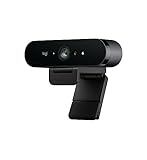
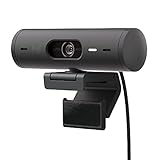


Top 3 picks at a glance
Quick comparison of the best live-streaming webcams
| Pick | Best for | Key specs (per manufacturer) | Typical AU price |
|---|---|---|---|
| Elgato Facecam MK.2 | Best overall for gaming streams | 1080p60, uncompressed output, HDR, USB-C | A$250–$350 |
| Logitech Brio 100 | Best budget | 1080p30, USB-C, auto light correction, privacy shutter | A$60–$100 |
| Logitech C920s HD Pro | Best proven value / wide compatibility | 1080p30, USB-A, privacy shutter, dual mics | A$90–$150 |
| Razer Kiyo Pro | Best for dim rooms | 1080p60, large low-light sensor, adaptive light sensor, USB 3.0 | A$200–$300 |
| Insta360 Link 2 | Best for tracking and 4K | 4K30, 2-axis gimbal, AI tracking | A$250–$380 |
| Obsbot Tiny 2 | Best for movement and demos | 4K30, gimbal, AI tracking, voice and gesture control | A$400–$550 |
| Elgato Facecam Pro | Best for 4K60 enthusiasts | 4K60, uncompressed, high-bandwidth USB link | A$500–$700 |
Prices are general market ranges and move with sales and exchange rates.
Best overall: Elgato Facecam MK.2
Streamers who sit at a desk in front of a game get the most from a fixed 1080p60 camera, and the Facecam MK.2 is built for that. It outputs uncompressed video, so your streaming software gets a clean image instead of one that has already been squeezed by the camera. Its Camera Hub app exposes manual exposure, white balance and power-line frequency settings. Trade-off: it has no gimbal or tracking, and it needs a proper USB 3.0 port.
Best budget: Logitech Brio 100
The Brio 100 is a 1080p30 USB-C camera with automatic light correction and a physical privacy shutter. It suits new streamers, study streams and video calls. Trade-off: it is fixed focus, runs at 30 fps and offers limited manual control. Fast motion on camera (hand cams, dancing) looks softer than on 60 fps models.
Best proven value: Logitech C920s HD Pro
The C920s has been a streaming standard for years. It works with almost every app and operating system, and it is easy to find in Australian retail. It records 1080p30, has built-in microphones and includes a privacy shutter. Trade-off: the sensor is older, so low-light noise and highlight handling trail the newer picks. It is a better choice than a cheap no-name 4K camera, but the Brio 100 is the more modern buy if you have a USB-C port.
Best for dim rooms: Razer Kiyo Pro
Many Australian streamers play in bedrooms or sheds with a single lamp. The Kiyo Pro uses a larger low-light sensor than most 1080p webcams and has an adaptive light sensor that adjusts the image as the room changes. It runs at 1080p60 over USB 3.0. Trade-off: it costs about as much as the Facecam MK.2, and its software controls are less thorough.
Best for tracking and 4K: Insta360 Link 2
The Link 2 is a gimbal webcam with 4K30 output and AI tracking that follows you as you move. It suits presenters, teachers and “just chatting” streamers who stand or lean around. Trade-off: 4K runs at 30 fps, and tracking can drift if the background is busy. Most gaming streams will not benefit from the extra resolution.
Best for movement and demos: Obsbot Tiny 2
The Obsbot Tiny 2 has a bigger sensor than the Link 2, plus gimbal tracking and voice and gesture control. It suits craft, cooking, repair and hardware-build streams where you move around. Trade-off: it is one of the pricier options, and a lot of its value disappears if you stay in one spot.
Best for 4K60 enthusiasts: Elgato Facecam Pro
The Facecam Pro is the premium option, with 4K60 uncompressed output. Trade-off: uncompressed 4K60 needs a lot of USB bandwidth (see the calculation below), and most platforms downscale your stream anyway. It is mostly for creators who also record high-quality face-cam footage for editing.
How to choose: the numbers that matter
1. Check your upload speed before you pay for 4K
Your NBN upload speed limits your stream more than your webcam does. Speeds vary by plan: lower NBN tiers can have uploads as low as 5 Mbps, while mid and upper tiers commonly offer 20 Mbps or more. Test your upload in the evening, when congestion is worst.
Worked example: keep your stream bitrate to about 70% of your real upload speed.
- Evening upload of 5 Mbps: 5 × 0.7 = 3.5 Mbps usable, so 720p60 or 1080p30 at around 3–3.5 Mbps.
- Evening upload of 20 Mbps: 20 × 0.7 = 14 Mbps usable. A 6–8 Mbps 1080p60 stream fits easily, with headroom for a second recording or a Discord call.
Twitch and YouTube recommend roughly 6 Mbps for 1080p60, but check each platform’s current guidance. A 4K webcam on a 5 Mbps connection gives you no extra sharpness because the stream cannot carry it.
2. Work out whether your USB port can carry the video
Uncompressed video needs a lot of bandwidth. The raw data rate is width × height × bits per pixel × frames per second.
| Mode | Format | Raw data rate | Fits USB 2.0 (480 Mbps)? | Fits USB 3.0 (5 Gbps)? |
|---|---|---|---|---|
| 1080p30 | YUY2 (16-bit) | about 1.0 Gbps | No (needs compression) | Yes |
| 1080p60 | YUY2 (16-bit) | about 2.0 Gbps | No | Yes |
| 4K30 | NV12 (12-bit) | about 3.0 Gbps | No | Yes |
| 4K60 | NV12 (12-bit) | about 6.0 Gbps | No | No (needs a faster link) |
The 1080p60 figure comes from 1920 × 1080 × 16 × 60 = about 1.99 Gbps. If a camera sits on a USB 2.0 port or a shared hub, it will fall back to a compressed format (usually MJPEG) or a lower frame rate. Plug 1080p60 and 4K cameras directly into a motherboard rear port, not a monitor hub or a front-panel header.
3. Match the camera to your situation
| Your situation | Choose |
|---|---|
| Seated gaming stream, decent room light | Facecam MK.2 or Kiyo Pro |
| Under A$100 and starting out | Logitech Brio 100 |
| Dim room, one lamp | Razer Kiyo Pro (and add a light) |
| Stand, move or demo products | Insta360 Link 2 or Obsbot Tiny 2 |
| NBN upload under 10 Mbps | Any 1080p30 camera; 4K gives no benefit |
| Only USB-A ports, no USB 3.0 | Logitech C920s, but confirm the port is blue or SS-labelled |
Australia-specific setup: fix the flicker
Australian mains power runs at 50 Hz, so ordinary lights pulse at 100 Hz. If your webcam is set to 60 Hz (the US default), you can get rolling bands or a shimmering image, especially under older LED or fluorescent globes. Fix it in this order:
- Set power-line frequency to 50 Hz in the camera software (Camera Hub, Logi Tune, Synapse or OBS device properties). The camera then matches its exposure timing to your lights.
- Set a manual shutter speed that is a multiple of 1/100 s (for example 1/100) if the camera lets you. Exposure then spans a whole flicker cycle.
- Lock frame rate at 30 or 60 fps and turn off any “low-light frame rate drop” option. Auto frame rate makes streams look uneven.
- Lock white balance to a fixed value (around 4000–5000 K for neutral LED lighting) so your skin tone does not change when a game scene turns bright or dark.
- Use a key light instead of raising camera gain. A dedicated LED panel beside your monitor does more for image quality than a more expensive webcam.
Other buying points for Australian buyers
- Warranty: goods bought in Australia carry consumer guarantees under Australian Consumer Law in addition to the manufacturer’s warranty. Buying from an Australian retailer makes claims simpler than importing.
- Privacy shutter: useful on a shared work-and-gaming PC.
- Mount: a monitor clip fits most screens, but a tripod thread helps if you use an ultrawide or a curved panel.
- Microphone: webcam mics pick up keyboard noise and room echo. A separate USB or XLR mic matters more than camera resolution for viewer retention.
Frequently Asked Questions
Is a 4K webcam worth it for streaming?
Usually not. Most streams go out at 1080p, and the webcam is a small overlay on screen, so 4K detail is lost. 4K is useful if you want to crop or reframe in software, or record high-quality face footage for editing.
What is the best cheap webcam for streaming in Australia?
The Logitech Brio 100 is a sensible cheap pick if you have a USB-C port, and the C920s is the better fit for older PCs with USB-A. Both are 1080p30, which is fine for most new streamers. Spend any extra money on lighting first.
Why does my webcam flicker or show lines?
The most common cause is a mismatch between the camera’s power-line frequency setting and Australia’s 50 Hz mains supply. Switch the setting to 50 Hz, or lock the shutter speed to 1/100 s. If it persists, the lights themselves may be cheap dimmable LEDs, so try a different globe.
How much upload speed do I need to stream with a webcam?
For 1080p60 you need at least around 8–10 Mbps of reliable upload, based on a 6 Mbps stream and a 70% usable rule. For 720p or 1080p30, 5 Mbps can work. Test during evening peak, not at midday.
Can my DSLR or mirrorless camera replace a webcam?
Yes, if the camera supports a USB webcam mode or you use an HDMI capture card. The image is better, but you add cost, a dummy battery or mains adapter, and possible overheating limits. For most streamers, a good webcam with a key light is the simpler path.
Is this about live webcams of Australian beaches and cities?
This guide covers cameras you use to broadcast yourself. If you are looking for public live webcams of beaches or landmarks, those are run by councils, surf clubs and tourism bodies, and you watch them in a browser. You do not need to buy anything.
Related guides
More from Amazon
Programs that pair well with the guide above. Offers and eligibility are set by Amazon and may change.
A free business account with business pricing and bulk-buying tools for work, shop or home office.
Create a business accountFree shipping on eligible items, Prime Video and more. Eligible new members can start with a free trial.
Start a Prime free trialAudiobooks and podcasts to listen to on the go. Eligible new members can start with a free trial.
Try Audible freeAd-free music streaming. Eligible new subscribers can start with a free trial.
Try Music Unlimited freeAs an Amazon Associate we earn from qualifying purchases.


