The best college laptop backpack for most students is a 20–28 L pack with a padded, raised laptop sleeve sized for your exact screen class, a water-resistant fabric and a load-bearing hip or sternum strap. The Thule Subterra 2 is a strong all-rounder, and the JanSport Right Pack is the budget pick. If you carry a 16–17 inch gaming laptop and its power brick, step up to a dedicated gaming-laptop pack with a rigid back panel. Fit and total carried weight matter more than brand or looks.
As an Amazon Associate we earn from qualifying purchases at no extra cost to you.


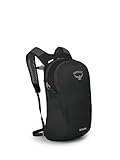
Our Top Picks
Top 3 picks at a glance
Quick comparison of the best college laptop backpacks
| Pick | Best for | Key specs (per manufacturer) | Typical price |
|---|---|---|---|
| Thule Subterra 2 (21 L class) | Best overall, daily commuting | Padded laptop and tablet sleeves, weather-resistant fabric, organizer pockets | $120–$180 |
| JanSport Right Pack | Best budget | Roughly 31 L, 15-inch laptop sleeve, simple two-compartment layout | $50–$80 |
| Gaming-laptop pack (17-inch class, e.g. ASUS ROG Ranger series) | Gaming laptops and bricks | Fits up to about 17-inch, rigid shell or reinforced back, charger compartment | $60–$150 |
| Osprey Arcane Large Day | Rain, bus rides, long walks | Around 20 L, 15-inch sleeve, harness with ventilated back | $90–$130 |
| Peak Design Everyday Backpack 20L (V2) | Creators, camera and tech gear | Weatherproof shell, flexible dividers, side and top access | $250–$300 |
| Slim 15–20 L work-style pack | 13–14 inch laptops, light loads | Slim profile, padded sleeve, one or two compartments | $40–$110 |
Specs and prices change by colorway and retailer, so check the manufacturer’s current spec sheet for sleeve dimensions before buying.
Step one: match the sleeve to your laptop
“Fits 15-inch laptops” is a loose claim. A pack can say it fits a 15.6-inch laptop and still be too tight for a thick gaming chassis. Measure your laptop’s width, depth and thickness, then add about 1 cm of clearance on each side and 1.5–2 cm to the thickness for a padded sleeve. Typical laptop footprints are below.
| Laptop class | Typical footprint (W × D) | Typical thickness | Minimum sleeve to look for |
|---|---|---|---|
| 13-inch ultrabook | ~30 × 21 cm | 1.5–2 cm | 32 × 23 cm |
| 14-inch | ~31–32 × 22–23 cm | 1.6–2.2 cm | 34 × 25 cm |
| 15.6-inch | ~36 × 24–26 cm | 2–2.5 cm | 38 × 28 cm |
| 16-inch gaming | ~35–36 × 26–27 cm | 2.3–2.9 cm | 38 × 29 cm |
| 17.3-inch gaming | ~39–40 × 27–28 cm | 2.4–3 cm | 42 × 30 cm |
These are ranges, and individual models vary. Check your laptop maker’s spec sheet for exact dimensions. Also check how the sleeve is built. A sleeve that floats above the pack’s bottom keeps a dropped bag from hitting the laptop directly. A sleeve sitting flush on the ground transfers every bump to the chassis.
Step two: do the weight math before you buy
Ergonomics guidance commonly cited by pediatric and physiotherapy groups suggests keeping a daily load to roughly 10–15% of body weight. College students are adults, so it is a guideline rather than a rule, but it is a handy sanity check. Here is a worked example for a 70 kg student with a 16-inch gaming laptop.
| Item | Approx. weight |
|---|---|
| 16-inch gaming laptop | 2.4 kg |
| Power brick and cables (~240 W class) | 0.9 kg |
| Three textbooks (~1.3 kg each) | 3.9 kg |
| Water bottle, notebook, small items | 1.0 kg |
| Empty backpack (padded, 25 L class) | 1.2 kg |
| Total | 9.4 kg (≈13.4% of 70 kg) |
That sits at the top of the 10–15% window, so the harness matters. The same student with a 14-inch ultrabook (1.4 kg), a 65 W charger (0.3 kg) and the same books, bottle and pack comes to 7.8 kg, or about 11%. Two lessons follow. First, a heavy gaming laptop and brick can cost you 1.6 kg before you add anything. Second, if your total lands above 15%, a thicker shoulder strap will not fix it. Leave the brick in your dorm if the campus has outlets, or carry fewer books per day.
Best overall: Thule Subterra 2 (21 L class)
This is the pack for students who want a clean look that works on campus and later at an internship. Thule’s Subterra line is built around a padded laptop compartment, a separate tablet sleeve and an organized front pocket for chargers and a mouse. The trade-off is price and capacity. The 21 L size is tight for a laptop plus a lab coat plus a gym kit, and it is not meant for 17-inch gaming laptops. Check the listed laptop size for the variant you pick.
Best budget: JanSport Right Pack
The JanSport Right Pack is the classic low-cost option, with a roughly 31 L main space and a padded 15-inch sleeve. It suits students carrying a 14–15.6 inch laptop and a mix of paper books. The trade-offs are minimal organization and a basic harness with no hip belt, so the weight math above matters here. It handles light rain, but not heavy downpours with a laptop inside.
Best for gaming laptops: 17-inch class packs
If your laptop is a 16- or 17.3-inch gaming model, buy by compartment size, not brand. Look for a rigid or reinforced back, an external or bottom charger compartment, and a sleeve at least 42 × 30 cm for the 17-inch class. ASUS ROG’s Ranger backpacks are an example of this category. Many gaming packs add vents or an extra-wide opening for a slim laptop. The trade-off is bulk: they often weigh 1.3–1.8 kg empty and look sporty, so they are less discreet in a lecture hall.
Best for rain and long walks: Osprey Arcane Large Day
This pack suits students who walk across a large campus or take buses and trains. It has a ventilated back, a padded harness and a 15-inch laptop sleeve in a roughly 20 L shape. The trade-off is that it is more outdoor-styled and has fewer fine organizer pockets than a work-style pack. If your campus is hilly or rainy, the harness comfort is worth more than extra pockets.
Best for creators: Peak Design Everyday Backpack 20L (V2)
This is the pack for photography, film or design students who carry a camera, a tablet and a laptop. Flexible dividers let you configure the interior, and the weatherproof shell protects gear. The big trade-off is price, usually $250–$300, which is a lot for a first-year student. It also weighs more than basic packs, so a heavy loadout hits the weight limit faster.
Decision matrix: which pack for which student
| Your situation | Choose | Why |
|---|---|---|
| 13–14 inch laptop, under 5 kg total load | Slim 15–20 L pack | Lower weight, less temptation to overpack |
| 15.6-inch laptop, tight budget | JanSport Right Pack | Large capacity, 15-inch sleeve, lowest cost |
| 16–17 inch gaming laptop plus brick | Gaming-laptop pack with a 42 × 30 cm sleeve | Fits the laptop and keeps the charger separate |
| Long walks, rain, bus or train | Osprey Arcane Large Day | Harness comfort and weather resistance |
| Camera, tablet and laptop | Peak Design Everyday 20L | Configurable dividers and weatherproofing |
| Internships, presentations, tidy look | Thule Subterra 2 | Organized and professional |
Features that actually matter
- Suspended sleeve: the laptop should not touch the bottom panel of the pack.
- Sternum strap and, for loads over 8 kg, a hip belt: these move weight off the shoulders.
- Water resistance: a coated fabric and water-resistant zippers handle drizzle. “Waterproof” claims usually need taped seams, so check the spec sheet.
- Zipper quality: look for large, branded zippers, since a failed zipper is the most common break point.
- Anti-theft design: a back-panel pocket or lockable zippers are useful in libraries and on transit.
- Capacity: 20–28 L covers most students. Above 30 L, people tend to overpack.
Frequently Asked Questions
What size backpack do I need for a college laptop?
Most students do well with 20–28 L. That is enough for a laptop, a couple of books, a notebook and a charger. Choose the size by your laptop’s dimensions first, then add capacity for what you carry daily.
Will a 15-inch laptop backpack fit a 16-inch gaming laptop?
Often not comfortably. A 16-inch gaming laptop is about 35–36 cm wide and can be 2.3–2.9 cm thick, which is thicker than many 15-inch sleeves expect. Compare your laptop’s measurements with the pack’s listed sleeve dimensions rather than trusting the “15-inch” label.
How heavy should a college backpack be?
A commonly cited guideline is 10–15% of body weight. For a 70 kg student that is about 7–10.5 kg including the pack. If you regularly exceed that, reduce the load, leave the charger at home or add a hip belt.
Are waterproof backpacks worth it for college?
Water resistance is worth having. Light rain protection is enough for most campuses. Fully waterproof roll-top packs are better for cyclists or very wet climates, but they can be less convenient for quick access between classes.
Is an expensive laptop backpack worth it?
It can be, if you carry heavy loads or an expensive laptop. Higher-priced packs generally offer better harnesses, zippers and padding. If you carry a light ultrabook and a few notebooks, a mid-range pack is usually sufficient.
Should I put my laptop in a separate sleeve inside the backpack?
Only if the pack’s built-in sleeve is thin or loose. A built-in suspended sleeve is generally enough. An extra sleeve helps when you move the laptop between bags, but it adds weight and bulk.
Related guides
More from Amazon
Programs that pair well with the guide above. Offers and eligibility are set by Amazon and may change.
A free business account with business pricing and bulk-buying tools for work, shop or home office.
Create a business accountFree shipping on eligible items, Prime Video and more. Eligible new members can start with a free trial.
Start a Prime free trialAudiobooks and podcasts to listen to on the go. Eligible new members can start with a free trial.
Try Audible freeAd-free music streaming. Eligible new subscribers can start with a free trial.
Try Music Unlimited freeAs an Amazon Associate we earn from qualifying purchases.


