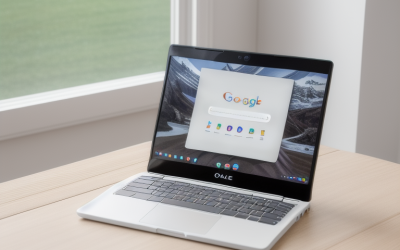
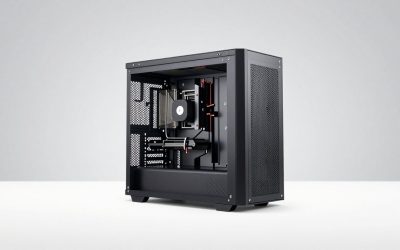
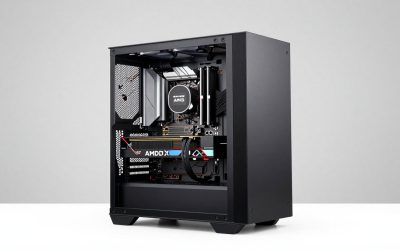
The best gaming desk accessories are, in order of impact: a gas-spring monitor arm, a large desk mat, a powered USB hub, and a cable tray with a surge-protected power strip. Lighting, headset stands and control pads come after those. This guide reads “assessors” in your search as “accessories” and ranks upgrades by how much they change comfort and cleanliness, with sizing numbers so you buy the right spec.
As an Amazon Associate we earn from qualifying purchases at no extra cost to you.



Top 3 picks at a glance
Quick comparison of the best desk accessory picks
| Pick | Best for | Key specs to look for | Typical price |
|---|---|---|---|
| Gas-spring monitor arm (e.g. Ergotron LX class) | Best overall upgrade | VESA 75/100, 2-9 kg per arm, clamp for 10-85 mm desk thickness | $40-$200 |
| XXL desk mat, 900×400 mm or larger | Best for comfort and mouse control | 3-4 mm thick, stitched edges, non-slip rubber base | $15-$50 |
| Powered USB 3.0 hub, 4-7 ports | Best for peripheral clutter | Own power adapter (12-36 W), 5 Gbps, cable 1 m or longer | $25-$70 |
| Under-desk cable tray plus surge strip | Best for safety and tidiness | Tray 40+ cm long, 1,800 J+ surge rating, 6-8 outlets | $20-$60 |
| Elgato Stream Deck MK.2 or similar macro pad | Best for streamers and creators | 15 LCD keys, USB-C, software profiles | $130-$160 |
| Monitor light bar or bias lighting | Best for night sessions | Asymmetric optics, 2700-6500 K, USB powered | $25-$120 |
| Headset stand or under-desk hook | Best for reclaiming surface space | Weighted base or clamp, 500 g+ capacity | $10-$40 |
Best overall: a gas-spring monitor arm
A monitor arm frees 15-25 cm of desk depth, lets you set screen height at eye level, and lets you push the display back to a proper viewing distance. Ergotron’s LX is the common benchmark, and many cheaper clones copy its design. The trade-off is compatibility. Arms are rated by weight range, and a light monitor can droop or drift if it falls below the arm’s minimum.
Worked example: matching an arm to your monitor
Take a 32-inch 4K panel. Check the manufacturer’s spec sheet for weight without the stand. It is often around 5-7 kg. Subtract the stand, because the arm replaces it.
- Monitor weight without stand: 5.8 kg (example figure).
- Arm range: 2-9 kg, so it fits with margin and tension can be adjusted.
- VESA mount on the back: 100×100 mm, which matches the arm’s plate.
- Desk thickness: 30 mm, within a 10-85 mm clamp range. Hollow or glass desks need a reinforcing plate.
A dual setup needs either two single arms or one dual arm rated per screen. Ultrawides at 34 inches and above often weigh 7-10 kg, which suits a heavier arm rated to 12 kg or more.
Best for comfort: an XXL desk mat
A 900×400 mm mat covers both keyboard and mouse. It stops your forearms touching a cold edge or a glossy surface and gives the mouse sensor a consistent surface. Choose by surface type. Cloth gives more control for low-DPI aiming, while hard or textured surfaces glide faster. If you play on a glass desk, pick a mat with a rubber base so it does not slide. Stitched edges matter because cut edges fray within a year or so. The main trade-off is size: a 900 mm mat will not fit on desks under about 100 cm wide without overhanging.
Best for clutter: a powered USB hub
Modern gaming desks carry a headset dongle, mouse receiver, keyboard, webcam, capture card and a phone cable. Plug them into front-panel ports with long, flimsy cables and you get dropouts. A powered hub on the desk surface fixes this, but only if its power budget covers your gear.
Worked example: USB power budget
USB 3.0 ports supply up to 5 V at 0.9 A, which is 4.5 W per port. Here is a realistic load.
| Device | Typical draw | Watts at 5 V |
|---|---|---|
| Wireless mouse receiver | 0.1 A | 0.5 W |
| Headset dongle | 0.1 A | 0.5 W |
| 1080p webcam | 0.5 A | 2.5 W |
| USB capture card | 0.9 A | 4.5 W |
| Portable SSD (active) | 0.9 A | 4.5 W |
| Phone charging | 2.0 A | 10 W |
| Total | 4.5 A | 22.5 W |
A hub with a 12 W adapter would brown out under this load, while a 24-36 W adapter has headroom. Use the numbers on the hub’s adapter label, not the box marketing. Also remember that a 5 Gbps hub shares that bandwidth. Keep the capture card and the SSD on separate host ports if you use both at once.
Best for safety and tidiness: cable tray and surge strip
A tray under the desk takes the power strip and adapters off the floor and out of sight. Load the strip sensibly. A typical high-end gaming PC can pull 600-800 W under load, so size the strip with a margin.
Worked example: outlet load
- PC under gaming load: 650 W
- Two monitors at 45 W: 90 W
- Speakers and DAC: 30 W
- Light bar, hub, chargers: 50 W
- Total: about 820 W
A 120 V, 15 A circuit delivers 1,800 W. The common 80% continuous-load guideline gives 1,440 W, so this desk uses about 57% of that. Add a space heater or laser printer to the same circuit and you are in trouble. Choose a strip with a joule rating of 1,800 J or more and a clear protection indicator. Treat an indicator that has gone out as a sign to replace the strip.
Best for streamers: a macro pad and key light
If you stream or record, the Elgato Stream Deck MK.2 puts scene switches, audio mutes and hotkeys on 15 programmable LCD keys. Pair it with a key light such as the Elgato Key Light, or a comparable panel, set at about 4000-5000 K to match daylight. The trade-off is cost. A casual gamer gets little from either, so a cheaper macro pad or keyboard layers are usually enough.
Best for night sessions: bias lighting
A light bar or bias strip behind the screen lowers the contrast between the display and a dark room, which eases eye strain. Aim for about 10% of the screen’s peak brightness, in a neutral 6500 K white if you care about colour accuracy. Choose asymmetric optics for light bars that sit on top of the monitor, so glare does not reach the panel. Skip very saturated RGB colours for long sessions.
Headset stand or hook: small but useful
A clamp-on hook or weighted stand gets a 300-400 g headset off the surface and prevents cable snags. It costs $10-$40. Skip the multi-USB-port stand unless you need the ports, since many of them are barely powered.
How to choose: decision matrix by situation
| Your situation | Buy first | Buy second | Skip for now |
|---|---|---|---|
| Small desk under 120 cm wide | Monitor arm | Mid-size mat (700×350 mm) | XXL mat, dual arm |
| Glass or hollow desk | Rubber-base mat | Arm with grommet mount and reinforcement plate | Clamp-only arms |
| Competitive FPS player | Mat matched to your mouse | Arm to set eye level | Macro pad |
| Streamer or creator | Key light, macro pad | Powered hub | Decorative RGB |
| Messy cables and many peripherals | Cable tray and surge strip | Powered hub | Extra lighting |
| Long evening sessions | Bias lighting | Arm to adjust distance | Headset stand |
Sizing rule for viewing distance: a 27-inch 1440p monitor sits comfortably about 60-80 cm from your eyes, and a 32-inch 4K at 70-90 cm. If your desk is shallower than about 70 cm, an arm that pushes the screen back is the most effective fix. Check desk thickness and weight limits before ordering, because that is where most returns happen.
Frequently Asked Questions
What is the single best gaming desk accessory?
For most people it is a gas-spring monitor arm. It frees desk space, corrects screen height and distance, and helps posture. Check your monitor’s weight and VESA pattern before you buy.
Do I need a powered USB hub or are motherboard ports enough?
Motherboard ports are enough for a keyboard and a mouse. Once you add a capture card, a webcam, a portable SSD and chargers, a powered hub keeps the cables short and the power stable. Look for a hub with its own adapter of at least 24 W.
How big should my desk mat be?
Choose a mat that covers your keyboard and mouse area, usually 900×400 mm for desks over 120 cm wide. On smaller desks, a 700×350 mm mat avoids overhang. Thicker mats of 3-4 mm feel more comfortable under the wrist.
Are RGB desk accessories worth it?
They are mostly aesthetic. Bias lighting behind the monitor has a practical benefit for eye comfort, but a coloured strip on the desk edge does not. Spend on arms, mats and power first, and add lighting last.
Will a monitor arm work on a glass or thin desk?
Often yes, but you need a mount that spreads the clamp load. Use a reinforcement plate under the glass, or a grommet mount if the desk has a hole. Check the desk maker’s weight rating, since the arm and monitor load is concentrated on one edge.
How do I know my surge strip can handle my PC?
Add up the rated draw of all devices, and keep the total under the strip’s wattage rating, typically 1,800 W or lower on 15 A strips. A gaming PC with two monitors usually lands in the 700-900 W range. Replace the strip if its protection indicator goes out.
Related guides
More from Amazon
Programs that pair well with the guide above. Offers and eligibility are set by Amazon and may change.
A free business account with business pricing and bulk-buying tools for work, shop or home office.
Create a business accountFree shipping on eligible items, Prime Video and more. Eligible new members can start with a free trial.
Start a Prime free trialAudiobooks and podcasts to listen to on the go. Eligible new members can start with a free trial.
Try Audible freeAd-free music streaming. Eligible new subscribers can start with a free trial.
Try Music Unlimited freeAs an Amazon Associate we earn from qualifying purchases.