The best affordable bedroom gaming setup in 2026 is a $900–$1,300 desktop built around a 1080p or 1440p 165Hz monitor, a 145–180W midrange graphics card and a 47–55 inch desk. If your room is tiny, a console or laptop-and-dock setup costs less and runs cooler. This guide treats “bedroom set” as the full gaming kit for a bedroom (desk, display, PC or console, seating and power), because that is what the hardware decisions hinge on.
As an Amazon Associate we earn from qualifying purchases at no extra cost to you.


Top 3 picks at a glance
Quick comparison of the five setup types
| Setup | Best for | Key specs | Typical price range |
|---|---|---|---|
| Midrange desktop + 1440p monitor | Best overall | 6-core CPU, 8–16GB VRAM GPU, 27″ 1440p 144–180Hz, ~320W load | $1,000–$1,400 |
| Console + 1080p monitor or TV | Best budget | Fixed hardware, 60–120 fps modes, 80–220W load | $450–$700 |
| Gaming laptop + dock + external monitor | Small bedrooms and shared spaces | Laptop GPU 100–140W, 24″ 1080p 144Hz+, one-cable dock | $900–$1,400 |
| Compact 65W mini PC or small-form-factor build | Hot, noisy or cramped rooms | 65W CPU, low-profile or 100–150W GPU, under 250W load | $600–$1,000 |
| Used or refurbished tower + new monitor | Best upgrade path on a tight budget | Older 6-core CPU, 8GB GPU, new 24″ 1080p 144Hz+ | $450–$800 |
Best overall: midrange desktop with a 1440p monitor
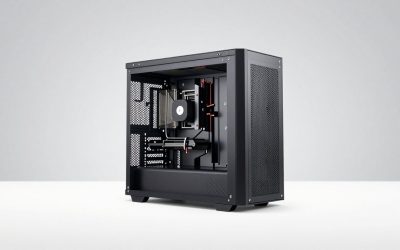
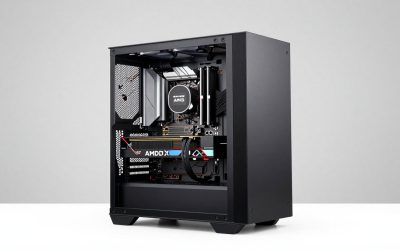
A desktop is still the best value per dollar for gaming in a bedroom. Pair a 6-core CPU such as a Ryzen 5 7600 with a card in the Radeon RX 9060 XT, GeForce RTX 5060 or RTX 5060 Ti class. Add a 27-inch 1440p monitor at 144–180Hz. Published reviews generally show cards in this class delivering roughly 60–144 fps in popular esports and mainstream titles at 1440p, depending on settings, CPU and patch. Demanding new releases usually need medium-to-high settings or upscaling to stay near 60–90 fps.
Who it suits: anyone with at least a 47-inch desk who wants to keep the PC for several years and upgrade the GPU later.
Main trade-off: it is the hottest and loudest option here, and it needs the most desk depth.
Best budget: console plus a monitor or small TV
A current console costs far less than a gaming PC and needs only a display and a controller. Xbox Series S-class hardware draws far less power than a PS5-class console. Per manufacturer spec sheets, the Series S has a much smaller power supply rating than the larger consoles, which matters in a warm bedroom. A 24-inch 1080p monitor with HDMI 2.0 or better and 120Hz support lets you use the 120 fps modes that many console games offer.
Who it suits: younger players, couch or bed gaming, and anyone who mostly plays console exclusives.
Main trade-off: you get no hardware upgrades, and online play usually needs a paid subscription. Check the monitor’s HDMI version first, because many cheap monitors are limited to 60Hz over HDMI.
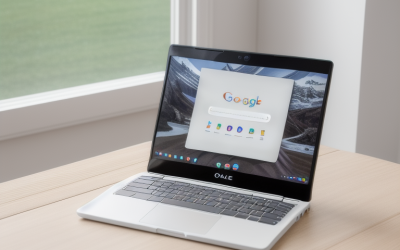
Best for small bedrooms: laptop, dock and external monitor
A gaming laptop with a 100–140W GPU, closed or open beside a 24-inch external monitor, gives desktop-like comfort with one cable and a smaller footprint. It can be packed away at night, which helps in shared rooms. Choose a laptop with a USB-C or Thunderbolt port that supports DisplayPort output and power delivery, or just use its HDMI port and skip the dock.
Who it suits: students, renters and anyone who needs the room to double as a workspace.
Main trade-off: cost per frame is higher than a desktop, and laptop GPUs run at lower power limits than desktop cards with the same name. Fan noise under load is also higher.
Best for hot or cramped rooms: compact 65W build
A mini PC or small-form-factor build with a 65W CPU and a modest GPU keeps total draw under about 250W. That puts out less than half the heat of a typical midrange tower. It is the right pick if your bedroom has no air conditioning or you sleep a few feet from the machine. Expect 1080p high settings or 1440p medium in most titles, with variation by game.
Who it suits: light sleepers and small rooms.
Main trade-off: fewer upgrade options, and compact cases limit cooler and GPU choice.
Best upgrade path: used tower plus new monitor
If money is tight, put the new money in the display and buy the PC used. A refurbished tower with a 6-core CPU, 16GB RAM and an 8GB GPU can play most games at 1080p. A new 24-inch 1080p 144Hz+ IPS panel will improve your experience more than a slightly faster old GPU. Check the power supply’s wattage and condition, because used PSUs are the weakest link.
Main trade-off: no warranty on some parts, and older platforms have a shorter upgrade life.
Worked example: power, heat and circuit budget for a bedroom
Bedrooms often share one 15A, 120V circuit with the lights and outlets, and the room heats up quickly. Here is a typical midrange build under gaming load. The GPU figure is the manufacturer’s rated board power for an RTX 5060-class card, and the rest are typical estimates.
| Component | Approx. gaming draw |
|---|---|
| GPU (145W-class card) | 145W |
| 6-core 65W CPU under gaming load | 60–90W |
| Motherboard, RAM, SSD, fans | 40–50W |
| 27″ 1440p monitor | 25–35W |
| Speakers, router, phone charging | 20–30W |
| Total | about 300–350W |
Take 330W as the midpoint. One watt equals about 3.412 BTU/h, so 330 × 3.412 ≈ 1,126 BTU/h of heat dumped into the room. A 1,500W space heater on high makes about 5,100 BTU/h, so your PC acts like a small heater at roughly one-fifth of that. Over a 4-hour session you also use about 1.3 kWh, which at a typical $0.15 per kWh is around 20 cents.
On the circuit side, a 15A, 120V circuit is rated at 1,800W, and continuous loads should stay under 80%, about 1,440W. Your 330W setup uses less than a quarter of that. Add a 1,500W space heater or air conditioner on the same circuit and you will trip it. For the PSU, a quality 550W unit is the usual recommendation for RTX 5060-class cards, and it will run well within its efficient range at 330W.
How to choose: numbers that matter
Match monitor size to resolution and distance
Pixel density tells you how sharp the image looks. A 24-inch 1080p panel is about 92 PPI, a 27-inch 1440p panel is about 109 PPI, and a 27-inch 4K panel is about 163 PPI. For a desk 60–80 cm from your eyes, 24-inch 1080p and 27-inch 1440p are the sweet spots. A 27-inch 1080p panel looks soft at around 82 PPI, so skip it for desk use.
Check desk depth before buying a monitor
A 27-inch monitor needs a desk at least 60 cm (about 24 inches) deep, and 70 cm is better, so your eyes sit 70–90 cm from the screen. For a keyboard and mouse, a 100–120 cm wide desk is the practical minimum. That is why smaller bedrooms often do better with a 24-inch panel on a 47-inch desk.
Spend in this order
- GPU and monitor first: together they set your resolution and frame rate, and should take roughly 45–55% of the total budget.
- CPU, RAM and SSD next: 6 cores, 16GB RAM (32GB if you stream or multitask) and a 1TB NVMe SSD are the baseline.
- Chair and desk last, but do not skip them: a decent chair is $120–$250 and prevents the back pain that cheap beds, couches and stools cause.
Decision matrix: your situation to the right setup
| Your situation | Choose | Why |
|---|---|---|
| Under $700 total, mostly console games | Console + 24″ 120Hz monitor | Lowest cost; 80–220W draw |
| Under $800, want PC games | Used tower + new 24″ 144Hz | Best value if the PSU checks out |
| Room under 10×10 ft, no AC | Compact 65W build | Under 250W, about 850 BTU/h |
| Room doubles as a study space | Laptop + external monitor | Packs away; one-cable desk |
| $1,000+ and want to keep it for 4–5 years | Midrange desktop + 27″ 1440p | Upgradeable GPU and PSU headroom |
Mistakes that waste money
- Buying a 4K monitor for a GPU that can only manage 1440p at medium settings.
- Choosing a 60Hz panel to save $30 and giving up the smoothness your GPU can deliver.
- Using a cheap power strip without surge protection for a $1,000 setup.
- Placing the tower in a closed cabinet or under a bed, where intake air heats up and fans ramp.
- Ignoring noise. In a bedroom, a case with mesh front intake and two 120mm fans at low rpm beats a smaller case with a single loud fan.
Frequently Asked Questions
How much should I spend on an affordable bedroom gaming setup?
A console-based setup works from about $450–$700, and a solid desktop with a 1440p monitor usually costs $1,000–$1,400. Used parts can bring a PC setup down to $450–$800. Budget roughly half your money for the GPU and monitor.
Will a gaming PC make my bedroom too hot?
A midrange PC drawing around 330W under load puts out about 1,100 BTU/h, roughly a fifth of a space heater on high. It is noticeable in a small closed room over several hours. A console or a 65W compact build cuts that heat substantially.
Is 24 inches or 27 inches better for a bedroom desk?
A 24-inch 1080p monitor suits desks 50–60 cm deep and sits comfortably at 60–80 cm. A 27-inch 1440p monitor is sharper and more immersive but needs about 60–70 cm of desk depth. Pick the size your desk can actually support.
Do I need a special electrical setup for a gaming PC in my bedroom?
No, a typical 330W setup is well within a standard 15A circuit. Just avoid sharing that circuit with a space heater or portable air conditioner, and use a surge-protected strip.
Should I buy a gaming laptop instead of a desktop for a small room?
Choose a laptop if you need portability or the room is shared with a study area. Expect to pay more for the same performance, and expect more fan noise under load. A desktop gives better value and upgrade options if you have the desk space.
What is the minimum I need for 1080p gaming in 2026?
A 6-core CPU, 16GB of RAM and a GPU with 8GB of VRAM cover most 1080p gaming at high settings. Pair it with a 24-inch 144Hz monitor and a 500–550W power supply.
Related guides
More from Amazon
Programs that pair well with the guide above. Offers and eligibility are set by Amazon and may change.
A free business account with business pricing and bulk-buying tools for work, shop or home office.
Create a business accountFree shipping on eligible items, Prime Video and more. Eligible new members can start with a free trial.
Start a Prime free trialAudiobooks and podcasts to listen to on the go. Eligible new members can start with a free trial.
Try Audible freeAd-free music streaming. Eligible new subscribers can start with a free trial.
Try Music Unlimited freeAs an Amazon Associate we earn from qualifying purchases.