The best Dell student laptop for most people is a 14-inch Dell 14 Plus-class machine with 16GB of RAM, a 512GB SSD and a 16:10 screen. It balances weight, battery and performance for roughly $800–$1,100. Tighter budgets should look at the Dell 15 line, and engineering or game-design majors should step up to a discrete-GPU model such as the Alienware 16 Aurora. Dell’s current naming is confusing, so this guide sorts the lineup by spec class and use case.
As an Amazon Associate we earn from qualifying purchases at no extra cost to you.
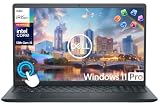
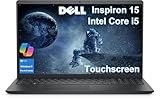
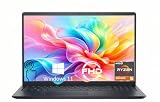

Top 3 picks at a glance
Quick comparison of the best Dell student laptops
| Pick | Best for | Key specs to look for | Usual price range |
|---|---|---|---|
| Dell 14 Plus class | Best overall | 14″ 16:10, 16GB RAM, 512GB SSD, Core Ultra 5/7 or Ryzen | $800–$1,100 |
| Dell 15 (formerly Inspiron 15) | Best budget | 15.6″ FHD, 16GB RAM if possible, 512GB SSD | $400–$700 |
| Dell 14 2-in-1 | Best for note-taking | Touchscreen, 360° hinge, stylus support, 16GB RAM | $700–$1,000 |
| Dell Pro 14 (formerly Latitude) | Best for durability and support | Business-class chassis, Thunderbolt, optional extended warranty | $900–$1,500 |
| Dell XPS 14 / premium ultraportable | Best premium pick | High-resolution or OLED panel, 32GB option, aluminum build | $1,400–$2,200 |
| Alienware 16 Aurora | Best for gaming, CAD and 3D | RTX laptop GPU, 16GB+ RAM, 1TB SSD, 16″ 16:10 | $1,300–$2,000 |
Prices are general market ranges and shift with promotions, configuration and Dell’s education pricing. Always compare the exact configuration, because Dell sells the same model name with very different CPU, RAM and panel options.
Best overall: Dell 14 Plus class
A 14-inch Dell Plus-series laptop is the safest default for a student because it combines a modern CPU, a taller 16:10 screen and a chassis that fits in a backpack. The 16:10 ratio gives about 11% more vertical space than 16:9 at the same width, which helps with documents and code. Choose 16GB of RAM and a 512GB SSD. Those two options cost less at purchase than they will to fix later.
Trade-off: the build is mostly plastic or mixed materials, and the speakers and webcam are adequate rather than impressive. Skip configurations with a dim panel. Dell lists brightness in nits on the spec sheet, and 300 nits or more is a comfortable floor for classrooms with windows.
Best budget: Dell 15
The Dell 15 line, the successor to Inspiron 15, is the cheapest sensible way into a Dell laptop. It suits essays, web research, streaming lectures and Office work. The 15.6-inch screen is roomy, and the price often leaves money for a better backpack and a warranty.
Trade-off: the cheapest configurations can ship with 8GB of RAM, a 256GB drive and a 1080p panel of roughly 250 nits. Eight gigabytes gets tight with a browser full of tabs plus video calls. Where the memory is soldered, you cannot add more later. Spend the extra $50–$100 for 16GB if the listing offers it.
Best for note-taking: Dell 14 2-in-1
A touchscreen convertible makes sense if you annotate PDFs, sketch diagrams or write equations by hand. Look for a 360° hinge, a touch panel and confirmed active-pen support. Not every 2-in-1 ships with a stylus, so check whether it is included or sold separately.
Trade-off: convertibles are heavier and slightly thicker than clamshells, and the glossy touch glass reflects more light. If you mostly type, a standard clamshell gives better value.
Best for durability and support: Dell Pro 14
Dell Pro, the business line formerly called Latitude, is aimed at offices but works well for students who are hard on their gear. Expect better keyboards, more ports, Thunderbolt on many configurations and a wider choice of warranty options. Dell’s on-site service tiers matter most if a dead laptop in exam week would be a disaster.
Trade-off: the design is plain, and the price per unit of CPU power is higher than consumer models. Dell Pro frequently appears in education and corporate discount channels, so check for those before paying list price.
Best premium pick: Dell XPS 14
If you want a machine for the whole degree and beyond, Dell’s XPS line, relaunched for 2026, is the premium ultraportable choice. These laptops aim for an aluminum build, a high-quality display and a larger trackpad. Premium configurations may add OLED or high-resolution panels, which suit photo, video and design coursework.
Trade-off: price, and the premium display options can cost battery life. A sharper panel draws more power, so check the battery capacity and the screen option together. Fewer ports are also common, so budget for a USB-C hub.
Best for gaming, CAD and 3D: Alienware 16 Aurora
Students in engineering, architecture, game development or animation need a discrete GPU for tools such as SolidWorks, Blender and Unreal Engine. The Alienware 16 Aurora pairs a 16-inch 16:10 display with a GeForce RTX laptop GPU. It doubles as a capable gaming laptop in the evenings.
Trade-off: weight and power. Expect a heavier chassis and a large power brick. Real-world battery life is much shorter than a thin-and-light’s once the GPU is working. Frame rates in games vary widely with the GPU tier, power limit, settings and resolution, so compare the specific GPU wattage rather than the model name.
How to choose: a matrix by major
| Your situation | Minimum spec | Dell pick |
|---|---|---|
| Humanities, business, general studies | 16GB RAM, 512GB SSD, 1080p+ screen | Dell 15 or Dell 14 Plus |
| Heavy note-taking, med or law school | Touch + pen, 16GB RAM, 300+ nit panel | Dell 14 2-in-1 |
| Computer science, data science | 16GB RAM (32GB for VMs and containers), 512GB–1TB SSD | Dell 14 Plus or XPS 14 |
| Engineering, architecture, 3D, game dev | RTX GPU, 16GB RAM (32GB preferred), 1TB SSD | Alienware 16 Aurora |
| Design, photography, film | Color-accurate OLED or high-res panel, 32GB RAM | XPS 14 class |
| Rough commute, shared dorms | Sturdy chassis, warranty with accidental damage | Dell Pro 14 |
Check your department first. Some engineering programs publish minimum specs, and a few require Windows-only software, which rules out Chromebooks and many Arm-based machines.
Worked example: how big a battery do you need?
Runtime is simply battery capacity in watt-hours divided by average power draw in watts. A student who spends the day in a browser, documents and video calls at moderate brightness typically draws about 6–9 W on an efficient laptop. Gaming and heavy GPU work can pull 60 W or more.
- Target: 8 hours away from an outlet (lectures plus library).
- Average draw: 7 W.
- Energy needed: 8 h × 7 W = 56 Wh.
- Aging allowance: batteries commonly keep about 85% of capacity after a couple of years, so you want 56 ÷ 0.85 ≈ 66 Wh when new.
Many 14-inch ultraportables ship with batteries in the mid-50s to mid-60s Wh range, so a 7 W profile works but is borderline by year three. A 15-inch machine drawing 12 W would need 8 × 12 ÷ 0.85 ≈ 113 Wh, more than a typical laptop carries. That is why a charger in your bag matters for those models. Read the exact Wh figure on Dell’s spec sheet, and note that “up to” runtime claims come from the manufacturer’s own test conditions.
Spec priorities and what to skip
RAM: 16GB is the floor
Windows plus a browser with 20 tabs, a video call and Office can consume 8GB quickly. Because many thin laptops solder their memory, buy the amount you will need in year three, not year one.
Storage: 512GB, not 256GB
Windows, Office, course software and a semester of downloads fill 256GB faster than expected. Cloud storage helps, but a 512GB SSD avoids constant cleanup.
Screen: panel quality over resolution
A 1920×1200 panel at 300 nits beats a 1920×1080 panel at 220 nits for most daily use. Higher refresh rates are nice but not necessary outside gaming.
Warranty: price it per year
A $550 laptop that lasts three years costs about $183 per year. A $1,000 laptop that lasts five years costs $200 per year, with a better keyboard and screen along the way. If you drop things often, an accidental damage plan can be worth more than a faster CPU.
Frequently Asked Questions
Which Dell laptop is best for a college student on a tight budget?
A Dell 15, the successor to the Inspiron 15, in the $400–$700 range is the usual answer. Try to get 16GB of RAM and a 512GB SSD, since the cheapest 8GB and 256GB versions age poorly. Watch for promotions and Dell’s education discounts.
Are Dell Inspiron laptops still sold?
Dell has moved its mainstream consumer laptops to simpler names such as Dell 14, Dell 15 and Dell 14 Plus, and retired the Inspiron label for new models. Older Inspiron listings still circulate through resellers. The hardware is comparable, so judge by the specs, not the name.
Is 8GB of RAM enough for a student laptop?
It works for light use, but it is a risky choice for a laptop that must last four years. Multiple browser tabs, video calls and background apps can push 8GB hard. Go for 16GB, and 32GB if you run virtual machines or heavy design software.
Do I need a Dell with a dedicated GPU?
Only if your coursework needs it, such as CAD, 3D rendering, video editing or game development, or if you want to game seriously. For writing, research, spreadsheets and coding, integrated graphics are enough and give better battery life and a lighter bag. Check your program’s software requirements before paying for a GPU.
Is a Dell 2-in-1 better than a regular laptop for school?
It is better if you handwrite notes or annotate documents often. If you mostly type, a standard clamshell is lighter, usually cheaper and has a more reflective-glare-free screen. Check that the 2-in-1 includes or supports a pen before counting on it.
Related guides
More from Amazon
Programs that pair well with the guide above. Offers and eligibility are set by Amazon and may change.
A free business account with business pricing and bulk-buying tools for work, shop or home office.
Create a business accountFree shipping on eligible items, Prime Video and more. Eligible new members can start with a free trial.
Start a Prime free trialAudiobooks and podcasts to listen to on the go. Eligible new members can start with a free trial.
Try Audible freeAd-free music streaming. Eligible new subscribers can start with a free trial.
Try Music Unlimited freeAs an Amazon Associate we earn from qualifying purchases.


