The best bargain external SSD in 2026 is a 1TB or 2TB USB 3.2 Gen 2 (10Gbps) drive from an established brand, such as the Kingston XS1000 or Samsung T7 family. For a small price premium, the Kingston XS2000 adds 20Gbps speeds. Real bargains come from price per terabyte, sustained write speed and a port that can keep up, not from the biggest “up to” speed on the box.
As an Amazon Associate we earn from qualifying purchases at no extra cost to you.
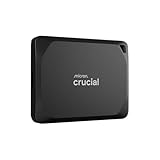

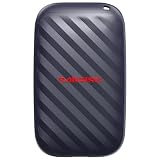

Our Top Picks

Top 3 picks at a glance
Quick comparison of the bargain picks
Specs below come from the manufacturers’ spec sheets. Prices are general market ranges and swing with NAND pricing, so check current listings.
| Pick | Best for | Key specs (manufacturer) | Typical price range |
|---|---|---|---|
| Kingston XS1000 | Best overall bargain, pocket carry | USB 3.2 Gen 2, up to 1,050 MB/s read, 1TB/2TB | 1TB: roughly $70–$110 |
| Samsung T7 (standard) | Best for 1TB+ general use with a known brand | USB 3.2 Gen 2, up to 1,050 MB/s read, metal body, 500GB–4TB | 1TB: roughly $80–$120 |
| Samsung T7 Shield | Best rugged bargain | USB 3.2 Gen 2, up to 1,050 MB/s, IP65 rating, rubberized shell, 1TB–4TB | 1TB: roughly $90–$130 |
| Kingston XS2000 | Best fast budget (20Gbps) | USB 3.2 Gen 2×2, up to 2,000 MB/s, IP55, 500GB–4TB | 1TB: roughly $100–$150 |
| DIY: NVMe M.2 drive + USB enclosure | Lowest cost per TB, tinkerers | 10Gbps or 20Gbps enclosure, 2280 or 2230 M.2 drive of your choice | Enclosure roughly $15–$40, plus drive |
Best overall bargain: Kingston XS1000
The XS1000 is a small, light 10Gbps drive that usually costs a little less than the Samsung equivalents. It suits game libraries on a PC or handheld, photo backups and carrying project files. Its main trade-off is the usual one for budget drives: long writes can slow once the fast cache fills, and it has no dust or water rating. Choose it when price per TB matters more than ruggedness.
Best for a trusted name: Samsung T7
The standard T7 has a metal body, mature firmware and wide capacity options. It often matches or slightly undercuts its Shield sibling. The trade-off is that it is a plain, non-rated enclosure, so treat it as a desk or bag drive, not a trail drive. It is a safe pick if you want something dull and dependable.
Best rugged bargain: Samsung T7 Shield
The T7 Shield adds a rubberized shell and an IP65 dust and water-resistance rating, per Samsung’s spec sheet. It suits students, travelers and anyone who tosses a drive in a backpack. You pay a modest premium over the T7, and speeds are the same 10Gbps class. If you never leave your desk, skip the Shield and put the savings toward capacity.
Best fast budget: Kingston XS2000
The XS2000 uses USB 3.2 Gen 2×2 (20Gbps) and is rated up to 2,000 MB/s. It is the cheapest sensible way to double transfer speed for video editing or large game libraries. The trade-off is that you only get that speed on a port that supports 20Gbps. On a regular 10Gbps port it behaves like a 1,000 MB/s drive, and a 5Gbps port limits it further. Buy it only if your PC has a 20Gbps port or you plan to get one.
Best lowest cost per TB: DIY NVMe enclosure
A budget M.2 NVMe SSD in a 10Gbps enclosure usually beats a pre-built drive on price per TB, and you control the drive. If you already have a spare M.2 drive from a laptop or desktop upgrade, the enclosure is the only cost. The trade-offs are that you must match the size (2280 or 2230) and key type, and heat can throttle bare-bones enclosures during long copies. Look for an aluminum case with a thermal pad. Avoid this route if you want a sealed, warranty-simple product.
How to choose: the numbers that matter
1. Check your port before paying for speed
The speed ceiling comes from the port, not the box. These are the approximate real-world limits for each USB class:
| Port type | Raw link speed | Typical real-world ceiling | Worth buying a faster drive? |
|---|---|---|---|
| USB 3.2 Gen 1 (5Gbps) | 625 MB/s | about 400–450 MB/s | No, buy the cheapest 1,050 MB/s drive |
| USB 3.2 Gen 2 (10Gbps) | 1,250 MB/s | about 850–1,000 MB/s | Yes, this is the bargain sweet spot |
| USB 3.2 Gen 2×2 (20Gbps) | 2,500 MB/s | about 1,600–2,000 MB/s | Only if your PC has this port |
Many motherboards label ports “USB 3.2” without saying which generation. Check the motherboard or laptop manual, or look for the SS 10 or SS 20 marking.
2. Worked example: what speed actually saves you
Say you copy a 120GB game library to your external drive.
- 5Gbps port at about 420 MB/s: 120,000 ÷ 420 ≈ 286 seconds, or about 4 minutes 45 seconds.
- 10Gbps drive at about 950 MB/s: 120,000 ÷ 950 ≈ 126 seconds, or about 2 minutes.
- 20Gbps drive at about 1,800 MB/s: 120,000 ÷ 1,800 ≈ 67 seconds.
- Cheap drive whose cache runs out, falling to about 200 MB/s: 120,000 ÷ 200 = 600 seconds, or 10 minutes.
The jump from a 10Gbps to a 20Gbps drive saves about a minute per 120GB. Avoiding a drive with poor sustained writes saves far more. If you copy a handful of times a month, the cheapest decent 10Gbps drive is the smart buy.
3. Compare price per gigabyte, not sticker price
Divide the price by capacity. A 1TB drive at $90 costs $0.09/GB, while a 2TB at $150 costs $0.075/GB, about 17% cheaper per GB. Higher capacities usually cost less per GB, and bigger drives also tend to sustain writes better because they have more flash chips working in parallel. Buy the largest capacity you will realistically fill. A 500GB drive rarely makes sense, because modern games are 50–150GB each.
4. Watch sustained writes
“Up to” numbers are for short bursts. Independent reviews often show budget drives dropping to a few hundred MB/s once the fast cache fills on a long copy. That only matters if you move hundreds of gigabytes at a time. For game storage and backups, it is rarely a problem.
5. Match the drive to your situation
| Your situation | Best choice | Why |
|---|---|---|
| Gaming PC or laptop with a 10Gbps port, game storage | Kingston XS1000 or Samsung T7, 1–2TB | Great value, enough speed for load times from an external drive |
| Steam Deck, ROG Ally or other handheld | Samsung T7 or XS1000 | Handheld USB ports are typically 5–10Gbps, so there is no benefit paying for 20Gbps |
| PS5 (PS4 games and storing PS5 games) | Any 10Gbps drive of 1TB or more | Per Sony, PS5 games must run from internal or M.2 storage, but USB drives can hold PS5 games and run PS4 titles |
| Xbox Series X|S | Any 5–10Gbps USB drive for backup, or the official Expansion Card for running Series games | Per Microsoft, Xbox Series games must run from the internal drive or the Expansion Card, while a USB drive can run older games and store Series games |
| Video editing or large 4K footage | Kingston XS2000 or Samsung T9, if you have a 20Gbps port | Faster sustained transfers save real time |
| Travel, outdoors, kids’ backpacks | Samsung T7 Shield | The IP65 rating and rubber shell absorb drops and dust |
| You have a spare M.2 SSD | DIY enclosure | The enclosure is the only cost |
6. Check the fine print
- Warranty: Manufacturer spec sheets for these brands list limited warranties of about 3–5 years. Longer is better when budget drives are involved.
- Cable: Use the cable in the box. A cheap or long USB-C cable can force the drive down to 5Gbps.
- Brand: Be cautious about unbranded drives with unrealistically cheap 4TB or 8TB capacities. Fake-capacity drives are a known problem. Run a full-capacity test tool when a deal looks too good.
- Encryption: Some drives include optional password protection software. It is useful for laptops that travel.
Frequently Asked Questions
Are cheap external SSDs reliable enough for backups?
Mainstream brands are reliable for everyday use, but any single drive can fail. Treat an external SSD as one copy, not a backup. Keep important files on a second device or in cloud storage, following the 3-2-1 rule: three copies, two media types, one off-site.
Is a 1TB external SSD enough for gaming?
For a handful of modern games, yes. A 1TB drive holds about 8–15 big titles at 60–120GB each. If you keep a large library or install games to play on both a PC and a handheld, 2TB is usually better value per GB.
Can I run PS5 games from an external SSD?
Not directly. According to Sony, PS5 games can be stored on a USB drive but must be moved to internal or M.2 storage to play, while PS4 games can run from the external drive. An external SSD is therefore best as an archive that saves you from re-downloading.
Should I buy a bargain SSD or a portable hard drive?
Choose an SSD for games, editing and anything you open often. A portable hard drive costs less per TB, but it is slower, bulkier and more vulnerable to drops. It makes sense only for cold archive backups of 4TB or more.
Why is my new external SSD slower than advertised?
The most common causes are a 5Gbps port, a poor cable, or a long copy that outlasts the drive’s fast cache. Plug the drive directly into a 10Gbps or 20Gbps port with the supplied cable, then copy a large file again to see the sustained speed. Heat can also trigger throttling in small enclosures, so let the drive cool off if it is hot.
Is a DIY NVMe enclosure faster than a ready-made external SSD?
It can be, depending on the enclosure’s USB controller. A 10Gbps enclosure tops out at about the same 1,000 MB/s as the pre-built drives, while a 20Gbps enclosure with a fast NVMe drive can reach about 2,000 MB/s. The main advantages are price per TB and the ability to reuse a drive, not raw speed.
Related guides
More from Amazon
Programs that pair well with the guide above. Offers and eligibility are set by Amazon and may change.
A free business account with business pricing and bulk-buying tools for work, shop or home office.
Create a business accountFree shipping on eligible items, Prime Video and more. Eligible new members can start with a free trial.
Start a Prime free trialAudiobooks and podcasts to listen to on the go. Eligible new members can start with a free trial.
Try Audible freeAd-free music streaming. Eligible new subscribers can start with a free trial.
Try Music Unlimited freeAs an Amazon Associate we earn from qualifying purchases.


