The best “1200 gigabit” router for most people is a Wi-Fi 6 AX1800 model with gigabit ports, such as the TP-Link Archer AX21, because it costs only a little more than an AC1200 model and handles far more devices. If you only need a cheap upgrade for a 300-500 Mbps plan, an AC1200 gigabit router such as the TP-Link Archer A6 is enough. If your plan is actually 1,200 Mbps or faster, you need a router with a 2.5 Gbps WAN port, because a standard gigabit port tops out near 940 Mbps.
“1200 gigabit” is not a real speed rating. The search usually means one of two things: an AC1200 router (Wi-Fi 5, about 1,200 Mbps of combined wireless link rate, usually with gigabit Ethernet ports) or a router for a 1,200 Mbps internet plan. This guide covers both, because the right answer differs.
As an Amazon Associate we earn from qualifying purchases at no extra cost to you.


Our Top Picks
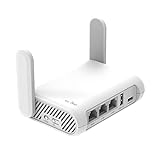
 TP-Link AC1200 Gigabit Dual Band WiFi RouterWi-Fi 5 AC12008.46 x 4.92 x 1.81 inches0.71 poundsCheck on Amazon


Top 3 picks at a glance
Quick comparison of the picks
| Pick | Best for | Key specs | Price range (usual) |
|---|---|---|---|
| TP-Link Archer A6 (AC1200 class) | Budget, plans up to ~400 Mbps | Wi-Fi 5, 300 + 867 Mbps bands, gigabit WAN and LAN | $30–$60 |
| TP-Link Archer AX21 (AX1800) | Best overall for 500–900 Mbps plans | Wi-Fi 6, 574 + 1,201 Mbps bands, gigabit ports | $60–$100 |
| AX3000-class router (e.g. TP-Link Archer AX55) | Larger homes, 20+ devices | Wi-Fi 6, 574 + 2,402 Mbps bands, gigabit ports | $80–$140 |
| ASUS RT-AX86U Pro | Gaming, 1,200 Mbps+ plans | Wi-Fi 6, AX5700, 2.5G WAN/LAN port, gaming-oriented QoS | $170–$250 |
| Wi-Fi 7 BE3600-class with a 2.5G port | Future-proofing, Wi-Fi 7 clients | Wi-Fi 7, 2.5G WAN, dual band | $100–$200 |
Specs above follow each manufacturer’s published spec sheet. Check the exact hardware version before buying, since budget models are revised often and port speeds can differ between versions.
What “1200” means: a worked calculation
AC1200 adds two bands together: 300 Mbps on 2.4 GHz and 867 Mbps on 5 GHz. No single device can use both at once, so the usable ceiling is the 5 GHz number. Link rate is also not throughput. Real-world TCP throughput is typically 50-65% of the link rate, which is a common rule of thumb.
- 1×1 phone on AC1200 5 GHz: 433 Mbps link × 0.55-0.65 ≈ 240-280 Mbps.
- 2×2 laptop on AC1200 5 GHz: 867 Mbps link × 0.55-0.65 ≈ 480-560 Mbps.
- 2×2 laptop on AX1800 5 GHz: 1,201 Mbps link × 0.55-0.65 ≈ 660-780 Mbps.
- Wired PC on any gigabit port: about 940 Mbps of TCP payload after Ethernet, IP and TCP overhead.
- 1,200 Mbps plan through a gigabit WAN port: (1,200 − 940) ÷ 1,200 ≈ 22% of the plan is wasted.
An AC1200 router is therefore a fair match for plans up to about 400-500 Mbps on Wi-Fi. It is not a match for a 1,200 Mbps plan, even though the numbers look similar.
Best budget: TP-Link Archer A6 (AC1200 class)
The Archer A6 is the typical AC1200 gigabit router: dual band, MU-MIMO support and gigabit WAN and LAN ports. It suits apartments, small homes and secondary rooms where a few devices share a plan of roughly 100-400 Mbps. A wired console or PC still gets full gigabit speed.
Trade-off: it uses Wi-Fi 5, so it handles congestion poorly when many devices are active. Wi-Fi 6 phones and laptops will not use their full capability. Its CPU is also modest, so turning on heavy QoS or VPN features can lower throughput.
Best overall: TP-Link Archer AX21 (AX1800)
The AX21 puts Wi-Fi 6 in the same price bracket as a good AC1200 model. Its 5 GHz band is rated at 1,201 Mbps, which is where “1200” shows up again, and OFDMA helps when many devices send small packets at once. It suits households with 10-20 devices on a 300-900 Mbps plan, with gigabit ports for wired gaming.
Trade-off: a gigabit WAN port caps wired speed at about 940 Mbps. Range in larger or multi-story homes is limited, because it has no tri-band or dedicated backhaul design.
Best for larger homes: AX3000-class routers
AX3000 routers such as the TP-Link Archer AX55 raise the 5 GHz rate to 2,402 Mbps for 2×2 clients at 160 MHz, and they usually have better antennas and processors. Choose this class if you have thick walls, many smart-home devices or several people streaming at once. Many 1×1 clients cannot use 160 MHz channels, so the real gain over AX1800 shows up as stability and range more than headline speed.
Trade-off: most models still use gigabit ports, so they do not suit a plan above 940 Mbps. Check the spec sheet for a “Pro” variant with a 2.5G port.
Best for gaming and 1,200 Mbps plans: ASUS RT-AX86U Pro
This is the pick if your plan is 1,200 Mbps or more, or you want gaming-focused controls. It has a 2.5G WAN/LAN port, a stronger processor and a dedicated gaming port with traffic prioritization. A 2.5G WAN port removes the ~940 Mbps cap, so a 1,200 Mbps plan can be used by a wired PC that also has a 2.5G NIC. Most recent gaming motherboards include one.
Trade-off: it costs several times more than an AC1200 router. Wi-Fi 6 is dual band only, and a single 2.5G port means a 2.5G switch is needed to connect more than one fast device.
Best for future-proofing: a Wi-Fi 7 BE3600-class router
Wi-Fi 7 entry models in the BE3600 class often include a 2.5G WAN port at $100-$200, which covers both 1,200 Mbps plans and newer phones and laptops. They are worth it if you replace devices often. Check that the model supports the 6 GHz band if you want the full benefit, since not all budget Wi-Fi 7 models do. Without 6 GHz clients, the practical gain over a good Wi-Fi 6 router is small.
How to choose: decision matrix
| Your situation | Choose | Why (numbers) |
|---|---|---|
| Plan up to 300 Mbps, under 10 devices | AC1200 gigabit (Archer A6 class) | 5 GHz real-world ~250-550 Mbps covers the plan |
| Plan 300-900 Mbps, 10-25 devices | AX1800 (Archer AX21 class) | Real-world ~660-780 Mbps on 2×2 clients; wired ~940 Mbps |
| Large home or many walls | AX3000 class, or a mesh kit | Better range and airtime handling than a single AX1800 unit |
| Plan 1,000 Mbps or more, wired gaming PC | Router with 2.5G WAN | Gigabit port caps at ~940 Mbps, which wastes about 22% of a 1,200 Mbps plan |
| Many Wi-Fi 7 devices | Wi-Fi 7 with 6 GHz | Only helps if clients support it |
Checks before you buy
- Port speeds: “AC1200” says nothing about Ethernet. Some budget models have 100 Mbps ports, so confirm “10/100/1000” on the WAN and LAN ports.
- Hardware version: manufacturers revise budget routers, so confirm the version matches the spec sheet you read.
- ISP gateway: if your ISP’s modem-router is already Wi-Fi 6, a new router should go in bridge or AP mode, or you risk double NAT.
- Wired first: for gaming, plug the console or PC into Ethernet. A wired connection removes the Wi-Fi variability that matters more than the router’s headline number.
Frequently Asked Questions
Is an AC1200 router fast enough for gigabit internet?
Not for wireless. AC1200 routers typically reach around 250-550 Mbps on Wi-Fi depending on the device, and the gigabit ports only deliver full speed over a cable. For a gigabit plan, use an AX1800 or better router and connect fast devices by Ethernet.
Does a 1,200 Mbps plan need a 2.5G router?
Yes, if you want to use the whole plan. A gigabit WAN port tops out near 940 Mbps of real data, so a 1,200 Mbps plan would lose roughly a fifth of its speed. A router with a 2.5G WAN port removes that cap.
Is Wi-Fi 6 worth it over AC1200?
For most homes, yes. Wi-Fi 6 handles many simultaneous devices better, and AX1800 models cost only a little more than AC1200 ones. If you have only a few devices on a slow plan, AC1200 is still adequate.
Will a better router lower my ping in games?
Only if your current router is the bottleneck, such as an overloaded older unit or a weak Wi-Fi link. Ping to game servers is mostly set by your ISP and distance. A good router mainly reduces jitter and spikes, and a wired connection helps the most.
Do I need a Wi-Fi 7 router in 2026?
Not unless your devices support Wi-Fi 7 and you want 6 GHz performance. Wi-Fi 6 models remain a good value for most households. Buy Wi-Fi 7 if you replace devices often or want a router that will stay useful for years.
Should I buy a mesh system instead?
Choose mesh if one router cannot cover your home without dead zones, for example in multi-story houses. For apartments and small homes, a single good router is cheaper and has lower latency than a wireless mesh hop.
Related guides
More from Amazon
Programs that pair well with the guide above. Offers and eligibility are set by Amazon and may change.
A free business account with business pricing and bulk-buying tools for work, shop or home office.
Create a business accountFree shipping on eligible items, Prime Video and more. Eligible new members can start with a free trial.
Start a Prime free trialAudiobooks and podcasts to listen to on the go. Eligible new members can start with a free trial.
Try Audible freeAd-free music streaming. Eligible new subscribers can start with a free trial.
Try Music Unlimited freeAs an Amazon Associate we earn from qualifying purchases.


