You have decided to build a home NAS instead of buying an off-the-shelf box, which means picking an operating system. Two names dominate the conversation: TrueNAS and Unraid. They take genuinely different approaches to storage, and choosing the one that matches your goals will save you a lot of frustration. Here is a practical comparison for a first-time builder.
As an Amazon Associate we earn from qualifying purchases at no extra cost to you.


As an Amazon Associate we earn from qualifying purchases at no extra cost to you.
Our Top Picks
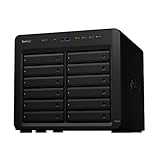
 Synology DS1825+ Enterprise Video Production & Storage166 mm x 343 mm x 243 mm9.57 x 13.5 x 6.54 Inches13.2 poundsCheck on Amazon
 Synology 4-Bay DiskStation DS925+166 mm x 199 mm x 223 mm8.78 x 7.83 x 6.54 inches5 PoundsCheck on Amazon
 Synology DiskStation 12 Bay DS2422+ Quad Core CPU12-bay; 4GB DDR418.5 x 17 x 16.5 Inches20.9 poundsCheck on Amazon
 Synology DS225+ Private Cloud Media ServerDS225+ (Diskless)9.14 x 4.25 x 6.5 inches2.9 PoundsCheck on Amazon

Top 3 picks at a glance
Two philosophies of storage
TrueNAS and ZFS
TrueNAS is built around ZFS, prioritizing data integrity, performance, and robustness. Drives are grouped into pools with mirror or RAIDZ redundancy, and you get checksumming, self-healing, and snapshots. The trade-off is less flexibility: pools generally want matching drive sizes, and expansion has traditionally meant adding groups of disks rather than one at a time.
Unraid and its flexible array
Unraid uses a different scheme where each disk is largely independent, with one or two dedicated parity drives protecting the rest. This lets you mix drive sizes freely and add a single disk whenever you want, which is enormously convenient for a home user who accumulates odd drives over time. The parity approach is not ZFS-style self-healing, and single-drive read speed is limited to one disk rather than striped across many.
| Factor | TrueNAS (ZFS) | Unraid |
|---|---|---|
| Mix drive sizes | Awkward | Easy |
| Add one drive at a time | Historically limited | Yes, a core feature |
| Data integrity | Strong (checksums, self-heal) | Good with parity, no ZFS self-heal |
| Performance | Higher (striped pools) | Modest per-drive |
| Cost | Free | Paid license |
Apps, containers, and virtual machines
Both platforms run containers and virtual machines, so you can host media servers, download tools, and home automation alongside storage. Unraid has long been praised for an approachable container and VM experience, which appeals to tinkerers. TrueNAS also supports apps and VMs and leans toward a more infrastructure-minded, robust presentation. If your NAS will double as a home server, both work; the difference is more about interface feel than capability.
Which should a first-timer pick?
Choose Unraid if you value flexibility above all: mismatched drives you already own, the ability to grow one disk at a time, and a friendly path to running lots of apps. Its paid license buys convenience that many home users happily pay for. Choose TrueNAS if data integrity and performance matter most, you are willing to plan your drives, and you like that it is free and enterprise-grade. For irreplaceable data, ZFS self-healing is a real advantage.
A note on power and drives
Either way, use NAS-rated drives, give the system enough RAM (ZFS especially appreciates it), and remember that whichever you pick, it is not a backup. Both protect against a failed drive; neither protects against deletion, fire, or theft, so maintain off-site copies regardless.
Frequently asked questions
Can I mix different drive sizes in TrueNAS like Unraid?
Not gracefully. ZFS pools generally use the smallest drive’s capacity across a group, so mixing sizes wastes space. Unraid is specifically designed to mix sizes and add single drives, which is its standout convenience. If you have a pile of assorted drives, Unraid fits that reality far better than TrueNAS.
Is TrueNAS harder to learn than Unraid?
It has a steeper initial curve because ZFS concepts like vdevs and pools require some planning, whereas Unraid’s add-a-drive model is more intuitive for beginners. That said, both have large communities and good documentation. If you enjoy learning the storage layer, TrueNAS rewards it; if you want quick, flexible results, Unraid is gentler.
Bottom line
TrueNAS with ZFS delivers top-tier integrity and performance for free but wants matched drives and planning; Unraid trades some of that for outstanding flexibility, letting you mix drive sizes and expand one disk at a time behind a paid license. Pick Unraid for convenience and mismatched hardware, TrueNAS for robustness and irreplaceable data, and back up either way.









