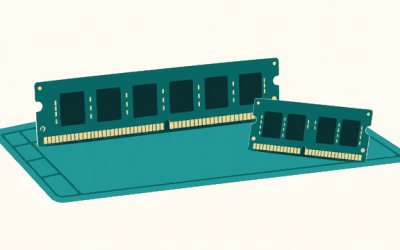
Choosing between single-channel and dual-channel DDR5 memory is less about chasing a benchmark score and more about matching a computer to the way it lives in your home. A compact desk setup used for email, streaming, bills, and casual browsing has different needs from a family desktop handling schoolwork, photo libraries, gaming, and multiple users. The real decision is whether to start with one memory module for lower upfront cost and simpler future expansion, or install a matched pair now for greater available memory bandwidth.
DDR5 adds an important detail: each DDR5 memory module is internally divided into two 32-bit subchannels. That design helps the module handle smaller memory requests efficiently. It does not, however, replace the benefit of installing memory across two motherboard channels. A single DDR5 stick still runs in single-channel mode at the system level; two correctly matched sticks in the appropriate slots enable dual-channel operation.
As an Amazon Associate we earn from qualifying purchases at no extra cost to you.




Our Top Picks




Top 3 picks at a glance
Quick Verdict
For most new home desktop builds, dual-channel DDR5 is the better default. Two matched modules give the processor more memory bandwidth, which is especially useful for integrated graphics, modern games, creative applications, large spreadsheets, and busy multitasking. A 32GB kit made up of two 16GB modules, such as the Patriot Viper Venom DDR5 RAM 32GB (2x16GB) 6000MHz CL30 Desktop Memory listed at around $480, represents the common “buy once and settle in” approach.
Single-channel DDR5 makes sense when the budget is tight, the computer’s work is light, or you need to preserve an open slot for a planned upgrade. One module can also be the sensible choice in a machine with only one usable memory slot. Just recognize that it is a practical compromise, not the performance-first setup for a shared household PC.
Side by Side
| Buying factor | Single-channel DDR5 | Dual-channel DDR5 |
|---|---|---|
| Comfort in daily use | Comfortable for web browsing, documents, video calls, and streaming. | Smoother under heavier multitasking, content creation, and graphics-heavy work. |
| Durability | One module means fewer installed parts, but the stick itself is not inherently more durable. | Two modules add no meaningful day-to-day wear; use a stable, compatible matched kit. |
| Price range | Often the lower entry cost; 16GB single sticks commonly cost less than a comparable kit. | Usually costs more upfront because you buy two modules; capacity and speed drive the total. |
| Maintenance | Simple to install and easy to add a matching second stick later. | Install as a pair in the motherboard’s recommended slots; little maintenance afterward. |
| Space needed | Uses one DIMM slot; useful on four-slot boards if you expect to expand. | Uses two DIMM slots; on most desktop boards, this is the intended two-stick layout. |
| Look | Cleaner, more open appearance in a windowed PC case. | More balanced and intentional-looking, especially with matched heat spreaders or lighting. |
| Resale appeal | Can look unfinished to performance-minded buyers unless a future upgrade is included. | Generally easier to present as a complete, well-configured desktop. |
| Best for | Basic household PCs, strict budgets, and planned staged upgrades. | Gaming, integrated graphics, family desktops, editing, and long-term home setups. |
Where Single Channel Wins
Single-channel DDR5 wins on flexibility and immediate cost control. If you are assembling a basic computer for a small desk, guest room, or kitchen-office corner, one 16GB module can be plenty for a browser with many tabs, word processing, streaming, and routine video meetings. It also keeps a second slot open on a two-slot motherboard, making a later upgrade straightforward in principle.
It is particularly reasonable when you know the system will eventually receive a second identical module. For example, someone building in stages might begin with one 16GB DDR5 stick, then add the same capacity, speed, and timing later. The Patriot Viper Venom DDR5 RAM 16GB (2x8GB) 6000MT/s CL36 Desktop Memory, listed at around $240, illustrates another budget-minded capacity tier, although a 2x8GB kit is already configured for dual-channel use rather than single-channel use.
Single channel can also be the right answer when a computer has a discrete graphics card and does only modest work. A dedicated GPU has its own video memory, so the system is less dependent on system RAM bandwidth for graphics than a computer using integrated graphics. That does not erase dual-channel’s advantages, but it can make the difference less urgent for light home use.
Do not confuse “single channel” with unrelated product descriptions. For instance, a Fittes Framed 6×10-inch ABS Wall/Ceiling Vent with Single Channel, White-6pk, priced at $251, uses the phrase to describe an HVAC vent design, not computer memory. Likewise, an ONiLAB Single Channel Adjustable Pipettor, Micropipette 100-1000μL, at around $28, refers to laboratory liquid handling. For DDR5, the term concerns the data path between memory and the processor.
Where Dual Channel Ddr5 Performance Wins
Dual-channel DDR5 performance wins wherever a computer has to move substantial data between the processor and memory. With two matched DIMMs installed in the motherboard’s designated paired slots, the system can access two memory channels. This increases available bandwidth compared with a comparable single-channel configuration. The exact benefit varies by processor, application, memory speed, graphics hardware, and capacity, so it is better to think in terms of workload responsiveness than promise a universal percentage gain.
Integrated graphics is the clearest case. An integrated GPU borrows system memory instead of relying on separate graphics memory, making memory bandwidth especially important. A compact living-room PC, school computer, or entry-level desktop without a dedicated graphics card is far more likely to benefit visibly from two sticks.
Dual channel is also the comfortable choice for households that ask one machine to do everything: a child’s homework in one browser window, a parent’s video call in another, cloud photo backups, music streaming, and an occasional game. It helps the system retain headroom as programs become more demanding. In 2026, 32GB in dual-channel form is a sensible target for a new long-term desktop used beyond basic tasks, while 16GB remains workable for lighter use.
Buy a matched kit whenever possible. Matching capacity, rated speed, timings, and voltage reduces the chance that the motherboard will fall back to a slower common setting. Follow the motherboard manual for placement; on many four-slot boards, that means using slots labeled A2 and B2, often the second and fourth slots from the processor. After installation, confirm the full capacity is detected and enable the memory profile in firmware if your board and memory support it.
Cost Over 5 Years
Memory has no moving parts and normally requires no scheduled replacement, so the five-year cost is mostly the purchase price rather than upkeep. A single-stick route may cost less on day one, but it can become less economical if you later struggle to find the exact same module or decide to replace the original stick with a full kit. Mixing modules can work, but the system may run at the slower module’s settings or lose its preferred memory profile.
A dual-channel kit costs more initially but can avoid that second purchase. Using the listed around $480 price of the 32GB Patriot Viper Venom 2x16GB kit as a reference point, its simple five-year hardware cost remains around $480 if it meets your needs throughout that period. There are no batteries, filters, or routine service expenses to add. Electricity use is also minor: DDR5 desktop modules operate at low voltage, and memory power differences are not likely to meaningfully change a home utility bill.
The larger financial issue is avoiding an underpowered computer that feels outdated early. If dual channel lets a family keep a desktop useful for an additional year or two, the upfront premium can be worthwhile. Conversely, paying for 32GB when the machine will only handle email and streaming may not be necessary. Match the spending to the computer’s role, not to a spec-sheet contest.
Which One for Your Home
Small apartment
Choose dual channel if the computer doubles as entertainment hub, work station, and casual gaming machine. Space may be limited, but memory modules themselves occupy no extra room outside the case. For a simple compact PC devoted to browsing and streaming, a single 16GB module is an acceptable cost-saving start.
Family with kids or pets
Choose dual channel, ideally 32GB as two 16GB modules. The benefit is not about pets or children directly; it is about unpredictable, overlapping use. More bandwidth and capacity help when several accounts, browser tabs, school applications, and media tasks compete for attention. Keep the desktop case off the floor where possible, and use a dust-filtered case for easier cleaning.
Rental
A single module can be appealing for a low-cost, temporary setup, especially if you expect to move soon or reuse the part in a later build. Still, renters using one desktop for remote work and entertainment should favor a modest dual-channel kit. Memory is lightweight, easy to transport, and does not require permanent changes to the home.
Long-term home
Choose dual channel from the beginning. A matched 2x16GB DDR5 kit gives a stable foundation for years of general productivity, media organization, gaming, and occasional creative work. It also presents a more complete specification if you eventually sell or hand down the computer. Before buying, verify your motherboard supports DDR5, its maximum capacity, and the rated memory speed you intend to use.
FAQ
Is one DDR5 stick really single channel if DDR5 has two subchannels?
At the module level, DDR5 uses two 32-bit subchannels. At the motherboard and processor level, one installed stick still occupies one memory channel. Two suitable modules in paired motherboard slots enable dual-channel operation.
Can I add a second DDR5 stick later?
Yes, provided your motherboard has an open compatible slot. For the best chance of stable dual-channel operation, buy the same model with matching capacity, speed, timings, and voltage. A matched kit purchased together is still the safer option.
Does dual channel increase RAM capacity?
Not by itself. Capacity depends on the total size of the installed modules. Two 8GB sticks provide 16GB total; two 16GB sticks provide 32GB total. Dual channel changes how the system accesses that memory, increasing available bandwidth.
Should I choose 16GB or 32GB DDR5 for a home computer?
Choose 16GB for basic browsing, office work, streaming, and light school tasks. Choose 32GB for a shared family computer, modern games, extensive multitasking, photo or video work, integrated graphics, or a desktop you expect to keep for several years. When possible, buy that capacity as a matched two-module kit.