
As an Amazon Associate we earn from qualifying purchases at no extra cost to you.


Choosing between QLC and TLC NAND is one of those decisions that seems abstract until your drive slows down or dies — then it becomes very real. If you’ve been shopping for an internal SSD lately, you’ve probably seen both terms in the listings without much explanation of what they mean for how long the drive will last in your home computer, home server, or media hub. This QLC vs TLC NAND SSD endurance comparison breaks down what each technology actually delivers, what it costs over time, and which one fits the way you actually use your machine.
Both QLC (quad-level cell) and TLC (triple-level cell) store data in NAND flash memory cells. TLC stores three bits per cell; QLC squeezes in four. That extra bit per cell is what makes QLC cheaper per gigabyte — but it also means each cell wears out faster and write speeds drop more dramatically once the drive’s fast cache is exhausted. Understanding that trade-off is the entire decision.
Our Top Picks


Top 3 picks at a glance
Quick Verdict
For most home users, TLC is the safer buy. Drives built on TLC NAND — like the TeamGroup T-Force Vulcan Z 256GB, a 2.5-inch SATA III SSD with SLC caching and rated read/write speeds up to 520/450 MB/s — offer roughly two to three times the write endurance of comparable QLC drives at the same capacity. QLC wins on price per terabyte, which matters if you’re buying 2TB or more for bulk storage of photos, videos, and game libraries. If your workload is mostly reading data back (streaming media, loading games, browsing), QLC’s weakness barely shows. If you write a lot — video editing, frequent large downloads, home backups — TLC’s endurance advantage is worth the premium, which typically runs 10–25% at retail.
Side by Side
| Factor | QLC SSD | TLC SSD |
|---|---|---|
| Bits per cell | 4 bits | 3 bits |
| Typical endurance (TBW per TB) | Roughly 40–80 TBW per TB | Roughly 150–300 TBW per TB |
| Sustained write speed | Drops significantly after cache fills, sometimes below 100 MB/s | Usually holds 150–450 MB/s after cache on SATA models |
| Price per GB (2026 street pricing, 500GB–1TB) | Roughly $0–0.06 | Roughly $0–0.08 |
| Best capacity range | 1TB and up, bulk storage | 256GB–2TB, everyday boot drives |
| Maintenance needs | Monitor free space closely; QLC degrades when nearly full | More forgiving at 80–90% capacity |
| Warranty support | Typically 3 years | Typically 3–5 years |
| Power draw under load | Slightly higher due to longer write operations | Marginally lower and more consistent |
| Resale value | Lower; buyers discount QLC drives | Holds value better, easier to sell used |
| Best for | Media libraries, game storage, read-heavy archives | Boot drives, work files, anything written daily |
Where QLC Wins
QLC’s advantage is density and cost. Because four bits fit in each cell, manufacturers produce terabyte-class drives at prices that TLC can’t match. If you want 4TB of storage for a home media server, a Plex library, or a growing Steam collection, QLC gets you there for hundreds less.
QLC also holds up well in read-heavy roles. Loading movies, streaming photos, running a home security camera archive that’s written once and rarely touched — these workloads barely stress the NAND. A QLC drive in this role can easily serve a decade because read operations cause almost no wear.
Endurance ratings are worth reading carefully here: QLC drives aren’t fragile. A 1TB QLC drive rated around 60–80 TBW will outlast most buyers’ needs if writes are modest. The problem only appears when the drive is treated like a primary work drive with constant large writes, or when it’s kept nearly full, which starves the SLC cache and exposes the slow native QLC write speeds.
Where TLC SSD Endurance Wins
TLC’s structural advantage is real: three bits per cell simply place less charge-level precision demand on the hardware than four bits, which translates to better retention over time and far higher write tolerance. A TLC drive like the TeamGroup T-Force Vulcan Z at 256GB carries the kind of endurance rating that handles daily OS writes, browser caches, and document saves for years without approaching its limit.
Sustained performance is the second win. QLC drives rely heavily on SLC caching — a small reserved portion of the drive that accepts writes quickly before data is rewritten to the slower QLC cells. Once that cache fills during a large transfer (copying a 100GB video folder, for instance), write speeds can crater. TLC drives also cache, but their native write speed is high enough that the drop is much less punishing.
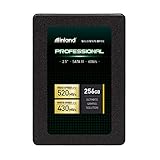
Practical example: budget TLC drives in the 256GB class, like the TeamGroup T-Force Vulcan Z or the Inland Pro 256GB 3D NAND SATA III 2.5-inch SSD, both sell in the $50–57 range. Both are 7mm 2.5-inch drives that drop into any standard laptop or desktop bay and weigh just a couple of ounces. For a boot drive, either TLC option will typically outlast a QLC drive of the same size by a wide margin in written terabytes.
Cost Over 5 Years
Let’s model a typical home boot drive doing about 20GB of writes per day — that’s roughly 36.5TB over five years.
– A 500GB TLC drive rated around 150 TBW total covers that workload nearly four times over, at a purchase price of roughly $30–50.
– A 500GB QLC drive rated around 50–75 TBW covers it once or twice, at roughly $25–40.
On paper, both survive. But QLC leaves you with almost no margin. One stretch of heavy use — migrating a large photo library, running a backup target, downloading a big game library — can consume 10–20% of the drive’s rated life in a weekend. TLC’s headroom means you never think about it. And when you go to sell or repurpose the drive in year five, a used TLC SSD with plenty of rated life remaining fetches meaningfully more than a QLC drive near its limit.
The honest math: the $5–15 premium for TLC is cheap insurance. QLC only “wins” the five-year cost comparison when you’d otherwise be priced out of the capacity you need.
Which One for Your Home
Small Apartment, Single User
If you’re working from a laptop or compact desktop, a TLC boot drive in the 256GB–500GB range is the right call. Space is already at a premium in your home; don’t spend it on a drive that degrades under daily use. A drive like the Inland Pro 256GB at around $57 fits, performs, and lasts. Add external or cloud storage for media.
Family With Kids and Pets
Household computers shared by a family generate chaotic write patterns — game installs, deleted and re-downloaded files, school projects, phone backups. TLC’s endurance headroom absorbs that abuse. Choose a 500GB–1TB TLC SATA drive, and set up automatic backups, since no NAND technology survives a spilled juice box on the laptop keyboard.
Rental Property or Guest Machine
Here’s where QLC makes sense. A shared machine used for browsing, streaming, and light document work is almost entirely read-driven. A large QLC drive keeps costs down and will likely outlive the computer it’s installed in. This is also where hobbyist setups come in — a machine running lighting control for the property can pair that QLC storage with something like the DSD TECH SH-RS09B USB to DMX cable (around $15) or the Jhoinrch FT232RNL-based USB to DMX adapter (around $15) to drive DMX lighting from software without touching the SSD much at all.
Long-Term Home / Forever Machine
If you’re building the desktop you expect to keep for eight to ten years, spend on TLC — ideally 1TB or more. Long-lived machines accumulate data and write history steadily, and you want the drive that still has endurance to spare in year eight. TLC’s better resale value also matters if you eventually hand the machine down or sell it.
FAQ
How long do QLC and TLC SSDs actually last?
Manufacturers express endurance in TBW (terabytes written). TLC drives typically carry 150–300 TBW per TB of capacity; QLC drives run roughly 40–80 TBW per TB. A typical home user writes 10–25GB per day, so even a QLC drive can last 5–8 years in light use — but TLC lasts longer under the same load with more margin.
Is QLC slower than TLC in everyday use?
For reading files, loading programs, and booting, the difference is negligible. The gap appears during large sustained writes: once QLC’s SLC cache fills, write speeds can fall well below 100 MB/s, while TLC usually maintains 150–450 MB/s on SATA drives.
Can I mix a QLC drive and a TLC drive in one PC?
Yes, and it’s a smart strategy. Use a smaller TLC drive as your boot drive and operating system home, then add a larger QLC drive for media, games, and archives. Each drive handles the workload it’s best at.
Do I need DRAM cache or SLC cache on a home SSD?
SLC cache is standard on virtually all consumer TLC and QLC drives and is what keeps everyday speeds high. A DRAM cache helps with sustained heavy workloads and is more common on TLC drives; for typical home use it’s a nice-to-have, not a requirement.
The bottom line: buy TLC for anything that writes data daily, and buy QLC when capacity per dollar is the deciding factor. Match the drive to the workload, and either technology will serve your home well.









