
Choosing between an M.2 NVMe 2242 and 2280 SSD is primarily a question of physical clearance. Both drives can use the same M.2 interface and PCIe protocol, but their circuit boards are different lengths. The numbers in the name are measurements in millimeters: the first two digits indicate width, and the last two indicate length.
That means “2242” describes a drive approximately 22 mm wide and 42 mm long, while “2280” describes one approximately 22 mm wide and 80 mm long. Before buying, check the mounting hole, available space, connector position, and your computer’s compatibility list. A drive that matches the interface but not the mounting location may not fit securely.
As an Amazon Associate we earn from qualifying purchases at no extra cost to you.
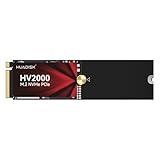


Our Top Picks
 ORTREE M.2 2242 to 2280 SSD Length ExtensionM.2 2242 to 22801.5 x 0.87 x 0.04 inches0.01 poundsCheck on Amazon


Top 3 picks at a glance
The Short Answer
An M.2 2242 SSD is about 1.65 inches long, making it suitable for compact laptops, tablets, mini PCs, handheld computers, and some older or specialized systems. An M.2 2280 SSD is about 3.15 inches long and is the most common size in desktop PCs and full-size laptops.
Both formats are about 0.87 inches wide. The difference is length, not basic connector width. A 2280 drive generally cannot be installed in a space designed only for 2242 because the extra circuit board extends beyond the available area. A 2242 drive may fit into a 2280-compatible slot if the computer has a 2242 mounting point or an appropriate bracket, but the screw location must be supported.
For most desktop upgrades, 2280 is the easiest size to find. For a compact device, measure first rather than assuming that any M.2 NVMe drive will work. Also confirm whether the slot supports NVMe PCIe drives; some M.2 slots accept only SATA-based drives, even when the physical shape looks similar.
Standard Sizes
The following measurements describe the nominal board footprint. Retail products can vary slightly because of components, labels, heatsinks, and edge tolerances.
| SSD size | Nominal metric dimensions | Approximate dimensions in inches | Approximate dimensions in centimeters | Typical applications |
|---|---|---|---|---|
| M.2 2230 | 22 × 30 mm | 0.87 × 1.18 in. | 2.2 × 3.0 cm | Handheld PCs, tablets, compact laptops |
| M.2 2242 | 22 × 42 mm | 0.87 × 1.65 in. | 2.2 × 4.2 cm | Small laptops, mini PCs, specialty systems |
| M.2 2260 | 22 × 60 mm | 0.87 × 2.36 in. | 2.2 × 6.0 cm | Less common laptops and industrial computers |
| M.2 2280 | 22 × 80 mm | 0.87 × 3.15 in. | 2.2 × 8.0 cm | Desktop PCs, gaming laptops, standard laptops |
The width is usually standardized at 22 mm, but the total installed height can be greater than the board thickness. A bare SSD may be roughly 2 to 4 mm thick, while a model with a large heatsink can require substantially more room. Check vertical clearance beneath a laptop cover, motherboard shield, or graphics card.
Capacity, speed, and price are not determined by size alone. A 2242 drive can be available in capacities such as 256GB or 512GB, while 2280 models commonly range from 500GB to 4TB or more. As a broad shopping range, budget 2242 models may cost about $40 to $120, and mainstream 2280 NVMe models may cost about $35 to $250, depending on capacity, generation, endurance, and brand. For comparison, listed 2242 examples include a 256GB model at around $50, a 512GB model at around $110, and an OEM 256GB model at around $58. These are product-listing prices, not performance guarantees.
How to Measure Your Space
- Shut down and unplug the device. Disconnect the charger and, when possible, disable or disconnect the battery before opening the enclosure. Avoid measuring around an energized circuit.
- Locate the M.2 connector. The socket is a narrow edge connector, usually near a small threaded standoff or mounting post. Do not confuse it with a 2.5-inch drive bay or a memory slot.
- Measure the exposed board area. Use a ruler marked in millimeters. Measure from the connector toward the mounting holes or the end of the available channel. Approximately 42 mm indicates 2242 space; approximately 80 mm indicates 2280 space.
- Find the screw position. Look for a threaded standoff at the 42 mm or 80 mm mark. The mounting hole is as important as the open space. If there is no standoff, the drive may flex or remain unsecured.
- Check nearby obstructions. Measure clearance above and below the slot. Watch for battery cells, metal shields, cooling pipes, cables, speakers, or a graphics card that could contact the SSD.
- Read the device manual or service guide. Confirm the supported key type, interface, maximum capacity, and permitted lengths. A physical fit does not guarantee electrical compatibility.
- Account for an adapter carefully. A 2242-to-2280 extension board can move the mounting point for a shorter SSD, but it does not create additional internal space. An adapter is useful only when the enclosure has room for the full 80 mm footprint and the connector alignment remains correct.
By Room or Use Case
Desktop Office or Gaming PC
Choose 2280 unless the motherboard documentation specifies another size. Desktop motherboards commonly include one or more 2280 mounting positions, often with a heatsink or thermal pad designed around that length. A longer board also gives manufacturers more room for NAND packages and a controller, although length alone does not prove that a drive is faster.
Check whether a graphics card covers the M.2 socket. If so, confirm the SSD’s heatsink height and the motherboard’s thermal-pad arrangement. A slim, bare drive may be safer under a tight cover than a tall aftermarket heatsink.
Full-Size Laptop
Many current laptops use 2280, but thin designs may use 2230 or 2242 to conserve space. Remove the bottom panel only if the manufacturer permits user access, and photograph the existing drive before replacement. Laptop mounting posts are fixed; a 2280 drive cannot simply be shortened, and a 2242 drive may not align with an 80 mm post.
Mini PC and Small-Form-Factor Computer
Mini PCs use several M.2 lengths. Some provide an 80 mm channel, while others leave room for only 42 mm. Measure the available area inside the case, including the space under the top cover. Pay attention to Wi-Fi antennas and cooling fans, which may sit directly over the SSD.
Handheld, Tablet, or Embedded Device
These systems often favor 2230 or 2242 drives. The connector key, operating-system support, and power behavior can matter as much as the dimensions. A drive that fits may still draw more power or produce more heat than the original component. Compare the replacement with the manufacturer’s approved specifications.
Extension Adapter Use
A 2242-to-2280 extension adapter is a mechanical solution, not a speed upgrade. Basic two-pack adapters can cost approximately $8 to $15. They may help secure a shorter SSD in a 2280-sized bay, but they cannot make a 2242-only enclosure accept a full-length drive. Check for adequate clearance around the adapter and make sure it does not press against the enclosure lid.
Common Sizing Mistakes
- Confusing M.2 size with capacity. The digits describe physical length, not gigabytes. A 2242 drive can have more capacity than a 2280 model.
- Assuming every M.2 slot supports NVMe. M.2 is a shape and connector family. Verify PCIe NVMe support rather than relying on appearance.
- Measuring only the empty board area. Include the screw position, heatsink, label, and surrounding components.
- Ignoring the key notch. B-key, M-key, and B+M-key designs can indicate different electrical arrangements. Match the drive to the slot.
- Expecting an adapter to solve every problem. An extension changes mounting reach, but it cannot fix an incompatible interface, insufficient clearance, or incorrect connector alignment.
- Adding a thick heatsink inside a laptop. The drive may fit while the cover does not close. Measure total height, not just board length.
FAQ
Is a 2242 SSD faster than a 2280 SSD?
No. Speed depends on the controller, NAND type, PCIe generation, thermal design, and firmware. A 2242 drive and a 2280 drive using the same interface may have similar specifications, while two drives of the same size can perform very differently.
Can I install a 2242 SSD in a 2280 slot?
Only when the device provides a 2242 mounting point or supports a suitable extension adapter. The connector may accept the drive, but it still needs a secure screw location and enough clearance. Do not leave the drive unsupported.
Can a 2280 SSD replace a 2242 SSD?
Usually not. A 2280 drive is about 38 mm longer than a 2242 drive, so it will overhang the available area unless the enclosure includes an 80 mm mounting position and sufficient open space. Confirm the manufacturer’s supported lengths before ordering.
Which size should I buy in 2026?
Buy the size listed for your computer, not the size that is most widely advertised. Choose 2280 for a standard desktop or compatible full-size laptop, and choose 2242 for a compact system with a 42 mm mounting position. After confirming dimensions, verify NVMe support, keying, capacity, thickness, and thermal clearance.









