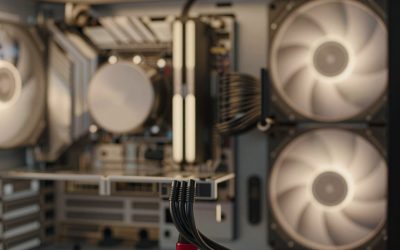
Buying a thin laptop or a handheld gaming PC, you’ll notice the memory is often “LPDDR5” and soldered to the board, with no way to upgrade it. Desktops and thicker laptops use regular DDR5 in removable slots. The difference isn’t just marketing — LPDDR5 and DDR5 are built for different priorities, and it changes what you should buy.
As an Amazon Associate we earn from qualifying purchases at no extra cost to you.



Our Top Picks


Top 3 picks at a glance
What the “LP” means
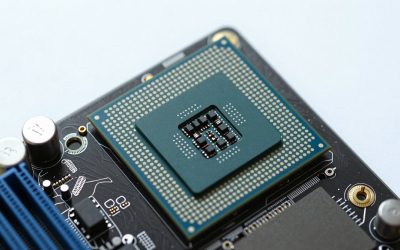
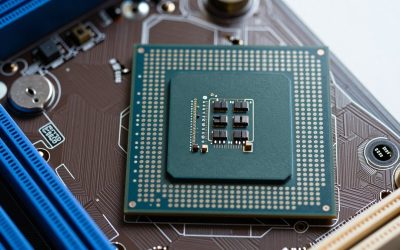
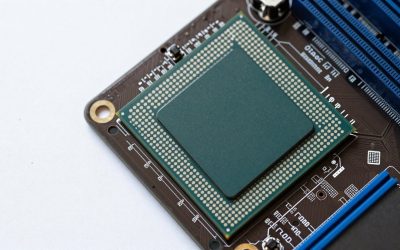
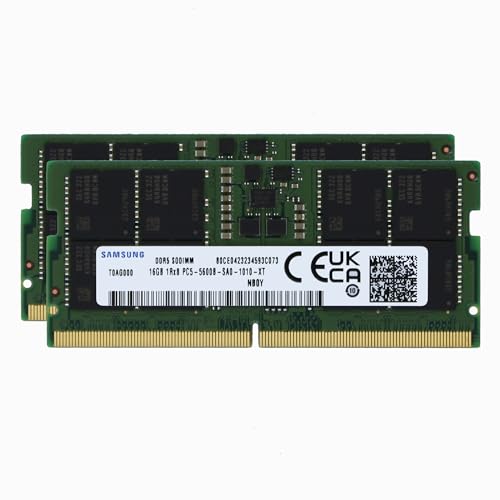
LPDDR5 stands for Low Power DDR5. It’s engineered for battery-powered devices, trading upgradeability and some latency behavior for much lower power draw and a smaller physical footprint. To achieve that, LPDDR is almost always soldered directly to the mainboard on a very short, tightly controlled trace, which is part of how it hits high speeds efficiently. Standard DDR5 comes as DIMM/SO-DIMM modules you can remove and replace.
Speed and power differences
LPDDR5 and the newer LPDDR5X reach very high data rates — commonly LPDDR5-6400 up to LPDDR5X-8533 and beyond — while sipping power, which is why handhelds and ultrabooks favor it. Regular DDR5 desktop kits run around DDR5-4800 to DDR5-8000 but at higher voltage and power. For a device running on a battery, LPDDR5’s efficiency can meaningfully extend runtime.
| Attribute | LPDDR5 / LPDDR5X | DDR5 (DIMM/SO-DIMM) |
|---|---|---|
| Mounting | Soldered (fixed) | Socketed (upgradeable) |
| Power draw | Very low | Higher |
| Typical speeds | 6400-8533+ | 4800-8000 |
| Upgradeable? | No | Yes |
| Best for | Handhelds, ultrabooks | Desktops, upgradable laptops |
The upgrade trap
Because LPDDR5 is soldered, the RAM you buy is the RAM you keep for the device’s life. That makes the purchase decision critical: if a handheld or ultrabook offers 16GB and 32GB LPDDR5 configurations, spending the extra for 32GB up front is often wise, since you can never add more later. With socketed DDR5, you can start at 16GB and drop in a bigger kit down the road.
CAMM2: a socketed low-power middle ground
A newer standard called CAMM2 aims to combine low-power memory with upgradeability by using a flat, replaceable module instead of soldered chips or tall SO-DIMMs. It’s beginning to appear in some laptops and could eventually offer LPDDR-class efficiency without locking you out of upgrades — worth watching if future-proofing matters to you.
Does it affect gaming performance?
For gaming handhelds with integrated graphics, memory bandwidth is shared with the GPU, so LPDDR5X’s high data rates actually help frame rates. On a desktop with a discrete GPU, standard DDR5 in dual channel is what you want, and the upgradeability is a genuine advantage. Neither is universally “better” — they’re optimized for different machines.
Why handhelds care about memory bandwidth
On a gaming handheld or thin laptop with integrated graphics, there is no separate video memory – the iGPU carves its VRAM out of system memory and shares the same bus. That makes LPDDR5X’s very high data rates genuinely useful, because more memory bandwidth directly feeds the graphics cores and can lift frame rates in GPU-bound scenes. It also explains why capacity choice is doubly important on these devices: the iGPU may reserve several gigabytes, so 16GB can feel tighter than on a desktop with a discrete card. When soldered memory can never be upgraded, opting for the larger LPDDR5X configuration up front protects both your RAM headroom and your graphics performance.
FAQ
Can I upgrade LPDDR5 memory later?
No. LPDDR5 is soldered to the board, so the capacity is permanent. Choose the amount you’ll need for the device’s whole life at purchase — usually 32GB if the option exists and the price is reasonable.
Is LPDDR5 slower than DDR5?
Not in raw data rate — LPDDR5X can exceed many desktop DDR5 kits. It’s optimized for efficiency and often has different latency characteristics, but for the thin, battery-powered devices it’s used in, it’s the better fit.
Bottom line
LPDDR5 is low-power, high-speed, and soldered — ideal for handhelds and ultrabooks but not upgradeable, so buy enough capacity up front. Standard DDR5 in slots trades some efficiency for the freedom to upgrade, making it the right choice for desktops and repairable laptops. Match the memory type to the device, and watch CAMM2 as a future socketed low-power option.