
For most gaming PCs, an 80 Plus Gold power supply is the sensible pick, and Platinum is worth choosing only when you run the PC for long hours, want lower heat in a compact case, or find a Platinum model with better build quality at a fair cost. The efficiency gap between the two tiers is only a few percentage points, so the rest of the unit’s design usually matters more than the badge.
As an Amazon Associate we earn from qualifying purchases at no extra cost to you.
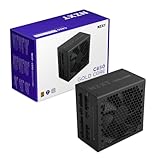
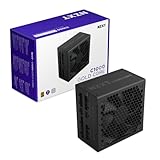


Top 3 picks at a glance
What Gold and Platinum Mean
Both names come from the 80 Plus certification, which tests how efficiently a power supply (PSU) turns wall power into the DC power your components use. A PSU is tested at set load points, and the tier it earns depends on the minimum efficiency it reaches at each. The remaining energy is lost as heat inside the PSU.
Published tier tables from outlets such as Tom’s Hardware and GamersNexus list the following minimums for standard 115V units, with slightly higher targets for 230V input.
Gold vs Platinum: Key Differences
| Feature | 80 Plus Gold | 80 Plus Platinum |
|---|---|---|
| Minimum efficiency at 20% load | 87% | 90% |
| Minimum efficiency at 50% load | 90% | 92% |
| Minimum efficiency at 100% load | 87% | 89% |
| Power factor requirement | 0.90 at 50% load | 0.95 at 50% load |
| Typical availability | Very wide, many wattages and brands | Narrower, mostly mid and high wattages |
| Typical position in a lineup | Mainstream and enthusiast | Premium |
| Heat output at the same load | Slightly higher | Slightly lower |
| Usual fan behavior | Semi-passive modes common | Semi-passive modes common, often with a longer fanless range |
At the typical middle of the load range, the difference is about two percentage points. A gaming PC drawing 450 watts of DC power would pull roughly 500 watts from the wall with a PSU at 90 percent efficiency and roughly 489 watts with one at 92 percent. That is a gap of around 11 watts, small enough that it would take a very long time to matter on an electricity bill.
Where Platinum Actually Helps
- Long run times. A PC that runs most of the day, such as a streaming box, a render machine or a home server with a GPU, recovers more energy over a year than one used a few evenings a week.
- Compact or poorly ventilated cases. Less wasted heat is easier to manage in small form factor builds, where the PSU shares a tight space with the GPU.
- Hot rooms and warm climates. Lower PSU heat is a small bonus when the room is already warm.
- Low-noise goals. Platinum units often come from premium lines with better fans and longer semi-passive ranges, though that is a feature of the product line, not of the tier itself.
Where Gold Is the Better Choice
- Value. Gold units usually cost less than Platinum units of the same wattage, leaving more budget for the GPU, which has a far larger effect on frame rates.
- Selection. Gold models cover more wattages and include more options with modular cables, ATX 3.1 designs and native 12V-2×6 cables for current GPUs such as the RTX 50-series.
- Moderate usage. If you game a couple of hours each evening, the electricity saved by Platinum is small.
Common Myths
“Platinum is more reliable than Gold”
Efficiency is not a durability rating. Reliability depends on the capacitors, protections, fan, thermal design and quality control. Reviewers who measure ripple, hold-up time and protection behavior often find a well-built Gold unit outperforming a weaker Platinum one. Read the warranty length and independent reviews rather than relying on the tier.
“A Platinum PSU will cut my power bill noticeably”
The saving is real but modest. Even a heavy gaming PC would typically save only a few kilowatt-hours per month between the two tiers, depending on use and local rates.
“Higher wattage and higher tier go together”
They are separate. A 1000 watt Gold unit and a 1000 watt Platinum unit deliver the same maximum power. The difference lies in how much energy is wasted converting it.
“I need Platinum for an RTX 50-series card”
High-end GPUs need enough wattage, correct connectors and good transient handling, not a particular efficiency tier. The GPU maker publishes a recommended minimum PSU wattage on its product page, and that is the figure to follow.
How to Decide in Four Steps
- Work out your needed wattage from the GPU and CPU maker specifications, then add headroom for spikes and future upgrades.
- List the connectors you need, especially the 12V-2×6 or 12VHPWR cable for your GPU. Follow the GPU and PSU maker guidance on seating it fully, and stop use if you see heat damage.
- Compare shortlisted models on reviews that test ripple, noise and protections, along with the warranty.
- Only then use the tier as a tie-breaker. If a Platinum and a Gold unit are close in quality and cost, choose the Platinum one for a PC that runs long hours or sits in a tight case.
When installing, power the PC off and unplug it before opening the case. Never open the PSU itself; internal capacitors can hold a dangerous charge.
Practical Recommendation by Build Type
| Build type | Sensible tier | Reasoning |
|---|---|---|
| Entry-level gaming PC | Bronze or Gold | Money is better spent on the GPU; pick a reputable line with solid protections |
| Mainstream gaming PC with a mid-range GPU | Gold | Best balance of efficiency, selection and cost |
| High-end gaming PC with an RTX 50-series flagship or Ryzen 9000 X3D CPU | Gold or Platinum | Pick for wattage, connectors and build quality first |
| Creator or streamer workstation running for hours | Platinum | Long hours at moderate to high load make the efficiency gain add up |
| Small form factor build | Platinum | Lower heat helps in tight cases, though size-limited models are fewer |
Frequently Asked Questions
Is Platinum worth it over Gold for gaming?
For most players it is not a major upgrade. The extra efficiency is a couple of percentage points, so the benefit is small unless the PC runs for long hours or the case runs hot. A better GPU usually improves the gaming experience far more.
Will Platinum make my PC quieter?
Not by itself. Lower waste heat can let the fan spin more slowly, but noise depends on the fan design and the fan curve the maker chose. Premium lines that happen to be Platinum often have quieter fans and longer fanless ranges.
Do both tiers work with an ATX 3.1 system?
The tier is unrelated to the ATX version. Look for the ATX 3.0 or 3.1 label on the product page if you want a unit designed for the power excursions of current graphics cards.
Does the tier affect PSU lifespan?
Not directly. A cooler-running unit may age more gently, but warranty length and component quality are better indicators of expected lifespan. A maker offering a long warranty is signaling confidence in the design.
What about Titanium?
Titanium is the next step up and adds a requirement at 10 percent load, which suits systems that idle often. It is usually reserved for the most premium models and offers diminishing returns for typical gaming.
Is it safe to mix cables between PSU brands?
No. Modular cable pinouts differ between makers and even between product lines, and using the wrong one can damage components. Use only the cables supplied by or approved by your PSU’s maker, and contact their support if you are unsure.


