DDR5 kits span a wide range of speeds, and the marketing makes every step up sound essential. In reality the difference between DDR5-5600, DDR5-6000, and DDR5-6400 for gaming is smaller and more nuanced than the numbers suggest. Here is how these three popular speed tiers actually compare so you can spend your money where it counts.
As an Amazon Associate we earn from qualifying purchases at no extra cost to you.


Our Top Picks
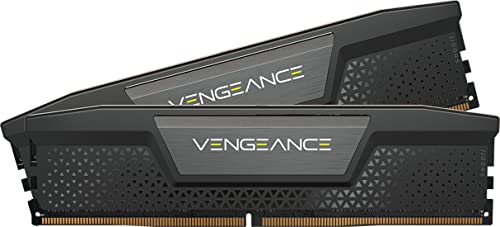
 CORSAIR Vengeance RGB DDR5 RAM 32GB32GB (2 x 16GB)5.43 x 0.27 x 1.77 inches0.11 PoundsCheck on Amazon
Top 3 picks at a glance
Speed is only half the story
A memory kit’s real-world performance comes from the combination of frequency and timings, not frequency alone. A DDR5-6000 kit with tight CL30 timings can beat a DDR5-6400 kit running loose CL40 timings, because the faster clock is undone by longer delays. Always read the latency alongside the speed rating rather than chasing the biggest megahertz figure.
The platform sweet spot
On current AMD platforms, memory speed is tied to the processor’s fabric clock, and the smoothest operation usually lands around DDR5-6000 where the controller can stay in a one-to-one ratio. Push to 6400 and the system may drop to a higher gear ratio that adds latency, sometimes erasing the benefit of the extra speed. Intel platforms are generally more tolerant of higher clocks, so 6400 can pull slightly ahead there.
Rough gaming comparison
| Kit | Typical timing | Relative gaming FPS | Value |
|---|---|---|---|
| DDR5-5600 | CL36-40 | Baseline | Budget friendly |
| DDR5-6000 | CL30 | ~2-5% faster | Best overall |
| DDR5-6400 | CL32 | ~0-3% over 6000 | Diminishing returns |
What the small percentages mean
In most GPU-limited games at 1440p or 4K, the gap between these kits is within a few frames per second and often invisible without a benchmark overlay. The differences grow at 1080p with a strong graphics card, where the CPU and memory feed frames faster and one-percent lows benefit from tighter, faster RAM. If you play competitive titles at high refresh rates, that smoothness is where you feel the upgrade.
Making the choice
For a value build, DDR5-5600 is perfectly capable and rarely bottlenecks a mainstream GPU. For most gamers, DDR5-6000 CL30 is the clear pick: it hits the platform sweet spot, costs only a little more, and delivers the best blend of speed and latency. DDR5-6400 makes sense mainly on Intel systems or for enthusiasts who benchmark for every last percent, and only when the timings stay tight.
Frequently asked questions
Will faster DDR5 help if I game at 4K?
Barely. At 4K the graphics card is almost always the limiting factor, so the jump from 5600 to 6400 typically shows up as a fraction of a frame. Put the money toward a better GPU or a larger SSD instead.
Is it worth manually tuning a 6000 kit further?
It can be. Tightening secondary timings on a good DDR5-6000 CL30 kit can close much of the gap to pricier kits, improving one-percent lows for free. It takes patience and stability testing, but it is a rewarding way to squeeze out extra smoothness without spending more.
Capacity beats speed for most people
Before agonizing over a few hundred megahertz, make sure you have enough memory in the first place. A system with a fast kit but too little capacity will stutter far worse than one with a slightly slower kit and room to breathe, because running out of memory forces the system to lean on much slower storage. For modern gaming, having a comfortable amount of RAM matters more than squeezing the last few frames from clock speed. Buy the capacity your games and multitasking need first, choose a sensible speed like DDR5-6000 second, and only then worry about fine-tuning timings.
Bottom line
Between DDR5-5600, 6000, and 6400, the differences for gaming are modest and heavily dependent on timings and your platform. DDR5-6000 with CL30 timings is the sweet spot for most builds, offering the best balance of speed, latency, and price. Faster kits deliver diminishing returns that only enthusiasts chasing benchmarks will notice.









