The best WiFi doorbell camera for most homes is the Ring Battery Video Doorbell Plus if you want the widest app and accessory ecosystem. The Eufy Video Doorbell E340 is the better pick if you want to avoid monthly fees, and the Reolink Video Doorbell WiFi suits anyone with existing doorbell wiring and a microSD card. Which one is right depends on three things: how the doorbell is powered, where video is stored, and how strong your WiFi signal is at the front door.
As an Amazon Associate we earn from qualifying purchases at no extra cost to you.

Our Top Picks

Top 3 picks at a glance
Quick comparison of the best WiFi doorbell cameras
| Pick | Best for | Key specs (per manufacturer) | Typical price |
|---|---|---|---|
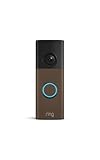
| Ring Battery Video Doorbell Plus | Best overall, easy setup | 1536p video, near head-to-toe view, battery or wired, cloud storage via Ring Protect plan | $150–$200 |
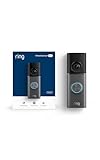
| Eufy Video Doorbell E340 | Best no-subscription option | Dual cameras (doorstep package view), battery or wired, local storage, optional cloud | $130–$200 |
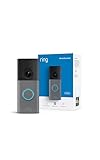
| Google Nest Doorbell (battery) | Best for Google Home homes | 3:4 portrait view, HDR, battery or wired, event history tied to Nest Aware | $130–$180 |
| Reolink Video Doorbell WiFi | Best for wired homes and local recording | 5MP video, dual-band WiFi, microSD slot, wired power only | $70–$110 |
| Blink Video Doorbell | Best budget | 1080p video, two AA lithium batteries or wired, local storage via a Sync Module | $40–$70 |
Specs and prices change between hardware revisions and sales, so confirm the current model and what is included on the manufacturer’s page before buying.
Best overall: Ring Battery Video Doorbell Plus
Ring’s mid-tier doorbell has a tall field of view that shows packages on the step and the visitor’s full height. It can run on its internal battery or on existing doorbell wiring. Ring has the largest set of accessories and integrations, including chime extenders, Alexa announcements, and a large library of compatible smart-home hardware.
Trade-off: Most of the useful features, such as saved video history and person alerts, depend on a paid Ring Protect plan. Without it, you mostly get live view and notifications. Budget for the subscription when comparing total cost.
Best no-subscription option: Eufy Video Doorbell E340
The E340 uses two cameras: one aimed at the visitor and one angled down at the doorstep. That solves the blind spot at the base of the door, which a single wide lens often misses. Eufy’s approach is local storage first, so clips are saved on the doorbell and cloud storage is optional. That makes it one of the cheaper doorbells to own over three years.
Trade-off: It is physically larger than a Blink or Nest doorbell, and the app and smart-home integrations are less polished than Ring’s. Local storage also means a stolen doorbell takes its clips with it, so check whether you want an optional cloud backup.
Best for Google Home: Google Nest Doorbell (battery)
Nest’s portrait-format image shows more of the doorstep than a 16:9 frame, and its HDR handles bright porches and backlit doorways well. It works with Google Home and Gemini-based features on supported plans. It is a good choice if your displays, speakers and cameras already live in the Google ecosystem.
Trade-off: Longer event history and some of the smarter alerts require a Nest Aware subscription. Third-party platform support is narrower than Ring’s.
Best for wired homes: Reolink Video Doorbell WiFi
This model is for people who already have doorbell wiring and want recordings to stay in their own house. Per Reolink’s specifications, it has a high-resolution 5MP sensor, dual-band WiFi and a microSD slot for local recording. It does not depend on a cloud plan for the basics, and it is usually the cheapest way to get a sharp image.
Trade-off: It is wired-only, so there is no battery option for renters or homes without a transformer. The app and the voice-assistant ecosystem are also less developed than the big three.
Best budget: Blink Video Doorbell
Blink’s doorbell is the lowest-cost entry among the major brands. It offers 1080p video, a choice of AA lithium batteries (rated for up to about two years in Blink’s own estimates) or wired power, and tight Alexa integration. It is a sensible choice for apartments and secondary doors.
Trade-off: It has a lower resolution and a narrower feature set than the pricier models. It relies on a Sync Module for local storage, and cloud features require a Blink plan.
How to choose: three decisions in order
1. Decide how it will be powered
If you have doorbell wiring with a transformer, a wired install means no charging and the most reliable connection. Most doorbell transformers output 16–24 VAC, and some doorbells need at least 10 VA, so check the requirement on the spec sheet. A battery model avoids the wiring work, which is why it fits renters, but it needs periodic recharging.
2. Check the signal at the door, not at the router
Standing next to your router tells you nothing about the porch. Open your phone’s WiFi diagnostics at the door and look at the signal. As a rough rule, a reading stronger than about -67 dBm is a comfortable target for stable video, while anything weaker than -75 dBm tends to cause missed notifications and choppy live view. Many doorbells only work on 2.4GHz, which carries through walls better, but some support 5GHz. If the signal is weak, a mesh node or WiFi extender placed inside near the door usually costs less than switching products.
3. Decide where recordings live
Choose between a cloud plan (monthly fee, off-site backup) and local storage (no fee, but vulnerable to theft or damage). Some cameras offer both. The storage maths below shows why continuous recording is not realistic on most doorbells.
Worked example: storage, bandwidth and battery
These figures use stated assumptions, not measured results, so adjust them for your own household.
| Scenario | Assumption | Result |
|---|---|---|
| Event clips, upload bandwidth | 2 Mbps stream, 30 events/day, 20 s each | 600 s × 2 Mbps = 1,200 Mb ≈ 150 MB/day, about 4.5 GB/month |
| Continuous recording to microSD | 4 Mbps stream, 256 GB card | 4 Mbps = 0.5 MB/s × 86,400 s ≈ 43 GB/day, so about 5.9 days before overwriting |
| Event-only recording to microSD | 150 MB/day (from above) | 256 GB ÷ 0.15 GB ≈ 1,700 days of history in theory |
| Battery life, busy door | 6,000 mAh pack, 80% usable (4,800 mAh), 0.4 mA idle, 30 events at ~1.5 mAh each | 9.6 + 45 ≈ 55 mAh/day, so about 87 days |
| Battery life, quiet door | Same pack, 10 events/day | 9.6 + 15 ≈ 25 mAh/day, so about 195 days |
Two points follow from this. First, event-based recording is easy on your storage and your upload speed, so a typical home internet connection is never the limit. Second, battery life is driven by how many times the camera wakes up, not by calendar time. A busy street or a motion zone that includes the sidewalk can cut battery life to under a third of what a quiet porch would get. Trimming the motion zone to your porch is the most effective setting for extending runtime. Real battery capacity, cold weather and live-view usage will change these numbers.
Decision matrix: match your situation to a pick
| Your situation | Choose | Why |
|---|---|---|
| Renting, no wiring, Alexa home | Blink Video Doorbell or Ring Battery Plus | Battery power, no drilling into wiring, tight Alexa integration |
| Own the house, want no monthly fee | Eufy E340 or Reolink | Local storage is built in |
| Google Home speakers and displays | Google Nest Doorbell | Native integration |
| Packages are stolen from the step | Eufy E340 or Ring Battery Plus | Dual-camera or tall view covers the doorstep |
| Weak WiFi at the front door | Dual-band model plus a mesh node | Fix the signal first, whichever doorbell you buy |
| Tightest budget | Blink Video Doorbell | Lowest entry price, though features are more basic |
Features worth paying for, and ones that are not
- Worth it: a tall or portrait field of view, HDR for backlit doors, a swappable battery or wired option, and local storage you control.
- Check before buying: which smart alerts (person, package, vehicle) need a subscription, and whether you need a separate chime or hub.
- Often overrated: headline resolution numbers. A 2K camera with poor HDR can look worse at night than a well-tuned 1080p one. Field of view and night-vision quality matter more at a front door.
Frequently Asked Questions
Do WiFi doorbell cameras need a subscription?
Not always. Live view and notifications usually work without one, but saved video history and smart alerts often need a paid plan on Ring, Nest and Blink. Eufy and Reolink emphasize local storage, so they work well without a monthly fee.
Should I choose a battery or wired doorbell camera?
Choose wired if your home already has doorbell wiring, since it avoids recharging and supports more reliable connectivity. Choose battery if you rent or have no wiring. Many models, such as the Ring, Eufy and Nest picks here, can do both.
Will a WiFi doorbell work on 5GHz?
Some do and some are 2.4GHz-only, so check the spec sheet. The 2.4GHz band reaches farther through walls and is often better for a doorbell at the edge of your coverage. If your router merges both bands under one name, make sure the doorbell can still join it during setup.
How much upload speed does a doorbell camera need?
Very little. A single stream typically needs a few megabits per second, and event-based recording only uploads short clips. A connection with 5 Mbps of upload is usually enough for one or two cameras, though live view uses more than recorded clips.
Can I use a doorbell camera without a chime?
Yes, but you will only get phone and smart-speaker alerts. Wired installs can trigger an existing mechanical chime if it is compatible. Battery models often need a plug-in chime or a smart speaker to ring inside the house.
Are local-storage doorbells safe if the camera is stolen?
They are less safe than cloud-backed ones, because the recordings leave with the device. If theft is a concern, use a model that also offers cloud backup, and mount it with the security screws or bracket the manufacturer includes.
Related guides
More from Amazon
Programs that pair well with the guide above. Offers and eligibility are set by Amazon and may change.
A free business account with business pricing and bulk-buying tools for work, shop or home office.
Create a business accountFree shipping on eligible items, Prime Video and more. Eligible new members can start with a free trial.
Start a Prime free trialAudiobooks and podcasts to listen to on the go. Eligible new members can start with a free trial.
Try Audible freeAd-free music streaming. Eligible new subscribers can start with a free trial.
Try Music Unlimited freeAs an Amazon Associate we earn from qualifying purchases.


