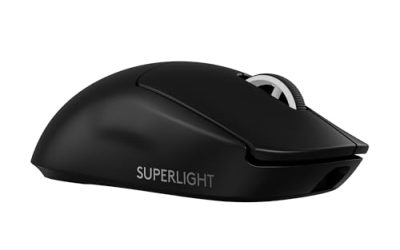
League of Legends asks something different from a mouse than most genres. Your keyboard hand owns the four abilities and both summoner spells, while the mouse hand clicks almost without pause: last hits, attack-move commands, and the short steps between auto attacks when you kite. So the real decision is rarely about piling on buttons. It is about click feel, shell shape, and weight, plus one practical question: are two side buttons enough for your item actives, or do you want several more within thumb reach?
This roundup serves three groups: claw and palm players who want a light ergonomic shell for fast repositioning, players who move item actives and utility keys onto the mouse, and players who want wireless freedom at a mid-range tier. Every pick was chosen from the product names and specifications published on its Amazon page, so the weights, sensors, and button counts below come straight from the listings rather than from review roundups.
Top 3 picks at a glance


Quick Picks
As an Amazon Associate we earn from qualifying purchases.
| Product | Best for | Key spec from title |
|---|---|---|
| Razer DeathAdder V3 HyperSpeed | Claw and palm players who kite and attack-move | 55 g lightweight design with a 26K optical sensor |
| Logitech G502 X Lightspeed | Players who bind item actives to the mouse | 13 programmable controls with a HERO 25K sensor |
| Razer Basilisk V3 X HyperSpeed | Players who never want to plug in a charger | Up to 535 hours of battery life in Bluetooth mode |
| Razer Basilisk V3 | Wired players who want a tilt wheel | 11 programmable buttons with a HyperScroll tilt wheel |
How to Choose
Shape and Grip Fit
League matches are forty minutes of small, repeated movements rather than wide arm sweeps, so the shell has to disappear under your hand. All four picks here are right-handed ergonomic shapes, which suit palm and relaxed claw grips and give the thumb a natural rest. Claw players who lift and reset often should look at the shorter, lighter shells, while palm players with larger hands usually prefer a longer body that supports the whole palm. Check the listed length against your current mouse before ordering; a few millimeters of extra length changes where your fingers land on the buttons.
Weight and Click Feel
Attack-move clicking and last-hitting are timing skills, and the mouse works against you if every reposition costs effort. Lighter shells, down to 55 g in this roundup, make the constant stop-start cursor work of laning less tiring across a long session. Heavier shells around 100 g feel steadier to players who make tiny corrections and dislike a mouse that moves too freely. Switch type matters as much as weight: the optical switches in three of these picks actuate with light rather than a metal contact, which removes the debounce delay behind the accidental double clicks that plague older mechanical switches.
Button Count Beyond the Basics
Count what your mouse hand actually does in a match. For most players that is right-click movement, two side buttons for an item active and a trinket or ping, and the wheel. Six buttons cover that loadout completely. Players who run several actives, a stopwatch, and a control ward slot often want nine to thirteen controls, including wheel tilts and a DPI-shift button that sits under the thumb. Extra buttons only help if you can reach them without shifting your grip mid-fight, so treat the layout photos on the listing as part of the decision, not decoration.
Connection and Battery Habits
A 2.4 GHz receiver connection polls at the same 1,000 Hz headline rate as the wired pick here, and League inputs do not punish that class of wireless link. What changes is upkeep. Rechargeable picks quote battery life at standard polling; raising the polling rate with an optional high-rate dongle cuts runtime sharply, so the headline figure assumes you leave the setting alone. The AA-powered pick trades a little extra weight for months between battery swaps, and the wired pick removes the question entirely at the cost of cable drag on a crowded desk.
The 4 Best Options
Razer DeathAdder V3 HyperSpeed

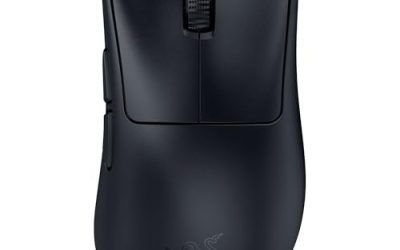
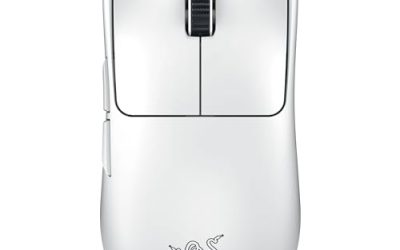
The DeathAdder V3 HyperSpeed is the lightweight ergonomic option, built around the shape ranked players have used for years and cut down to 55 g. Its Focus X 26K optical sensor and third-generation optical switches rated for ninety million clicks suit a game built on rapid, repeated clicking, and the mass-centralized shell is tuned for balance during quick directional changes. Battery life is listed at up to one hundred hours over HyperSpeed wireless at standard polling, with a wired USB-C fallback for the nights you forget to charge before a session.
Specs
- Connection: Razer HyperSpeed 2.4 GHz wireless, or wired USB-C
- Sensor: Razer Focus X 26K optical, up to 26,000 DPI
- Max speed: 500 IPS
- Buttons: 6 programmable buttons
- Switches: Razer Optical Mouse Switches Gen-3, rated for 90 million clicks
- Battery life: Up to 100 hours at 1,000 Hz polling
- Polling rate: 1,000 Hz, up to 8,000 Hz with the HyperPolling Wireless Dongle (sold separately)
- Weight: 55 g
- Model: RZ01-05140100-R3U1
Best for: Claw and palm players who want the lightest ergonomic shell here for kiting and attack-move play.
Watch out for: The listing title counts eight programmable controls while the comparison table on the same page lists six programmable buttons, so check the button map if you plan specific binds.
ASIN: B0D4RF55QK
Logitech G502 X Lightspeed
The G502 X Lightspeed is the pick for players who genuinely use a crowded mouse hand. Thirteen programmable controls, including a reversible DPI-shift button by the thumb and a dual-mode scroll wheel that tilts, give you room for several item actives, a trinket key, and push-to-talk without touching the keyboard. The LIGHTFORCE hybrid switches pair optical actuation with a mechanical click feel, the HERO 25K sensor tracks from 100 to 25,600 DPI, and the battery is rated for up to one hundred forty hours, the longest rechargeable figure in this roundup.
Specs
- Connection: LIGHTSPEED 2.4 GHz wireless, or wired USB-C
- Sensor: HERO 25K optical, 100 to 25,600 DPI
- Buttons: 13 programmable controls
- Switches: LIGHTFORCE hybrid optical-mechanical
- Battery life: Up to 140 hours (constant motion)
- Onboard memory: 5 profiles
- Weight: 102 g
- Dimensions: 131.4 x 79.2 x 41.1 mm
- Model: 910-006178
Best for: Players who bind multiple item actives and utility keys to the mouse and want them all onboard.
Watch out for: At 102 g it is nearly twice the weight of the lightest pick here, so committed claw players who flick constantly should try the shape before committing.
ASIN: B092CRH1RX
Razer Basilisk V3 X HyperSpeed
The Basilisk V3 X HyperSpeed solves the charging problem by ignoring it: it runs on a single AA battery, rated for up to two hundred eighty-five hours on HyperSpeed wireless and up to five hundred thirty-five hours over Bluetooth. Nine programmable controls cover the usual active-item loadout with room to spare, the 18K optical sensor is well beyond what League tracking demands, and the ergonomic shell with its thumb rest matches the wired Basilisk below. It sits in the budget-to-mid tier of this roundup, which makes it the sensible first wireless mouse here.
Specs
- Connection: Razer HyperSpeed 2.4 GHz wireless, or Bluetooth
- Sensor: Razer 5G Advanced 18K optical, up to 18,000 DPI
- Buttons: 9 programmable controls
- Switches: Razer Mechanical Mouse Switches Gen-2
- Battery: 1 AA battery (included); up to 285 hours on HyperSpeed, up to 535 hours on Bluetooth
- Weight: 3.88 oz as listed
- Dimensions: 5.12 x 2.96 x 1.67 in
- Model: RZ01-04870100-R3U1
Best for: Players who want wireless freedom and extra buttons without adding a charging routine to their week.
Watch out for: The AA battery makes it one of the heavier picks here, and Bluetooth mode is meant for everyday use rather than ranked play, so keep the receiver plugged in for matches.
ASIN: B0BXBC26X8
Razer Basilisk V3

The wired Basilisk V3 is the pick for a fixed desk. Its eleven programmable buttons include a multi-function paddle by the thumb, and the HyperScroll tilt wheel adds two more inputs on the wheel itself while switching between free-spin and tactile modes. The Focus+ 26K optical sensor, second-generation optical switches rated for seventy million clicks, and five onboard profiles cover the performance side, and the Speedflex cable is built to flex rather than drag. With no battery to manage, it is also the pick that behaves identically on day one and day four hundred.
Specs
- Connection: Wired USB, Razer Speedflex cable
- Sensor: Razer Focus+ 26K optical, up to 26,000 DPI
- Buttons: 11 programmable buttons
- Switches: Razer Optical Mouse Switches Gen-2, rated for 70 million clicks
- Scroll wheel: HyperScroll tilt wheel, free-spin and tactile modes
- Weight: 101 g
- Dimensions: 5.12 x 2.96 in (L x W) as listed
- Model: RZ01-04000100-R3U1
Best for: Players at a permanent desk who want the tilt wheel and paddle inputs and never want a battery warning.
Watch out for: It is wired only and right-handed only, and the free-spin wheel mode takes a few sessions to stop overshooting your intended stop point.
ASIN: B09C13PZX7
Which One Fits Your Situation
You Kite, Orb-Walk, and Attack-Move Constantly
Choose the DeathAdder V3 HyperSpeed. At 55 g it asks the least of your wrist during the endless small corrections of laning and team fights, and its optical switches keep rapid attack-move clicks clean. The ergonomic shell supports both palm and claw, so it fits the way most League players already hold a mouse.
Your Item Actives Live on the Mouse
Choose the G502 X Lightspeed. Thirteen controls mean a health potion, two actives, a trinket, and push-to-talk can all sit under one hand, and the removable DPI-shift button adapts to your grip. Five onboard profiles keep separate layouts for different roles without reopening the software. That matters most in long fights, when stretching for a number key means lifting a finger off your abilities at exactly the wrong moment.
You Always Forget to Charge Your Gear
Choose the Basilisk V3 X HyperSpeed. A single AA battery carries it for up to two hundred eighty-five hours of HyperSpeed play, so charging simply stops being part of your routine. Keep a spare AA in the desk drawer and a dead battery becomes a ten-second pause between games, not an ended session.
You Play at One Desk and Want Every Input Available
Choose the wired Basilisk V3. The tilt wheel and thumb paddle add inputs the other picks do not offer, the cable means zero battery management, and the ergonomic shape with its thumb rest stays comfortable through long ranked blocks. It is the most feature-dense shell here for a stationary setup.
Common Mistakes
- Buying a twelve-button grid mouse built for MMO ability bars when League keeps its abilities on the keyboard, then fighting mis-presses all season.
- Setting DPI near the advertised maximum because the number looks impressive, instead of choosing a stable setting your cursor control can actually repeat.
- Ignoring hand size and grip: every pick here is a right-handed ergonomic shell, and a shell that is too long for your hand moves the side buttons out of reach.
- Turning on the highest polling rate full-time and then blaming the mouse when the battery drains several times faster than the headline figure.
- Binding every item slot to the mouse on day one instead of adding one bind at a time until it becomes automatic.
Frequently Asked Questions
Do you need a grid-button MOBA mouse for League of Legends?
No. League puts four abilities and two summoner spells on the keyboard, so a twelve-button thumb grid solves a problem this game does not create. Most players need two side buttons for an item active and a trinket or ping. Grid mice make sense for MMO players; for League, shape, weight, and click feel change far more about how the mouse plays.
What DPI should you set for League of Legends?
Most players settle somewhere between 800 and 3,200 DPI, low enough for precise last-hit clicks and high enough to cross the screen without lifting the mouse. Every pick here adjusts well beyond that range in both directions. Set the value in the maker’s software, turn off pointer acceleration in your operating system, and give a new setting a week of games before judging it.
Is a wireless mouse responsive enough for ranked League?
Yes. The 2.4 GHz receiver connections used by the wireless picks here report at the same 1,000 Hz headline rate as the wired model, and League inputs are about click timing and cursor placement rather than sub-millisecond flick shots. Keep the receiver close to the mouse, use the receiver mode rather than Bluetooth for matches, and wireless stops being a compromise.
How many mouse buttons are actually useful in League?
Two side buttons cover the standard setup: one item active and a trinket, ward, or ping key. Players who run several actives often use four to six mouse binds, which the nine and thirteen-control picks here absorb easily. Beyond that, extra buttons mostly duplicate keys your keyboard hand already reaches comfortably, so buy for the binds you will genuinely move.
Related guides
More from Amazon
Programs that pair well with the guide above. Offers and eligibility are set by Amazon and may change.
A free business account with business pricing and bulk-buying tools for work, shop or home office.
Create a business accountFree shipping on eligible items, Prime Video and more. Eligible new members can start with a free trial.
Start a Prime free trialAudiobooks and podcasts to listen to on the go. Eligible new members can start with a free trial.
Try Audible freeAd-free music streaming. Eligible new subscribers can start with a free trial.
Try Music Unlimited freeAs an Amazon Associate we earn from qualifying purchases.