The best conference room webcam is the one whose field of view matches your table, not the one with the highest resolution. For most huddle rooms seating 4–8, an all-in-one USB video bar such as the Logitech MeetUp 2 is the safest pick. Larger boardrooms need a modular or video-bar system like the Logitech Rally Bar Mini or Jabra PanaCast 50, and a table-centered 360° device like the Meeting Owl 3 suits rooms where people sit all the way around.
As an Amazon Associate we earn from qualifying purchases at no extra cost to you.

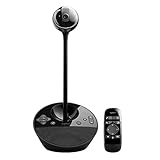


Top 3 picks at a glance
Quick comparison of the picks
| Pick | Best for | Key specs (per manufacturer) | Typical price |
|---|---|---|---|
| Logitech MeetUp 2 | Best overall, huddle rooms | 4K camera, wide FOV, AI framing, built-in mics and speaker, USB | Usually $800–$1,200 |
| Poly Studio R30 | Best value room camera | 1080p USB camera, wide ~120° FOV, auto-framing | Usually $250–$450 |
| Obsbot Meet 2 | Best budget, 2–3 people | 4K webcam, AI tracking and framing, USB | Usually $100–$200 |
| Jabra PanaCast 50 | Best for wide, long tables | Multi-camera ~180° panoramic view, built-in mics and speakers | Usually $900–$1,500 |
| Meeting Owl 3 | Best for 360° table-center setups | 360° camera, 1080p, 8 mics, speaker, USB | Usually $900–$1,200 |
| Logitech Rally Bar Mini | Best for medium and large rooms | All-in-one video bar, AI framing, room-grade audio | Usually $2,500–$3,500 |
Prices are general market ranges and shift with bundles, controllers and licensing. Check the manufacturer’s current spec sheet before buying.
Start with geometry: what field of view does your room need?
Field of view (FOV) is the spec that most often goes wrong in conference rooms. A personal webcam at 65–78° is built to frame one face. A table of eight needs a much wider angle, because people sitting close to the camera sit far off its centerline.
The width a camera sees at a given distance is 2 × distance × tan(FOV ÷ 2). This table uses that formula. Manufacturers usually quote diagonal FOV, so real horizontal coverage is a little narrower.
| Camera FOV | Width at 6 ft | Width at 10 ft | Width at 15 ft |
|---|---|---|---|
| 65° | 7.6 ft | 12.7 ft | 19.1 ft |
| 90° | 12.0 ft | 20.0 ft | 30.0 ft |
| 120° | 20.8 ft | 34.6 ft | 51.9 ft |
Now the common failure case. The camera sits at the end of a table, and the person nearest the screen is 3 ft from the lens and 4 ft to the side. Framing that person needs a full angle of 2 × atan(4 ÷ 3), about 106°. A 90° camera will crop them out or force you to move the camera back. A 120° camera, or a panoramic unit such as the PanaCast 50, will not.
Resolution: what 1080p versus 4K does for faces
Resolution matters most for the people far from the camera. Assume a face is about 6 inches wide and a 90° camera sits 12 ft from the far seat. The camera sees 24 ft (288 in) across.
- 1080p (1,920 px): about 6.7 px per inch, so a face is about 40 px wide. It is recognizable but soft.
- 4K (3,840 px): about 13.3 px per inch, so a face is about 80 px wide. Auto-framing can crop in and still keep usable detail.
This is why 4K sensors matter even when the stream sent to Teams or Zoom is 1080p. The camera crops digitally into the 4K image and downsamples, which keeps far-seat faces sharper. A 1080p-only camera has no such headroom.
Why 4K cameras compress over USB
Uncompressed 4K30 video in YUY2 format is 3,840 × 2,160 × 2 bytes × 30 fps, roughly 498 MB/s, or about 4 Gbps. That is more than most USB 3.0 links carry in practice. Even 1080p30 uncompressed is about 124 MB/s (roughly 1 Gbps). Conference cameras therefore send MJPEG or H.264 over USB. The practical effects are:
- Use the camera’s own USB 3 port and cable, not a cheap hub shared with other devices.
- Keep passive USB runs short, around 10 ft (3 m). Beyond that, use an active or optical cable the manufacturer supports.
- Do not expect 4K output in every app. Most meeting software caps at 720p or 1080p anyway.
Best overall: Logitech MeetUp 2
The MeetUp 2 is the default recommendation for rooms of roughly 4–8 people. It is a single USB unit with a 4K sensor, wide framing, AI-driven auto-framing, and built-in microphones and a speaker, so there is little to configure. It works with the mainstream meeting platforms as a standard USB camera.
Trade-off: it costs several times a personal webcam, and its built-in audio is sized for small rooms. Past roughly 10 ft from the table’s far end, add an expansion mic or move to a larger bar.
Best value: Poly Studio R30
The Studio R30 is a 1080p USB room camera with a wide field of view and auto-framing, aimed at small rooms on a tight budget. It is a good fit if you already have a speakerphone or ceiling mics and only need the picture.
Trade-off: 1080p gives less room to crop into far seats, and the audio side may need separate hardware depending on your room. Confirm the mic and speaker details on the current spec sheet.
Best budget: Obsbot Meet 2
For a two- or three-person office or a small huddle space, the Obsbot Meet 2 is a 4K webcam with AI tracking and framing at a fraction of the price of a room camera. It is the sensible choice when the camera sits on a monitor and the audience is close.
Trade-off: it is a personal-class webcam, not a room system. Its FOV is too narrow for a long table, and its mics will struggle once people sit beyond about 6 ft. Pair it with a USB speakerphone.
Best for long, wide tables: Jabra PanaCast 50
The PanaCast 50 stitches multiple cameras into a panoramic view of roughly 180° per Jabra, and includes microphones and speakers. That makes it a strong pick for rooms where seats sit close to the display on both sides, the exact off-axis problem described above.
Trade-off: panoramic stitching can show slight distortion at the edges. It is also one of the pricier USB options, so it makes sense mainly for rooms that need the width.
Best for 360° table-center setups: Meeting Owl 3
The Meeting Owl 3 sits in the middle of the table, captures 360° at 1080p and uses the same device for mics and speaker (about 8 mics, up to roughly 18 ft pickup per the manufacturer). It automatically focuses on whoever is talking and shows a panoramic strip of the room. It suits rooms where people sit all the way around, or where a wall-mounted camera is impractical.
Trade-off: a table-center device needs power and a USB cable running to the table. It also shows people from a low angle, which is less flattering than eye-level wall placement.
Best for medium and large rooms: Logitech Rally Bar Mini
The Rally Bar Mini is a full video bar for small-to-medium rooms with AI framing, a camera and room-grade audio in one chassis. It supports both USB-connected and dedicated-appliance deployment, which suits IT teams standardizing many rooms.
Trade-off: it is the most expensive pick here, and some features depend on the management software and room-controller choices. A small team with one meeting room will not use most of that.
Decision matrix: match your situation to a pick
| Your room | People | Minimum FOV | Best match |
|---|---|---|---|
| Home office or tiny huddle | 1–3 | ~78–90° | Obsbot Meet 2 plus a USB speakerphone |
| Small meeting room, 8–10 ft table | 4–6 | ~100–120° | Poly Studio R30 or Logitech MeetUp 2 |
| Room with seats along both sides of a 10–14 ft table | 6–8 | ~120° or panoramic | Logitech MeetUp 2 or Jabra PanaCast 50 |
| Open seating around the table | 4–8 | 360° at table level | Meeting Owl 3 |
| Boardroom, 14+ ft table | 8–14 | Modular, with extra mics | Logitech Rally Bar Mini class or larger |
How to choose: four checks before you buy
- Measure from the lens to the nearest and farthest seats. Use the formula above to confirm the camera can capture the nearest off-axis seat.
- Check the audio, not just the picture. Audio quality decides how a meeting feels. Built-in mics on a webcam are designed for roughly arm’s length, so any room larger than a small huddle needs a speakerphone, a bar or ceiling mics.
- Confirm platform support. Most USB cameras work with Teams, Zoom, Google Meet and Webex as standard devices. Dedicated-appliance modes and certification vary by vendor.
- Plan cabling and mounting. Run a single USB 3 cable of 10 ft or less where possible. A TV-top or wall mount at eye level gives better framing than a camera sitting on a table.
Frequently Asked Questions
What field of view do I need for a conference room webcam?
For a table of 4–8 people, look for about 120° diagonal or a panoramic design. A 90° camera can work if the camera sits well back from the table. Use the 2 × distance × tan(FOV ÷ 2) formula to check coverage against your room.
Is a 4K conference webcam worth it over 1080p?
Yes, mainly in larger rooms. A 4K sensor lets auto-framing crop into far seats and still deliver a sharp 1080p stream. In a small room with everyone within about 6 ft, 1080p is enough.
Can I use a regular webcam in a conference room?
You can, but it suits only two or three people close to the lens. A personal webcam has a narrow FOV and weak mics. For larger groups, choose a room camera and add proper room audio.
Do conference room webcams include microphones and speakers?
Many all-in-one units, including the MeetUp 2, PanaCast 50 and Meeting Owl 3, include both. Camera-only products rely on a separate speakerphone or mics. Check the spec sheet to see what is actually built in.
How long can the USB cable be?
Passive USB 3 cables are generally reliable to about 10 ft (3 m). For longer runs, use an active cable or USB extender the camera maker supports, because poor extenders cause dropouts and resolution drops.
Which is better for a boardroom: a USB camera or a video bar?
For rooms with 8 or more seats, a video bar or modular system is usually better. It offers stronger audio, multiple mic options and centralized management. A single USB camera suits smaller spaces where simplicity matters more.
Related guides
More from Amazon
Programs that pair well with the guide above. Offers and eligibility are set by Amazon and may change.
A free business account with business pricing and bulk-buying tools for work, shop or home office.
Create a business accountFree shipping on eligible items, Prime Video and more. Eligible new members can start with a free trial.
Start a Prime free trialAudiobooks and podcasts to listen to on the go. Eligible new members can start with a free trial.
Try Audible freeAd-free music streaming. Eligible new subscribers can start with a free trial.
Try Music Unlimited freeAs an Amazon Associate we earn from qualifying purchases.


