The best business laptop for most Canadian buyers is a 14-inch ThinkPad T14-class machine: 16GB or more RAM, a 512GB SSD, Windows 11 Pro, a good keyboard and a three-year on-site warranty. Choose a ThinkPad X1 Carbon if weight matters most, a ThinkPad E14 if budget does, and a MacBook Air if your tools run on macOS. The right pick depends less on the processor than on warranty terms, keyboard layout, battery under real workloads and how you will manage the device.
As an Amazon Associate we earn from qualifying purchases at no extra cost to you.
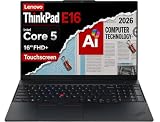
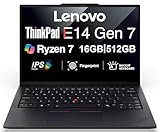
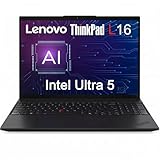

Top 3 picks at a glance
Quick comparison of the best business laptops in Canada
Prices are general Canadian-dollar market ranges before tax and vary with configuration, promotions and whether you buy direct or through a reseller. Specs come from the manufacturers’ published spec sheets; exact options differ by generation and region.
| Pick | Best for | Key specs | Typical price (CAD) |
|---|---|---|---|
| Lenovo ThinkPad T14 (Gen 5 and newer) | Best overall | 14″ 16:10, Intel Core Ultra or AMD Ryzen PRO, up to 64GB+ RAM on SODIMM configs, roughly 52 Wh battery, about 1.4 kg | $1,500–$2,300 |
| Lenovo ThinkPad X1 Carbon (Gen 13) | Travel and executives | 14″ 16:10, Core Ultra 200V, soldered LPDDR5X up to 64GB, roughly 57 Wh, under 1 kg | $2,400–$3,500 |
| Lenovo ThinkPad E14 (Gen 6) | Best value | 14″ 16:10, Core Ultra or Ryzen, up to 32GB-class RAM, plastic-heavy build | $900–$1,400 |
| Dell Pro 14 Premium | Dell-managed fleets | 14″ 16:10, Core Ultra, LPDDR5X, aluminum chassis, business security options | $2,000–$3,000 |
| HP EliteBook 8 G1i 14 | Security-focused offices | 14″ 16:10, Core Ultra, HP Wolf Security software options, business docking support | $1,600–$2,500 |
| Apple MacBook Air 13″ (M4) | Mac-based freelancers and creatives | M4 chip, 16GB base memory, about 54 Wh, 1.24 kg, up to 18 h video playback per Apple | $1,350–$1,900 |
Best overall: ThinkPad T14
The T14 is the safe default. It has a deep-travel keyboard, a full set of ports (USB-C/Thunderbolt, USB-A, HDMI, and on many configurations an Ethernet-capable dock path), and models with user-accessible RAM and SSD slots. That matters when a laptop must last four or five years. AMD and Intel versions both exist, so you can pick on price and software compatibility.
Trade-off: it is heavier than premium ultraportables and the base screen is often a dim 300-nit panel. Pay extra for a 400-nit or better display if you work near windows.
Best ultraportable: ThinkPad X1 Carbon
At around a kilogram with a strong keyboard and a bright 16:10 screen, the X1 Carbon suits people who carry a laptop daily, such as consultants, sales staff and executives. The Gen 13 uses Intel Core Ultra 200V processors, which are efficiency-focused.
Trade-off: RAM is soldered, so the amount you order is permanent. Buy 32GB if you keep devices for four years or more. The price is also roughly double that of an E14.
Best value: ThinkPad E14
The E14 gives you the ThinkPad keyboard and business-class Windows 11 Pro configurations at a much lower price, which makes it a sensible choice for small teams buying five or more at a time. Spec it with 16GB RAM and a 512GB SSD, not the cheapest 8GB option.
Trade-off: the chassis is plastic and the display options are usually dimmer and less color-accurate. Skip the lowest-resolution panel if the user spends all day in spreadsheets.
Best for Dell and HP fleets: Dell Pro 14 Premium and EliteBook 8
If your IT provider already deploys Dell or HP, stay in that ecosystem. Dell’s business line (Latitude models were rebranded under the Dell Pro name) and HP’s EliteBook line both offer vPro-class manageability, fingerprint and IR-camera sign-in, and on-site service tiers. The Dell Pro 14 Premium has a more premium aluminum build; the EliteBook 8 G1i 14 leans on HP’s security software, per HP’s spec sheets.
Trade-off: list prices are high, and street prices swing with quote-based discounts. Request a quote and compare it with the ThinkPad T14 at the same RAM and warranty level.
Best for Mac users: MacBook Air 13″ (M4)
For sole proprietors, designers, developers and anyone whose software is macOS-native, the MacBook Air offers long battery life, a fanless design and 16GB of base memory. It handles Microsoft 365, Zoom and Slack well.
Trade-off: it has two Thunderbolt ports plus MagSafe, no HDMI, and no on-site repair as standard. Some line-of-business Windows software will require a virtual machine or will not run at all.
Decision matrix: match your situation to a laptop
| Your situation | Choose | Spec to insist on |
|---|---|---|
| Office-based, docked most of the day | ThinkPad T14 or E14 | 16GB RAM, Thunderbolt/USB4 dock support |
| Travels weekly, carries it all day | ThinkPad X1 Carbon or MacBook Air | Under 1.3 kg, 32GB if soldered and Windows |
| Buying 10+ for a team | E14 or T14 through a business reseller | Same SKU for all, 3-year warranty, imaging support |
| Handles client data or regulated records | EliteBook 8, Dell Pro 14 Premium or T14 | TPM 2.0, IR camera sign-in, BitLocker, vPro if IT uses it |
| Runs macOS-only tools | MacBook Air (M4) | 16GB minimum, 512GB if you keep local files |
| Spreadsheets, accounting, large Excel models | T14 with Ryzen PRO or Core Ultra 7 | 32GB RAM, numeric keypad needs a 15-inch model |
Worked example: battery runtime for a business day
Runtime equals usable battery capacity divided by average power draw. Assume about 90% of the rated watt-hours is usable, and use these typical average draws: 6 W for email and documents, 11 W for a video-call day and 15 W for heavy browser tabs plus Excel on a bright screen. These are planning estimates, not measured results, and real draw varies with brightness, Wi-Fi and the chip.
| Workload | Average draw | 52.5 Wh (T14-class) | 57 Wh (X1 Carbon-class) |
|---|---|---|---|
| Email and documents | 6 W | 47.3 / 6 ≈ 7.9 h | 51.3 / 6 ≈ 8.6 h |
| Video-call day | 11 W | 47.3 / 11 ≈ 4.3 h | 51.3 / 11 ≈ 4.7 h |
| Heavy multitasking | 15 W | 47.3 / 15 ≈ 3.2 h | 51.3 / 15 ≈ 3.4 h |
The point: a “10-hour” battery claim will not survive a day of Teams calls. If you spend hours on video calls away from an outlet, look for efficient chips and carry a 65 W USB-C charger. A laptop that charges over USB-C also lets you share one charger with your phone.
How to choose a business laptop in Canada
1. Warranty and on-site service
A business laptop’s real value is how fast it comes back after a failure. Look for a three-year warranty with next-business-day on-site service, and confirm that it applies in your province, especially outside major cities. Lenovo, Dell and HP all sell these upgrades; compare the price with the cost of a day without your main machine.
2. Keyboard layout
Canadian retailers sell several layouts, including US English, Canadian Multilingual (CSA) and Canadian French. If you type in French or switch languages, confirm the layout before ordering, as the physical keycaps cannot be changed easily. Stock models in retail may differ from those you can configure directly.
3. RAM and storage
- RAM: 16GB is the sensible floor in 2026; choose 32GB for large spreadsheets, virtual machines, or soldered-memory models you will keep for years.
- Storage: 512GB NVMe is a good baseline; 1TB if you store local project files.
4. Display, camera and ports
- 16:10 screen, at least 400 nits if you work near daylight.
- 1080p webcam with an IR sensor for Windows Hello.
- Thunderbolt or USB4 for single-cable docking, plus HDMI if you present often.
- Wi-Fi 6E or Wi-Fi 7 for modern office and home routers.
5. Security and management
Windows 11 Pro is the baseline for BitLocker, domain join and device management. TPM 2.0, a fingerprint reader and a camera privacy shutter are common on business models. For teams, vPro is only worth paying for if your IT provider actually uses its remote management.
6. Tax and accounting
GST/HST registrants can generally claim input tax credits on business purchases, and computers are typically depreciated through capital cost allowance. Rules and rates change, so confirm treatment with your accountant before buying, particularly for several machines.
What to skip
- Consumer laptops with 8GB RAM, which often cost slightly less but lack business warranty options.
- Models with a 250-nit, low-resolution display for all-day office use.
- Extended warranties sold by a retailer when the manufacturer’s own service plan is cheaper and more direct.
- Gaming laptops as a business machine; they are heavy, loud and short on battery life unless your work needs a dedicated GPU.
Frequently Asked Questions
What is the best business laptop for a small Canadian company?
A ThinkPad T14 or E14 with 16GB RAM, 512GB SSD, Windows 11 Pro and a three-year on-site warranty fits most small teams. Buying the same model for everyone simplifies spare parts, imaging and support. Choose the T14 for sturdier build and upgradeability and the E14 to save money.
How much should I spend on a business laptop in Canada?
Expect roughly $900–$1,400 for a value model, $1,500–$2,300 for a mainstream business laptop and $2,400 or more for premium ultralight models. Spending a little extra for RAM, a brighter screen and a three-year warranty usually matters more than a faster processor tier.
Is a MacBook good for business use?
Yes, if your tools are available on macOS. The MacBook Air with an M4 chip is light, quiet and has long battery life. It is a weaker choice if you rely on Windows-only accounting, ERP or engineering software, or need on-site repair and Windows-style fleet management.
Do I need a Copilot+ PC for business?
Not necessarily. Copilot+ PCs require an NPU rated at 40 TOPS or more, which helps with some on-device AI features. If your workflow does not use those features, prioritize RAM, warranty, display and battery life instead.
Which keyboard layout should I buy in Canada?
Choose the layout you type on daily. US English works for many, but if you write French or use accented characters often, a Canadian Multilingual or Canadian French layout is easier. Confirm the layout in the product configuration, since changing keycaps afterward is often impractical.
Should I buy business laptops directly from the manufacturer or a reseller?
Direct purchases offer more configuration choices, such as RAM, display and keyboard layout, along with manufacturer warranties. A business reseller can add volume pricing, imaging and local support. Get quotes from both for the same configuration and warranty before deciding.
Related guides
More from Amazon
Programs that pair well with the guide above. Offers and eligibility are set by Amazon and may change.
A free business account with business pricing and bulk-buying tools for work, shop or home office.
Create a business accountFree shipping on eligible items, Prime Video and more. Eligible new members can start with a free trial.
Start a Prime free trialAudiobooks and podcasts to listen to on the go. Eligible new members can start with a free trial.
Try Audible freeAd-free music streaming. Eligible new subscribers can start with a free trial.
Try Music Unlimited freeAs an Amazon Associate we earn from qualifying purchases.


