The best baseboard heater thermostat for most homes in 2026 is a Wi-Fi line-voltage smart model such as the Mysa Smart Thermostat for Electric Baseboard Heaters (V2). If you want a Zigbee or higher-wattage option, choose a Sinopé line-voltage thermostat. If you only need reliable on/off control, a simple double-pole Honeywell Home TL8230A-class thermostat is the cheapest safe upgrade. Whichever you pick, match its voltage (120V or 240V) and amp or wattage rating to your heater circuit first, because that matters more than any feature.
As an Amazon Associate we earn from qualifying purchases at no extra cost to you.


Our Top Picks
Top 3 picks at a glance
Quick comparison of the best baseboard heater thermostats
| Pick | Best for | Key specs | Typical price |
|---|---|---|---|
| Mysa Smart Thermostat for Electric Baseboard Heaters (V2) | Best overall smart control | Line voltage 120/240V, Wi-Fi, app scheduling, voice assistant support, adaptive learning | Usually $100–$150 |
| Sinopé line-voltage thermostats (Wi-Fi TH1123WF / Zigbee TH1123ZB class, 3000W; 4000W versions exist) | Best for high wattage or smart-home hubs | 120/240V, 3000W or 4000W ratings, Zigbee hub or Wi-Fi variants, touchscreen | Usually $60–$110 |
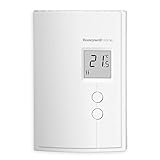
| Honeywell Home TL8230A-class line-voltage thermostat | Best budget / no Wi-Fi | Double-pole, 120–240V, digital or mechanical, ~22A class | Usually $20–$50 |
| Built-in heater-mounted thermostat (spec class) | Cheapest, single-room only | Dial on the heater, typical swing ±2–4°F, no schedule | Usually $0–$25 as a replacement |
First: you need a line-voltage thermostat, not a standard one
Baseboard heaters run directly on 120V or 240V household power. A normal furnace or heat pump thermostat switches 24V low-voltage signals, and wiring it to a baseboard circuit is a fire hazard. Look for the words “line voltage” or “electric baseboard” on the box, and have a licensed electrician do the work if you are not comfortable working in a live box. Always switch the breaker off first.
Best overall: Mysa V2 (Wi-Fi smart)
Mysa is the best-known smart option built specifically for electric baseboards, and it works with the major voice assistants and ecosystems per the manufacturer’s spec sheet. It suits anyone who wants to preheat a gaming room or home office from their phone before sitting down, and who wants room-by-room schedules without a hub. The main trade-off is price: on a house with six heaters, you are spending $600–$900 on thermostats alone. It also depends on your Wi-Fi, so check signal strength where the thermostat will be mounted, often an outside wall that is a weak spot for routers.
Best for high wattage or smart-home hubs: Sinopé
Sinopé’s line-voltage range, sold in 3000W and 4000W versions and in Wi-Fi and Zigbee variants, is a strong fit if you already run a hub or have a large heater load. The Zigbee models keep traffic off your congested 2.4GHz Wi-Fi band, which helps if your network is already crowded with consoles and a streaming PC. The trade-off is that the Zigbee versions need a compatible hub, and the interface is less polished than Mysa’s app for casual users.
Best budget: Honeywell Home TL8230A-class
If the goal is simply to stop the heater from running flat out, a basic Honeywell Home double-pole digital thermostat gets you a defined setpoint and tighter control than the dial on most heaters. It is ideal for rentals with owner approval, spare rooms, and basements. The trade-off is no remote control, a basic schedule at best, and no energy reporting. Confirm the exact model’s amp rating on its spec sheet before buying.
How to size a thermostat: a worked example
Thermostat ratings are in amps or watts, and the heater’s wattage must stay under them. Here is a typical gaming-room calculation.
- Heater: 8 ft of baseboard at 250W per foot = 2,000W.
- At 240V: 2,000W ÷ 240V = 8.3A. At 120V: 2,000W ÷ 120V = 16.7A.
- Circuit check: A 20A circuit should carry no more than 80% continuous load, which is 16A. At 120V, 16.7A is over that, so that heater belongs on 240V.
- Thermostat check: A 3000W-rated thermostat covers 2,000W with margin. If two heaters share one thermostat (say 2,000W + 1,500W = 3,500W), you need a 4000W-class unit or a relay/contactor.
Never add up only the thermostat’s voltage rating. A thermostat rated for 3000W at 240V may only handle about 1,500W at 120V, so read the rating for your actual voltage.
Estimating how much heater you actually need
A common rule of thumb is about 10 watts per square foot for a reasonably insulated room, and more for older homes. A 12×14 ft room (168 sq ft) needs roughly 1,680W. A gaming PC under load can dump 300–600W into the room as heat, with a monitor and peripherals adding more. At 400W of PC load, your heater only needs to make up about 1,280W during a long session, which is why gaming rooms often overheat when the thermostat’s sensor sits near the PC or in direct sunlight. Mount the thermostat on an interior-facing spot, about 5 ft off the floor, away from the PC’s exhaust.
Decision matrix: match your situation to a thermostat
| Your situation | Choose | Why |
|---|---|---|
| Single heater up to ~3,000W, strong Wi-Fi, want phone control | Mysa V2 class | Easiest setup and app-based scheduling |
| Combined load over 3,000W on one thermostat | 4000W Sinopé class or a relay/contactor setup | Avoids overloading contacts |
| Existing Zigbee hub or weak Wi-Fi at the wall | Sinopé Zigbee class | Stable mesh without using Wi-Fi |
| Rental or spare room, tight budget | Honeywell Home TL8230A class | Cheapest safe upgrade, no network needed |
| 240V heater | Double-pole thermostat only | Truly disconnects both hot legs when off |
| Quiet streaming or recording room | Digital model, mounted away from the mic | Mechanical relays can click audibly at each cycle |
Features that actually affect comfort and bills
- Temperature swing: Mechanical thermostats typically swing ±2–4°F, while digital models often hold ±0.5–1°F. Tighter control feels better and avoids overshoot in a room full of PC heat.
- Double-pole vs single-pole: A double-pole switch breaks both legs of a 240V circuit, which is safer for maintenance. Many 240V installations require it.
- Scheduling: The U.S. Department of Energy’s rule of thumb is roughly 1% savings per degree of setback over eight hours. Dropping from 68°F to 62°F while away or asleep might save around 5–6% on heating.
- Floor sensor and lockout: Useful for tile floors or shared spaces, and a keypad lock helps in rentals or homes with kids.
- Energy reporting: At 1,500W and $0.16 per kWh, a heater costs about $0.24 per hour. Smart models that report runtime make this visible per room.
Installation and compatibility checks before you buy
- Find the voltage: Check the heater nameplate or the breaker (single-pole is usually 120V, double-pole is usually 240V).
- Read the wattage: It is printed on the heater’s label. Add up all heaters controlled by one thermostat.
- Count wires: Two wires usually means 120V single-pole, four wires usually means 240V double-pole. A thermostat that needs a neutral wire may not suit older boxes.
- Check the mount point: Make sure the wall box has room, and that Wi-Fi reaches it.
- Check local code: Some regions require licensed installation or specific listing marks such as UL or CSA.
Frequently Asked Questions
Can I use a regular thermostat on a baseboard heater?
No. Standard thermostats are built for 24V low-voltage systems and will not safely switch a 120V or 240V baseboard circuit. Use a thermostat marked for line voltage or electric baseboard heat.
Are smart baseboard thermostats worth the extra cost?
They are worth it if you have irregular schedules or several zones, because remote control and room-by-room schedules cut wasted heating. If you only need to hold one room at a steady temperature, a $20–$50 digital model is usually enough.
What wattage thermostat do I need for baseboard heaters?
Add up the wattage of every heater on that thermostat and choose a unit rated above it at your circuit’s voltage. A typical 3000W-class thermostat covers around 12 ft of 250W-per-foot baseboard at 240V. Above that, move to a 4000W-class model or use a relay.
Why does my baseboard heater click or overshoot the set temperature?
Clicking is the thermostat’s relay or the heater element expanding as it cycles, which is common in mechanical models. Overshoot comes from wide temperature differentials or a sensor placed near heat sources like a gaming PC, so move the thermostat and consider a digital model with tighter control.
Do I need an electrician to replace a baseboard thermostat?
Not always, since swapping like-for-like is a common DIY job when the breaker is off and the wiring is clear. However, if the wiring is aluminum, unlabeled, or the replacement changes the circuit, hire a licensed electrician. Local code may also require it.
Can multiple baseboard heaters share one thermostat?
Yes, if the combined wattage stays within the thermostat’s rating at that voltage. Otherwise, use a thermostat with a contactor or one thermostat per heater, which also gives better zone control.
Related guides
More from Amazon
Programs that pair well with the guide above. Offers and eligibility are set by Amazon and may change.
A free business account with business pricing and bulk-buying tools for work, shop or home office.
Create a business accountFree shipping on eligible items, Prime Video and more. Eligible new members can start with a free trial.
Start a Prime free trialAudiobooks and podcasts to listen to on the go. Eligible new members can start with a free trial.
Try Audible freeAd-free music streaming. Eligible new subscribers can start with a free trial.
Try Music Unlimited freeAs an Amazon Associate we earn from qualifying purchases.


