The best AM3+ “RGB” motherboard is really the best AM3+ board with a strong VRM, paired with an external 12V RGB kit. AM3+ launched in 2011 and was succeeded by AM4 in 2016, and RGB headers only became common after that. The few late AM3+ boards with lighting have fixed LED accents, not addressable RGB. Plan around power delivery and BIOS support, then add lighting separately.
As an Amazon Associate we earn from qualifying purchases at no extra cost to you.



Top 3 picks at a glance
Quick comparison of AM3+ picks
All of these are discontinued, so you will find them used, refurbished or as old stock. Check the exact revision and BIOS version before buying. Price tiers are general market descriptions.
| Pick | Best for | Key specs (per manufacturer spec sheets) | Price tier |
|---|---|---|---|
| ASUS Sabertooth 990FX (R2.0/R3.0) | Best overall, 8-core FX builds | 990FX + SB950, 8+2 phase power, 4 DDR3 slots, ATX, TUF-style heatsinks | Mid-range to premium (used) |
| ASUS Crosshair V Formula-Z | FX-9590 and heavy overclocks | 990FX, ROG-class digital VRM, 4 DDR3 slots, multi-GPU layout | Premium (used, collector pricing) |
| Gigabyte GA-990FX-Gaming | Gaming-branded board with LED accents | 990FX, ATX, gaming-oriented networking and audio, LED accent lighting | Mid-range (used) |
| MSI 970 Gaming | Visible LED styling on a 970 budget | 970 chipset, red LED accent design, ATX | Budget to mid-range (used) |
| ASRock 970 Extreme4 | Budget FX-6300 or FX-8320 builds | 970 + SB950, 4 DDR3 slots, ATX, 2 PCIe x16 slots | Budget (used) |
Why true RGB on AM3+ is nearly nonexistent
RGB headers are standard on AM4 and newer boards, but not on AM3+. Where AM3+ boards have lighting at all, it is a fixed-color LED on the chipset heatsink or audio trace. As far as published spec sheets show, none of the mainstream models in this guide include a 12V 4-pin RGB header or a 5V 3-pin addressable header. A listing that promises “AM3+ RGB motherboard” often means one of three things:
- A fixed single-color LED accent, usually red, with no software control.
- A seller’s description that mixes up the board with an RGB RAM kit or fan kit sold alongside it.
- An AM3+ board paired with aftermarket RGB parts that are not part of the board itself.
Treat any listing that claims onboard RGB control on an AM3+ board with suspicion until you see the manufacturer’s spec page or a clear photo of the header.
Best overall: ASUS Sabertooth 990FX
The Sabertooth 990FX suits builders who want an FX-8350-class system that runs cool and stays stable. Its 8+2 phase design and thermal armor handle sustained all-core loads better than most 970 boards. It has no RGB header, so lighting comes from the case, fans and strips. The trade-off is that used prices have stayed firm because of the board’s reputation.
Best for FX-9590 and overclocking: ASUS Crosshair V Formula-Z
If you are running the 220W FX-9590 or pushing an FX-8350 toward 4.8GHz, the Crosshair V Formula-Z is the most capable board here. Its ROG-class digital VRM and BIOS tuning options are the draw. Expect no RGB header and a premium used price. Its bigger limit is the CPU itself, which draws a lot of power for modest gaming performance by modern standards.
Best for LED styling: Gigabyte GA-990FX-Gaming and MSI 970 Gaming
These two come closest to a “lit” AM3+ board. Both use gaming-themed styling with built-in LED accents, but the lighting is not RGB, so you cannot change colors per zone. The Gigabyte is the better choice for an FX-8-core part because it uses the 990FX chipset. The MSI 970 Gaming is the cheaper way to get the look, but check CPU support and VRM limits before pairing it with a 125W chip.
Best budget: ASRock 970 Extreme4
The 970 Extreme4 is a sensible base for a 95W FX-6300 or a 125W FX-8320 at stock clocks. It has four DDR3 slots and enough PCIe layout for a single GPU plus a sound card. Its trade-off is limited headroom: heavy overclocks on 8-core chips can push the VRM hard.
Decision matrix: which board matches your CPU
| Your situation | Suggested board | Why |
|---|---|---|
| FX-6300 (95W), stock clocks | ASRock 970 Extreme4 | Low power draw, no need for a premium VRM |
| FX-8320/8350 (125W), mild overclock | Gigabyte GA-990FX-Gaming or Sabertooth 990FX | 990FX lanes, better VRM cooling |
| FX-9590 (220W) | Crosshair V Formula-Z or Sabertooth 990FX | Highest current delivery, and the 220W CPU list is confirmed |
| Want visible lighting, no tinkering | MSI 970 Gaming | Fixed LED accent built in |
| Want full RGB control | Any board plus an external controller | Onboard RGB is not available on AM3+ |
How to check the VRM: a worked power budget
CPU power limits matter more than any lighting feature. Take an FX-9590 at its 220W TDP, running at about 1.4V under load:
- Current at the CPU: 220W ÷ 1.4V ≈ 157A.
- With VRM efficiency of about 85%, input power is 220W ÷ 0.85 ≈ 259W.
- On the 12V rail, that is 259W ÷ 12V ≈ 21.6A through the CPU power connector.
An 8-pin EPS connector is commonly rated for several times that current, so the cable is rarely the limit. The VRM is. A board with a 4+1 phase design would carry about 40A per phase at 157A, which is too hot for long gaming sessions. An 8-phase design carries roughly 20A per phase, which is far more comfortable. That is why the 8+2 phase boards are the picks above, and why a 220W chip on a basic 970 board is a bad idea.
Always check the manufacturer’s CPU support list for your board revision. Some 970 boards list 125W as the maximum and do not support 220W parts at all.
How to add RGB to an AM3+ build
- Pick the right standard. 12V 4-pin RGB (RGBW-style strips) and 5V 3-pin addressable (ARGB) are not interchangeable. Plugging 12V into a 5V header can destroy the LEDs, so check the connector keying and labels.
- Use a standalone controller. A controller powered from SATA or Molex with its own remote or button works without any motherboard support. This is the simplest route for AM3+.
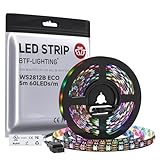
- Budget the power. A typical 60-LED-per-meter 5050 strip draws roughly 14W per meter at full white (about 1.2A at 12V). Two meters is roughly 29W, which is fine from a SATA lead but too much for a header rated near 3A (36W) once fans are added.
- Use USB-controlled parts when you want software control. Many RGB fans, RAM kits and GPU lighting systems use USB headers or proprietary hubs. Check that your board has a free USB 2.0 internal header, since AM3+ boards often have only two.
- Mount for airflow first. FX chips run hot. Place strips where they do not block intake fans and keep cable runs away from the CPU cooler.
How to choose: key criteria in order
- CPU wattage and VRM. Match the board to the chip’s TDP, using the table above.
- BIOS version. Many AM3+ boards shipped before FX support was finalized. Confirm the board’s BIOS supports your CPU, since you may need an older AM3 chip to update it.
- Chipset. 990FX offers more PCIe lanes and CrossFire/SLI support. 970 is fine for a single GPU.
- Condition. Ask for photos of the VRM area, socket pins and capacitors. Bulging capacitors are a common failure on aging boards.
- Total platform value. AM3+ uses DDR3 memory and has no native NVMe boot on most boards. If RGB headers, NVMe and modern CPUs matter, an AM4 board is a better path and is discussed in the FAQ.
Frequently Asked Questions
Does any AM3+ motherboard have RGB headers?
Mainstream AM3+ models generally do not list RGB headers on their spec sheets. A few late gaming-branded boards have fixed LED accents instead. If a listing claims header support, verify it against the manufacturer’s page and photos.
Can I use an AM3+ board with an FX-9590?
Only if the board explicitly lists 220W CPU support for its revision. High-end 990FX boards such as the Crosshair V Formula-Z and Sabertooth 990FX are the safest choices, and you should pair the chip with a robust cooler. Many 970 boards are limited to 125W.
Is it worth buying an AM3+ board in 2026?
It makes sense mainly for keeping an existing FX system alive or for a retro or budget build. For a new gaming PC, an AM4 or AM5 platform gives better performance per watt, newer storage support and RGB headers.
What is the cheapest way to get RGB on an AM3+ build?
Use RGB fans or an LED strip with a standalone SATA-powered controller. This avoids needing any motherboard header and keeps the lighting working even if you change boards later.
Will RGB lighting hurt performance on an FX system?
Lighting itself uses very little power, typically a few watts. The bigger risk is poor airflow from badly placed strips or extra fans on an already hot FX CPU, so cooling matters more than the lighting choice.
Should I upgrade to AM4 instead?
If onboard RGB header support is a priority, yes. Many AM4 boards include both 12V RGB and 5V addressable headers, along with NVMe slots and support for Ryzen CPUs that are much faster per core than FX.
Related guides
More from Amazon
Programs that pair well with the guide above. Offers and eligibility are set by Amazon and may change.
A free business account with business pricing and bulk-buying tools for work, shop or home office.
Create a business accountFree shipping on eligible items, Prime Video and more. Eligible new members can start with a free trial.
Start a Prime free trialAudiobooks and podcasts to listen to on the go. Eligible new members can start with a free trial.
Try Audible freeAd-free music streaming. Eligible new subscribers can start with a free trial.
Try Music Unlimited freeAs an Amazon Associate we earn from qualifying purchases.

