The best affordable office desk for most people is a dual-motor electric sit-stand desk with a 55–60 inch top, usually $350–$600. If you want to spend less, a fixed-height steel-frame desk at 47–55 inches wide and 24–30 inches deep covers 90% of daily needs for $80–$180. Pick the width and depth first, then the frame type, and ignore the tabletop finish until the end.
As an Amazon Associate we earn from qualifying purchases at no extra cost to you.
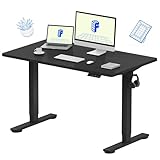
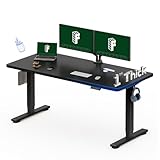


Top 3 picks at a glance
Quick comparison of the best affordable office desk types
The table lists spec classes with example product lines where a well-known one exists. Check current availability and exact dimensions before buying, since models and sizes change.
| Pick | Best for | Key specs | Price range |
|---|---|---|---|
| Dual-motor sit-stand (FlexiSpot E7-class, Uplift V2-class) | Best overall | 55–60″ x 28–30″ top, 3-stage legs, ~275–355 lb rated load, ~25″–50″ height range | $350–$600 |
| Fixed-height steel-frame desk | Best budget | 47–55″ x 24″ top, ~29–30″ height, 100–200 lb load | $80–$180 |
| Single-motor sit-stand frame with 48″ top | Best entry sit-stand | 48″ x 24″, ~154–200 lb load, ~28″–47″ range | $180–$320 |
| Compact 39–43″ desk | Small rooms | ~40″ x 20–24″, 1 monitor, ~29″ height | $50–$130 |
| L-shaped corner desk | Multi-monitor and gaming | ~59″ x 59″ with 20–24″ arms, 150–250 lb load | $120–$300 |
| Premium-feel step-up (Fully Jarvis, IKEA Idåsen class) | Longevity, stability at height | Dual motor, 60″ top options, 5-10 year frame warranties typical | $450–$800 |
Best overall: dual-motor sit-stand desk
Dual-motor frames such as the FlexiSpot E7 line and the Uplift V2 are the usual benchmark in this price tier. Per the manufacturers’ spec sheets, they are rated for roughly 275–355 lb with three-stage legs and a height range from about 25 inches to about 50 inches. The wide range matters more than it sounds. Shorter users can sit comfortably, and tall users can stand without the top sitting too low.
Who it suits: anyone at a desk 6+ hours a day, or anyone with a PC, two monitors and speakers on the surface. Trade-off: it costs 3-4 times a fixed desk, and cheaper tops (thin particleboard) can bow under heavy setups. Choose a top of at least 1 inch thick or solid wood or bamboo if you can.
Best budget: fixed-height steel-frame desk
A plain steel frame with a 47–55 inch laminate top is the most cost-effective choice if you will not stand. A fixed desk has fewer failure points than a motorized one: no motors, no control box, no firmware. Look for a crossbar or a thick-gauge frame, because a $90 desk without one will rock when you type on it.
Who it suits: students, a single-monitor home office, a second desk in a spare room. Trade-off: a fixed ~29–30 inch height suits users roughly 5’6″–5’11”. Shorter users need a footrest, and taller users need risers or a keyboard tray.
Best entry sit-stand: single-motor frame
A single-motor frame lifts less weight (typically ~154–200 lb rated) and has two-stage legs, but it is the cheapest route to a standing option. It works for one laptop or one monitor setup. It is a poor fit for a heavy tower on the desktop plus two 27-inch monitors.
Trade-off: a narrower height range (often topping out near 47 inches) and more wobble at full extension than dual-motor frames.
Best for small spaces: compact 40-inch desk
If your room is tight, a 39–43 inch desk with a 20–24 inch depth fits a laptop plus one 24-inch monitor. Shop for a model with a lower shelf or a monitor shelf so you do not need extra width. Trade-off: there is no room for a mouse pad plus a keyboard plus a speaker pair, and a 27-inch screen will sit uncomfortably close on a 20-inch depth.
Best for multi-monitor and gaming: L-shaped corner desk
Corner desks give 50-60% more usable surface than a straight desk for about the same money. They work well for a PC on one wing and a console or laptop on the other. Trade-off: they take up a lot of floor, and many budget models have a center support leg that interferes with your chair and knees. Check where the legs sit before you buy.
Best step-up: premium-feel frames
If you can stretch to $450–$800, lines such as the Fully Jarvis (bamboo or laminate tops) and IKEA’s Idåsen class offer sturdier frames and longer warranties. The extra money mainly buys stability at standing height and fewer returns for wobble. For a desk you intend to keep 8-10 years, that can be cheaper per year than replacing a $120 desk twice.
How to choose: the numbers that matter
Width: calculate your monitors
Monitor width is not its diagonal. For a 16:9 panel, width = diagonal x 0.872. A 27-inch monitor is about 23.5 inches wide, so two sit at roughly 47 inches. Add 3-4 inches for stand overlap and the gap, and you need about 51 inches before speakers. A 34-inch 21:9 ultrawide is about 31.2 inches wide (34 x 0.917), so it fits easily on 47 inches but leaves little for speakers on a 40-inch desk.
- One 24–27″ monitor + laptop: 47″ minimum
- Two 27″ monitors or a 34″ ultrawide + speakers: 55–60″
- Two monitors + a 60″ desk mat + a console: 60–63″ or an L-shape
Depth: viewing distance is the hidden constraint
A common ergonomic guideline puts your eyes roughly an arm’s length (20–30 inches) from the screen. On a 24-inch-deep desk, your keyboard takes about 6-8 inches at the front, and a monitor stand sets the screen back around 7-9 inches. That leaves your eyes about 26-30 inches from the screen, which is fine for 24–27 inch panels. For a 32-inch screen or a 1440p ultrawide, pick 28–30 inches of depth. For 40-inch-class screens, you need 30 inches.
Load: add up the weight
Here is a worked example for a gaming-leaning home office, with typical weights:
- Two 27-inch monitors with stands: 2 x 12 lb = 24 lb
- Mid-tower PC on the desk: ~25 lb
- Speakers, lamp, mic arm, desk mat, accessories: ~15 lb
- Laptop or console: ~6 lb
- Total: ~70 lb
A 220 lb rating leaves plenty of headroom, but stability is not the same as load rating. A 150 lb-rated single-motor desk will hold this on paper and still shake your monitors at full height. For a sit-stand desk, aim for a rated load at least 3 times your actual load. That leads to the dual-motor class above.
Height: match the desk to your elbows
Your desk surface should sit near seated elbow height, with elbows at about 90 degrees. As an approximate guide, a 5’6″ user wants roughly 27–28 inches and a 5’11” user about 29–30 inches. Standing, those figures are about 41–43 inches and 44–46 inches respectively. A fixed 29–30 inch desk fits the middle of the range. Anyone outside 5’6″–5’11” should lean toward adjustable.
Decision matrix: your situation to the right desk
| Your situation | Pick | Minimum size | Why |
|---|---|---|---|
| One laptop, tight room | Compact desk | 40″ x 20″ | Saves floor space and money |
| One 27″ monitor, no standing | Fixed steel-frame | 47″ x 24″ | Cheapest, most stable |
| One monitor, want to stand sometimes | Single-motor sit-stand | 48″ x 24″ | Lowest-cost adjustable |
| Two 27″ monitors + tower | Dual-motor sit-stand | 55″ x 28″ | Stability and load headroom |
| 34″ ultrawide + speakers | Dual-motor or fixed 55–60″ | 55″ x 28–30″ | Depth for viewing distance |
| PC + console + work laptop | L-shaped desk | 59″ x 59″ | Separate zones |
| Under 5’5″ or over 6’1″ | Adjustable range of 25″–50″ | 48″ wide | A fixed height will not fit you |
What to check before you buy
- Tabletop thickness and material: 0.6-inch particleboard sags under heavy loads. 1 inch or more is better. Real wood or bamboo costs more.
- Frame warranty: in this segment, frames often carry 5-10 years and motors/electronics 2-5, according to manufacturers’ listings. A short frame warranty on a motorized desk is a warning sign.
- Cable management: a tray or a hole for a power strip matters on a PC desk. A sit-stand desk needs slack in every cable.
- Anti-collision and memory presets: useful on adjustable desks, especially if you share the desk.
- Assembly time: expect 30-45 minutes for a fixed desk and 45-90 minutes for a motorized one.
- Leg room: check for a crossbar that conflicts with a footrest or PC under the desk.
Frequently Asked Questions
How much should I spend on an affordable office desk?
For a fixed-height desk, $80–$180 buys a solid steel-frame model. For a sit-stand desk that holds up to a two-monitor PC setup, plan on $350–$600. Below about $250, adjustable desks usually mean single-motor frames, thinner tops or both.
Is a standing desk worth it on a budget?
It is worth it if you will actually switch positions, and the ability to fit different users and chairs is useful regardless. If you never expect to stand, put the money into a better chair and monitor arm instead. A good fixed desk plus a quality chair beats a flimsy standing desk.
What size desk do I need for two monitors?
Two 27-inch monitors are about 47 inches wide together, so a 55-inch desk is the practical minimum and 60 inches is more comfortable. Depth should be at least 28 inches if you want the screens a comfortable arm’s length from your eyes. Monitor arms can free up some depth.
Is a particleboard top okay?
Yes, for most users, as long as it is at least 0.75-1 inch thick and supported well. Thin particleboard tops may sag under heavy monitors or a PC tower over the years, and they do not hold up against moisture or repeated reassembly. Bamboo and solid wood last longer but cost more.
Do dual-motor desks wobble less?
Generally yes, especially at full height. The frame is typically wider and sturdier, with three-stage legs and a more rigid crossbar. Wobble also depends on the top size, your floor and how the top is mounted, so look for a wide frame and keep the extension to the height you need.
Can I use a gaming desk instead of an office desk?
You can, and many gaming desks are just office desks with a carbon-fiber texture and a cup holder. Compare the same specs: width, depth, load rating and frame thickness. Do not pay extra for RGB or branding on a frame that is otherwise ordinary.
Related guides
More from Amazon
Programs that pair well with the guide above. Offers and eligibility are set by Amazon and may change.
A free business account with business pricing and bulk-buying tools for work, shop or home office.
Create a business accountFree shipping on eligible items, Prime Video and more. Eligible new members can start with a free trial.
Start a Prime free trialAudiobooks and podcasts to listen to on the go. Eligible new members can start with a free trial.
Try Audible freeAd-free music streaming. Eligible new subscribers can start with a free trial.
Try Music Unlimited freeAs an Amazon Associate we earn from qualifying purchases.


