The best 15-inch gaming laptop for most people in 2026 is a 15.6-inch 1080p model with an RTX 5060 or RTX 5070 laptop GPU, 16-32GB of DDR5, a 144-165Hz panel and a GPU rated at 90W or more. Few 15-inch chassis still ship with the very top GPUs, so the real decision is how much graphics power and cooling you can get at this size for your budget. This guide maps your situation to a spec class, shows the numbers behind it, and names the real model families to shop within.
As an Amazon Associate we earn from qualifying purchases at no extra cost to you.

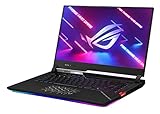

Top 3 picks at a glance
Quick comparison of the best 15-inch picks
Model lineups rotate often, so treat these as spec classes with example families. Always confirm the exact GPU wattage on the manufacturer’s spec sheet before buying.
| Pick | Best for | Key specs | Typical price |
|---|---|---|---|
| Best overall: RTX 5070 class (e.g. Lenovo Legion 5-series 15-inch) | High settings at 1080p, solid 1440p | RTX 5070 8GB, 16GB+ DDR5, 144-165Hz IPS, 80-100W GPU | Usually $1,400-$1,900 |
| Best value: RTX 5060 class (e.g. MSI Katana 15 or Cyborg 15 families) | Esports and AAA at 1080p | RTX 5060 8GB, 16GB DDR5, 144Hz, 75-100W GPU | Usually $1,000-$1,400 |
| Best budget: RTX 5050 / 5060 entry (e.g. Lenovo LOQ 15, Acer Nitro V 15, HP Victus 15 families) | Students, 1080p medium-high | RTX 5050 or 5060 8GB, 16GB DDR5, 144Hz | Usually $800-$1,200 |
| Best high-end: RTX 5070 Ti and up | 1440p high refresh, creative work | 12GB+ VRAM, 32GB DDR5, QHD panel, 115W+ GPU | Usually $2,000-$2,800 |
Best overall: RTX 5070 with a high-wattage GPU
This is the sweet spot for the size. According to NVIDIA’s published specs, the laptop RTX 5070 has 8GB of GDDR7 on a 128-bit bus and a configurable power range of roughly 50-100W. Models at the upper end of that range stay much closer to the GPU’s potential than thin builds pinned near 60W. The Legion 5-series 15-inch family is an example of a chassis built around this balance of cooling, keyboard and port selection.
Trade-off: 8GB of VRAM is enough for 1080p and most 1440p play, but a few recent games at maxed textures with ray tracing can exceed it. You will need to lower texture quality in those titles.
Best value: RTX 5060 in a plain, well-cooled chassis
The laptop RTX 5060 also has 8GB of GDDR7 on a 128-bit bus, with a lower core count than the 5070. In a chassis that lets it run near its maximum power, it often lands within a modest gap of a power-limited 5070. Families like MSI’s Katana 15 and Cyborg 15 aim at this tier.
Trade-off: Value models often use a 144Hz panel with weaker color (around 45-65% sRGB on cheaper panels, per typical spec sheets) and plastic shells. The performance is there, but the screen may not be.
Best budget: RTX 5050 or entry RTX 5060
The 15-inch entry class, including Lenovo’s LOQ 15, Acer’s Nitro V 15 and HP’s Victus 15 families, is where sales happen. The laptop RTX 5050 uses 8GB of GDDR6 per NVIDIA’s specs, so its memory bandwidth is lower than the 5060’s GDDR7. That makes it a clear step down at 1440p but fine for 1080p esports and medium-high AAA settings.
Trade-off: Check for single-channel RAM (one 16GB stick). Dual-channel memory can raise integrated-GPU-limited and CPU-limited frame rates noticeably, and a second stick usually costs $30-$60.
Best high-end: RTX 5070 Ti and above
The laptop RTX 5070 Ti steps up to 12GB of GDDR7 on a 192-bit bus, with a range of roughly 60-115W per NVIDIA. The RTX 5080 laptop has 16GB on a 256-bit bus and goes up to 150W. Most of these are sold in 16-inch chassis, so a true 15-inch with this tier is uncommon. If you find one, check that the cooling is real: a 115W+ GPU in a thin body will throttle.
Trade-off: Price and weight. Expect 2.3-2.6kg and a 230W+ adapter.
How to choose: decision matrix
| Your situation | Choose | Why |
|---|---|---|
| Esports (Valorant, CS2, Fortnite) at 1080p/144Hz+ | RTX 5050/5060, 144-165Hz panel | These games are CPU- and refresh-bound, not VRAM-bound |
| AAA games at high settings, 1080p | RTX 5060 at 90W+ or RTX 5070 | Headroom for newer engines and upscaling |
| Plug it in at a desk, occasional travel | Thicker chassis, 100W GPU | Best performance per dollar |
| Carry it daily to class or work | Lighter build, 70-80W GPU, 70-90Wh battery | Weight and battery matter more than the last 10% of FPS |
| Video editing, 3D, or Blender alongside games | 12GB+ VRAM, 32GB RAM, QHD+ color-accurate panel | VRAM and color coverage limit creative work |
| You plan to use an external monitor | HDMI 2.1 or USB-C with DisplayPort, MUX switch | Direct GPU output for high refresh |
Worked calculation: how much GPU does your screen need?
Pixel throughput shows why resolution matters more than refresh rate when choosing a tier. Multiply width by height by target frames per second:
- 1920 x 1080 at 144 fps = about 299 million pixels per second
- 1920 x 1080 at 165 fps = about 342 million pixels per second
- 2560 x 1440 at 144 fps = about 531 million pixels per second
- 2560 x 1440 at 240 fps = about 885 million pixels per second
Going from 1080p/144 to 1440p/144 raises the pixel load by about 78%, and 1440p/240 is nearly three times the load of 1080p/144. That is why a 1080p 144-165Hz screen suits RTX 5050-5070 class GPUs, while a 1440p panel is only sensible with a 5070 or above. Actual frame rates vary with game settings, CPU and driver version, so use the ratio as a planning guide rather than a prediction.
Worked calculation: power adapter and battery
A laptop’s power budget explains both the charger size and the battery life.
- Plugged-in peak: GPU 100W + CPU 45-55W + screen, SSD, RAM and fans around 25-30W = about 170-185W. That is why 100W-GPU models ship with 200-230W adapters.
- Gaming on battery: Most systems cap GPU power sharply on battery. Even at a combined 70W draw, an 80Wh battery lasts about 80 / 70 = 1.1 hours.
- Light use: Web and video at around 10-14W with the discrete GPU off gives roughly 80 / 12 = 6-7 hours in theory, and 4-5 hours in practice.
The takeaway is that no 15-inch gaming laptop is a true unplugged gaming machine. Judge battery by how well it handles everyday use, and look for Advanced Optimus or a MUX switch to let the integrated GPU take over on battery.
What to check beyond the GPU
GPU wattage (TGP)
Two laptops with the same GPU name can differ by 30-40W of power, which can mean a double-digit percentage gap in frame rates. Manufacturers list this on the spec sheet or the product page; if it is missing, treat that as a warning sign.
CPU
For 15-inch gaming, a Ryzen 7 or Intel Core i7/Ultra 7 HX-class processor pairs well with RTX 5060-5070 GPUs. Paying for a top-tier CPU on a 5050 or 5060 laptop rarely raises game frame rates at 1080p/1440p enough to justify the price.
RAM and storage
- 16GB DDR5 in dual channel is the minimum; 32GB helps with streaming, modded games and creative work.
- A 1TB NVMe SSD is the practical baseline since modern games commonly occupy 100GB+. Check for a free second M.2 slot.
Display
Look for IPS or OLED, 100% sRGB on higher-end panels, 3ms or faster response, and ideally G-Sync/Adaptive Sync. Brightness of 300 nits is adequate indoors; 400+ nits helps in bright rooms.
Cooling and ports
Rear-vented designs with vapor chambers or large heatpipes and liquid-metal CPU thermal compound handle sustained loads better. Look for HDMI 2.1, USB-C with DisplayPort, Wi-Fi 6E or 7, and Ethernet.
Frequently Asked Questions
Is a 15-inch gaming laptop better than a 16-inch one?
It is more compact and usually lighter, but not necessarily better. Many 16-inch models offer larger cooling systems, 16:10 screens and higher GPU wattage, which can mean more performance at a similar price. Choose 15-inch if you value a smaller footprint and bag fit over maximum power.
Is an RTX 5060 laptop enough for gaming in 2026?
Yes, for 1080p. It handles esports at high refresh rates and most AAA titles at medium-high settings, often with upscaling or frame generation. Actual results vary by game, settings, CPU and driver, so check published reviews for the specific model.
How much should I spend on a 15-inch gaming laptop?
Plan on roughly $800-$1,200 for entry 1080p play, $1,000-$1,400 for strong value, and $1,400-$1,900 for an RTX 5070 class system. Above $2,000 you are paying for 12GB+ VRAM and better screens or materials. Prices shift with sales and new releases, so treat these as general ranges.
Does 8GB of VRAM limit a gaming laptop?
At 1080p, 8GB is sufficient for nearly all games. At 1440p with high-resolution textures and ray tracing, some recent games can exceed it, and you will need to drop texture quality a notch. If you want more headroom, look for 12GB or 16GB GPUs.
Can I upgrade a 15-inch gaming laptop later?
Usually RAM and SSDs are upgradeable, while the CPU and GPU are soldered. Check the spec sheet for SO-DIMM slots versus soldered memory, and for a second M.2 slot. Buying the GPU tier you need now is more important than planning on later upgrades.
Should I worry about laptop thermals and fan noise?
Yes, because thermals determine whether the GPU holds its rated wattage during long sessions. Look for a performance mode, a MUX switch and independent reviewers’ measurements of sustained clocks and surface temperatures. A quiet mode with a 20-30% lower power limit is a useful option for late-night play.
Related guides
More from Amazon
Programs that pair well with the guide above. Offers and eligibility are set by Amazon and may change.
A free business account with business pricing and bulk-buying tools for work, shop or home office.
Create a business accountFree shipping on eligible items, Prime Video and more. Eligible new members can start with a free trial.
Start a Prime free trialAudiobooks and podcasts to listen to on the go. Eligible new members can start with a free trial.
Try Audible freeAd-free music streaming. Eligible new subscribers can start with a free trial.
Try Music Unlimited freeAs an Amazon Associate we earn from qualifying purchases.


