The best 144Hz 4K TV for most PC gamers is an LG C-series OLED such as the C5, which accepts 4K at up to 144Hz over HDMI 2.1 with VRR and has four full-bandwidth HDMI ports. If you want something brighter for a sunlit room, a mini-LED set like the TCL QM8 or Hisense U8 series gives up some contrast for much higher peak brightness at a lower price. The key check is not the “144Hz” label but whether the HDMI port and your GPU can carry 4K144 at 10-bit color.
As an Amazon Associate we earn from qualifying purchases at no extra cost to you.
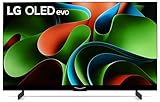


Top 3 picks at a glance
Quick comparison of the best 144Hz 4K TV picks
| Pick | Best for | Key specs | Typical price range |
|---|---|---|---|
| LG C5 OLED | Best overall | OLED, 4K up to 144Hz, 4x HDMI 2.1, VRR, G-Sync Compatible and FreeSync Premium support | Usually $1,200–$2,800 depending on size |
| LG G5 OLED | Best premium / brightest OLED | OLED with brighter panel tech, 4K at 144Hz or higher, 4x HDMI 2.1 | Usually $2,000–$5,000+ depending on size |
| Samsung S90F OLED | Best for glare-heavy rooms among OLEDs | QD-OLED, 4K 144Hz-class, anti-glare finish on higher tiers | Usually $1,200–$2,500 |
| TCL QM8 mini-LED | Best bright-room value | Mini-LED, 4K 144Hz native panel, VRR, high peak brightness | Usually $800–$2,500 |
| Hisense U8 series mini-LED | Best budget big screen | Mini-LED, 4K 144Hz-class (some newer models higher), VRR | Usually $700–$2,000 |
| Entry 144Hz LED class (e.g. TCL QM7-type) | Cheapest way to 4K144 | Edge or basic local-dimming LCD, 144Hz panel, 1–2 full-speed HDMI ports | Usually $500–$1,300 |
Model lineups change every spring and sizes vary by region, so confirm the exact refresh rate and port spec on the manufacturer’s spec sheet for the size you are buying.
First, check whether your PC can actually send 4K144
A 4K TV with a 144Hz panel is only useful if the cable and ports carry the signal. Uncompressed bandwidth is pixels × refresh × bits per pixel. HDMI 2.1 offers 48 Gbps of link rate, which leaves roughly 42.7 Gbps of usable data after encoding overhead.
Worked calculation: 3840 × 2160 at 144Hz
- Pixels per frame: 3840 × 2160 = 8,294,400
- Pixels per second at 144Hz: 8,294,400 × 144 ≈ 1.194 billion
- At 10-bit RGB (30 bits per pixel): 1.194 × 30 ≈ 35.8 Gbps before blanking overhead; roughly 37–39 Gbps with typical timings
- That fits inside HDMI 2.1’s ~42.7 Gbps, so 4K144 10-bit works without compression.
| Mode | 8-bit RGB (raw) | 10-bit RGB (raw) | Fits HDMI 2.1 without DSC? |
|---|---|---|---|
| 4K 60Hz | ~11.9 Gbps | ~14.9 Gbps | Yes |
| 4K 120Hz | ~23.9 Gbps | ~29.9 Gbps | Yes |
| 4K 144Hz | ~28.7 Gbps | ~35.8 Gbps | Yes (10-bit is close to the limit once blanking is added) |
| 4K 165Hz | ~32.8 Gbps | ~41.1 Gbps | 8-bit yes; 10-bit usually needs DSC or reduced timings |
The practical lesson: 144Hz is the sweet spot for a TV. It is the highest common rate that still fits 10-bit HDR over an uncompressed HDMI 2.1 link, so you avoid the compression and handshake quirks that sometimes affect higher rates.
Best overall: LG C5 OLED
The C-series is the default recommendation because it combines per-pixel OLED contrast, near-instant pixel response and a complete gaming feature set. Per LG’s spec sheet it offers four HDMI 2.1 inputs, VRR and a Game Optimizer menu, and it works with G-Sync Compatible and FreeSync Premium GPUs. Published reviews typically measure input lag at roughly 9–14 ms at 4K120 with game mode on, which is competitive with many monitors.
Who it suits: a PC in a living room or bedroom with controlled lighting, a 42- to 65-inch size depending on viewing distance, and a mix of single-player HDR games and fast shooters.
Main trade-off: peak brightness is lower than mini-LED, and static HUD elements raise burn-in risk over many years of heavy use. Desktop use with a static taskbar is the worst case.
Best premium: LG G5 OLED
The G5 uses LG’s brighter OLED panel technology and a more reflective-resistant design, plus a higher refresh ceiling than the C-series. It is the pick when you want the most HDR impact from an OLED and your room is not fully dark. The trade-off is price: the premium over a same-size C5 is often several hundred dollars or more, and the 144Hz you need for most PC setups is already on the C5.
Best QD-OLED alternative: Samsung S90F
Samsung’s S90-series uses a QD-OLED panel, which tends to produce saturated color and strong brightness in bright scenes. It supports 4K at 144Hz-class refresh with VRR. Main trade-off: fewer full-bandwidth HDMI ports than LG and no Dolby Vision support, which matters if you also stream movies or use an Xbox. Check which ports support 4K120 and above before planning your connections.
Best for bright rooms: TCL QM8
Mini-LED sets can exceed what OLEDs reach in sustained brightness, which helps in sunlit rooms and with HDR highlights. TCL’s QM8 pairs a native 144Hz panel with VRR and thousands of dimming zones at prices below comparable OLEDs. Main trade-off: blooming around bright objects on dark backgrounds and slower pixel transitions in dark scenes compared with OLED. Viewing angles are also narrower, so a desk-distance setup off to one side looks worse than on a C5.
Best budget big screen: Hisense U8 series
The U8 line is the value pick for 65 inches and above, with mini-LED backlighting, high brightness and 144Hz-class VRR support depending on the model year. Main trade-off: local dimming is less precise than TCL’s best and only some HDMI ports support full-speed 4K144. You may have to give up a soundbar eARC port or an extra console input.
Cheapest route: entry 144Hz LED TVs
Spec classes with a 144Hz panel and basic local dimming start around $500. They deliver the refresh rate but typically with lower peak HDR brightness and fewer dimming zones, so HDR looks only modestly better than SDR. They suit competitive players who care about frame rate first and picture quality second. Confirm that at least one HDMI port supports 4K at 144Hz with VRR, as often only one or two do.
How to choose: decision matrix
| Your situation | Choose | Reason |
|---|---|---|
| Dim room, mixed games and movies | LG C5 | Best contrast, four full-speed ports, Dolby Vision |
| Bright room, lots of windows | TCL QM8 or LG G5 | Higher sustained brightness or better glare control |
| PC plus PS5, Xbox and soundbar | LG C5 or G5 | Four 2.1 ports avoid cable swapping |
| Under $1,000 for 65″ | Hisense U8 or entry mini-LED | Most brightness per dollar |
| Desktop use at under 1 m | 42–48″ OLED or a monitor instead | Pixel density and burn-in risk matter more |
| GPU can’t reach 100+ fps at 4K | Any 120Hz-capable TV | The extra 24Hz won’t be used |
Match the GPU to the refresh rate
Rendering 4K at 144 fps is demanding. Published reviews of recent flagship GPUs show esports titles often exceeding 144 fps at 4K, while demanding AAA games at high settings usually land well below it, with results varying by settings, CPU and patch. Upscaling (DLSS, FSR) and frame generation help, but VRR is more important than the 144 number: it keeps 70–110 fps looking smooth.
Size and distance
For 4K, a 42–48 inch TV works at roughly 1–1.5 m, 55 inch at about 1.5–2 m, and 65 inch at about 2–3 m. Larger than this at desk distance makes you turn your head to see the HUD corners.
Settings to apply after you plug in
- Use the right port and cable: connect to an HDMI 2.1 port labeled for 4K120 or higher, using a certified Ultra High Speed cable. A cheap cable is the most common cause of black-screen dropouts at 144Hz.
- Enable the PC input mode: label the input as PC (or set Game mode) so the TV disables processing and uses 4:4:4 chroma. Reason: text looks soft with 4:2:0.
- Turn on HDMI Ultra HD Deep Color: on LG this is per-port; without it you are capped at 4K60.
- Set VRR on in both places: enable VRR on the TV and G-Sync or FreeSync in the GPU driver. Cap fps a few frames under the maximum (for example 141) to stay in the VRR window.
- Keep HDR calibrated: set Windows HDR on, and run the Windows HDR Calibration app so games tone-map to the TV’s real peak brightness.
- Disable motion smoothing and noise reduction: they add input lag and artifacts.
Frequently Asked Questions
Is 144Hz on a 4K TV worth it over 120Hz?
It is a modest gain: 144Hz is a 20% increase in refresh rate and a slight drop in frame time, from 8.3 ms to 6.9 ms. It matters mostly if your GPU regularly renders above 120 fps. If it doesn’t, a 120Hz TV with good VRR performs about the same.
Do I need HDMI 2.1 to run 4K at 144Hz?
Yes, in practice. HDMI 2.0 tops out at 18 Gbps, enough for 4K60 at full quality but not 4K144. Your GPU also needs an HDMI 2.1 output or a DisplayPort connection with a certified active adapter, which can be inconsistent.
Can OLED TVs burn in from PC use?
They can, mainly with static elements such as taskbars and desktop icons shown for hours daily. Manufacturers include pixel-shift and panel-care routines, and you can reduce risk by hiding the taskbar, using dark mode and lowering SDR brightness. If the TV will mostly serve as a work monitor, mini-LED is the safer choice.
Is a 144Hz 4K TV better than a 4K gaming monitor?
A TV gives you a larger screen and often better HDR for the money, and doubles as a living-room display. A monitor offers higher pixel density at desk distance, DisplayPort support and usually lower input lag. If you sit within a meter, a 27–32 inch monitor generally looks sharper.
Do consoles benefit from a 144Hz TV?
No, current PlayStation and Xbox consoles output a maximum of 120Hz. They still work well on these TVs, but the 144Hz capability only helps PC.
Which HDMI port should I use on the TV?
Use whichever port the manufacturer lists as supporting 4K at full refresh and VRR. On LG OLEDs, all four do, while on many Samsung, TCL and Hisense models only one or two do, and the eARC port is often among them. Check the manual or spec sheet before you route cables.
Related guides
More from Amazon
Programs that pair well with the guide above. Offers and eligibility are set by Amazon and may change.
A free business account with business pricing and bulk-buying tools for work, shop or home office.
Create a business accountFree shipping on eligible items, Prime Video and more. Eligible new members can start with a free trial.
Start a Prime free trialAudiobooks and podcasts to listen to on the go. Eligible new members can start with a free trial.
Try Audible freeAd-free music streaming. Eligible new subscribers can start with a free trial.
Try Music Unlimited freeAs an Amazon Associate we earn from qualifying purchases.
