The best 10th gen laptop for most buyers in 2026 is a refurbished Dell XPS 13 9300 with a Core i7-1065G7. If you want a repairable workhorse, pick the Lenovo ThinkPad T14 Gen 1. If you want to game, pick a Lenovo Legion 5i with an i7-10750H and a GTX 1660 Ti or RTX 2060. All of these are second-hand or refurbished buys now, so battery health, RAM and SSD matter more than the badge on the lid.
“10th gen” covers two different Intel families: Comet Lake (i5-10210U, i7-10750H and similar) and Ice Lake (i7-1065G7 and similar). They behave quite differently, which is why generation alone is a poor filter. 10th gen is still officially supported by Windows 11 (Microsoft lists 8th gen and newer), so these machines are a sensible way to avoid the Windows 10 end-of-support problem without paying 2026 prices.
As an Amazon Associate we earn from qualifying purchases at no extra cost to you.

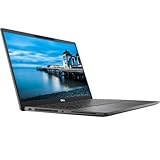


Top 3 picks at a glance
Quick comparison of the best 10th gen laptops
| Pick | Best for | Key specs (per manufacturer spec sheets) | Typical used/refurb price |
|---|---|---|---|
| Dell XPS 13 9300 | Best overall, portable daily driver | Ice Lake i5-1035G1 / i7-1065G7, 13.4″ 16:10, soldered LPDDR4X, ~52 Wh battery | Usually $250–$450 |
| Lenovo ThinkPad T14 Gen 1 (Intel) | Business, students, repairability | Comet Lake i5-10310U / i7-10610U, 14″ FHD, RAM slots, ~50 Wh battery | Usually $200–$380 |
| Lenovo Legion 5i 15IMH05 | Best 10th gen gaming laptop | i7-10750H (6C/12T, 45 W), GTX 1650 Ti / 1660 Ti / RTX 2060, 1080p 120–144 Hz options | Usually $450–$750 |
| Acer Predator Helios 300 (2020 models) | Gaming with strong cooling | i7-10750H, GTX 1660 Ti / RTX 2060, 144 Hz panel, two RAM slots | Usually $400–$700 |
| Generic i5-10210U 15.6″ laptop | Cheapest usable daily laptop | 4C/8T, 8 GB RAM, 256 GB SSD, 1080p panel (spec class) | Usually $150–$280 |
Best overall: Dell XPS 13 9300
The 9300 uses Ice Lake silicon, which is the better half of 10th gen for thin laptops. The i7-1065G7 has four cores and Iris Plus graphics with 64 execution units, which is a clear step above the UHD graphics in Comet Lake U chips for video playback, light creative work and older esports titles. Wi-Fi 6 and Thunderbolt 3 are part of the platform design, and the 16:10 display is still pleasant in 2026.
Trade-off: RAM is soldered, so buy 16 GB from the start. There is also no USB-A port and only a limited port count, so factor in a hub. Battery wear is the most common problem on units this age.
Best for work and repairability: ThinkPad T14 Gen 1
The T14 Gen 1 Intel uses Comet Lake U chips such as the i5-10310U, which has four cores and vPro on some units. It has a full-size HDMI port, USB-A, Thunderbolt 3 and a keyboard that holds up well. Upgradeable RAM and an M.2 SSD make it the easiest 10th gen laptop to bring up to modern needs: 16 GB plus a 512 GB drive can cost less than $60 in parts.
Trade-off: Integrated UHD graphics. It is fine for office work and browsing, but not for gaming. Also check the BIOS for a supervisor password on ex-corporate units.
Best for gaming: Lenovo Legion 5i 15IMH05
This model pairs the i7-10750H with a GTX 1650 Ti, GTX 1660 Ti or RTX 2060 (the RTX 2060 variants are the ones to look for). The 1660 Ti and 2060 both have 6 GB of GDDR6 on a 192-bit bus, which is enough for 1080p in most games. As a rough guide from published reviews, esports titles at 1080p often land in the 100–200 fps range, and demanding AAA games at high settings often land around 50–90 fps. Results vary with settings, patch, CPU and cooling.
Trade-off: The RTX 2060 lacks the VRAM headroom for max textures in newer games, and there is no DLSS 3 frame generation (that needs RTX 40-series or newer). Battery life under load is minimal.
Alternative: Acer Predator Helios 300
The 2020 Helios 300 has similar silicon and a reputation for effective cooling with easy access to RAM and storage. Choose it over the Legion if you find one with a better panel or battery for the money.
Best budget: a plain i5-10210U laptop
Look for 8 GB RAM at minimum, an SSD (not eMMC or a hard drive) and a 1080p IPS panel. An Acer Aspire 5 or HP 15 class machine in this configuration handles Windows 11, Office, browser tabs and streaming. Skip anything with a 1366×768 screen or 4 GB of soldered RAM, because the upgrade cost wipes out the savings.
How to choose: decision matrix
| Your situation | Choose | Why |
|---|---|---|
| Carry it daily, need good screen | XPS 13 9300 (16 GB) | Ice Lake efficiency, 16:10 panel, light chassis |
| Office/school work, want upgrades | ThinkPad T14 Gen 1 | User-replaceable RAM and SSD, full port set |
| Play 1080p games at 60+ fps | Legion 5i / Helios 300 with GTX 1660 Ti or RTX 2060 | 6 GB VRAM, 6-core H-series CPU |
| Under $250 total | i5-10210U laptop with SSD | Enough for Windows 11 and web work |
| Need a long battery without replacing it | Newer-generation laptop instead | Old cells erode any 10th gen runtime advantage |
Worked example: what battery health does to runtime
Runtime is capacity divided by power draw. Take an XPS 13 9300 with a design capacity of about 52 Wh and light use around 7 W (browsing, dimmed screen):
- New battery at 100%: 52 ÷ 7 ≈ 7.4 hours
- Used battery at 75% health (39 Wh): 39 ÷ 7 ≈ 5.6 hours
- Used battery at 55% health (28.6 Wh): 28.6 ÷ 7 ≈ 4.1 hours
Real results are lower once you add video calls or heavy tabs, so treat these as best-case figures. The same math applies to a gaming laptop. A 60 Wh battery at 70% health gives 42 Wh, and at a gaming draw of about 110 W that is roughly 23 minutes, so gaming laptops are effectively plugged-in machines.
Gaming power budget
An i7-10750H is a 45 W part, and an RTX 2060 mobile typically runs in the 80–90 W range depending on the model. Add roughly 25 W for the display, memory, SSD and fans: 45 + 85 + 25 = 155 W peak. That is why chargers on these machines are usually rated 135–230 W. Never run one on an undersized USB-C charger, because it will throttle or discharge while plugged in.
What to check before buying a used 10th gen laptop
- Battery report: run
powercfg /batteryreportin Command Prompt and compare “design capacity” with “full charge capacity”. Below about 60%, budget for a replacement battery. - Exact CPU: confirm the model with Task Manager or CPU-Z. A “10th gen” listing may be a dual-core i3-10110U, which is far weaker than an i5 or i7.
- RAM and storage: 16 GB and an NVMe SSD are the practical targets in 2026. Check whether the RAM is soldered.
- Firmware locks: BIOS passwords and MDM/enterprise enrollment on ex-corporate units can make a laptop unusable. Ask the seller to confirm they are removed.
- Thermals (gaming models): run a 15-minute load and watch for CPU temperatures pinned near 95–100°C. A repaste costs little, but fan faults are more serious.
- Return window: choose a seller with at least a 30-day return policy and a stated warranty.
When a 10th gen laptop is the wrong choice
If you need modern AI features, Wi-Fi 7, long battery life or a large iGPU uplift for 1080p gaming without a dedicated GPU, a newer laptop will serve you better. Intel’s thin-and-light chips from 12th gen onward have much better efficiency than 10th gen. A refurbished 12th-gen business laptop often costs only modestly more than a 10th gen gaming laptop.
Frequently Asked Questions
Is a 10th gen Intel laptop still worth buying in 2026?
Yes, if the price is low and the use is modest: office work, school, browsing, streaming or 1080p gaming on an H-series model with a dedicated GPU. It is a poor deal if the laptop is priced near entry-level new models, because you give up battery life and warranty.
Does Windows 11 run on 10th gen processors?
Yes. Microsoft’s requirements list 8th gen Intel Core and newer as supported, so Comet Lake and Ice Lake chips qualify. You still need TPM 2.0 and Secure Boot enabled, which most 10th gen laptops support in the BIOS.
What is the difference between Comet Lake and Ice Lake in 10th gen?
Comet Lake (for example i5-10210U, i7-10750H) is a refinement of the older 14 nm design, with higher core counts in some models. Ice Lake (i7-1065G7) uses a newer 10 nm design with much stronger Iris Plus graphics and integrated Thunderbolt 3 and Wi-Fi 6. For thin laptops without a dedicated GPU, Ice Lake is usually the better choice.
Can a 10th gen gaming laptop play modern games?
A model with a GTX 1660 Ti or RTX 2060 can play most current games at 1080p with medium to high settings, and esports titles run very well. Expect to lower settings in the newest AAA releases, and note that VRAM (6 GB) becomes the limit first.
Should I upgrade the RAM and SSD on an older laptop?
Usually yes, if they are not soldered. Going to 16 GB RAM and an NVMe SSD is the cheapest upgrade for responsiveness, and can cost much less than replacing the laptop. Check the manufacturer’s service manual first to see which parts are removable.
How long will the battery last on a used 10th gen laptop?
Divide the battery’s current capacity in Wh by your typical power draw. A healthy 50 Wh battery at 7–10 W gives about 5–7 hours, but a worn battery at 55% health may give only 3–4 hours. The Windows battery report shows the actual capacity, and a replacement is usually inexpensive for popular business models.
Related guides
More from Amazon
Programs that pair well with the guide above. Offers and eligibility are set by Amazon and may change.
A free business account with business pricing and bulk-buying tools for work, shop or home office.
Create a business accountFree shipping on eligible items, Prime Video and more. Eligible new members can start with a free trial.
Start a Prime free trialAudiobooks and podcasts to listen to on the go. Eligible new members can start with a free trial.
Try Audible freeAd-free music streaming. Eligible new subscribers can start with a free trial.
Try Music Unlimited freeAs an Amazon Associate we earn from qualifying purchases.


