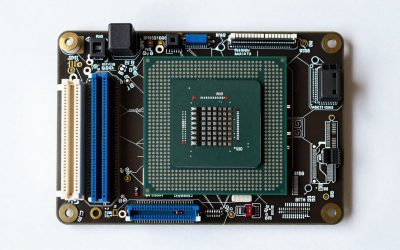
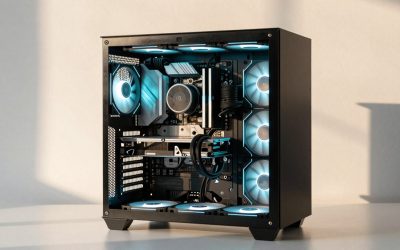
The best specs for a gaming PC depend on the resolution you play at, not on a single magic parts list. For 1080p, an 8GB graphics card, a modern six-core CPU, 16GB of dual-channel RAM and a 1TB NVMe SSD are enough. For 1440p, move to 12GB-16GB of VRAM, 32GB of RAM is comfortable, and a quality 750W-class power supply gives headroom. For 4K, 16GB of VRAM is the realistic floor.
That is the short version of the best gaming PC specs. The rest of this guide explains why each number matters, how to read a spec sheet without being fooled by a long list of RGB fans, and where to spend or save for each use case. Nothing here relies on invented benchmark figures: where a number comes from a vendor or editorial source, it is attributed in plain text, and where it is a calculation, you can check the arithmetic yourself.
As an Amazon Associate we earn from qualifying purchases at no extra cost to you.


Top 3 picks at a glance
Quick answer: spec classes by resolution and goal
| Goal | GPU class | VRAM | CPU class | RAM | Storage |
|---|---|---|---|---|---|
| 1080p esports, high refresh | Entry current-generation card | 8GB | Fast six-core, high clock speed | 16GB dual-channel | 1TB NVMe |
| 1080p AAA, high settings | Mainstream current-generation card | 8GB, 12GB if you want headroom | Six- to eight-core | 16GB dual-channel, 32GB better | 1TB NVMe |
| 1440p high settings | Upper-mainstream card | 12GB-16GB | Eight-core, ideally a gaming-focused model | 32GB | 1TB-2TB NVMe |
| 1440p high refresh with ray tracing | High-end card | 16GB | Eight-core, large-cache gaming CPU | 32GB | 2TB NVMe |
| 4K | High-end card | 16GB or more | Eight-core or better | 32GB | 2TB NVMe |
| Gaming plus streaming or editing | Upper-mainstream or better | 12GB-16GB | Eight-core or more | 32GB | 2TB NVMe plus a second drive |
These are classes, not shopping-list SKUs. Prebuilt configurations change often, so the useful skill is matching a spec sheet to the class that fits your monitor. The sections below take each component in turn.
Best graphics card specs: the part that sets your resolution
The graphics card (GPU) decides how many pixels you can push at the settings you like. Two numbers matter most: raw performance class and video memory (VRAM).
How much VRAM do you need?
Recent 2026 buyer guides from several editorial and retail sources largely agree on a rule of thumb: 8GB is the floor at 1080p, 12GB is the baseline at 1440p with 16GB the comfortable target, and 16GB is the realistic minimum at 4K. Those sources also point out that some current games already exceed 8GB at 1080p maximum texture settings, so 8GB is fine for competitive play and medium-to-high settings but leaves little margin for the future.
| Resolution | VRAM floor | Comfortable target | What to avoid |
|---|---|---|---|
| 1080p | 8GB | 8GB-12GB | Cards with 6GB or less if you want modern AAA titles |
| 1440p | 12GB | 16GB | An 8GB card paired with a 1440p monitor and ultra textures |
| 4K | 16GB | 16GB or more | Anything below 16GB if you also want ray tracing |
A practical tip when reading prebuilt listings: the same GPU name can come in more than one memory size. Tom’s Hardware’s 2026 PC build guide recommends the 16GB version of the RTX 5060 Ti, and tells readers to avoid the 8GB version, in its upper-mainstream build; it still uses the 8GB card in a cheaper build. Other buying guides warn that some prebuilts quietly ship the smaller-memory variant. Always find the VRAM figure in the product title or spec table before you compare systems.
Do you need ray tracing and upscaling?
Ray tracing is a feature, not a requirement. If you play competitive shooters, you will turn it off. If you play story-driven games and want the best lighting, step up a GPU class and prefer 16GB of VRAM, because ray tracing adds memory pressure on top of textures. Upscaling technologies from NVIDIA and AMD let a mid-tier card render fewer pixels and reconstruct the rest, which is why a modern mainstream card can look good at 1440p, but treat upscaling as a bonus, not a reason to under-buy.
Best CPU specs: cores, clock speed and cache
For gaming, the CPU rarely needs to be the most expensive part. What it needs is fast per-core speed and enough cores that background tasks do not interrupt the game.
- Six cores are enough for 1080p play and esports, as long as the model is current-generation.
- Eight cores are the sweet spot for 1440p and for players who stream, voice chat and browse at the same time.
- Large-cache gaming CPUs (AMD’s X3D line is the best known) help most when you chase very high frame rates in CPU-limited games. Several 2026 competitive-gaming guides rank X3D models at the top for 360Hz play, but they cost more, so reserve them for high-refresh players.
- The suffix matters. Intel “F” models have no integrated graphics, which is fine with a discrete GPU. AMD “F” models are the same idea. Neither is a downgrade for a gaming desktop.
If you are upgrading later, check the motherboard socket. A board that supports a newer CPU generation gives you an upgrade path; a board at the end of its socket life does not. We cover this in the upgrade-path section below.
RAM specs: capacity, channels and speed
16GB is the working minimum for a new gaming PC in 2026, and 32GB is the comfortable target for 1440p, streaming or heavy multitasking. Two points matter more than raw capacity:
- Dual-channel. Two sticks (for example 2x16GB) give the CPU twice the memory pathways of a single stick. Retail buying guides advise avoiding prebuilts that ship a single 16GB module, because single-channel memory can hold back frame rates, especially in CPU-bound games.
- DDR4 versus DDR5. DDR5 platforms are the better long-term bet because newer motherboards and CPUs use them. DDR4 systems can still game well, particularly at the entry level, but offer a weaker upgrade path. Check which one a listing uses; it is usually in the title.
RAM speed ratings help a little, but capacity and dual-channel operation matter more than chasing the highest listed number.
Storage specs: why NVMe and how big
Choose an NVMe SSD, not a hard drive, for the drive your games install on. Games in 2026 routinely occupy tens of gigabytes each, and a handful of large titles can fill a smaller drive quickly.
- 1TB is the sensible minimum for a primary drive.
- 2TB is better if you keep many large games installed.
- A second drive slot on the motherboard lets you add storage later without replacing the first drive.
- If a listing says only “SSD” without NVMe, check whether it is SATA. SATA drives are slower than NVMe, though still much faster than a hard disk.
Power supply specs: the part buyers overlook
The power supply unit (PSU) feeds every other component, so a weak or proprietary one limits upgrades and can fail early. Look for:
- A named wattage and an 80 Plus rating (Bronze, Gold and so on). The rating describes efficiency, not quality on its own, but it is a useful floor.
- A standard form factor, so you can replace it later. Proprietary power supplies in some brand-name desktops make upgrades harder.
- Enough wattage for your GPU. The graphics card manufacturer publishes a recommended PSU rating on its product page; follow it.
A worked power budget
Here is a simple method using made-up round numbers to show the arithmetic. Suppose the spec sheets for a hypothetical system list: GPU board power 200W, CPU 105W, and about 75W for the motherboard, RAM, drives and fans. The sum is 380W. Many builders then leave headroom so the PSU is not running near its limit during load spikes, and so a future GPU upgrade fits. Doubling a figure is too much; adding roughly 30 to 50 percent is a common planning habit. That puts this example at about 500W to 570W minimum, so a 650W or 750W unit is a sensible choice. Always replace these example numbers with the manufacturer’s figures for your actual parts.
Cooling and case: sustained speed, not looks
A gaming CPU and GPU slow themselves down when they overheat, so cooling affects real performance. Check for:
- A tower air cooler or a liquid cooler of reasonable size on the CPU, not a tiny stock cooler on a high-wattage processor.
- A case with a mesh or ventilated front panel and at least one rear exhaust fan.
- Room for the GPU you want. Cards vary in length and thickness, so compare the card dimensions to the case’s stated clearance.
RGB lighting does not change performance. If the budget is tight, spend on the cooler and PSU before the lighting.
Motherboard, connectivity and the monitor connection
Do not ignore the motherboard line in a spec list. It decides how many drives you can add, which CPUs you can upgrade to, and what ports you get. Aim for at least two M.2 slots, four RAM slots, built-in Wi-Fi and Bluetooth if you do not use Ethernet, and a rear panel with enough USB ports for your peripherals.
Match the monitor connection to your resolution and refresh rate
Here is a calculation that spec sheets rarely give you. The raw pixel data a monitor needs is width x height x refresh rate x bits per pixel. For standard 8-bit colour that is 24 bits per pixel.
| Mode | Pixels per frame | Raw data rate (approximate) |
|---|---|---|
| 1920×1080 at 144Hz | 2,073,600 | about 7.2 Gbit/s |
| 1920×1080 at 240Hz | 2,073,600 | about 11.9 Gbit/s |
| 2560×1440 at 144Hz | 3,686,400 | about 12.7 Gbit/s |
| 2560×1440 at 240Hz | 3,686,400 | about 21.2 Gbit/s |
| 3840×2160 at 144Hz | 8,294,400 | about 28.7 Gbit/s |
These figures cover only the visible pixels; real signals add blanking and encoding overhead, so actual link needs are higher. Summaries of the connector standards put HDMI 2.0 at 18 Gbit/s, DisplayPort 1.4 at about 32 Gbit/s raw, and HDMI 2.1 at 48 Gbit/s. That is why a 1440p 240Hz monitor is limited to lower refresh rates over HDMI 2.0, and why 4K at high refresh needs HDMI 2.1, DisplayPort 2.1 or a compression feature built into the display link. When you buy a PC and a monitor together, confirm the PC’s graphics card has the connector your monitor needs.
Spec recommendations by use case
Competitive esports (Valorant, CS-style shooters)
Prioritise CPU speed and monitor refresh rate over GPU power. A modern six-core or eight-core CPU, an entry-to-mainstream GPU with 8GB of VRAM, 16GB of dual-channel RAM, and a 144Hz-to-240Hz monitor cover almost everyone. Go beyond that only if you own a 360Hz panel.
1080p AAA gaming
A mainstream GPU with 8GB of VRAM, a six-core CPU, 16GB (preferably 32GB) of dual-channel RAM and a 1TB NVMe SSD is the standard configuration. If you want to keep the PC for years, choose 12GB of VRAM if a model offers it.
1440p gaming
This is where mistakes are most common. Pair a 1440p monitor with a card that has 12GB-16GB of VRAM, an eight-core CPU, 32GB of RAM and a 750W-class PSU. Skipping straight to 8GB of VRAM saves money now but costs you texture quality sooner.
4K gaming
Plan for a high-end graphics card with 16GB of VRAM or more, a strong eight-core CPU, 32GB of RAM, a 2TB NVMe SSD and a 850W-class or larger PSU. Many 4K players use upscaling to keep frame rates smooth, so consider the card’s upscaling support part of the spec.
Gaming plus streaming or creative work
More cores, more RAM and more storage. Eight or more CPU cores, 32GB of RAM and two drives (one for games, one for projects and recordings) keep the system responsive while recording or editing.
Decision matrix: your situation to your spec
| If you… | Then prioritise | Then you can save on |
|---|---|---|
| Play only esports titles | CPU speed, monitor refresh, dual-channel RAM | GPU tier, storage size |
| Own a 1440p monitor | 12GB-16GB VRAM, 32GB RAM | RGB, case styling |
| Want to upgrade yearly | Standard PSU, newer socket, spare M.2 slots | Starting storage size |
| Play story games with ray tracing | GPU class and 16GB VRAM | CPU core count beyond eight |
| Stream while playing | CPU cores, 32GB RAM, second drive | Top-tier GPU |
Red flags on a prebuilt spec sheet
- A GPU name with no memory size listed.
- One RAM stick, or a RAM capacity with no mention of channels.
- A power supply with no wattage or efficiency rating.
- A processor name with no model number, only a generation or marketing word.
- Storage listed as “SSD” with no interface.
- A large, fancy cooler and many fans on a low-end GPU: sometimes money is spent on looks instead of performance.
- Claims such as “beats” another card without naming the games, settings and resolution.
Where to spend first when the budget is limited
Nobody gets every spec at the top tier. A useful ordering, based on what usually limits the experience, is:
- Graphics card class and VRAM. This sets the resolution and settings you can actually enjoy. It is the hardest part to fix later without a full replacement.
- Dual-channel RAM at 16GB or more. Cheap to get right at purchase, and a single stick is a quiet performance tax.
- A decent power supply and motherboard. These decide whether upgrades are possible. A weak pair turns a good GPU into a dead end.
- NVMe storage size. Easy to add later if there is a spare slot, so it is the safest place to start small.
- CPU. Important, but any current six-core is enough for most 1080p play; step up for 1440p high refresh or streaming.
- Lighting and case styling. Last, always.
What a spec sheet cannot tell you
A list of parts does not show build quality: cable management, fan curves, thermal paste application, or whether the BIOS is up to date. It also does not show the warranty terms, who answers support calls, or whether the seller accepts returns. For a prebuilt, read the warranty and return pages as carefully as the component list. Large brands generally publish these terms clearly; small sellers vary, so look for the policy text before you commit. If a listing is vague about any of this, treat the vagueness as information.
Operating system and software notes
Most prebuilts ship with Windows 11 Home, which is all a gaming PC needs. Pro adds business features such as device encryption management and remote desktop hosting, which gamers rarely use. Some online shooters have extra platform requirements: for example, Valorant’s anti-cheat on Windows 11 expects TPM 2.0 and Secure Boot to be enabled, which every modern prebuilt supports, but is worth knowing if you buy older or second-hand hardware. After you set the PC up, install the graphics driver from the GPU maker, enable the monitor’s full refresh rate in Windows display settings, and turn on the XMP or EXPO memory profile in the BIOS if your RAM does not run at its rated speed by default. These three steps recover performance that many new owners never see.
How long should specs last?
A realistic target is three to five years before settings need to come down in the newest games, and longer for esports. Memory capacity on the GPU and a motherboard with a living socket are the two specs that stretch that window most. Capacity limits arrive suddenly, when a new game’s textures exceed your VRAM, while raw speed fades gradually. That is why this guide leans toward extra VRAM rather than a marginally faster core.
Spec checklist before you buy
- Decide your resolution and refresh rate first.
- Pick the VRAM floor from the table above.
- Confirm the exact CPU model, not just the family.
- Confirm RAM is two sticks, with the capacity and type (DDR4 or DDR5) named.
- Confirm NVMe storage and at least 1TB.
- Confirm the PSU wattage matches the GPU maker’s recommendation.
- Check for a spare M.2 slot and extra RAM slots.
- Read the warranty and return policy on the seller’s page.
Frequently Asked Questions
What are the best specs for a gaming PC in 2026?
A good all-round configuration is a current-generation GPU with 12GB-16GB of VRAM, an eight-core CPU, 32GB of dual-channel RAM and a 1TB-2TB NVMe SSD. If you play at 1080p, you can step down to an 8GB GPU and 16GB of RAM.
Is 16GB of RAM enough for gaming?
Yes for most games at 1080p, as long as it is two matched sticks in dual-channel. 32GB is more comfortable for 1440p, streaming and multitasking, and gives you room to keep other programs open.
Is 8GB of VRAM enough?
It is enough for 1080p and competitive play, but several 2026 guides advise against 8GB cards for 1440p with high textures. If you want the PC to last, choose 12GB or 16GB.
Does a gaming PC need a lot of CPU cores?
No. Six fast cores are enough for 1080p, and eight cover 1440p and light streaming. Per-core speed and cache matter more than a very high core count for most games.
Do I need a 1TB or 2TB SSD?
1TB is the practical minimum, because a few large games fill smaller drives quickly. Pick 2TB if you keep many games installed, and make sure there is a spare M.2 slot for later expansion.
What PSU wattage should I choose?
Follow the recommended PSU rating on your graphics card’s product page, then leave headroom for upgrades. Many mid-range systems use 650W-750W units, while high-end cards often call for 850W or more.
Do RGB fans improve performance?
No. Lighting is cosmetic. Cooling quality comes from the cooler design, case airflow and fan placement, not from the colours.
Sources
- Tom’s Hardware, best PC builds for gaming and GPU buying guidance (2026)
- Tom’s Guide, best gaming PC overview (2026)
- Newegg Insider, best gaming desktop PCs and prebuilt guides (2026)
- Published HDMI and DisplayPort bandwidth specifications as summarised by XDA Developers and Tier1Settings
- Manufacturer product pages for graphics cards (recommended PSU ratings)
Last updated: October 2026
Related guides
- How to Screenshot on a Chromebook: Keyboard Shortcuts, Screen Capture Tool and Tablet Buttons
- Best Gaming PC Financing Options and What to Check First: 4 Compared (2026)
- Best Websites to Buy a Gaming PC, Compared by Return Policy: 4 Compared (2026)
- Best Prebuilt Gaming PC Companies Ranked by Warranty and Support: 4 Compared (2026)