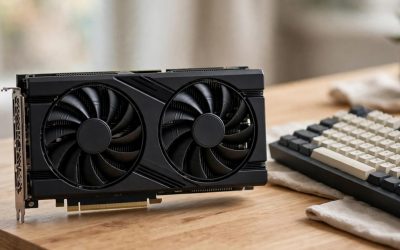
For a graphics card budget of about $350, the best choice in 2026 is a 16 GB card from the current mid-range generation, such as the Radeon RX 9060 XT 16 GB, with a GeForce RTX 5060 as the pick if you value Nvidia’s DLSS and low power draw more than VRAM. At this price you can expect smooth 1080p at high settings and solid 1440p with upscaling, but the amount of video memory now matters as much as raw speed.
Street prices move with supply, so treat every number here as a general market range and check current listings. The goal of this guide is to help you choose by workload and memory needs rather than by a single benchmark chart.
Quick comparison of the best cards around $350
| Pick | Best for | Key specs | Typical price range |
|---|---|---|---|
| Radeon RX 9060 XT 16 GB | Best overall at this budget | 16 GB GDDR6, 128-bit bus, about 160 W board power class | Usually $350-$420 |
| GeForce RTX 5060 | Best for Nvidia features and efficiency | 8 GB GDDR7, 128-bit bus, about 145 W | Usually $300-$370 |
| Intel Arc B580 | Best budget value and 12 GB | 12 GB GDDR6, 192-bit bus, about 190 W | Usually $250-$320 |
| GeForce RTX 5060 Ti 8 GB | Stretch pick for faster 1080p/1440p | 8 GB GDDR7, 128-bit bus, about 180 W | Usually $370-$430 |
| Previous-generation 12 GB cards (clearance) | Best if found discounted | 12 GB GDDR6, 192-bit bus, 170-200 W | Usually $280-$380 |
Best overall: Radeon RX 9060 XT 16 GB
The 16 GB version gives you headroom that 8 GB cards lack. Newer games at high texture settings can fill 8 GB at 1440p, and when VRAM runs out the game stutters because data spills into system memory. The RX 9060 XT also brings improved ray tracing hardware and FSR 4 upscaling, according to AMD’s published specifications.
The trade-off is software: Nvidia’s DLSS is supported in a wider list of games, and AMD cards usually draw a little more power for similar performance.
Best for Nvidia features: GeForce RTX 5060
The RTX 5060 is efficient, quiet and runs from a modest power supply, which is useful if you are upgrading an older prebuilt. It supports DLSS with multi-frame generation, which can raise frame rates in supported games, and Nvidia’s encoder is strong for streaming.
The trade-off is 8 GB of memory. For 1080p it is adequate, but at 1440p with ultra textures you may need to lower settings in a few demanding titles. Treat it as a 1080p-first card.
Best budget value: Intel Arc B580
With a 192-bit bus and 12 GB of memory, the Arc B580 has more VRAM than the 8 GB Nvidia options at a lower price. It is strong at 1440p in many modern games, and Intel’s XeSS upscaling is improving. It suits builders who want maximum memory per dollar.
The trade-offs are higher idle and load power than competing cards, and sensitivity to a weak CPU. Intel’s driver overhead can reduce performance on older processors, so it pairs best with a recent mid-range CPU. Resizable BAR should be enabled in the BIOS.
Stretch pick: GeForce RTX 5060 Ti 8 GB
If your budget stretches a little, the 5060 Ti offers more shader performance than the 5060. The trade-off is the same 8 GB of memory, so you pay for speed you may not fully use at higher resolutions. If you can afford it, the 16 GB variant is a better long-term buy, but it usually costs over $400.
How much VRAM do you need? A worked estimate
Memory use is driven mostly by texture quality and resolution. The table shows typical ranges seen in modern games; actual use varies by title and settings.
| Resolution | Typical VRAM use, high settings | Typical VRAM use, ultra textures + ray tracing | Recommended card memory |
|---|---|---|---|
| 1080p | 5-7 GB | 7-9 GB | 8 GB minimum, 12 GB comfortable |
| 1440p | 7-9 GB | 9-12 GB | 12 GB minimum |
| 4K | 10-13 GB | 12-16 GB | 16 GB or more |
If you play at 1440p, the table points to 12-16 GB cards. That is why the RX 9060 XT 16 GB and Arc B580 are more future-proof than an 8 GB card at the same price.
Power budget calculation
Check your power supply before buying. A simple rule: add the graphics card’s power rating, the CPU’s maximum power, about 75 W for the motherboard, drives and fans, then add a 30% safety margin.
| Build | GPU | CPU | Other | Subtotal | With 30% margin |
|---|---|---|---|---|---|
| Mid-range, efficient | 145 W | 65 W | 75 W | 285 W | about 370 W |
| Mid-range, balanced | 160 W | 105 W | 75 W | 340 W | about 440 W |
| Higher-power GPU | 190 W | 125 W | 75 W | 390 W | about 510 W |
A quality 550 W power supply covers all three cases. Also confirm the connector: some cards use one 8-pin or a 12V-2×6 plug, so check the card’s spec sheet and your supply’s cables.
How to choose at $350
- Play at 1080p and want DLSS: RTX 5060.
- Play at 1440p: prioritize 12-16 GB, so the RX 9060 XT 16 GB or Arc B580.
- Stream or edit video: Nvidia’s encoder and software support are usually the smoother choice.
- Have an older CPU or weak PSU: pick a lower-power card and avoid Arc unless your CPU is recent.
- Need compact size: look for dual-fan, 2-slot models under 250 mm long.
Frame rate expectations
Published reviews of cards in this class typically show roughly 60-120 FPS at 1080p high settings and about 45-90 FPS at 1440p high settings, varying with the game, CPU, patch and upscaling. Competitive esports titles run far higher, often above 200 FPS at 1080p.
Settings that stretch a $350 card further
- Turn on upscaling at Quality mode: rendering at roughly 67% of the output resolution cuts the pixel load by about 55% while keeping most of the sharpness.
- Drop textures one notch before dropping resolution: on 8 GB cards this often removes stutter without a visible loss at 1080p.
- Cap shadows and volumetric effects at High: Ultra versions of these settings usually cost 10-20% of your frame rate for small visual gains.
- Use a frame cap just under your monitor’s refresh rate: it lowers heat and noise and keeps frame pacing smooth.
These changes cost nothing and matter more than a small difference in card model. A well-tuned 8 GB card can feel better than an untuned 16 GB card in a demanding game.
Frequently Asked Questions
Is 8 GB of VRAM enough in 2026?
For 1080p, yes in most games, though a few demanding titles need reduced textures. For 1440p and beyond, 12 GB or more is a safer choice.
Should I buy a used card instead?
A used higher-tier card from a prior generation can offer more raw performance for $350. You lose warranty coverage and newer features, so inspect fan condition, ask about mining use and prefer sellers with return policies.
Do I need a new power supply?
Most cards in this class run on 500-550 W supplies from reputable brands. Check the connector type and the card’s recommended wattage on its spec sheet.
Is Nvidia or AMD better at this price?
Nvidia leads in upscaling support and efficiency; AMD often gives more VRAM for the money. Pick based on the games you play and your resolution.
Will my CPU bottleneck these cards?
A CPU from the last four or five years with six or more cores is usually enough. Very old quad-core processors will limit frame rates, especially with Intel Arc.
Can these cards handle ray tracing?
They can at 1080p with upscaling on, but ray tracing reduces frame rates significantly, so expect to lower other settings.
Related guides
More from Amazon
Programs that pair well with the guide above. Offers and eligibility are set by Amazon and may change.
A free business account with business pricing and bulk-buying tools for work, shop or home office.
Create a business accountFree shipping on eligible items, Prime Video and more. Eligible new members can start with a free trial.
Start a Prime free trialAudiobooks and podcasts to listen to on the go. Eligible new members can start with a free trial.
Try Audible freeAd-free music streaming. Eligible new subscribers can start with a free trial.
Try Music Unlimited freeAs an Amazon Associate we earn from qualifying purchases.