Two SSDs can share the same capacity, interface, and headline speed yet perform very differently under sustained load, and the hidden reason is often whether the drive has its own DRAM cache. Manufacturers rarely put this detail on the box, so knowing how to identify it before you buy protects you from a drive that stutters when the going gets tough.
As an Amazon Associate we earn from qualifying purchases at no extra cost to you.


Our Top Picks
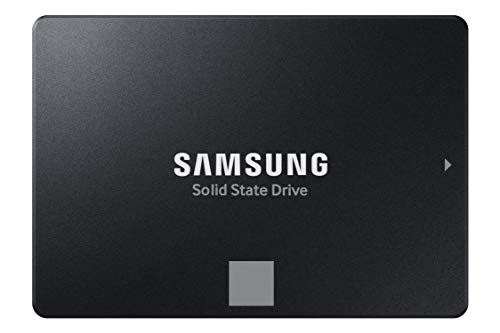 SAMSUNG 870 EVO SATA SSD 500GB 2.5” Internal0.5TB3.94 x 2.76 x 0.27 inches0.19 PoundsCheck on Amazon


Top 3 picks at a glance
Why the DRAM cache matters
An SSD keeps a map of where every piece of data physically lives on the NAND. A drive with dedicated DRAM stores that map in fast memory, so lookups are instant. A DRAMless drive either keeps a partial map in a small internal buffer or borrows a slice of your system RAM through a feature called host memory buffer. The result is that DRAMless drives can slow down under heavy random access or when nearly full.
When the difference shows up
For light use, booting, launching apps, loading games, a good DRAMless drive feels fine. The gap appears during sustained random writes, large file operations, and multitasking, where the constant map lookups pile up. For a boot or game drive most people are content with DRAMless; for a scratch disk or heavy workload, DRAM is worth seeking out.
How to identify it before buying
| Clue | What it suggests |
|---|---|
| Spec sheet lists DRAM / cache | Has dedicated DRAM |
| Mentions host memory buffer (HMB) | Almost certainly DRAMless |
| Very low price for capacity | Often DRAMless |
| Single-sided, few chips | Possible DRAMless clue |
| Independent teardown reviews | Most reliable confirmation |
Reading between the lines
Start with the manufacturer’s detailed specifications, not the marketing blurb. If a cache or DRAM buffer is explicitly listed with a size, the drive has it. If the specs mention host memory buffer support, that is a strong signal the drive is DRAMless, since HMB exists precisely to compensate for the missing cache. Rock-bottom pricing is another hint, because DRAM chips add cost that budget drives cut.
The most reliable method
Manufacturers sometimes change components within the same model over time, so the surest way to know is to find a recent independent review or teardown of the exact model and capacity you are considering. Reviewers open the drive, identify the chips, and test sustained performance, revealing what the box will not tell you. A few minutes of searching saves you from an unpleasant surprise.
Frequently asked questions
Is a DRAMless SSD ever the right choice?
Absolutely. For a boot drive, a secondary game library, or a laptop where power efficiency matters, a quality DRAMless drive with host memory buffer performs well and costs less. The key is buying it knowingly for the right role rather than being caught off guard.
Does host memory buffer fully replace DRAM?
It helps considerably but not completely. HMB borrows a small slice of system RAM to cache part of the map, closing much of the gap for everyday use, yet a dedicated DRAM cache still handles heavy sustained workloads more gracefully. Think of HMB as a good compromise, not an equal substitute.
Model numbers can change mid-life
A frustrating industry habit makes this research trickier than it should be. Manufacturers sometimes revise a drive’s internal components partway through its production run while keeping the same model name and box, so a review from a year ago might describe a version with different hardware than the one you receive today. That is why matching the exact capacity and, where possible, checking recent reviews or the current firmware and revision matters. When in doubt, favor drives from makers with a track record of transparency, and treat a suspiciously cheap drive with a familiar name as a prompt to verify rather than assume it matches an older glowing review.
Bottom line
Whether an SSD has a DRAM cache shapes how it behaves under sustained and random workloads, yet it is often hidden from the packaging. Check the detailed specs for a listed cache, treat host memory buffer mentions and rock-bottom prices as DRAMless signals, and confirm with a recent teardown review. Buy DRAMless deliberately for light duty, and seek DRAM for demanding roles.









