Used SSDs can be a bargain, especially high-endurance enterprise or high-capacity NVMe drives selling for a fraction of new prices. But unlike a hard drive, an SSD wears with every write, and a heavily used drive may have little life left. The difference between a great deal and a soon-to-fail purchase comes down to a few checks you can run in minutes. Here is what to look at before you hand over money.
As an Amazon Associate we earn from qualifying purchases at no extra cost to you.

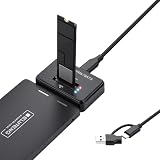
Our Top Picks
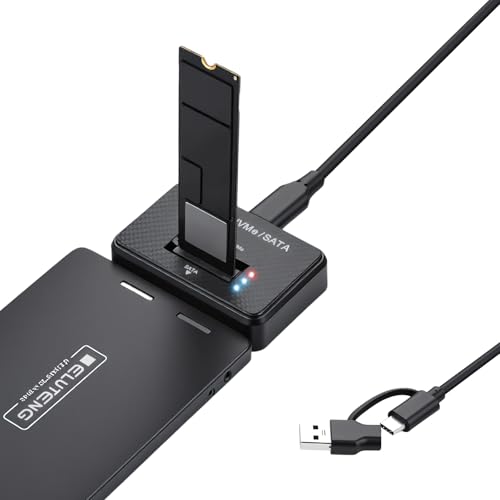

Top 3 picks at a glance
The three numbers that matter most
Every SSD tracks its own wear. If you can plug the drive in before buying, or ask the seller for a screenshot from a health tool, focus on three values: power-on hours, total bytes written, and the percentage used or wear-leveling indicator.
| Metric | What it tells you | Green flag | Red flag |
|---|---|---|---|
| Percentage Used | Wear consumed vs rated endurance | Under 10% | Over 70% |
| Total Host Writes (TBW) | Data written over its life | Well under rated TBW | Near or over rated TBW |
| Power-On Hours | How long it has run | A few thousand | Tens of thousands |
| Reallocated/Media errors | Failing NAND blocks | 0 | Any rising count |
Step-by-step inspection
1. Read S.M.A.R.T. data
Use a free tool to pull the drive’s health. A 1TB consumer TLC drive is typically rated around 600TBW, so a used drive showing 50TBW written has consumed under 10% of its endurance and has enormous life left. One showing 500TBW is near end of rated life and should be priced accordingly or avoided.
2. Check the percentage used or wear indicator
NVMe drives report Percentage Used directly, where 0% is new and 100% means rated endurance is consumed (the drive often still works past that). SATA SSDs use a wear-leveling count that starts at 100 and drops. Either way, lower wear is better.
3. Run a quick benchmark
A short sequential and random benchmark confirms the drive still hits reasonable speeds. A drive performing far below its class may have a failing controller, thermal issues, or a nearly full SLC cache problem.
4. Do a health-preserving surface check
A read-only scan for bad sectors or unreadable areas catches a drive with pending failures without adding meaningful wear.
Physical and seller checks
Inspect the label for the correct capacity and model, look for burn marks or bent connector pins, and be wary of counterfeit high-capacity drives that report fake sizes. If the seller cannot or will not provide S.M.A.R.T. data on a drive they claim works, treat that as a warning sign. Enterprise drives rated for 1-3 drive writes per day often have huge endurance headroom even after years of service, which is why they are frequently the best used value.
Matching the deal to your use case
Not every used SSD needs to be pristine; what matters is fitness for the job you have in mind. A drive with moderate wear that would be a poor choice for a heavily written database or scratch disk can be perfectly fine as a game library drive, where the workload is overwhelmingly reads. Conversely, if you plan to use the drive for constant writes, insist on low wear and high remaining endurance, and lean toward enterprise models rated for one or more drive writes per day. Capacity influences value too: a used high-capacity drive that saves a large amount per terabyte can be worth a little extra wear, while a small drive rarely justifies risk for modest savings. Always factor in the lack of warranty; a new drive with a five-year warranty carries protection a used drive does not, so the used price should reflect that. When the wear is low, the price is right, and the intended workload is read-friendly, a used SSD is often one of the smartest ways to add fast storage cheaply.
FAQ
Is a used SSD reliable if it shows low wear?
Generally yes. SSDs do not suffer the mechanical wear of hard drives, so a drive with low TBW, low power-on hours, and zero media errors is usually as dependable as new. Always put your own backup routine in place regardless of the drive’s age.
Should I secure-erase a used SSD after buying?
Yes. A secure erase or full format clears leftover data and can restore the drive to a clean performance state. Update the firmware afterward if the manufacturer has a newer version.
Bottom line
A used SSD is a smart buy when the numbers back it up: low percentage used, host writes well under the rated TBW, modest power-on hours, and zero media errors. Refuse drives with no health data, near-end-of-life wear, or rising error counts. Spend five minutes reading S.M.A.R.T. and you turn a gamble into a calculated, often excellent deal.









