Handhelds like the Steam Deck, ROG Ally, and Legion Go ship with modest storage that a few big games swallow whole. You have two paths to more space: pop in a microSD card, or upgrade the internal M.2 SSD. One is a two-second slot-in; the other is faster but involves surgery. Here is how to choose and do it right.
As an Amazon Associate we earn from qualifying purchases at no extra cost to you.



Our Top Picks


Top 3 picks at a glance
microSD: Easy, Cheap, Slower
Every major handheld has a microSD slot. A card is the effortless expansion: slide it in, format it in the OS, and install games to it. It is ideal for indie and older titles, emulation, and anything not demanding.
Buy the Right Card
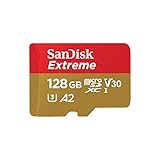
Get a reputable A2-rated UHS-I card for better random performance; look for 100+ MB/s reads. Capacities of 512GB to 1TB hit the value sweet spot. Beware fake high-capacity cards from no-name sellers, buy known brands.
Internal SSD: Fast, Roomy, More Effort
Swapping the internal M.2 SSD gives you full NVMe speed for demanding modern games with heavy streaming assets. Most handhelds use the compact 2230 form factor (some fit 2242), not the desktop 2280 size, so buy the correct length.
The Upgrade Process in Brief
You will open the back panel, disconnect the battery, unscrew the tiny 2230 drive, swap in the new one, then reimage the OS from a USB recovery stick. It voids some warranties and takes 30-60 minutes. Watch a model-specific teardown first.
| Option | Typical Speed | Effort | Best For |
|---|---|---|---|
| microSD (UHS-I A2) | ~100 MB/s | Instant | Indies, emulation, older games |
| 2230 NVMe SSD | ~2,000-5,000 MB/s | Moderate (teardown) | Modern AAA, fast loads |
Which Should You Choose?
If you mostly play indies, 2D games, or emulators, a 1TB microSD card is the smart, cheap, no-risk answer, load-time differences are negligible for lighter titles. If you play modern open-world AAA games with fast-travel streaming, the internal SSD upgrade meaningfully cuts stutter and load times, and 1-2TB 2230 drives are now affordable. Many owners do both: a bigger internal SSD for AAA plus a microSD for the long tail.
Watch the Heat on 2230 Drives
In a cramped handheld, a power-hungry 2230 NVMe can run hot and drain battery faster. Look for drives marketed as low-power/DRAM-less efficient models designed for handhelds rather than the highest-end desktop parts.
Frequently Asked Questions
Will a microSD card slow down my games?
For lighter and older titles, no meaningful difference. For big modern games with constant asset streaming, a card’s ~100 MB/s can cause longer loads or texture pop-in versus the internal SSD. Match the storage to the game.
Can I put a desktop 2280 SSD in my handheld?
Almost never; there is not room. Most handhelds take 2230 (30mm) drives. Confirm your exact model’s supported length before buying, as forcing the wrong size is impossible.
Cloning vs Fresh Imaging on a Handheld
When you upgrade the internal SSD, you have two ways to set up the new drive. Cloning the old drive with a USB adapter preserves your games and settings but requires the right cables and enough space. The cleaner route for most handhelds is imaging: download the official recovery image to a USB stick, boot from it, and reinstall the OS fresh on the new drive, then redownload or transfer games. Fresh imaging avoids carrying over any corruption and is the manufacturer-recommended method.
Watch Out for microSD Card Failures
microSD cards live a harder life than internal SSDs: they run hot next to the chassis, and cheaper cards can corrupt or fail under constant game access. Buy a reputable brand, avoid suspiciously cheap high-capacity cards that are often counterfeit, and keep anything irreplaceable backed up elsewhere. A card is perfect for installed games you can redownload, but treat it as convenient overflow, not trusted long-term storage.
Bottom Line
For simplicity and value, a branded 1TB A2 microSD card expands any handheld instantly. For maximum speed on modern AAA games, upgrade the internal 2230 NVMe, buying an efficient, correctly sized drive. Doing both gives you a fast core plus cheap overflow, the ideal handheld storage setup.









