Two DDR5-6000 kits sit side by side: one is CL30, the other CL36, and the CL30 costs more. Is the tighter timing worth it? Timings describe how quickly memory responds, and while speed (MT/s) gets the headlines, latency shapes the feel of a CPU-bound game. Here is how to weigh CL30 against CL36 without overpaying.
As an Amazon Associate we earn from qualifying purchases at no extra cost to you.

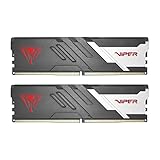

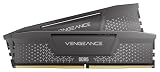
Our Top Picks
 CORSAIR Vengeance RGB DDR5 RAM 32GB32GB (2 x 16GB)5.43 x 0.27 x 1.77 inches0.11 PoundsCheck on Amazon



Top 3 picks at a glance
What CAS Latency Actually Measures
CAS Latency (CL) is the delay, in clock cycles, between the controller requesting data and the memory delivering the first bit. Lower is better: CL30 responds in fewer cycles than CL36. But cycles are not time, speed matters too, which is why you compare true latency, not the CL number alone.
Convert to Real Nanoseconds
True latency (ns) = CL x 2000 / data rate. This lets you compare kits fairly across speeds.
| Kit | Formula | True Latency |
|---|---|---|
| DDR5-6000 CL30 | 30 x 2000 / 6000 | 10.0 ns |
| DDR5-6000 CL36 | 36 x 2000 / 6000 | 12.0 ns |
| DDR5-6400 CL32 | 32 x 2000 / 6400 | 10.0 ns |
| DDR5-5600 CL28 | 28 x 2000 / 5600 | 10.0 ns |
Notice DDR5-6000 CL30 and DDR5-6400 CL32 land at the same 10 ns; the faster kit trades a looser CL for more bandwidth and comes out even on latency.
The Real-World Gaming Impact
Going from CL36 to CL30 at DDR5-6000 improves true latency by about 17% on paper, but in games the FPS difference is usually small, often 1-4% in CPU-bound titles and a touch better in 1% lows. In GPU-bound 4K scenes it is often within margin of error. Latency matters most for simulation, strategy, and esports titles at high frame rates.
The Ryzen Sweet Spot
On AMD’s AM5 platform, DDR5-6000 CL30 is the widely recommended sweet spot because it keeps the Infinity Fabric in a synchronized 1:1 mode while offering tight latency. Pushing higher speeds can force a less efficient ratio that erases the gains. For Ryzen gaming builds, DDR5-6000 CL30 EXPO is close to ideal.
When to Save Money With CL36
If the CL30 kit costs 20-30% more for a 2-3% gaming gain you may never notice, CL36 is the smarter buy, especially at 4K where the GPU is the bottleneck. Spend the savings on a better GPU or a larger SSD, both of which move the needle more than tighter RAM timings.
Frequently Asked Questions
Is CL30 always better than CL36?
At the same speed, yes, CL30 has lower latency. But “better” depends on price and workload. If CL30 carries a big premium and you game at 4K, the practical benefit may not justify the cost.
Can I tighten CL36 to CL30 myself?
Sometimes. Many DDR5-6000 CL36 kits use the same chips as CL30 kits and can be manually tuned lower, but it requires stability testing and is not guaranteed. Buying the rated CL30 kit removes the gamble.
Secondary Timings Matter Too
CAS Latency is the headline number, but a kit’s full timing set includes secondary and tertiary timings, tRCD, tRP, tRAS and many more, that also shape performance. Two DDR5-6000 CL30 kits can differ slightly because one has tighter secondaries. For most buyers this is over-analysis: the advertised speed and CL capture the bulk of the difference. Only enthusiasts hand-tuning for benchmarks need to dig into the secondary timings, and even then the gains are small.
Match Timings to Your Resolution
The single best predictor of whether tight timings help you is resolution. At 1080p and 1440p with a fast GPU, the CPU and memory subsystem are often the bottleneck, so CL30 can measurably improve 1% lows. At 4K the GPU is almost always the limiter, and memory timings fade into the margin of error. Buy the tight kit if you play competitive titles at high refresh rates; save the money if you game at 4K.
Bottom Line
Compare kits by true latency, not the CL number. DDR5-6000 CL30 is the gaming sweet spot, especially on Ryzen, but CL36 is a savvy value pick when the price gap is large or you game GPU-bound at 4K. Buy CL30 if the premium is small; otherwise pocket the difference.









