The best mobile graphics cards in 2026 are the Nvidia GeForce RTX 50-series laptop GPUs: the RTX 5070 Ti is the best all-round pick for most gamers, the RTX 5060 is the best value, the RTX 5080 and RTX 5090 are for 4K-class and creative work, and AMD Radeon and Intel Arc mobile graphics fill in the budget and integrated end. A mobile graphics card is soldered to the laptop, so you choose it by buying the laptop, and the wattage the laptop maker allows matters nearly as much as the model name.
“Mobile graphics card” simply means the GPU inside a laptop. You cannot upgrade it later in almost every case, so this guide covers what to compare before buying: VRAM, power limit, memory bus, display output and cooling, with a worked example that shows how much performance a power limit costs.
As an Amazon Associate we earn from qualifying purchases at no extra cost to you.
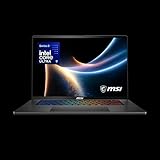

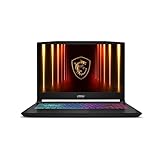

Top 3 picks at a glance
Quick comparison of the best mobile GPU picks
| Pick | Best for | Key specs (per Nvidia/AMD spec sheets) | Typical laptop price range |
|---|---|---|---|
| GeForce RTX 5090 Laptop | Best overall performance | 24 GB GDDR7, 256-bit bus, about 95-150 W | Usually $3,500-$5,000 |
| GeForce RTX 5080 Laptop | Best high-end value | 16 GB GDDR7, 256-bit bus, about 80-150 W | Usually $2,500-$3,800 |
| GeForce RTX 5070 Ti Laptop | Best for most gamers | 12 GB GDDR7, 192-bit bus, about 60-140 W | Usually $1,800-$2,800 |
| GeForce RTX 5060 Laptop | Best value | 8 GB GDDR7, 128-bit bus, about 45-100 W | Usually $1,000-$1,600 |
| GeForce RTX 5050 Laptop | Best budget | 8 GB GDDR7, 128-bit bus, about 35-100 W | Usually $800-$1,100 |
| AMD Radeon integrated (Radeon 890M class) | Best no-dGPU option | Shared memory, up to 16 RDNA 3.5 compute units | Usually $900-$1,600 (whole laptop) |
Best overall: GeForce RTX 5090 Laptop GPU
The RTX 5090 Laptop GPU is the fastest mobile graphics chip Nvidia offers in this generation. It carries 24 GB of GDDR7 on a 256-bit bus, which is plenty for 4K textures, ray tracing and local AI workloads. It sits in a small group of large laptops with strong cooling and power bricks above 300 W.
Main trade-off: cost and weight. A laptop with this GPU often weighs 6 to 7 lb and costs several times more than an RTX 5060 machine, and the real-world gap in games over an RTX 5080 laptop is often only 10 to 20 percent.
Best high-end value: GeForce RTX 5080 Laptop GPU
The RTX 5080 Laptop GPU has 16 GB of GDDR7 and a 256-bit bus. It comfortably handles 1440p at high refresh rates and many games at 4K with upscaling. For creators, 16 GB is enough for most video editing timelines and 3D scenes that overflow 12 GB cards.
Main trade-off: it still costs far more than the 70-class cards. If you play at 1440p and not 4K, the RTX 5070 Ti is usually the better use of money.
Best for most gamers: GeForce RTX 5070 Ti Laptop GPU
The RTX 5070 Ti Laptop GPU has 12 GB of GDDR7 on a 192-bit bus, which fixes the main weakness of the 8 GB cards below it. It is the card to pick if you play new AAA games at 1440p with high settings and want it to stay usable for several years. It is also found in thin and mid-size laptops, so there is a wide range of designs.
Main trade-off: laptops with this GPU run from $1,800 up, and the power limit varies a lot between thin and thick designs.
Best value: GeForce RTX 5060 Laptop GPU
The RTX 5060 Laptop GPU has 8 GB of GDDR7 on a 128-bit bus and targets 1080p high and 1440p medium-to-high settings. It supports Nvidia DLSS 4 and frame generation, which stretch performance in supported games. It is common in laptops priced around $1,100 to $1,500.
Main trade-off: 8 GB of VRAM. A few current games exceed it at 1440p with ultra textures, and you will notice stutter if you do not lower texture settings.
Best budget: GeForce RTX 5050 Laptop GPU or a discounted RTX 40 laptop
The RTX 5050 Laptop GPU is the entry model. It handles esports titles at high frame rates and many AAA titles at 1080p with medium to high settings. Last-generation RTX 4060 and 4070 laptops that are on clearance are also a good way to get more performance for the same money, but check for the newest driver support and the DLSS features you need.
Main trade-off: you give up multi-frame generation on older cards, and the 5050 is the first GPU to feel dated.
AMD and Intel mobile graphics: when integrated is enough
Integrated graphics have improved enough that a thin laptop with Radeon 890M-class graphics can play esports titles and older games at 1080p with low to medium settings. Intel Arc graphics in Core Ultra chips are similar in class. These are not substitutes for an RTX 5060 in demanding games, but they give long battery life and low weight in one package.
Main trade-off: they share system memory, so fast dual-channel RAM matters. A laptop with single-channel 8 GB RAM will perform poorly even with a good integrated GPU.
Worked example: what a power limit costs
Take two laptops with the same RTX 5070 Laptop GPU. Laptop A is a thin 14-inch model with a 65 W graphics limit. Laptop B is a 16-inch model with a 115 W limit. Because GPU performance scales roughly with the power budget but with diminishing returns, the 50 W gap often translates to about 15 to 25 percent more frame rate in GPU-bound games. If Laptop A delivers about 80 fps in a given game, Laptop B will typically deliver about 92 to 100 fps under the same settings.
Power also affects noise and heat. Laptop A would have to run its fans harder to hold even 65 W in a thin chassis, while Laptop B can run cooler at the same output. That is why the TGP and cooling design belong in your buying checklist.
VRAM by resolution: how much do you need?
| Target | Typical VRAM use in demanding games | Recommended minimum |
|---|---|---|
| 1080p high settings | 5-8 GB | 8 GB |
| 1440p high settings | 7-11 GB | 12 GB |
| 4K with upscaling and ray tracing | 10-16 GB | 16 GB |
| Local AI models or 3D rendering | 12-24 GB | 16-24 GB |
These are approximate ranges that vary by game, texture setting, ray tracing and patch version, but they show why 8 GB cards are a 1080p choice and 12 GB is the safer 1440p choice.
How to choose: a decision matrix
| Your situation | Best mobile GPU class | Reason |
|---|---|---|
| Esports at 1080p, tight budget | RTX 5050 or RTX 5060 | Frame rate depends more on CPU and display |
| Single-player AAA at 1440p | RTX 5070 Ti | 12 GB VRAM and strong power headroom |
| Gaming plus video or 3D work | RTX 5080 or 5090 | 16-24 GB VRAM for large scenes |
| Student, light gaming, long battery | Integrated Radeon or Intel Arc | Low weight and good battery life |
| Wants to keep the laptop 5 or more years | Highest VRAM you can afford | Textures grow faster than shader needs |
What else to check besides the GPU name
- TGP and Dynamic Boost: look for the stated wattage in the spec sheet. Marketing pages sometimes show only the maximum.
- MUX switch or Advanced Optimus: lets the display connect directly to the GPU, improving frame rate and latency.
- CPU pairing: a weak CPU can bottleneck a fast GPU, especially in esports titles and simulation games. Look for a modern 8-core or better processor.
- Cooling design: vapor chambers and multiple heat pipes help hold high clocks under long sessions.
- Display ports: HDMI 2.1 and Thunderbolt or USB4 with DisplayPort let you connect an external monitor or an eGPU enclosure if you later need more power.
Frequently Asked Questions
Can I upgrade the graphics card in a laptop?
In nearly all current laptops the GPU is soldered to the motherboard, so you cannot swap it. A small number of modular designs exist, but they are rare and expensive. The practical route is to buy the GPU tier you need at the start, or use an external GPU enclosure over Thunderbolt for extra power.
Is a laptop RTX 5070 the same as a desktop RTX 5070?
No. The laptop version uses fewer shader cores and runs at lower power limits, so it is typically slower than the desktop card with the same number. Compare them using specifications and power ratings, not the model name alone.
How much VRAM do I need in a laptop GPU?
Eight gigabytes is acceptable for 1080p, 12 GB is a better target for 1440p and 16 GB or more suits 4K gaming, creative work and AI tasks. Textures and ray tracing are the largest users of video memory.
Are AMD or Intel mobile GPUs worth considering?
For light gaming, battery life and thin designs, yes. AMD Radeon and Intel Arc integrated graphics handle esports and older games at 1080p. For demanding new titles, a dedicated Nvidia RTX laptop GPU is usually the better choice.
What does a MUX switch do?
A MUX switch lets the laptop route the display signal straight from the dedicated GPU, bypassing the integrated GPU. This usually gives a small boost to frame rates and lower input latency, and many gaming laptops let you toggle it in software.
Related guides
More from Amazon
Programs that pair well with the guide above. Offers and eligibility are set by Amazon and may change.
A free business account with business pricing and bulk-buying tools for work, shop or home office.
Create a business accountFree shipping on eligible items, Prime Video and more. Eligible new members can start with a free trial.
Start a Prime free trialAudiobooks and podcasts to listen to on the go. Eligible new members can start with a free trial.
Try Audible freeAd-free music streaming. Eligible new subscribers can start with a free trial.
Try Music Unlimited freeAs an Amazon Associate we earn from qualifying purchases.


