The best LED graphics cards in 2026 are the models with fully addressable RGB lighting from the major partners: ASUS ROG Strix, MSI Gaming Trio and Suprim, Gigabyte Aorus Master, and Sapphire Nitro+ on the AMD side. Pick the GPU for performance first, then use lighting as the tiebreaker, because two cards with the same chip can differ greatly in cooler quality, noise, and RGB control.
Lighting is cosmetic, but it still affects compatibility, power, and software, so this guide explains how GPU RGB works, which brand ecosystems it ties into, and how to match a card to your case and build.
As an Amazon Associate we earn from qualifying purchases at no extra cost to you.

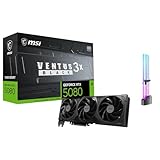

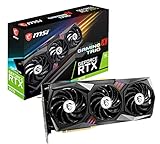
Top 3 picks at a glance
How GPU lighting works
Almost every GPU’s lighting is controlled by the card’s board partner, not by NVIDIA or AMD. The chip maker designs the processor, while ASUS, MSI, Gigabyte, Sapphire, and others design the board, the cooler, and the light show. Most cards connect to the vendor’s software, such as ASUS Armoury Crate (Aura Sync), MSI Center (Mystic Light), or Gigabyte Control Center (RGB Fusion). Some also include a header for a 5 V addressable (ARGB) or 12 V RGB cable, so the card can sync with your motherboard.
The lighting itself uses little power. A typical RGB strip draws well under 5 watts, a tiny fraction of the card’s total board power, so lighting should not drive your power supply choice.
Quick comparison of picks
| Pick | Best for | Lighting | Typical price premium |
|---|---|---|---|
| ASUS ROG Strix | Best overall RGB ecosystem | Addressable RGB on shroud and backplate, Aura Sync | Usually 10-25 percent above reference-class models |
| MSI Gaming Trio / Suprim | Best balance of cooling and lighting | RGB strips on shroud, Mystic Light | Usually 5-20 percent above base models |
| Gigabyte Aorus Master | Best for bold looks | RGB Halo ring on fans, RGB Fusion | Usually 10-25 percent above base models |
| Sapphire Nitro+ (AMD Radeon) | Best AMD option | Addressable RGB strips, TriXX software | Usually 5-15 percent above base models |
| Entry-level dual-fan card with simple LED | Best budget | Single-color or small logo LED | Usually no premium |
Best overall: ASUS ROG Strix
The ROG Strix cards pair thick coolers with well-integrated addressable lighting, and they plug into the Aura Sync ecosystem so you can match the card to ASUS motherboards, fans, and memory. They tend to be tall, wide cards, so check your case clearance. The main trade-off is price, since you pay a noticeable premium over reference designs, and the software can be heavy. If you already use ASUS parts, this is the easiest way to get a unified lighting scheme.
Best for cooling and lighting: MSI Gaming Trio and Suprim
MSI’s Gaming Trio and Suprim lines offer a three-fan cooler and RGB accents that are tasteful rather than overwhelming. The lighting integrates with Mystic Light and can often sync with other brands through third-party tools. The Suprim line adds a metal shroud and higher factory clocks at a higher price. Both are well-regarded for balanced acoustics, though specific noise levels vary with the GPU generation and the case airflow.
Best for bold looks: Gigabyte Aorus Master
The Aorus Master cards use a prominent lit ring and a heavy cooler, with RGB Fusion for control. They are visually striking, especially in a horizontal view, and typically include a sturdy metal backplate. The drawbacks are size and weight, so a support bracket is a good idea to avoid sagging in the PCI-E slot.
Best AMD option: Sapphire Nitro+
For Radeon builds, Sapphire’s Nitro+ cards are a standard choice. They offer addressable RGB strips and strong coolers, and Sapphire’s own software handles the lighting. If you prefer AMD’s current-generation graphics, this is where you find the best-lit boards. As with all high-end partner cards, check the length and thickness before buying.
Best budget: a simple LED or logo-lit card
Entry-level cards from many brands include a small single-color LED or a lit logo with no software. They look neat, cost the same as non-lit versions, and avoid the complexity of syncing. The trade-off is that you cannot match your build’s color scheme beyond what the card offers.
Worked example: does your case and PSU fit?
Lighting is easy to add, but big RGB cards often come with big coolers. Do the numbers before you buy.
- Length. Measure the clearance from the rear expansion slot to the front fan or radiator. A large 3-fan card can be 300-350 mm long. If your case supports 330 mm and the card is 336 mm, it will not fit without removing a fan.
- Thickness. Many top-tier cards are 3 to 3.5 slots thick, roughly 60-70 mm. If your motherboard has an M.2 slot or a second PCI-E device below, a thick card can cover it.
- Power. Add up the components. A card with a 320 W total board power, a 150 W CPU, and about 100 W for the rest gives about 570 W at peak. Industry guidance suggests choosing a PSU with 20-30 percent headroom, so 750-850 W is sensible. Lighting adds under 5 W and does not change this.
- Connector. Check whether the card uses the 12V-2×6 connector or traditional 8-pin connectors, and confirm your PSU has the right cables.
The takeaway: check length, thickness, and connectors before comparing lighting. A card that does not fit is the most expensive mistake.
Compatibility matrix: pick lighting by your build
| Your build | Best choice | Why |
|---|---|---|
| ASUS motherboard and fans | ROG Strix | Aura Sync controls all parts |
| MSI motherboard | MSI Gaming Trio or Suprim | Mystic Light integration |
| Gigabyte motherboard | Aorus | RGB Fusion integration |
| Mixed brands | Any, plus a third-party sync tool | Tools such as OpenRGB can unify control |
| Small case | Compact 2-fan card | Large RGB cards will not fit |
| No interest in lighting | Plain model | Save money, avoid software |
| White build | White-edition card | Matches color scheme |
Practical tips for lighting
- Sync deliberately. Use one lighting program at a time, because multiple RGB apps often fight over the same device.
- Use onboard memory if available. Some cards store the last lighting profile on the card, so it works without background software.
- Turn off lighting for sleeping or streaming. Bright RGB can reflect in a camera or monitor.
- Mount the card vertically only with proper airflow. A vertical mount shows the lighting, but covering the fans against the glass can raise temperatures.
- Support heavy cards. Use the included bracket or a separate holder to reduce slot stress.
- Keep drivers updated. Lighting issues often come from outdated vendor software rather than from the card.
How to choose
First choose the GPU tier for your resolution and refresh target, using current published reviews as a guide, since frame rates vary with settings, resolution, CPU, and patch. Then compare cooler quality and warranty among partner models of that chip. Finally, use lighting as the final filter: pick the ecosystem that matches your motherboard, confirm the dimensions and connector, and decide whether you want addressable RGB or just a simple logo light.
Frequently Asked Questions
Does RGB lighting affect graphics card performance?
No. The lighting uses a few watts and does not change the GPU’s clocks or temperatures in a meaningful way. Performance depends on the chip, cooler, and power limits.
Can I turn off the RGB on a graphics card?
Yes, in the vendor’s software, and sometimes through the BIOS or a physical button on the card. Some cards remember the setting, while others default to lighting on when the software is not running.
Will an RGB graphics card work with my motherboard lighting?
It can if both use the same ecosystem, such as ASUS Aura Sync, or if you use a cross-brand tool. If you mix brands, expect some effort to sync colors.
Do RGB graphics cards cost more?
Usually, premium models with addressable lighting carry a price premium, often 5-25 percent over base models, though that premium also buys a better cooler and a higher power limit.
Is an RGB graphics card worth it?
It is worth it if you have a windowed case and want a matching look. If you do not see the card, spend that money on a better cooler or higher GPU tier instead.
Why does my graphics card lighting not work?
Check the vendor software, update the driver, reseat the card’s lighting header if it has one, and try a different USB port for any lighting controller. Conflicting RGB programs are a very common cause.
Related guides
More from Amazon
Programs that pair well with the guide above. Offers and eligibility are set by Amazon and may change.
A free business account with business pricing and bulk-buying tools for work, shop or home office.
Create a business accountFree shipping on eligible items, Prime Video and more. Eligible new members can start with a free trial.
Start a Prime free trialAudiobooks and podcasts to listen to on the go. Eligible new members can start with a free trial.
Try Audible freeAd-free music streaming. Eligible new subscribers can start with a free trial.
Try Music Unlimited freeAs an Amazon Associate we earn from qualifying purchases.


