For most gaming builds, the best AMD ATX motherboard in 2026 is a B850 board such as the MSI MAG B850 Tomahawk Max WiFi. It gives you the AM5 features that matter (a PCIe 5.0 graphics slot, fast M.2 storage, Wi-Fi 7 and a solid power stage) without the premium price of an X870E board. Step up to X870E only if you need extra USB4 ports, many drives or serious overclocking headroom. Step down to a B650 board if you only need a clean, cheap platform for a Ryzen 5 or Ryzen 7.
This guide covers AM5 first, since every current Ryzen desktop chip uses it, and has a short section for AM4 upgraders. All feature claims below come from the manufacturers’ spec sheets and AMD’s chipset documentation. Check the exact revision before you buy, because vendors reuse names across board versions.
As an Amazon Associate we earn from qualifying purchases at no extra cost to you.


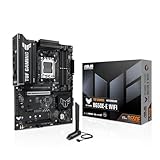

Top 3 picks at a glance
Quick comparison of the picks
| Pick | Best for | Chipset / socket | Key specs | Price range |
|---|---|---|---|---|
| MSI MAG B850 Tomahawk Max WiFi | Best overall | B850 / AM5 | ATX, DDR5, PCIe 5.0 x16, PCIe 5.0 M.2, Wi-Fi 7, 2.5GbE | Mid-range |
| Gigabyte B650 Aorus Elite AX | Best value | B650 / AM5 | ATX, DDR5, PCIe 5.0 M.2, Wi-Fi 6E, strong VRM for the class | Budget to mid-range |
| ASUS TUF Gaming X870-Plus WiFi | Best mid-range X870 | X870 / AM5 | ATX, DDR5, USB4, PCIe 5.0 M.2, Wi-Fi 7 | Mid-range to upper mid-range |
| MSI MAG X870E Tomahawk WiFi | Best for 16-core and heavy storage | X870E / AM5 | ATX, DDR5, USB4, PCIe 5.0 x16 and M.2, Wi-Fi 7 | Upper mid-range |
| ASUS ROG Crosshair X870E Hero | Best premium / enthusiast | X870E / AM5 | ATX, DDR5, USB4, PCIe 5.0, Wi-Fi 7, 2.5GbE or faster LAN | Premium |
| MSI MAG B550 Tomahawk | Best for AM4 upgraders | B550 / AM4 | ATX, DDR4, PCIe 4.0, 2.5GbE | Budget (often found used or in old stock) |
Best overall: MSI MAG B850 Tomahawk Max WiFi
Who it suits: Anyone building around a Ryzen 7 or Ryzen 9 chip such as the 9800X3D, with a high-end graphics card and one or two fast SSDs. B850 sits just under X870 and X870E. You get the current-generation I/O (PCIe 5.0 for the GPU slot and at least one M.2 drive, plus Wi-Fi 7) at a mid-range price. The Tomahawk line has a record of capable power delivery and sensible BIOS options for memory tuning.
Trade-off: B850 does not guarantee USB4. If you want 40Gbps external drives or docks, check the rear I/O on the exact board or move up to X870.
Best value: Gigabyte B650 Aorus Elite AX
Who it suits: Builders pairing a Ryzen 5 or Ryzen 7 with a mid-range GPU who want a full-size ATX board with room to expand. B650 is the older AM5 chipset, but it still runs Ryzen 7000, 8000 and 9000 chips. It also gives you DDR5 and a PCIe 5.0 M.2 slot.
Trade-off: Older B650 boards may need a BIOS update before they recognize a Ryzen 9000 chip. Use a board with BIOS Flashback (a button that updates the BIOS without a CPU), or confirm the retailer’s stock ships with a recent BIOS. Wi-Fi 6E and fewer USB 3.2 Gen 2×2 ports are the other compromises.
Best mid-range X870: ASUS TUF Gaming X870-Plus WiFi
Who it suits: Buyers who want the X870 feature floor, which includes USB4 and PCIe 5.0 storage, along with Wi-Fi 7 and ASUS’s tool-less M.2 conveniences, without paying enthusiast prices. It is a good fit for a long-lived build you plan to upgrade with a future Ryzen chip.
Trade-off: It sits above B850 in price, and plain X870 does not add more CPU performance. You are paying for connectivity.
Best for 16-core CPUs and heavy storage: MSI MAG X870E Tomahawk WiFi
Who it suits: Ryzen 9 owners, content creators and anyone running three or more NVMe drives plus capture cards or a 10Gb network card. X870E uses a dual-chipset design, which gives more downstream lanes and USB ports than B850. It also guarantees PCIe 5.0 for both the GPU slot and M.2, per AMD’s platform requirements.
Trade-off: If you only run one GPU and one or two SSDs, most of this extra capacity goes unused.
Best premium: ASUS ROG Crosshair X870E Hero
Who it suits: Enthusiasts who want the strongest VRM, the most onboard connectivity, extensive BIOS tuning and a clean ATX layout for a showpiece build.
Trade-off: It costs far more than a B850 board, with nearly identical gaming frame rates in typical use. It is a want, not a need.
Best for AM4 upgraders: MSI MAG B550 Tomahawk
If you already own DDR4 and a Ryzen 5000 chip, a B550 board such as the MSI MAG B550 Tomahawk is a cheap path to a better ATX platform. It makes sense when the goal is a Ryzen 7 5700X3D-class upgrade rather than a full rebuild. For a new build, choose AM5. AM4 is a dead-end platform, and DDR5 and PCIe 5.0 storage are only available on AM5.
How to choose: match your situation to a chipset
| Your situation | Choose | Why |
|---|---|---|
| Ryzen 5 or Ryzen 7 plus a mid-range GPU, tight budget | B650 ATX | It covers the essentials, and the saved money is better spent on the GPU |
| Ryzen 7 X3D plus a high-end GPU, one or two SSDs | B850 ATX | PCIe 5.0 GPU slot, Wi-Fi 7 and a strong VRM at a mid-range price |
| You use 40Gbps external SSDs or docks | X870 or X870E | USB4 is a mandatory feature on these chipsets |
| Ryzen 9 plus 3+ NVMe drives, capture card or 10GbE | X870E ATX | More lanes and ports, with fewer bandwidth-sharing surprises |
| Extreme memory or CPU tuning | Premium X870E | Better BIOS tools and power stages |
| Existing DDR4 and Ryzen 5000 chip | B550 ATX | It keeps your RAM and avoids a full rebuild |
Worked example 1: is the VRM good enough?
VRM marketing numbers can mislead, so use a rough current budget. A Ryzen 9 9950X has a 170W TDP and a 230W socket power limit (PPT), according to AMD. At a typical core voltage around 1.25V, that is roughly 230 ÷ 1.25 ≈ 184A of sustained current. A Ryzen 7 9800X3D has a 120W TDP and a 162W PPT, so roughly 162 ÷ 1.2 ≈ 135A.
Now check the board. A budget design with 8 power stages rated 50A each totals 400A on paper. Heat and real-world derating often cut the practical sustained figure to about half, so call it 200A. That is comfortable for the 9800X3D and tight but workable for the 9950X in long renders. A board with 14 stages at 80A each (1,120A on paper, roughly 550A practical) has plenty of margin for either chip. This is an illustration, not a guarantee. The real limits depend on heatsink size, case airflow and the VRM controller. But it shows why a Ryzen 9 should not go on the cheapest board.
Worked example 2: M.2 and chipset bandwidth
AM5 CPUs expose 28 PCIe 5.0 lanes, of which 24 are usable for devices. A typical layout gives 16 to the GPU, 4 to one M.2 slot, 4 to a second M.2 or USB, and 4 to the chipset. Per-direction throughput is roughly 15.8 GB/s for PCIe 5.0 x4, 7.9 GB/s for PCIe 4.0 x4 and 3.9 GB/s for PCIe 3.0 x4.
The chipset link is a PCIe 4.0 x4 connection, so everything on the chipset (extra M.2 slots, SATA, many USB ports, network) shares about 7.9 GB/s. A single Gen4 SSD rated at 7,000 MB/s nearly fills that link on its own. Put your fastest drive in the CPU-connected M.2 slot, and use chipset-connected slots for game libraries and bulk storage. Check the manual’s lane-sharing table, because some boards disable SATA ports or drop a slot to x2 when specific M.2 slots are populated.
Features worth paying for, and ones that are not
- Worth it: BIOS Flashback, a PCIe 5.0 x16 slot with a release latch, at least two M.2 slots with heatsinks, 2.5GbE LAN, front-panel USB-C header, and four or more fan headers (including a CPU_OPT or pump header).
- Situational: Wi-Fi 7 (useful only with a Wi-Fi 7 router), USB4 (only with USB4 peripherals), and extra PCIe x4 slots (only for capture cards or NICs).
- Often not worth it: RGB, “AI overclocking” features and a premium chipset when you run a Ryzen 5 at stock.
Memory settings that matter on AM5
For Ryzen 7000 and 9000, DDR5-6000 with CL30 timings is the widely recommended sweet spot because it lets the memory controller run 1:1 with the fabric clock. Two modules are far easier to run at that speed than four. Enable the EXPO profile in the BIOS after updating it. If you see instability, try a slightly lower speed, such as DDR5-5600, before assuming a hardware fault. Check the board’s QVL (qualified vendor list) for your kit.
Before you buy: a short checklist
- Confirm the CPU is on the board’s supported list, along with the minimum BIOS version.
- Check the case: ATX boards need a case that supports full ATX (most mid-towers do).
- Count your drives and compare against the manual’s lane-sharing notes.
- Make sure the board has the rear ports you actually use, especially USB-C and USB4.
- Match the cooler to AM5 mounting (AM4 coolers usually fit, but verify the bracket).
Frequently Asked Questions
Is B850 or X870E better for gaming?
For gaming alone, a B850 board is usually the better value. Frame rates depend mainly on the CPU and GPU, and B850 already offers PCIe 5.0 and modern memory support. X870E mainly adds extra USB4, more lanes and better power delivery.
Do I need an ATX board, or is micro-ATX enough?
Micro-ATX is enough if you use one GPU, one or two SSDs and no expansion cards. ATX gives you more PCIe slots, more M.2 slots, more fan headers and usually bigger VRM heatsinks. It also costs a little more and needs a larger case.
Will a Ryzen 9000 CPU work on an older B650 board?
Yes, in most cases, but the board may need a BIOS update first. Boards with BIOS Flashback can update without a working CPU. Check the manufacturer’s CPU support list for the minimum BIOS version.
Is AM4 still worth buying in 2026?
Only as an upgrade for an existing system. If you already have DDR4 and a Ryzen 5000 chip, a B550 ATX board keeps costs down. For a new build, AM5 offers DDR5, PCIe 5.0 and a longer upgrade path.
Does PCIe 5.0 matter for graphics cards today?
Mostly not for performance. Current GPUs lose little performance on PCIe 4.0 x16 in typical reviews. A PCIe 5.0 slot is still useful for future cards and for keeping options open, but it should not drive the purchase on its own.
How many M.2 slots do I need?
Two is enough for most gaming PCs: one fast drive for the OS and games, and a second for expansion. Choose three or four slots only if you edit video or keep large libraries. Read the lane-sharing notes first, as populating some slots can disable SATA ports.
Related guides
More from Amazon
Programs that pair well with the guide above. Offers and eligibility are set by Amazon and may change.
A free business account with business pricing and bulk-buying tools for work, shop or home office.
Create a business accountFree shipping on eligible items, Prime Video and more. Eligible new members can start with a free trial.
Start a Prime free trialAudiobooks and podcasts to listen to on the go. Eligible new members can start with a free trial.
Try Audible freeAd-free music streaming. Eligible new subscribers can start with a free trial.
Try Music Unlimited freeAs an Amazon Associate we earn from qualifying purchases.

