The best antenna setup for ethical Wi-Fi hacking is a USB adapter with a monitor-mode-friendly chipset and a detachable RP-SMA antenna, paired with a 5 dBi dual-band omni for general work and a 9 dBi omni or 14 dBi panel when you need range. The adapter’s chipset decides whether capture and injection work at all, so choose it before you choose the antenna. Use any of this only on networks you own or have written authorization to assess, such as a home lab, a CTF, or a client engagement with a signed scope.
As an Amazon Associate we earn from qualifying purchases at no extra cost to you.
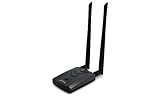

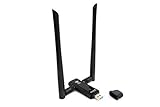

Our Top Picks
Top 3 picks at a glance
Quick comparison of the picks
| Pick | Best for | Key specs | Price range |
|---|---|---|---|
| Alfa AWUS036ACM | Best overall, dual-band lab work | MT7612U chipset, 2.4 + 5 GHz (AC1200 class), detachable RP-SMA, USB 3.0 | Mid-range |
| Alfa AWUS036NHA | Best budget, 2.4 GHz only | Atheros AR9271, 802.11n, 2.4 GHz, detachable RP-SMA, USB 2.0 | Budget to mid-range |
| Alfa AWUS036AXML | Best for Wi-Fi 6E and 6 GHz | MT7921AUN chipset, 2.4/5/6 GHz, detachable antennas, USB 3.0 | Mid-range to premium |
| 9 dBi 2.4 GHz omni (spec class) | Best range upgrade | About 9 dBi, RP-SMA, roughly 25-30° vertical beamwidth | Budget |
| 14 dBi dual-band panel (spec class) | Best directional antenna | About 14 dBi, roughly 30-40° beamwidth, needs aiming | Budget to mid-range |
| 2-3 dBi dual-band low-profile (spec class) | Best portable / covert-free travel kit | 2-3 dBi, wide vertical pattern, short and bendable | Budget |
Why the adapter matters more than the antenna
An antenna only passes signal. Whether your tools can put the radio in monitor mode and inject test frames depends on the chipset and its Linux driver. Mediatek chips such as the MT7612U and MT7921AU are in-kernel on current Linux releases, so they usually work without out-of-tree drivers. The Atheros AR9271 is an older chip that has long been a lab standard because its driver is stable. Realtek-based adapters can work, but they often rely on third-party drivers that break after kernel updates. Check your distribution’s kernel version and the chipset’s current driver status before you buy. Support varies by kernel, so treat any “works with everything” claim cautiously.
Best overall: Alfa AWUS036ACM
The AWUS036ACM suits most people building a Wi-Fi security lab. It covers both 2.4 GHz and 5 GHz, uses a chipset with in-kernel Linux support, and has a detachable RP-SMA antenna, so you can swap in a higher-gain or directional antenna later. USB 3.0 gives it headroom for capturing busy 5 GHz channels. The trade-off is that it has no 6 GHz radio, so it cannot see Wi-Fi 6E networks on that band. It also draws more USB power than 2.4 GHz-only adapters, which matters on a Raspberry Pi or an unpowered hub.
Best budget: Alfa AWUS036NHA
The AWUS036NHA is a 2.4 GHz-only adapter on the Atheros AR9271 chip. It is cheap, has stable driver support, and works well for learning handshake capture and deauthentication-resistance testing on your own access point. The trade-off is clear: it cannot see any 5 GHz network, and a growing share of home routers now run their best SSIDs on 5 GHz. It suits beginners, 2.4 GHz IoT audits, and low-power builds.
Best for Wi-Fi 6E: Alfa AWUS036AXML
If your scope includes 6 GHz access points, you need a tri-band adapter. The AWUS036AXML uses a Mediatek MT7921AUN chipset and covers 2.4, 5 and 6 GHz. Its main trade-off is that monitor mode and injection behavior on newer Wi-Fi 6/6E chipsets is more limited and more kernel-dependent than on older chips. Packet injection in particular can be inconsistent. Buy it for 6 GHz visibility and survey work, and keep an older adapter for injection-heavy exercises.
Best range upgrade: 9 dBi omni
A 9 dBi 2.4 GHz omni is the simplest upgrade over the 2-5 dBi stock antennas. It squeezes the radiation pattern into a flatter donut, so you get more reach in the horizontal plane. The trade-off is vertical coverage. If the target is on a different floor, or you hold the antenna at an angle, a 9 dBi omni can perform worse than a 5 dBi one. It also needs to be mounted vertically, and a 2.4 GHz-only model is no help on 5 GHz.
Best directional: 14 dBi panel
A 14 dBi dual-band panel is the right tool for site surveys, finding rogue access points, and testing a building from the parking lot with permission. A beamwidth of roughly 30-40° means you have to aim it, and that aiming helps you locate where a signal is coming from. The trade-off is that it only sees what it points at. It is bulky, and you need either a tripod or a steady hand. A Yagi is a narrower and longer alternative for single-direction reach.
Best portable: low-profile 2-3 dBi dual-band
A short dual-band antenna with a 2-3 dBi rating gives a wide, forgiving pattern. It is the one to leave on a laptop bag adapter for general surveys because orientation hardly matters. Its range is shorter than a 9 dBi omni, but it is the most reliable choice when you are moving around indoors.
Worked example: what extra dBi actually buys
Free-space path loss in dB is 20·log10(distance in km) + 20·log10(frequency in MHz) + 32.44. These numbers are idealized and ignore walls.
- 2.4 GHz (channel 6, 2437 MHz) at 100 m: 20·log10(0.1) = -20; 20·log10(2437) ≈ 67.7; total ≈ 80.2 dB.
- 5 GHz (channel 36, 5180 MHz) at 100 m: -20 + 74.3 + 32.44 ≈ 86.7 dB. That is about 6.5 dB more loss than 2.4 GHz at the same distance.
- Upgrading a 2 dBi stock antenna to 9 dBi: +7 dB on receive. Every 6 dB roughly doubles free-space range, so this is slightly more than double the theoretical reach.
- Upgrading to a 14 dBi panel: +12 dB on receive, roughly four times the free-space range in the aimed direction.
- Cable loss: a thin 3 m coax pigtail can cost around 1-2 dB at 2.4 GHz, and more at 5 GHz. A thicker low-loss cable runs around 0.2-0.3 dB per meter at 2.4 GHz. A cheap long extension can cancel out a good chunk of your gain.
The practical takeaway is that going from a 2 dBi to a 9 dBi antenna helps more than any adapter swap, but only on receive in the antenna’s pattern. The target access point’s transmit power does not change, and a high-gain antenna on a weak adapter cannot make a distant client hear you. Also keep within your region’s EIRP limits. In the US, that is set by the FCC, and the maximum depends on band and antenna gain, so check the rules before you pair a high-power adapter with a high-gain antenna.
How to choose: decision criteria
- Chipset and driver first. Confirm monitor mode and injection on your kernel before you spend on antennas.
- Bands in scope. If the engagement includes 5 or 6 GHz, a 2.4 GHz-only adapter is wasted.
- Connector. Most adapters use RP-SMA (the center pin is on the socket, not the plug). Standard SMA and RP-SMA do not mate, so check polarity on both ends.
- Gain versus pattern. Higher gain means a narrower pattern. For anything that moves or sits at different heights, stay at 5 dBi or below.
- USB and power. Use a short, shielded USB cable and a USB 3.0 port. Long, cheap cables are a common cause of dropouts.
- Polarization. Match vertical to vertical. A tilted or horizontal antenna can lose 10-20 dB against a vertically polarized one.
Decision matrix: your situation to a choice
| Your situation | Adapter | Antenna | Why |
|---|---|---|---|
| Learning on a home router | AWUS036NHA or ACM | Stock 5 dBi | Low cost, stable drivers |
| Dual-band lab, laptop | AWUS036ACM | 5 dBi dual-band | Covers both bands without aiming |
| 6 GHz in scope | AWUS036AXML | Stock tri-band | Only tri-band option here |
| Warehouse or campus walk-through | ACM | 2-3 dBi low-profile | Orientation-tolerant |
| Locating a rogue AP outdoors | ACM | 14 dBi panel | Directional, helps with bearings |
| Raspberry Pi drop box | AWUS036NHA | 5 dBi or 9 dBi 2.4 GHz | Low USB power draw |
Beyond Wi-Fi
If your lab also covers Bluetooth or sub-GHz radios, a Wi-Fi antenna will not help. Those need their own tools, such as an SDR with a matched antenna for the band you are studying. Match the antenna’s frequency range to the target band, because a 2.4 GHz antenna is a poor fit at 433 MHz or 868 MHz.
Frequently Asked Questions
Is it legal to buy a high-gain Wi-Fi antenna and a monitor-mode adapter?
In most countries, owning them is legal, as they are common networking and survey tools. What matters is how you use them. Testing networks without permission is illegal in many jurisdictions, and some regions also cap total radiated power, so check your local rules.
Does a higher dBi antenna always give better range?
No. Higher gain narrows the beam. A 9 dBi omni reaches farther horizontally but covers less vertically, and a 14 dBi panel only works when aimed. For general use, a 5 dBi dual-band antenna is the safer choice.
Can I use any antenna with an Alfa adapter?
Only if the connector matches and the antenna covers the bands you need. Most Alfa adapters use RP-SMA. A 2.4 GHz-only antenna will work poorly at 5 GHz, so choose a dual-band model if you want both.
Do I need a 6 GHz adapter for ethical hacking practice?
Only if your lab or scope includes Wi-Fi 6E or Wi-Fi 7 access points using 6 GHz. For learning and most home or small-business assessments, a dual-band adapter is enough. Keep in mind that injection support on newer chipsets can be limited.
Why does my adapter drop out even with a good antenna?
The usual causes are weak USB power, a long or unshielded cable, a loose antenna connector, or a driver issue after a kernel update. Try a short cable, a direct USB 3.0 port or powered hub, and re-seat the antenna before you change hardware.
Is a Yagi better than a panel antenna?
A Yagi is narrower and longer, which gives more gain for its size in one direction. A panel is flatter and easier to carry, with a slightly wider beam that is easier to aim. For surveys, a panel is usually easier to handle, and a Yagi is better for a single long-distance direction.
Related guides
More from Amazon
Programs that pair well with the guide above. Offers and eligibility are set by Amazon and may change.
A free business account with business pricing and bulk-buying tools for work, shop or home office.
Create a business accountFree shipping on eligible items, Prime Video and more. Eligible new members can start with a free trial.
Start a Prime free trialAudiobooks and podcasts to listen to on the go. Eligible new members can start with a free trial.
Try Audible freeAd-free music streaming. Eligible new subscribers can start with a free trial.
Try Music Unlimited freeAs an Amazon Associate we earn from qualifying purchases.


