The best upgradable business laptop for most buyers is a Lenovo ThinkPad T14 Gen 5 (or the larger T16 Gen 3) configured with the lowest RAM you can tolerate, because the memory sits in standard SODIMM slots and the SSD, Wi-Fi card and battery can be swapped later. If you want the most upgradeable machine overall, the Framework Laptop 13 or 16 goes further by letting you replace the mainboard, ports and, on the 16, the graphics module. Always confirm the exact configuration on the manufacturer’s spec sheet, because many business lines sell both socketed and soldered-memory variants under the same name.
As an Amazon Associate we earn from qualifying purchases at no extra cost to you.


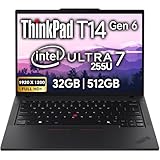
Top 3 picks at a glance
Quick comparison of the picks
| Pick | Best for | Key upgrade points | Price range |
|---|---|---|---|
| Lenovo ThinkPad T14 Gen 5 | Best overall | Two SODIMM slots on most configs, M.2 2280 SSD, replaceable Wi-Fi/battery per the hardware maintenance manual | Mid-range to premium |
| Lenovo ThinkPad T16 Gen 3 | Big screen, more internal room | 16-inch chassis, SODIMM RAM, SSD slot(s), larger battery | Mid-range to premium |
| Lenovo ThinkPad L14 Gen 5 | Best budget | SODIMM RAM, M.2 SSD, serviceable battery, lower-cost materials | Budget to mid-range |
| HP ProBook 440/460 G11 class | Best for fleet and value buying | SODIMM slots and M.2 SSD on common configs; check QuickSpecs | Budget to mid-range |
| Framework Laptop 13 | Best for long-term modularity | SODIMM RAM, M.2 SSD, swappable mainboard, ports and battery | Mid-range to premium |
| Framework Laptop 16 | Best for upgradable graphics | Swappable GPU module, SODIMM RAM, two M.2 SSD slots, modular input deck | Premium |
| ThinkPad P1 Gen 7 class (LPCAMM2) | Thin workstation with upgradable memory | Replaceable LPCAMM2 memory module, M.2 SSD | Premium |
What “upgradable” should mean in a business laptop
Four parts decide whether a laptop ages well: memory, storage, battery and wireless card. The CPU and GPU are almost never upgradable in a mainstream laptop, so the real goal is to avoid paying for a big RAM or SSD tier up front and to keep the parts that wear out replaceable.
- RAM: Socketed SODIMM or LPCAMM2 is upgradable. Soldered LPDDR5X is not, and it is increasingly common in thin-and-light business models.
- SSD: An M.2 2280 slot is the easy case. Some thin models use shorter 2242 drives, which limits capacity choices.
- Battery: A screwed-in internal pack is serviceable. A glued pack is a repair job.
- Wi-Fi card: An M.2 card is swappable, but some designs solder it down.
Best overall: Lenovo ThinkPad T14 Gen 5
The T14 line is the safest default for people who want a work laptop they can service. Lenovo publishes a hardware maintenance manual for ThinkPads, listing which parts are customer-replaceable, and that documentation is itself a feature when a drive fails in year four. The keyboard, port selection and security options are also what IT departments expect.
Trade-off: the 14-inch chassis is tight, so cooling is modest and sustained heavy loads will be louder than on a 16-inch machine. Some configurations differ in memory layout, so check the exact part number before buying.
Best for a bigger screen: Lenovo ThinkPad T16 Gen 3
If you spend your day in spreadsheets, CAD viewers or side-by-side documents, the 16-inch T16 gives you more screen and more internal space for a larger battery and cooling. It follows the same serviceability philosophy as the T14. Trade-off: it is heavier and less pleasant to carry daily.
Best budget: Lenovo ThinkPad L14 Gen 5
The L series trades some of the T series’ premium materials and weight savings for lower cost, while generally keeping the same practical upgrade points: SODIMM memory, an M.2 SSD and a serviceable battery. HP’s ProBook 440 and 460 G11 class is the closest alternative, and is often the cheapest way to get socketed RAM from a major brand. Trade-off: screens are often dimmer, with lower colour coverage, and the plastic chassis flexes more.
Best for long-term modularity: Framework Laptop 13
Framework designed its laptop around repair. Per the company’s specs, you can replace the mainboard to move to a newer CPU generation, swap the expansion cards that define your ports, and replace the battery, screen and keyboard. For a small business that keeps laptops five or more years, a mainboard swap can beat buying a new chassis. Trade-off: it lacks the enterprise management, docking and on-site warranty ecosystems of ThinkPad, and some buyers will need to assemble or add parts themselves.
Best for upgradable graphics: Framework Laptop 16
This is the unusual one: a 16-inch machine with a swappable discrete GPU module, two M.2 SSD slots and SODIMM memory. It suits engineers, designers or developers who want GPU acceleration but dislike replacing the whole laptop. Trade-off: it is thicker and heavier than a typical business ultraportable, and a GPU module adds weight and power draw. Battery life drops noticeably under load.
Best thin workstation option: ThinkPad P1 Gen 7 class
Thin workstations usually mean soldered memory, but the ThinkPad P1 Gen 7 uses LPCAMM2, a compressed module that can be replaced while keeping LPDDR5X speeds. It is the best route to a slim, powerful business laptop that does not lock your RAM in at purchase. Trade-off: LPCAMM2 modules are newer and less widely stocked than SODIMMs, so pricing and availability vary.
Worked example: why socketed RAM changes the buying maths
Assume your workload is Windows 11, a browser with 30 tabs, Teams or Zoom, and Excel. A realistic footprint is roughly 12–16 GB in use, so 16 GB works today but leaves little headroom. With soldered memory you must guess your five-year need on day one. With SODIMM slots you can buy 16 GB now (two 8 GB sticks, which also runs dual-channel) and move to 32 GB or 64 GB later if the model supports it.
The same logic applies to batteries. A typical 57 Wh pack running a light office load averaging 7 W gives about 57 ÷ 7 ≈ 8.1 hours new. After three years, at 80% health, capacity is about 45.6 Wh, so 45.6 ÷ 7 ≈ 6.5 hours. After five years at 70%, you get 39.9 Wh, or about 5.7 hours. A replaceable battery resets that to roughly 8 hours for the cost of a part rather than a laptop.
Decision matrix: match your situation to a choice
| Your situation | Choose | Why | RAM / SSD target |
|---|---|---|---|
| Office work, keep the laptop 4–5 years | ThinkPad T14 Gen 5 | Serviceable, strong support documents | 16 GB now, up to 32 GB later; 512 GB SSD |
| Tight budget, small team | ThinkPad L14 Gen 5 or HP ProBook G11 class | Socketed memory at lower cost | 16 GB; 256–512 GB SSD |
| Spreadsheets and multitasking on a large screen | ThinkPad T16 Gen 3 | 16-inch display and larger battery | 32 GB; 1 TB SSD |
| Want to upgrade CPU generations without a new laptop | Framework Laptop 13 | Mainboard swap | 16–32 GB; add your own SSD |
| CAD, GPU rendering, ML work | Framework Laptop 16 or P1 Gen 7 class | GPU module or workstation graphics | 32–64 GB; 1–2 TB SSD |
| Thin laptop, IT-managed fleet | ThinkPad with LPCAMM2 or SODIMM | Enterprise features and replaceable memory | As required by management policy |
How to choose: a checklist before you buy
- Find the exact model number. Names like “T14 Gen 5” cover Intel and AMD variants with different internals. Read the PSREF sheet (Lenovo), QuickSpecs (HP) or owner’s manual (Dell) for that part number.
- Count the memory slots and the maximum capacity. Two SODIMM slots with a 64 GB maximum beats one slot plus soldered RAM.
- Check the SSD form factor and slot count. M.2 2280 gives the widest choice. A second slot lets you add storage without cloning.
- Verify the battery type. Internal but screwed in is acceptable; glued is not.
- Read the warranty terms. Business lines usually allow RAM and SSD upgrades without voiding coverage, but confirm, especially if you plan to open the machine yourself.
- Buy minimum RAM only if the slots are confirmed. If any memory is soldered, buy more up front.
Common upgrade mistakes
- Mixing a single stick with soldered RAM: some models run an asymmetric layout that cuts bandwidth in part of the memory. Match capacity where possible.
- Ignoring BIOS and drive support: use a recent BIOS before fitting large RAM kits, and check that the SSD is supported by your IT policy and BitLocker setup.
- Forgetting the power adapter: a GPU-module laptop or workstation may need a higher-wattage charger than a thin ultraportable.
- Skipping the battery disconnect: disable the internal battery in BIOS or unplug it before touching components.
Frequently Asked Questions
Are business laptops more upgradable than consumer laptops?
Often, but not always. Many ThinkPad T, L and P models and HP ProBook models use SODIMM memory and M.2 SSDs, while some thin premium business models use soldered memory. Check the exact configuration rather than assuming from the brand.
Can I upgrade the CPU in a business laptop?
Almost never, because mobile processors are soldered to the board. The exception is the Framework Laptop, where you replace the mainboard to change the processor. For other laptops, buy the CPU tier you need and upgrade RAM and storage instead.
How much RAM should I buy in a business laptop?
For general office work, 16 GB is the practical minimum in 2026. Choose 32 GB if you run virtual machines, large spreadsheets, local development tools or many video calls with other apps. If the RAM is soldered, round up, because you cannot add more later.
Will upgrading RAM or SSD void the warranty?
It depends on the manufacturer and the contract. Many business lines treat memory and storage as customer-replaceable parts, but damage during installation is not covered. Read the warranty terms or ask the vendor in writing before opening a managed or leased laptop.
What is LPCAMM2 and does it matter?
LPCAMM2 is a replaceable memory module that delivers low-power LPDDR5X performance in a thinner form than SODIMM. It matters because it gives thin workstations an upgrade path that soldered memory does not. Support is still limited to a few models, so confirm compatibility before buying a module.
Is the Framework Laptop a real business option?
It can be for small teams, freelancers and technical users who value repairability and a long service life. Larger organisations may prefer ThinkPad, EliteBook or Latitude lines for fleet management, on-site service and standardised imaging. Weigh the repairability benefit against those support needs.
Related guides
More from Amazon
Programs that pair well with the guide above. Offers and eligibility are set by Amazon and may change.
A free business account with business pricing and bulk-buying tools for work, shop or home office.
Create a business accountFree shipping on eligible items, Prime Video and more. Eligible new members can start with a free trial.
Start a Prime free trialAudiobooks and podcasts to listen to on the go. Eligible new members can start with a free trial.
Try Audible freeAd-free music streaming. Eligible new subscribers can start with a free trial.
Try Music Unlimited freeAs an Amazon Associate we earn from qualifying purchases.


