The best ultraportable business laptop for most professionals in 2026 is the Lenovo ThinkPad X1 Carbon Gen 13 Aura Edition. It combines a sub-1 kg starting weight, a 57 Wh battery, a keyboard built for long typing sessions and the manageability IT departments expect. If you live in the Apple ecosystem, the MacBook Air 13-inch with the M4 chip is the strongest alternative. HP’s EliteBook Ultra and EliteBook X lines and Dell’s Latitude ultralight models cover fleets that standardize on those vendors.
“Ultraportable” and “business” pull in different directions. Weight, battery and thinness favor consumer-style designs, while ports, security, warranty and serviceability favor business ones. This guide ranks the picks and then gives you numbers to decide: battery runtime math, a weight budget and a situation-to-model matrix.
As an Amazon Associate we earn from qualifying purchases at no extra cost to you.
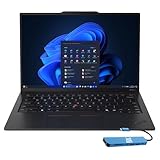


Top 3 picks at a glance
Quick comparison of the picks
| Pick | Best for | Key specs (per manufacturer spec sheets, approximate) | Price tier |
|---|---|---|---|
| Lenovo ThinkPad X1 Carbon Gen 13 Aura Edition | Best overall | 14-inch 16:10, about 0.98 kg starting weight, 57 Wh battery, Intel Core Ultra 200V, Thunderbolt 4 | Premium |
| Apple MacBook Air 13-inch (M4) | Best for battery life and mixed Mac/iPhone workflows | 13.6-inch, about 1.24 kg, 53.8 Wh battery, fanless, 2 Thunderbolt/USB 4 ports plus MagSafe | Mid-range to premium |
| HP EliteBook Ultra G1i 14 / EliteBook X G1a 14 | Best for managed fleets and security features | 14-inch, roughly 1.3-1.4 kg, Intel Core Ultra or AMD Ryzen AI Pro options, vPro or AMD Pro management | Premium |
| Dell Latitude 7450 Ultralight class | Best for Dell-standardized offices | 14-inch, roughly 1 kg class, Intel Core Ultra, Thunderbolt 4, ExpressConnect/Dell management tools | Premium |
| Lenovo ThinkPad T14s Gen 6 | Best value-for-ports ultraportable | 14-inch, about 1.3 kg, more port variety than the X1 Carbon, strong keyboard | Mid-range to premium |
| Microsoft Surface Laptop 13-inch (Business) | Best compact, light Windows option | 13-inch, about 1.2 kg, 46 Wh battery, Snapdragon X Plus | Mid-range |
Exact weights and battery sizes vary by configuration (touch versus non-touch, WWAN, panel type), so confirm them on the manufacturer’s configurator before you order.
Best overall: Lenovo ThinkPad X1 Carbon Gen 13 Aura Edition
This is the default recommendation because it has few weak spots. A 14-inch 16:10 display, a starting weight around 0.98 kg, Thunderbolt 4, optional OLED and Lenovo’s deep-travel keyboard make it a laptop you can type on all day and carry all day. The business features are all there: fingerprint reader, IR camera, discrete security chip and a long list of enterprise management options.
Trade-off: It is premium-priced, and the lightest configurations are not the ones with the best screens. The OLED panel costs battery life, as the runtime math below shows. RAM is soldered on most configurations, so choose 32 GB if your workload includes heavy multitasking.
Best for battery life and Apple users: MacBook Air 13-inch (M4)
Apple rates the M4 MacBook Air at up to 18 hours of video playback. Its fanless design and efficient Arm chip mean an average office workload draws very little power. It suits consultants, founders and sales teams who are already on iPhone and iCloud.
Trade-off: It has only two USB-C ports, both on the left side, plus MagSafe. A Windows-only line-of-business app or a fleet requiring Windows management tools rules it out. Allow for a small hub in the bag if you present often.
Best for managed fleets: HP EliteBook Ultra / EliteBook X
HP’s current 14-inch EliteBooks target IT buyers: AI-capable NPUs, hardware-level security tooling, webcam privacy shutters and solid conferencing audio. The Intel-based Ultra and the AMD-based X offer different performance and battery profiles. Pick Intel if you need vPro remote management and AMD if you want stronger integrated graphics.
Trade-off: They run a bit heavier than the X1 Carbon, and pricing depends heavily on volume agreements. Individual buyers may not see the same configurations a business account does.
Best for Dell offices: Latitude ultralight models
The Latitude 7450 Ultralight class is built around the ~1 kg weight target with a magnesium chassis, Thunderbolt 4 and Dell’s endpoint management software. It is the natural pick if your IT team already images Dell hardware and uses Dell’s dock lineup.
Trade-off: Dell has changed its business product naming recently, so verify the current model name and configuration when ordering. Ultralight variants usually sacrifice some port count and battery capacity for weight.
Best on ports: ThinkPad T14s Gen 6
If the X1 Carbon feels too sparse or too expensive, the T14s keeps the ThinkPad keyboard and a more practical port layout at a slightly higher weight. It is a good fit for people who attach HDMI projectors or wired displays regularly.
Trade-off: It is about 0.3 kg heavier than the lightest X1 Carbon configurations, and the chassis is less premium.
Best compact Windows option: Surface Laptop 13-inch
The 13-inch Surface Laptop is light and quiet, with a good touchscreen and the Snapdragon X Plus platform. It suits executives and frequent flyers who value a small footprint and a clean look.
Trade-off: At roughly 46 Wh, the battery is the smallest in this group, and Arm-based Windows can still hit compatibility gaps with niche drivers, VPN clients and legacy plug-ins. Test your key apps before committing a team to it.
How to choose: the numbers that matter
Battery runtime math
Runtime in hours is battery capacity in watt-hours divided by average system draw in watts. These draws are illustrative figures consistent with how published reviews describe typical loads, not measurements. Your own draw depends on brightness, apps and Wi-Fi.
| Battery | Light office (5 W) | Mixed work (8 W) | Video calls, bright screen (12 W) |
|---|---|---|---|
| 46 Wh | 9.2 h | 5.8 h | 3.8 h |
| 53.8 Wh | 10.8 h | 6.7 h | 4.5 h |
| 57 Wh | 11.4 h | 7.1 h | 4.8 h |
| 70 Wh | 14.0 h | 8.8 h | 5.8 h |
Takeaway: a 57 Wh laptop that draws 8 W gets through a 7-hour day, but the same laptop on back-to-back video calls will not last until the afternoon. Efficient Arm and fanless designs lower the draw figure, which is why a smaller battery can still outlast a bigger one. Also remember that batteries degrade; after two to three years of daily cycling, plan on 10-20% less capacity.
Weight budget
The laptop is only part of what you carry. A 1.0 kg laptop plus a compact 65 W GaN charger (about 0.15-0.2 kg), a USB-C cable and a small hub (about 0.1 kg) comes to roughly 1.3 kg. A 1.4 kg laptop with its stock charger can easily reach 1.8 kg. Over a commute, that 0.5 kg gap matters more than a 0.1 kg difference between the laptops themselves. Check whether the model charges from any USB-C 65 W charger, since this lets you leave the proprietary brick behind.
Match your situation to a pick
| Your situation | Choose | Why |
|---|---|---|
| Weekly flights, lightest possible bag | ThinkPad X1 Carbon or Dell Latitude ultralight | Around 1 kg, magnesium or carbon-fiber build |
| Long days away from outlets | MacBook Air 13-inch M4 | Low power draw, fanless, strong efficiency |
| Company mandates Windows and remote management | HP EliteBook or Dell Latitude | Enterprise tooling, vPro or equivalent |
| Frequent projector or wired-display use | ThinkPad T14s | More native ports, fewer adapters |
| Executive, mostly desk plus occasional travel | Surface Laptop 13-inch | Compact, quiet, touch, good design |
| Heavy spreadsheets, local databases, many tabs | Any pick with 32 GB RAM | RAM is often soldered and cannot be upgraded later |
Spec checklist before you buy
- RAM: 16 GB is the working minimum; 32 GB is safer for five-year use because most ultraportables solder it.
- Display: 16:10 at 400 nits or more is good for travel. Low-power 1080p+ panels extend runtime, while OLED looks better but costs battery.
- Ports: Two Thunderbolt or USB4 ports is the minimum. Check for HDMI, USB-A and a headphone jack if you do not want a dongle.
- Warranty: Business models offer on-site service upgrades. For travel-heavy users, next-business-day on-site support is worth more than extra performance.
- Webcam and mics: A 1080p camera with a privacy shutter and good noise-reducing mics matter if you take daily calls.
Frequently Asked Questions
What weight counts as ultraportable for a business laptop?
Under about 1.4 kg (3 lb) is the usual definition, and the lightest 14-inch models reach roughly 1 kg. Below 1.2 kg you start giving up some battery capacity or ports. Above 1.5 kg, a laptop is no longer noticeably easier to carry than a standard 14-inch workhorse.
Is 13-inch or 14-inch better for an ultraportable?
A 14-inch screen is better for spreadsheets and split windows, and weighs only about 100-200 g more in well-designed models. A 13-inch fits better on airplane tray tables and in small bags. If you spend more than half your day on the laptop screen without an external monitor, choose 14 inches.
Do I need a business-class laptop, or is a consumer ultrabook enough?
Consumer ultrabooks can be fine for freelancers. Business-class models add features like better warranty options, security chips, fingerprint and IR login, management tools and more durable testing, which matter for company-managed devices. If you handle client data or need on-site repair, the business line is worth it.
How much RAM should an ultraportable business laptop have?
Choose 16 GB at minimum for general office work and 32 GB if you use large spreadsheets, virtual machines or many browser tabs with video calls. Most ultraportables solder the memory to the board, so you cannot add more later. Buying the right amount upfront avoids a premature replacement.
Are Arm-based laptops safe for business use?
Apple’s M-series Macs and Windows on Arm devices such as the Surface Laptop 13-inch run mainstream office software well and often give excellent battery life. The risk is niche software, older VPN clients and hardware drivers. Check every critical app against vendor compatibility lists before standardizing a team on Arm.
Can an ultraportable business laptop replace a desktop?
Yes, for most office work, if you pair it with a Thunderbolt or USB-C dock and an external monitor. Sustained heavy loads such as video rendering or large builds will be limited by thin cooling, so those users should consider a thicker 14-inch or 16-inch workstation-class model instead.
Related guides
More from Amazon
Programs that pair well with the guide above. Offers and eligibility are set by Amazon and may change.
A free business account with business pricing and bulk-buying tools for work, shop or home office.
Create a business accountFree shipping on eligible items, Prime Video and more. Eligible new members can start with a free trial.
Start a Prime free trialAudiobooks and podcasts to listen to on the go. Eligible new members can start with a free trial.
Try Audible freeAd-free music streaming. Eligible new subscribers can start with a free trial.
Try Music Unlimited freeAs an Amazon Associate we earn from qualifying purchases.


