The best home WiFi extender for most people in 2026 is a tri-band WiFi 6E model such as the TP-Link RE815XE, because it uses a dedicated radio to talk to your router instead of halving your speed. If your house has dead zones in several rooms, or you game on a console or PC far from the router, a mesh kit or a wired backhaul will beat any single extender. The right choice depends on how weak the signal is where you plan to place the unit, and on whether you can run a cable.
As an Amazon Associate we earn from qualifying purchases at no extra cost to you.


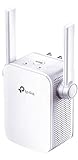
Top 3 picks at a glance
Quick comparison of the picks
| Pick | Best for | Key specs (per manufacturer) | Price range |
|---|---|---|---|
| TP-Link RE815XE | Best overall, WiFi 6E homes | AXE5400 tri-band, dedicated 6 GHz backhaul, 2.5 Gbps Ethernet port | Mid-range to premium |
| TP-Link RE705X | Best value, WiFi 6 routers | AX3000 dual-band, Gigabit Ethernet port, plug-in design | Budget to mid-range |
| TP-Link RE330 | Cheapest fix for light use | AC1200 dual-band WiFi 5, Fast Ethernet port | Budget |
| TP-Link Deco X55 (multi-pack) | Whole-home coverage, big or multi-floor houses | AX3000 mesh, three Gigabit ports per unit, wired backhaul supported | Mid-range |
| TP-Link TL-WPA8631P powerline kit | Thick walls, gaming at a far room | AV1300 powerline, Gigabit ports, built-in WiFi, pass-through outlet | Mid-range |
Why extenders lose speed (and the calculation that decides your purchase)
A basic dual-band extender has one radio per band. It receives from the router and re-broadcasts to your devices on the same channel, so it can’t do both at once. That roughly halves the throughput. A tri-band extender dedicates a separate radio to the router link and avoids most of that penalty.
Worked example: suppose your router delivers a real-world 5 GHz link of 600 Mbps to the extender’s location.
- Dual-band, shared radio: about 600 ÷ 2 = 300 Mbps at best for devices behind it. Overhead and interference usually push this to 200–280 Mbps.
- Tri-band, dedicated backhaul: close to the full 600 Mbps minus a modest overhead, so roughly 450–550 Mbps in practice.
- Wired backhaul (Ethernet or powerline): limited by the cable. Gigabit Ethernet gives roughly 900 Mbps, and AV1300 powerline typically delivers a fraction of its headline number depending on your wiring.
Now compare that with demand. Game streaming services and Steam Link typically need tens of Mbps. A 4K video stream needs around 25 Mbps. Even a halved 250 Mbps link covers several simultaneous streams. Raw speed is rarely the problem for extenders. Latency and stability are what matter for online gaming, and each wireless hop adds a few milliseconds and more jitter. That’s why a wired port on the extender matters more than the AX or AXE number on the box.
Best overall: TP-Link RE815XE
The RE815XE is a tri-band WiFi 6E extender. Per TP-Link’s spec sheet, it has an AXE5400 rating and a 2.5 Gbps Ethernet port. It suits homes with a WiFi 6E or WiFi 7 router that still have one weak area, such as a bedroom or a home office at the far end of the house. You can plug in a console or PC by cable and get a stable connection.
Trade-off: the dedicated 6 GHz link only helps if your router supports 6 GHz and the extender can see it at a decent signal level. 6 GHz travels poorly through walls, so the extender must sit closer to the router than a 2.4 GHz model would. It also costs more than dual-band models.
Best value: TP-Link RE705X
The RE705X is an AX3000 dual-band WiFi 6 plug-in extender with a Gigabit Ethernet port, according to the manufacturer. It fits apartments and mid-sized homes with a WiFi 6 router, where the goal is to cover a room or two for phones, laptops and streaming sticks. The Ethernet port lets you wire a console or smart TV.
Trade-off: it shares one radio for backhaul and clients on each band, so expect the roughly halved throughput described above. For browsing, 4K streaming and cloud gaming that is fine. If you need competitive low-latency play, wire it or choose a different option.
Best budget: TP-Link RE330
The RE330 is an older AC1200 WiFi 5 design with a Fast Ethernet (100 Mbps) port. It is the pick if you have a modest internet plan and only want to get a signal into a nearby room for streaming and calls. Pair it with a WiFi 5 or older router.
Trade-off: the 100 Mbps Ethernet port caps any wired device, and the shared-radio design limits real throughput. Don’t buy it for a fast fiber or cable plan or for lag-sensitive gaming.
Best for large or multi-floor homes: a mesh kit such as the TP-Link Deco X55
If you have more than one dead zone, a mesh system works better than stacking extenders. Extenders daisy-chained off each other multiply the speed loss and add latency. The Deco X55 is an AX3000 mesh system sold in multi-packs, with multiple Gigabit ports per unit. It supports Ethernet backhaul, so you can cable the nodes together and get full speed on every floor.
Trade-off: you replace your router or run the Deco in access point mode. That means re-setting up the network and managing it through an app. It costs more than one extender but gives smoother roaming as you move around the house.
Best for thick walls and far gaming rooms: powerline with WiFi
When brick, concrete, or plaster-and-lath walls kill wireless signal, send the data through the electrical wiring. The TL-WPA8631P is an AV1300 powerline kit with Gigabit ports and built-in WiFi, per TP-Link’s spec sheet. Plug one adapter next to the router, connect it by Ethernet, and plug the second adapter into an outlet near your PC or console.
Trade-off: performance depends on your home’s wiring. The adapters must be on the same electrical circuit or at least the same phase, and plugging them into surge protectors or power strips can cut speed sharply. Old wiring can give anything from modest to excellent results, so check the retailer’s return policy.
How to choose: a decision matrix
| Your situation | Best choice | Why |
|---|---|---|
| One weak room, router 1–2 rooms away, WiFi 6E router | RE815XE | Dedicated backhaul keeps speed high |
| One weak room, WiFi 6 router, casual use | RE705X | Good value, Ethernet port for one wired device |
| Slow plan, only need coverage for streaming | RE330 | Cheapest fix when speed isn’t the problem |
| Three or more bedrooms, two floors, many devices | Mesh kit with Ethernet backhaul | Roaming and no chained speed loss |
| Gaming PC or console in a far room, thick walls | Powerline kit or Ethernet run | Wired path gives the lowest jitter |
| Can run a cable (or have coax/MoCA outlets) | Access point or mesh with wired backhaul | Best possible reliability |
Placement rules that matter more than the model
Use your phone’s WiFi analyzer or the extender’s signal LED to check where it connects. Aim for a signal from the router around -60 to -70 dBm at the extender’s outlet. Stronger than that and you’re wasting coverage by being too close. Weaker than -75 dBm and the backhaul is already poor, so the extender will pass along a bad connection.
| Signal at extender location | Result | Action |
|---|---|---|
| Stronger than -55 dBm | Strong link, but little coverage gain | Move 1 room farther from router |
| -60 to -70 dBm | Sweet spot | Keep it here |
| -70 to -75 dBm | Borderline, unstable under load | Move closer or use a wired backhaul |
| Weaker than -75 dBm | Extender relays a poor signal | Use mesh, powerline or Ethernet instead |
Other criteria to check before buying
- Match your router’s generation. A WiFi 6E extender on a WiFi 5 router will behave like a WiFi 5 extender.
- Look for an Ethernet port. It lets you wire a console, PC, or TV and avoid wireless congestion on that device.
- Prefer a tri-band or wired backhaul if your plan is above 300 Mbps.
- Check the same-name SSID option. One network name is simpler, but separate names let you lock a gaming device to the extender or the router.
- Consider the router first. If the router is several years old, replacing it may fix the problem without any extender.
Frequently Asked Questions
Do WiFi extenders slow down your internet?
Single-radio extenders typically cut throughput by around half on the extended connection because they use the same radio for receiving and transmitting. Tri-band models with a dedicated backhaul band lose far less. Devices connected directly to the router keep their full speed.
Is a mesh system better than a WiFi extender?
For larger homes or several dead zones, yes. Mesh nodes coordinate with each other, share one network name, and can use Ethernet backhaul. A single extender is cheaper and fine for fixing one weak spot.
Where should I plug in a WiFi extender?
Place it about halfway between the router and the dead zone, where the router signal is still reasonably strong, around -60 to -70 dBm. Putting it inside the dead zone gives a weak link, and putting it right next to the router gives no coverage gain.
Can I use a WiFi extender for online gaming?
You can, but a wired connection is better. Wireless relaying adds latency and jitter. If you must use an extender, choose a model with a dedicated backhaul and connect your console or PC to its Ethernet port.
Can I use two extenders in one house?
You can, but chaining one extender off another compounds the speed loss and latency. If you need coverage in two separate areas, connect each extender directly to the router, or switch to a mesh system with wired backhaul.
Do extenders work with any router?
Most standard extenders work with any router that supports the same WiFi standard. Some brands add features, such as roaming, when paired with their own routers. Check your router’s supported band and security settings in the extender’s manual before buying.
Related guides
More from Amazon
Programs that pair well with the guide above. Offers and eligibility are set by Amazon and may change.
A free business account with business pricing and bulk-buying tools for work, shop or home office.
Create a business accountFree shipping on eligible items, Prime Video and more. Eligible new members can start with a free trial.
Start a Prime free trialAudiobooks and podcasts to listen to on the go. Eligible new members can start with a free trial.
Try Audible freeAd-free music streaming. Eligible new subscribers can start with a free trial.
Try Music Unlimited freeAs an Amazon Associate we earn from qualifying purchases.


